@Sean if I override it, do I have to push it as a custom trail and therefore use gaction CLI?
 L
Offline
L
Offline
A New Chapter for MagicMirror: The Community Takes the Lead
Read the statement by Michael Teeuw here.
Read the statement by Michael Teeuw here.
Posts
-
RE: GActions CLI Login Issue
-
GActions CLI Login Issue
I had recently tried the Google Assistant SDK (https://developers.google.com/assistant … ice/python) on my raspberry pi, but when I tried to add my custom actions It prompted my to download the gaction packet (https://developers.google.com/assistant … ctions-cli) and, in order to make it work, I now have to login:
./gactions login

Visit the URL to authorize access:
https://accounts.google.com/o/oauth2/v2/auth?(more and more...)
If I try to visit this address and I try to login with the account I created the project with:
https://i.stack.imgur.com/hw0bY.pngI get this error massage:
https://i.stack.imgur.com/QjjAz.pngAny idea how to fix this problem?
In addition to this whenever I try the default command “Turn On” the assistant answers:
“sorry, power control is not yet supported”
How can I fix this?Thank you
-
RE: ,Change Fonts
I finally did it :)
I don’t know why but if I want to declare my font-face in my custom.css file the fonts folder containing all my fonts must be in the same directory or in a sub-directory.
Now everything works
Thank you all guys -
RE: ,Change Fonts
Ok, I have found a way to make it work, but I don’t like it very much…
Basically I have to add my lines of code in this file:/home/pi/MagicMirror/fonts/roboto.cssLike this:
@font-face {
  font-family: SF;
  font-style: normal;
  font-weight: 100;
  src:
    local("SF"),
    url("SF/SFProDisplay-LightItalic.ttf") format("truetype");
}

@font-face {
  font-family: Roboto;
  font-style: normal;
  font-weight: 100;
  src:
    local("Roboto Thin"),
    local("Roboto-Thin"),
    url("node_modules/roboto-fontface/fonts/roboto/Roboto-Thin.woff2") format("woff2"),
    url("node_modules/roboto-fontface/fonts/roboto/Roboto-Thin.woff") format("woff"),
    url("node_modules/roboto-fontface/fonts/roboto/Roboto-Thin.ttf") format("truetype");
}
And then everything works.
Any solution without using this work around? I don’t like it very much, and it is not so clean.
Thank you -
,Change Fonts
Hello everyone,
I know this is a basic question but I wasn’t able to make it :(
Basically I want to change font in some (or all) modules, so far this is what I have done in my custom.css file:@font-face { font-family: SF; src: url("/home/pi/.fonts/SFProDisplay-Medium.ttf") format("ttf"); font-weight: normal; font-style: medium; } .newsfeed { font-family: SF; } .compliments { font-family: SF; } .calendar { font-family: SF; }And this is my font permissions in my ~/.fonts folder:
-rw-r--r-- 1 pi pi 499572 Sep 16 19:29 SFProDisplay-Medium.ttfThe issue is that whatever font I try it doesn’t work (even standard, already installed, fonts), but instead a default module is loaded…
Any help?
Lorenzo -
MMM-GoogleAssistant Custom Actions not working
Hello, I have successfully installed this module and everything is working like a charm (this is the module: https://github.com/gauravsacc/MMM-GoogleAssistant).
However lately I created some custom actions using google assistant sdk (following this guide: https://developers.google.com/assistant/sdk/guides/library/python/extend/add-trait-and-handler), and they work perfectly with google assistant, this is the command I use:python hotword.py --device_model_id my-modelThe issue is that they don’t seem to work with this module. If I invoke my custom action using the module, it recognizes it as a known action (that means that the actions.json file has been correctly uploaded, indeed I can see my actions in my google project page, so far so good) but it doesn’t run the commands saved in my hotword.py file.
I basically don’t know where to save that file in order to get used by this module.
Thank you for your help
Lorenzo -
RE: RGB light changing during day
It’s probably just about raspberry pi, not MMM…
The problem is that I am not able to find any scripts like this that works with my type of led -
RGB light changing during day
Hello guys,
I have just installed a led strip (the one with individual r,g,b channels and a 12 volt channel) and I was looking for a module capable of controlling it (maybe using pigpio).
My goal was something that starts at morning with a certain color (ex: warm light), than during day time the lights fade away (until they shut off), than during evening they fade in with another color (ex: cold light) until they fade away one last time during night.
Any suggestions on existing modules?
Thanks
Lorenzo -
RE: Magic Mirror not booting up
Thanks god I solved it!!!
While exiting from /etc/lightdm/lightdm.conf I pressed inadvertently option+x instead control+x and I added “†” in the file without realising it.
Thank you guys for helping me out -
RE: Magic Mirror not booting up
@sean I cannot start magic mirror using npm start dev because it’s like the graphical environment didn’t load.
My config file is ok, I just checked it -
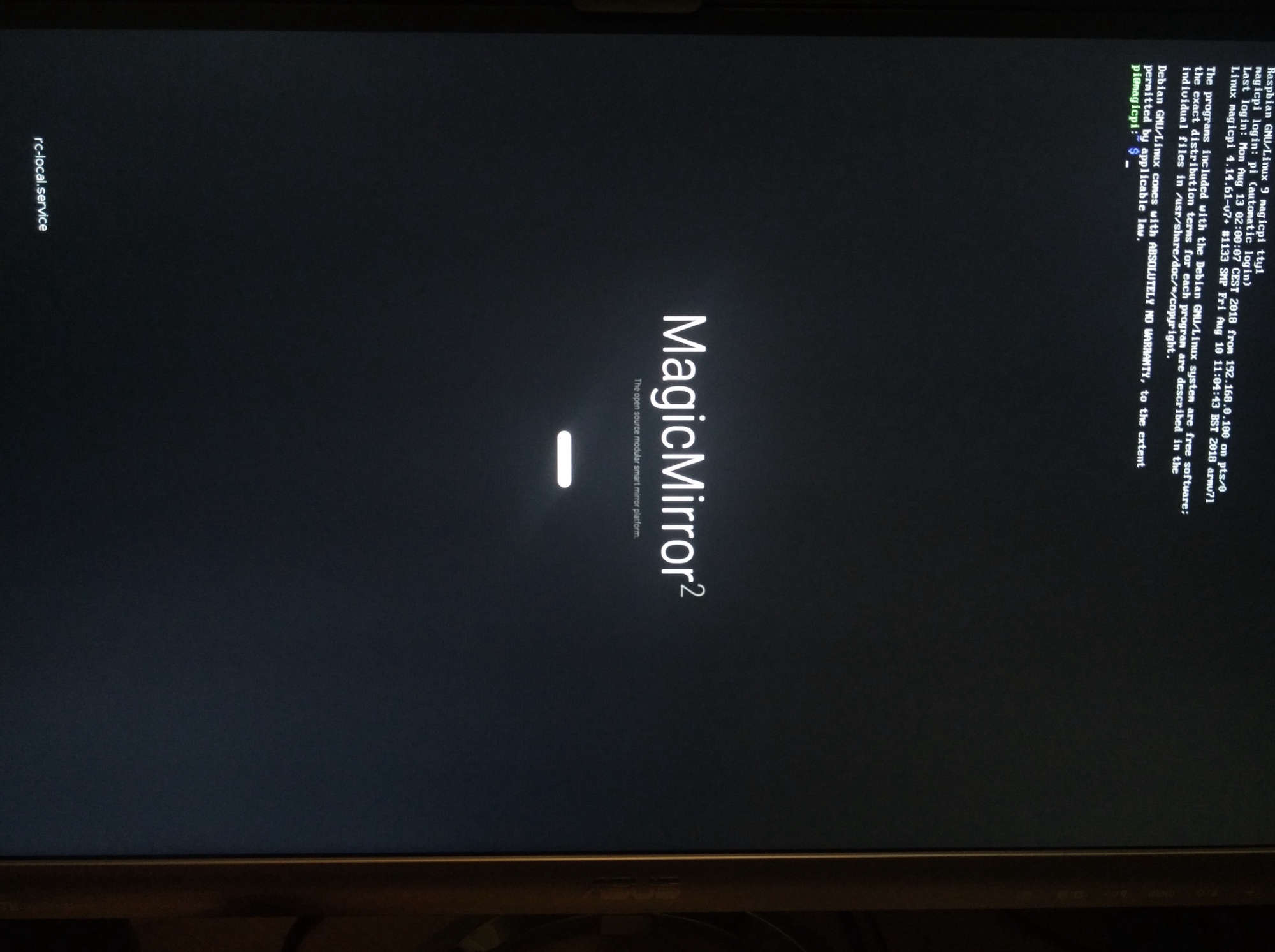
Magic Mirror not booting up
Guys I’m becoming mad, I have spent last two days configuring my smart mirror with google assistant, Spotify and other. Finally today everything was working more or less (just minor adjustment to be done).
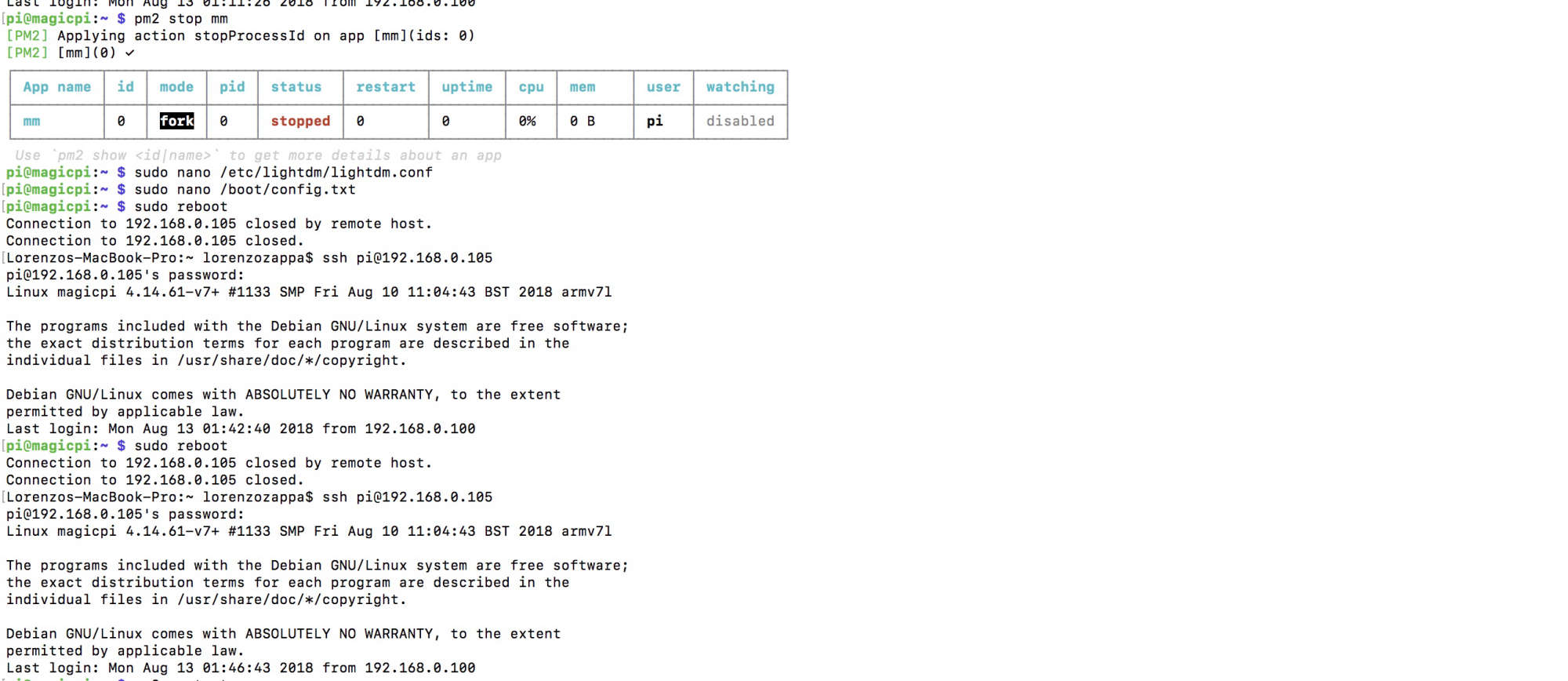
Unfortunately now it doesn’t work anymore, it doesn’t even boot. I can guarantee that before booting I changed just two things:- I removed this line
display_rotate=1
from
/boot/config.txt - I removed
-nocursor
from
xserver-command=X -s 0 -dpms -nocursor
in
/etc/lightdm/lightdm.conf
Here is a screenshot:
All I get now is this:
Lorenzo - I removed this line