Update:
I now use:
.MMM-DWD-Pollen table {
	margin-left: auto;
	margin-right: -40px;
}
Not sure if this is a good way, but it works for me at the moment.
Update:
I now use:
.MMM-DWD-Pollen table {
	margin-left: auto;
	margin-right: -40px;
}
Not sure if this is a good way, but it works for me at the moment.
@sdetweil I was not sure, so I did it again.
But the error is still the same.
@carstend I added the question to the DWD-Pollen thread, but no respond so far.
https://forum.magicmirror.builders/topic/12247/mmm-dwd-pollen/19?_=1616656403635
text-align: right
will move the text, so it is not centered anymore. But the goal is, to get rid of the space on the right side.
Update:
I now use:
.MMM-DWD-Pollen table {
margin-left: auto;
margin-right: -40px;
}
Not sure if this is a good way, but it works for me at the moment.
Hi,
it looks like the MMM-WeatherChart works fine, but I get this messages:
loader.js:192 GET http://192.168.2.16:8080/modules/mmm-weatherchart/hashmap.js net::ERR_ABORTED 404 (Not Found)

loader.js:186 Error on loading script: modules/mmm-weatherchart/hashmap.js

web-loaders.js:87 [Deprecation] Synchronous XMLHttpRequest on the main thread is deprecated because of its detrimental effects to the end user's experience. For more help, check https://xhr.spec.whatwg.org/.
Any idea how to solve this errors?
I have the DWD-Pollen on the right side of my scree. Unfortunately, there is a gap as you can see in the picture.
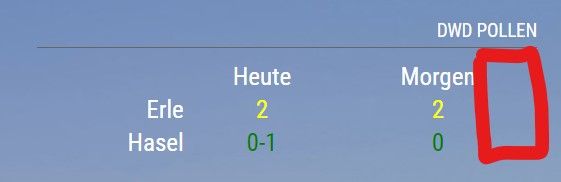
I checked the CSS, but it is a table and I can’t see a good way to get rid of the space on the right.
Any idea is appreciated.
@codac said in Alignmend of modules:
.MMM-DWD-WarnWeather .warning {
float: right;
}
Thanks, that is a good one!
I have a similar problem.
I would like to have the yellow icon closer to the right in the module: ‘MMM-DWD-WarnWeather’.
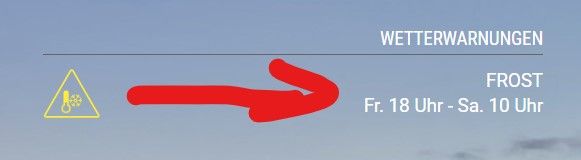
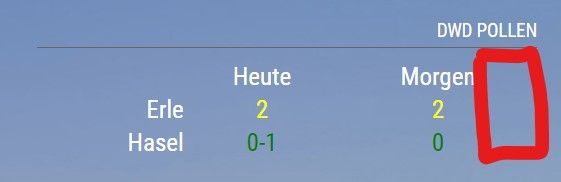
And I would like to get rid of the space on the right in the module: “MMM-DWD-Pollen”.
@codac I think you have to add
.MMM-DWD-WarnWeather .description {
    text-align: right;
}
@jalibu is it possible, that the hide room option is not working at the moment? I can hide hue and other things, but not the entire room with:
hideComponents: {
					"Flur": ["room"],
					"Küche": ["room"]// hides entire room
				},
@cowboysdude it would be nice if someone with knowledge could have a look at the API of www.yr.no
The forecast is very good and they are providing free world wide data.
@chrisdub https://lmgtfy.app/?q=raspberry+pi+activate+gpio :beaming_face_with_smiling_eyes:
I added a second element, so it looks nice, even if there is now data available e.g. “new snow”.
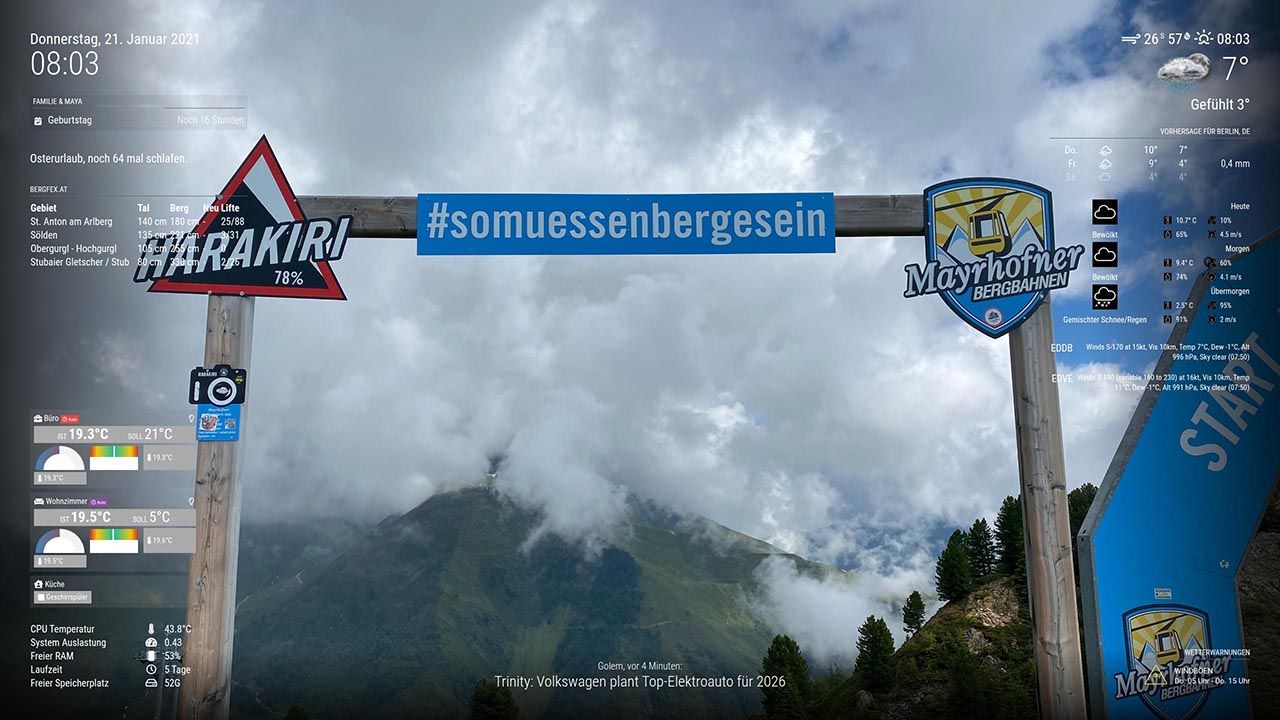
.MMM-bergfex td {
	padding-right: 20px;
	min-width: 35px;
}
I played a little bit around with coustom.css and at the moment it looks nice to me with:
/**
 * MMM-bergfex
 */
.MMM-bergfex td {
	padding-right: 20px;
}
@AxLed I find your fork very useful.
Can you tell me, how to use: rgba(0,0,0,0.06); as background-color?
Thanks
@robinsin17 first, you should fix your keyboard. :astonished_face:
Hello,
I am looking for a 3-5 days weather forecast. It would be important for me that the weather icons have a transparent background, because my MM is a picture frame.
I really like the icons from https://github.com/sathyarajv/MMM-OpenmapWeather. Unfortunately I haven’t found a forecast module that fits yet.
At the moment I am using: https://github.com/jharttech/MMM-weatherforecast but maybe there is something else?
Do you have an idea?
Update with
git pull
was working fine.
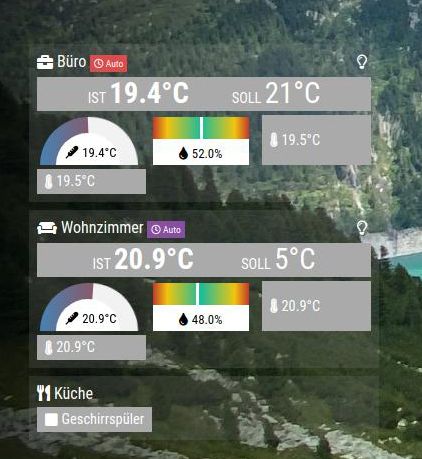
I am not sure about the new grafic-elements. This is how it looks on my system without custom.css.
		module: "MMM-BoschSmartHome",
			position: "bottom_left",
			config: {
				host: "192.168.2.XX", // Local IP Address
				name: "MMM-BoschSmartHome", // Display name for App
				identifier: "MMM-BoschSmartHome", // Unique Identifier for app
				password: "XXX", // Password for Bosch Smart Home Bridge
				refreshIntervalInSeconds: 60, // Default: 60
				width: "340px",
				displayRoomIcons: true, // Default: false
				displayThermostats: true, // Default: false
				airquality: {
					purity: "none", // one of [tile, bar, donut, none]. Default: bar
					humidity: "bar", // one of [tile, bar, donut, none]. Default: bar
					temperature: "donut", // one of [tile, bar, donut, none]. Default: bar
					preferredTemperatureProvider: "ClimateControl", // Twinguard or ClimateControl. Default: Twinguard, but falls back to CC
					preferredHumidityProvider: "ClimateControl" // Twinguard or ClimateControl. Default: Twinguard, but falls back to CC
				}
			}
		},
That would be very nice. It looks like DHL has an API.