MagicMirror Forum
    • Recent
    • Tags
    • Unsolved
    • Solved
    • MagicMirror² Repository
    • Documentation
    • 3rd-Party-Modules
    • Donate
    • Discord
    • Register
    • Login
    1. Home
    2. Matuki
    3. Posts
    A New Chapter for MagicMirror: The Community Takes the Lead
    Read the statement by Michael Teeuw here.
    M
    Offline
    • Profile
    • Following 0
    • Followers 0
    • Topics 5
    • Posts 14
    • Groups 1

    Posts

    Recent Best Controversial
    • MMM-NotifCustomActions

      Description:

      MMM-NotifCustomActions is a technical module designed to do the glue between modules or do simple JS function.

      It reacts on module notifications.

      For example, it can send a specific notification to a module or execute a shell command when another module broadcasts a notification.

      JS functions can be executed on browser side or on server side (ex: shutdown).
      For simple JS code, all can be written in module config; for complex JS functions 2 specific files are automatically loaded and are accessible by the module.

      Example of simple configuration

      This example does:

      • a shutdown command (node side) when notification ACTION_SHUTDOWN is received.
      • a sent of notification PAGE_SELECT with payload "musicPage" (client side) when notification SPOTIFY_CONNECTED is received.
      actions: [
      	{
      		notification: "ACTION_SHUTDOWN",
      		action_node: function(self, sender, payload) {
      			exec("sudo shutdown -h now");
      		}
      	},
      	{
      		notification: "SPOTIFY_CONNECTED",
      		action_client: function(self, sender, payload) {
      			self.sendNotification("PAGE_SELECT", "musicPage");
      		}
      	},
      ]
      

      Download:

      https://github.com/seb-ma/MMM-NotifCustomActions

      posted in System
      M
      Matuki
    • MMM-IT8951

      Description:

      This module communicates with a IT8951 card to display MagicMirror² on a e-ink screen. It opens MagicMirror² page on a Chrome browser (with Puppeteer) and observes each DOM update. Periodically, the e-ink is fully refreshed and partially refreshed on DOM update.

      Partial refresh is done in a flashy way by default (that is needed to support the 16 gray levels) but if image is only B/W (without gray), the refresh mode is changed to have a direct update without flash. Another way to have a fast refresh without flash is by adding the CSS class eink-4levels to a module. Thus, the refresh is forced to 4-level gray only.

      The IT8951 is typically used by some Waveshare e-paper screens.

      Screenshots:

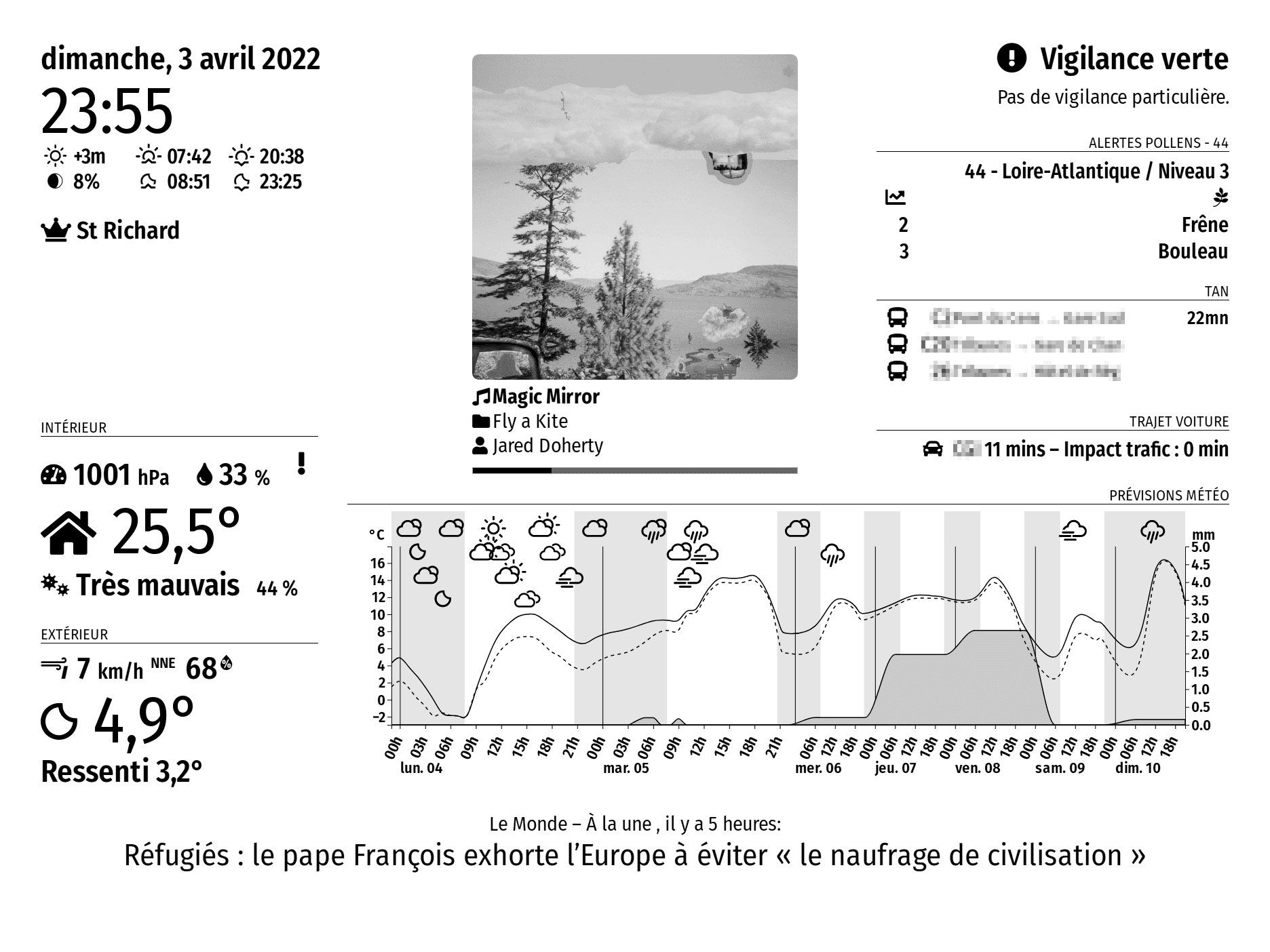
      Sample of display with multiple modules:
      d-screen-music.png
      Each module’s area is individually updated when data changes.
      All modules on 4 gray levels are updated seamlessly. Modules on 16 gray levels are updated with a flash area (here: the song cover).

      Additional informations

      Force refresh by notification

      A full refresh can be done by sending a notification IT8951_ASK_FULL_REFRESH.

      Modules forced to 4 or 16 gray levels

      To force gray levels, one need to add classes on modules in config file:

      This class forces non flashy (but only on 4-levels gray) update of this module:

      classes: "eink-4levels",  
      

      This class forces on 16-levels gray (but flashy) update of this module:

      classes: "no-eink-4levels",
      

      Download:

      https://github.com/seb-ma/MMM-IT8951

      posted in System
      M
      Matuki
    • MMM-WeatherChartD3

      Description:

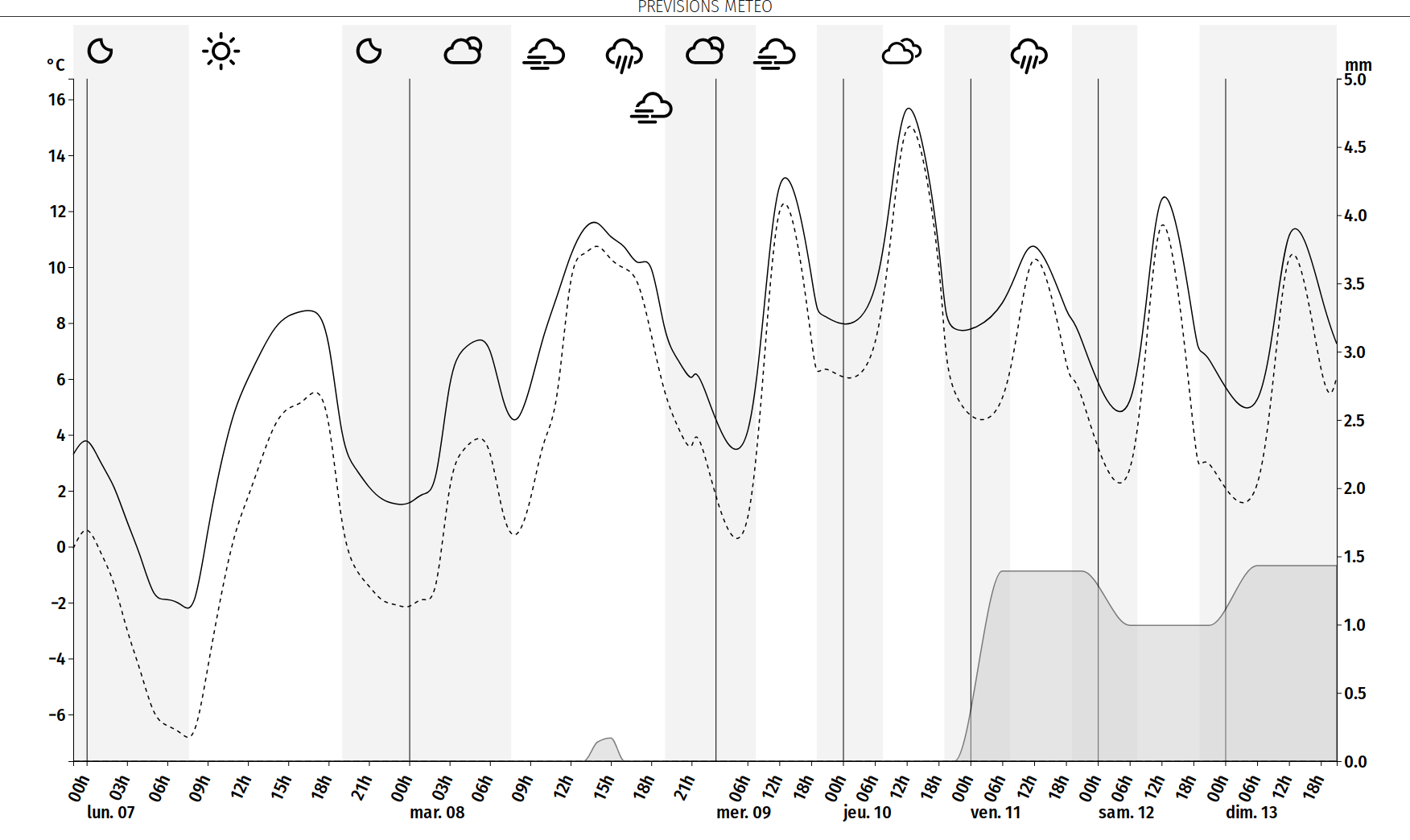
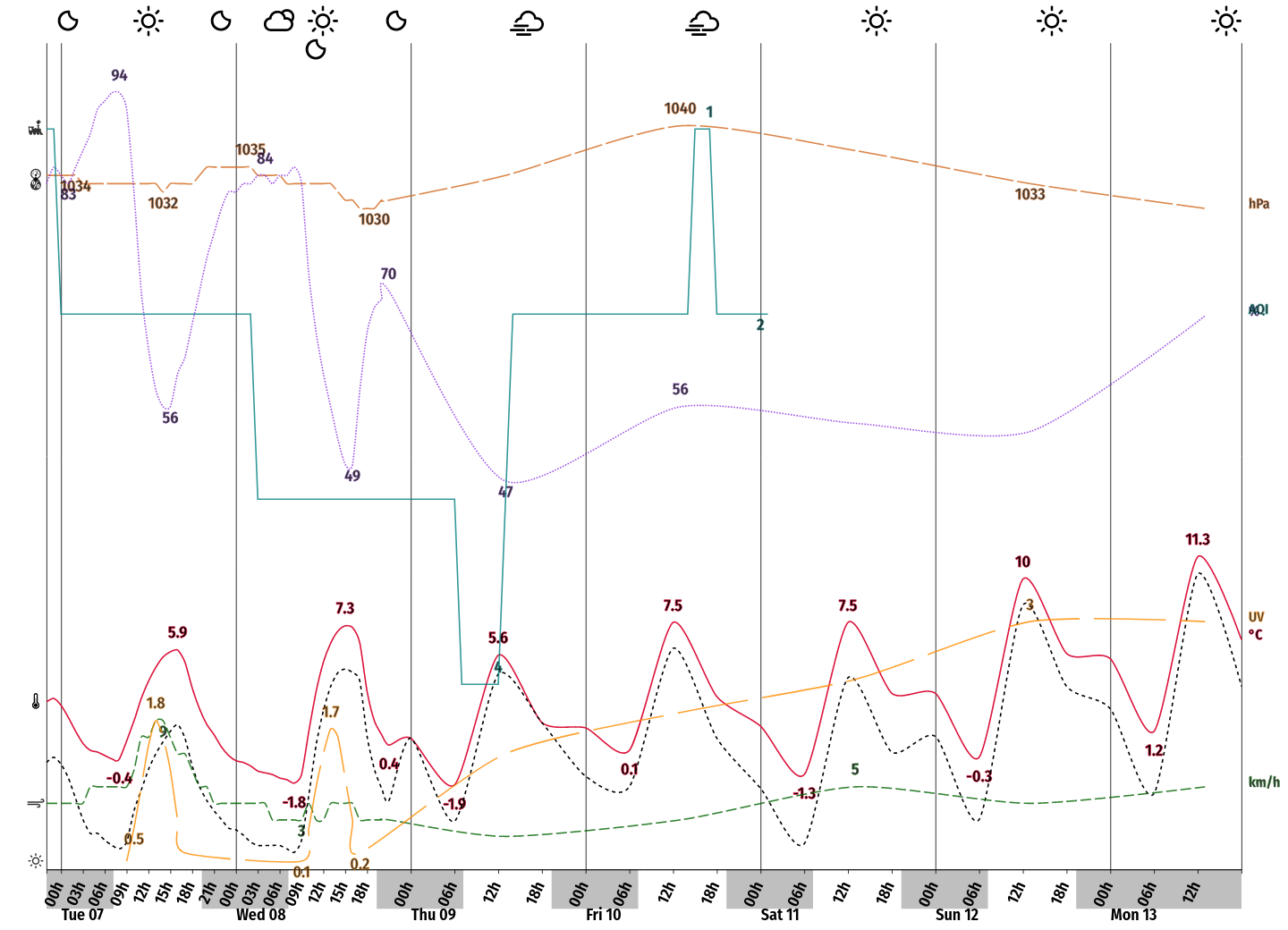
      This module displays a chart using any weather provider. It can display temperature, feels like temperature, precipitation, snow and weather icons. It uses the D3.js library.

      Full list of elements that can be displayed:

      • icons of weather
      • day/night separation
      • temperature
      • min/max temperature
      • feels like temperature
      • precipitation
      • snow
      • humidity
      • wind
      • Only with a specific/modified weather provider:
        • pressure
        • precipitation probability
        • pollution
        • UV

      All curves can be styled using CSS

      Screenshots:

      sample.png
      sample-colors.png

      Download:

      https://github.com/seb-ma/MMM-WeatherChartD3

      posted in Utilities
      M
      Matuki
    • My e-ink frame

      Hi!

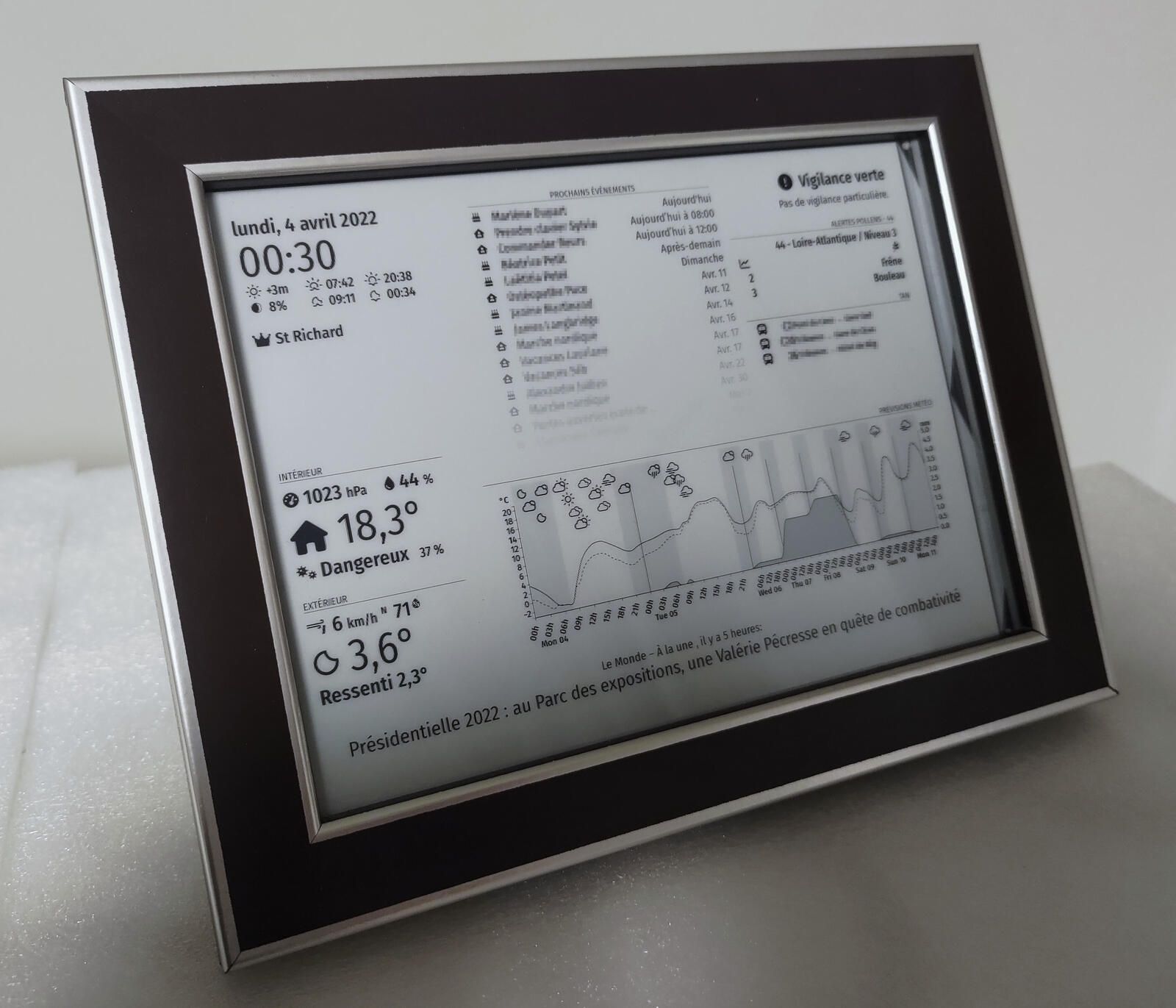
      1 year ago, I discovered MagicMirror and started my project. Now, I use it daily since months and I think it’s time to share with the community.

      r_r-final.jpg

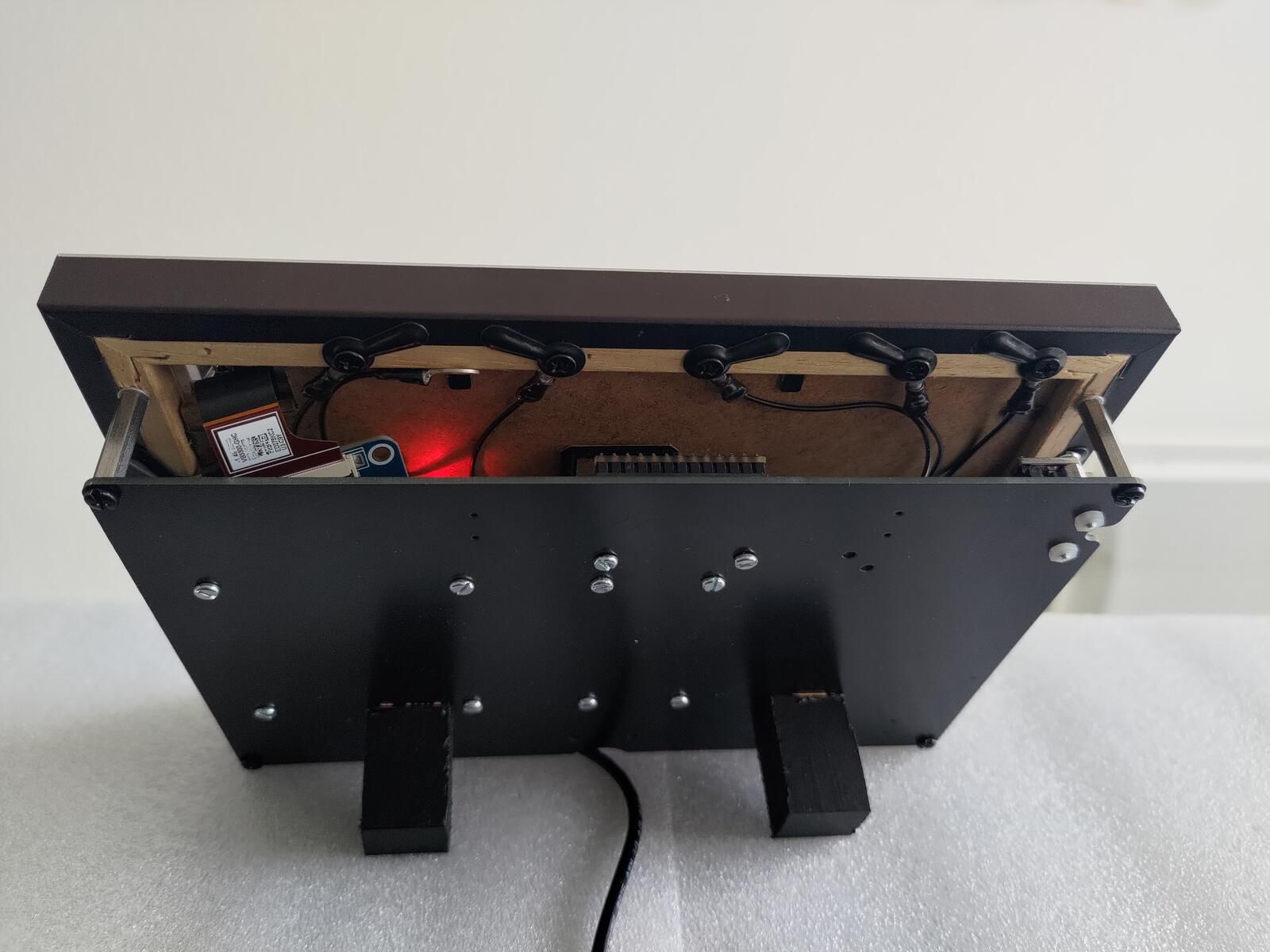
      Basically, I wanted a nice little frame that displays my calendar and the weather and that is not on a LCD screen (I didn’t want the screen to be a light source).
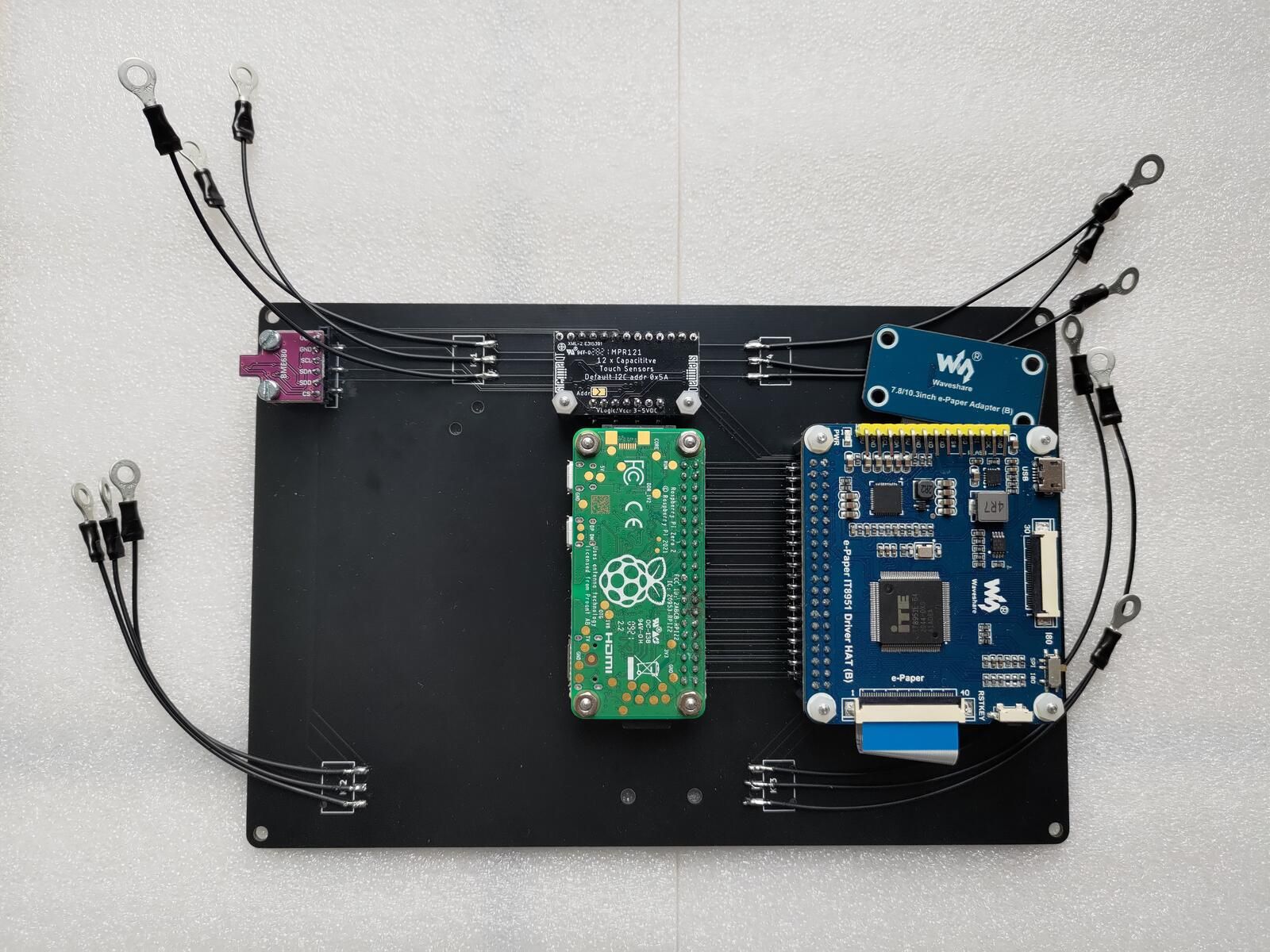
      So I decided to use a e-ink screen… then wanted to add a temperature sensor and a capacitive sensor to have “buttons” that can manage display… And finally I created my own PCB to manage this components plus a raspberry and hide all that behind a frame.

      r_r-pcb.jpg
      r_r-back.jpg

      For those interested, the whole project is here: https://github.com/seb-ma/eInkFrame (hardware and software).
      And all created modules are also on the repo.

      posted in Show your Mirror
      M
      Matuki
    • 1 / 1