@jay-j-flynn
Thats also very interesting for me. Anybody an idea to hide the module when printer is offline / finished ?
M
Offline
A New Chapter for MagicMirror: The Community Takes the Lead
Read the statement by Michael Teeuw here.
Read the statement by Michael Teeuw here.
Posts
-
RE: [octomirror-module] Monitor & Control an OctoPrint 3D Printer Server
-
RE: [octomirror-module] Monitor & Control an OctoPrint 3D Printer Server
Hi There,
That module is really great job !!
But i have one thing i cannot solve. How can i resize the module especially the size from the video stream ??
I tried with “width: XXX” but it doesn´t change anything. Also i can´t find a .css file to adjust.Maybe someone can help me? Because i don´t want to miss this module.
Thanks
MArcus -
RE: MMM-Weather
i like this modul very much. Thanks for that !!
one question:
is there a possibility to change the icons? maybe animated ?Thanks !
-
RE: MMM-Multimonth
Thank you very much. This is very nice to see the weekends better.
But what i´m looking for is that the childs holidays (summer, winter,…) are highlited in another color to see it very quick when the child has no school. That´s good for planning holidays.Other way is like you wrote to do this in a list but if there is a way to include it in your calendar that would be great !
-
RE: Rolling Calendar
Hi
is it possible to highlight the school holidays in the module ?
greetings
-
RE: MMM-Multimonth
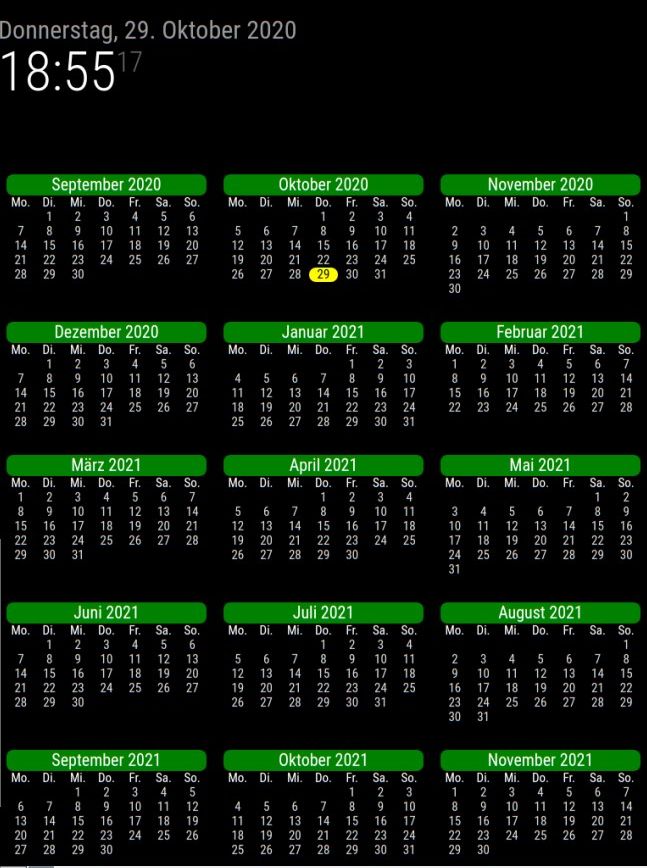
Hi,
i like this module. i have a double display and show the whole year on 1 screen.
My question:
Is it possible to highlight the school holidays for my wife :-) ?greetings and thanks for this module !
-
annual calendar current year
Hi everybody,
i´m looking for a solution to display the complete year on the mirror (jan-dec.) incl. school holidays (germany, Baden-Württemberg)
Has anybody an idea to solve this?
Would be great because i have two displays in one mirror and i want use one only for the whole year calendar.greetings
MC -
RE: Hallway renovation for MagicMirror ;-)
good job. Well done :ok_hand:
-
RE: Happy Halloween! I kinda took over the office mirror for a month
great stuff. looks very good :thumbs_up:
-
RE: 2 Display Mirror for more views
@saljoke
Hi. Thats right. i only use 1 Pi4 to serve both displays via 2 MM instances. first the originally MagicMirror directory and the second in a MagicMirror2 directory. Both powered up via PM2 and turned off and on via PIR sensor.The config looks like this:
language: “de”,
logLevel: [“INFO”, “LOG”, “WARN”, “ERROR”],
timeFormat: 24,
units: “metric”,
electronOptions: {fullscreen:true, x:1920},1920 is the resolution witdh of the main display.
Very easy to handle and good for the electrical consumption :-)
-
RE: 2 Display Mirror for more views
@ruff-hi
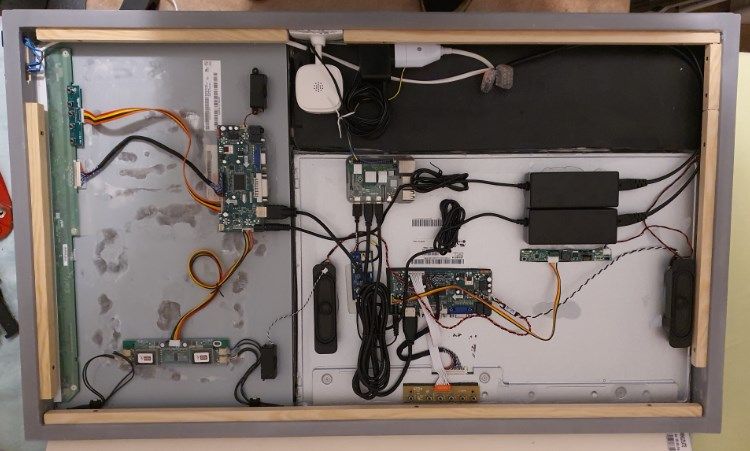
the picture is upside down. Sorry for that :-) the white part is a ip cam and normally in the bottom -
2 Display Mirror for more views
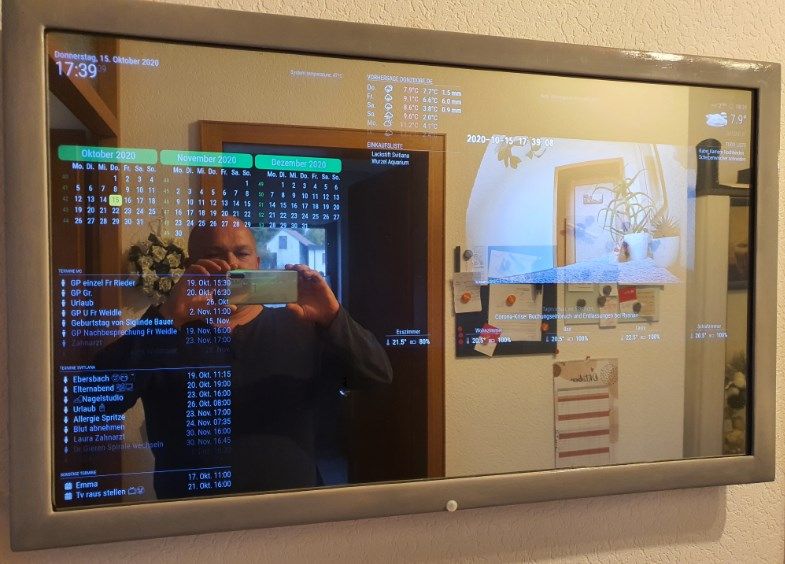
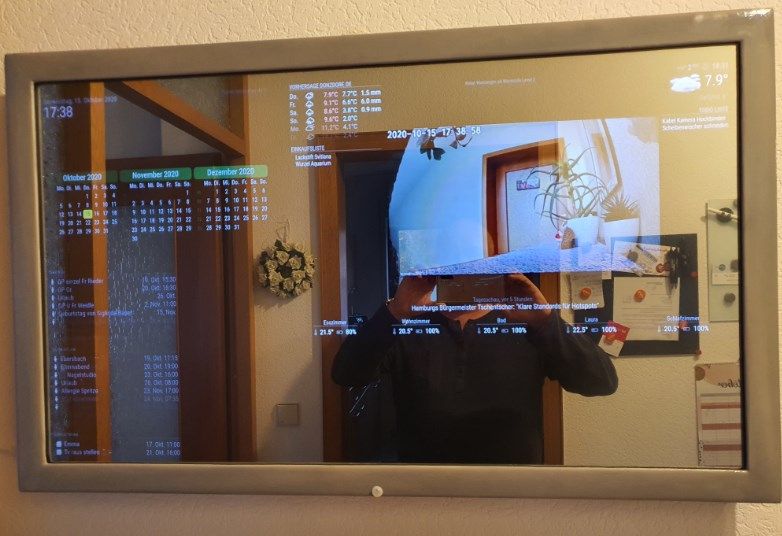
Hi all,
i´m new in this world and proud to show you my first mirror.
It took really long time to find the way to program all this stuff but this forum is really great. you can find everything you look for.
Many thanks to all people.I took 2 old displays (22" vertical and 24" horizontal). All is powered with a Pi 4b and a integrated PIR sensor to turn on/off the mirror.
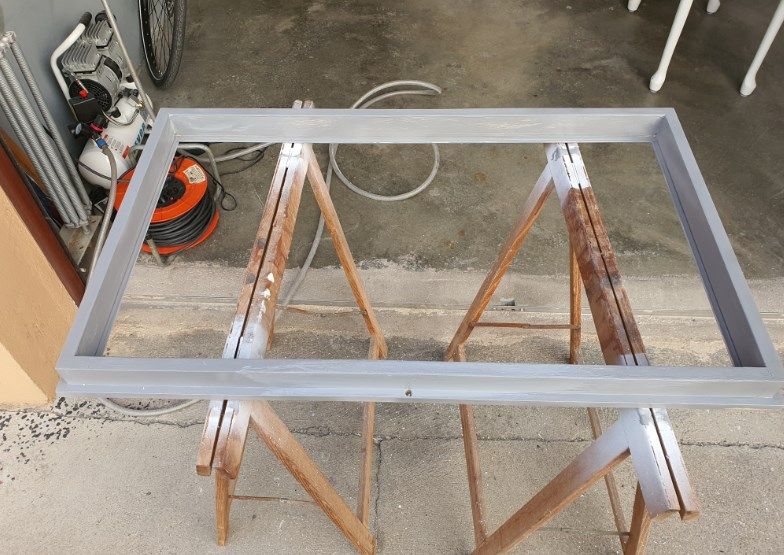
The frame i made by myself…that was also new experience for me :-)