MagicMirror Forum
    • Recent
    • Tags
    • Unsolved
    • Solved
    • MagicMirror² Repository
    • Documentation
    • 3rd-Party-Modules
    • Donate
    • Discord
    • Register
    • Login
    1. Home
    2. MZ-BER
    3. Posts
    A New Chapter for MagicMirror: The Community Takes the Lead
    Read the statement by Michael Teeuw here.
    MZ-BERM Offline
    • Profile
    • Following 1
    • Followers 7
    • Topics 9
    • Posts 84
    • Groups 0

    Posts

    Recent Best Controversial
    • Magic(Dashboard)Mirror

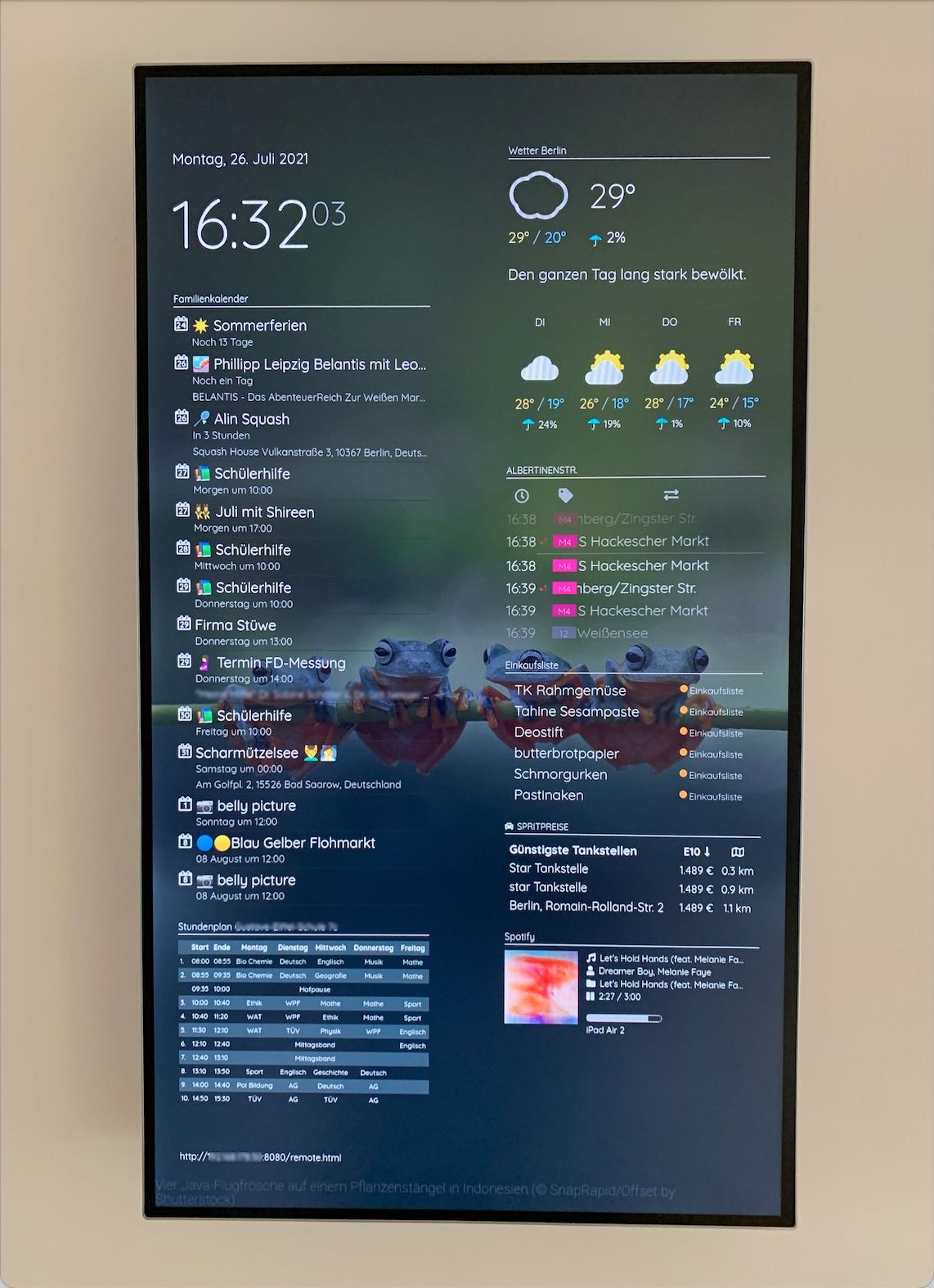
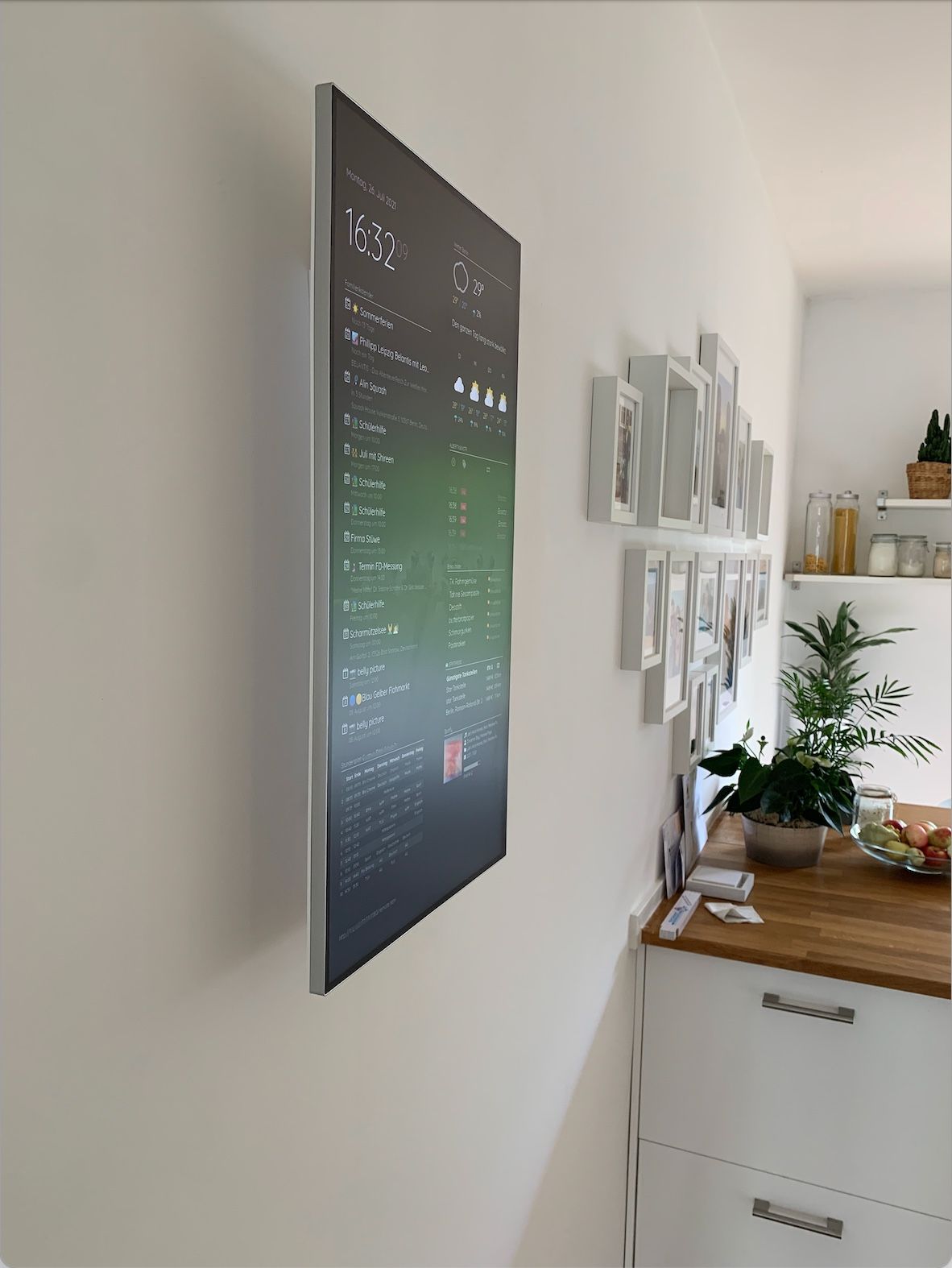
      Heyhey! I also like to present my Magic(Dashboard)Mirror.

      Here are some details:

      Hardware:

      • I used an 27" LG Screen because of the clean optic.
      • To mount the screen as close as possible to the wall I ordered a Vogel’s WALL 3105
      • Raspberry Pi 4 8GB w/ a 64 GB SD Card

      Modules:

      • Default Clock
      • MMM-Wallpaper
      • MMM-DarkSkyForecast
      • MMM-MyCalendar
      • MMM-PublicTransportBerlin
      • MMM-Todoist (Connected with IFTTT Alexa Shopping List
      • MMM-Fuel
      • MMM-Remote-Control
      • MMM-GoogleSheets (Stundenplan)
      • MMM-NowPlayingOnSpotify

      Styling Custom CSS:

      • I used the custom layout from @earlman
      • Next to that I spent a lot of time adjusting my custom CSS

      Picture:
      • MMM_Picture2.jpg
      • MMM_picture1.jpg
      posted in Show your Mirror
      MZ-BERM
      MZ-BER
    • Show Alexa Timer

      Hey there 👋 - I would like to display the remaining time of a timer that I scheduled via a physical EchoDot.

      Is there a way to have a module pop up with a timer as soon as I requested it from the EchoDot? Similar to this Module?

      Can you please give me an advice in which direction I can investigate? Is there an API available?

      Thank you very much in advance!

      Best regards from Berlin.

      posted in Requests
      MZ-BERM
      MZ-BER
    • RE: Display colored emoji

      Hey there - the instructions above doesn’t worked for me. But I found a solution that works perfectly:

      1. Open https://github.com/googlefonts/noto-emoji/tree/master/fonts
      2. Download most recent NotoColorEmoji.ttf
      3. Copy file in /home/pi/.fonts (if you cant see the .fonts folder please use CTRL+H to display it (Folders with names starting by “.” are hidden on Raspbian))
      4. Done!
      posted in Custom CSS
      MZ-BERM
      MZ-BER
    • RE: MMM-PublicTransportBerlin - Public transport for Berlin and Brandenburg (departures)

      It works like a charm! Thank you very much for establishing. I have only one question. I there a way to adjust the colors for the transportation Bus? It is always in pink. For Tram and S-Bahn the color changed based on line. But Bus doesn’t change at all.

      Again, thank you for this nice module.

      posted in Transport
      MZ-BERM
      MZ-BER
    • 1
    • 2
    • 3
    • 4
    • 5
    • 5 / 5