@djdocta Damm ! It always happens with me… i think i should stop hiding the API’s & Passwords :-P
P
Offline
A New Chapter for MagicMirror: The Community Takes the Lead
Read the statement by Michael Teeuw here.
Read the statement by Michael Teeuw here.
Posts
-
RE: Newbie - Build Smart Mirror
-
RE: Newbie - Build Smart Mirror
I made these tutorials for giving a head start, starting from scratch !
https://www.youtube.com/playlist?list=PLBy3Sw0lBrNeihCn0fOr-m5RYJNb4w4IS
It used @sdetweil installation scripts !
Introduction to Raspberry pi : https://youtu.be/wqKCPbu7V7Y
Setting up MM Hardware : https://youtu.be/BZ_JVD9ReMk
Installing MM & introduction to MM - Modules : https://youtu.be/PHpth_KQHcE
Configuring Calendar & Weather Modules : https://youtu.be/ce6O2aGB9tYHope it helps !
-
RE: Transparent glass in front of Acrylic Sheet to hold it together ?
@askmahesh Thank you for your kind response.
For Acrylic sheet you will need to build a complete frame, after taking allowances as suggested by @bhepler -
RE: Transparent glass in front of Acrylic Sheet to hold it together ?
@askmahesh You can take some ideas from the link below !
https://youtu.be/BZ_JVD9ReMk -
RE: PIR sensor help please
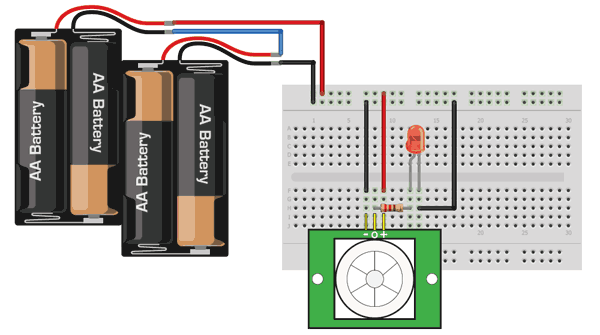
Step 1: Calibrate your PIR Sensor. You may use a small circuit for testing !
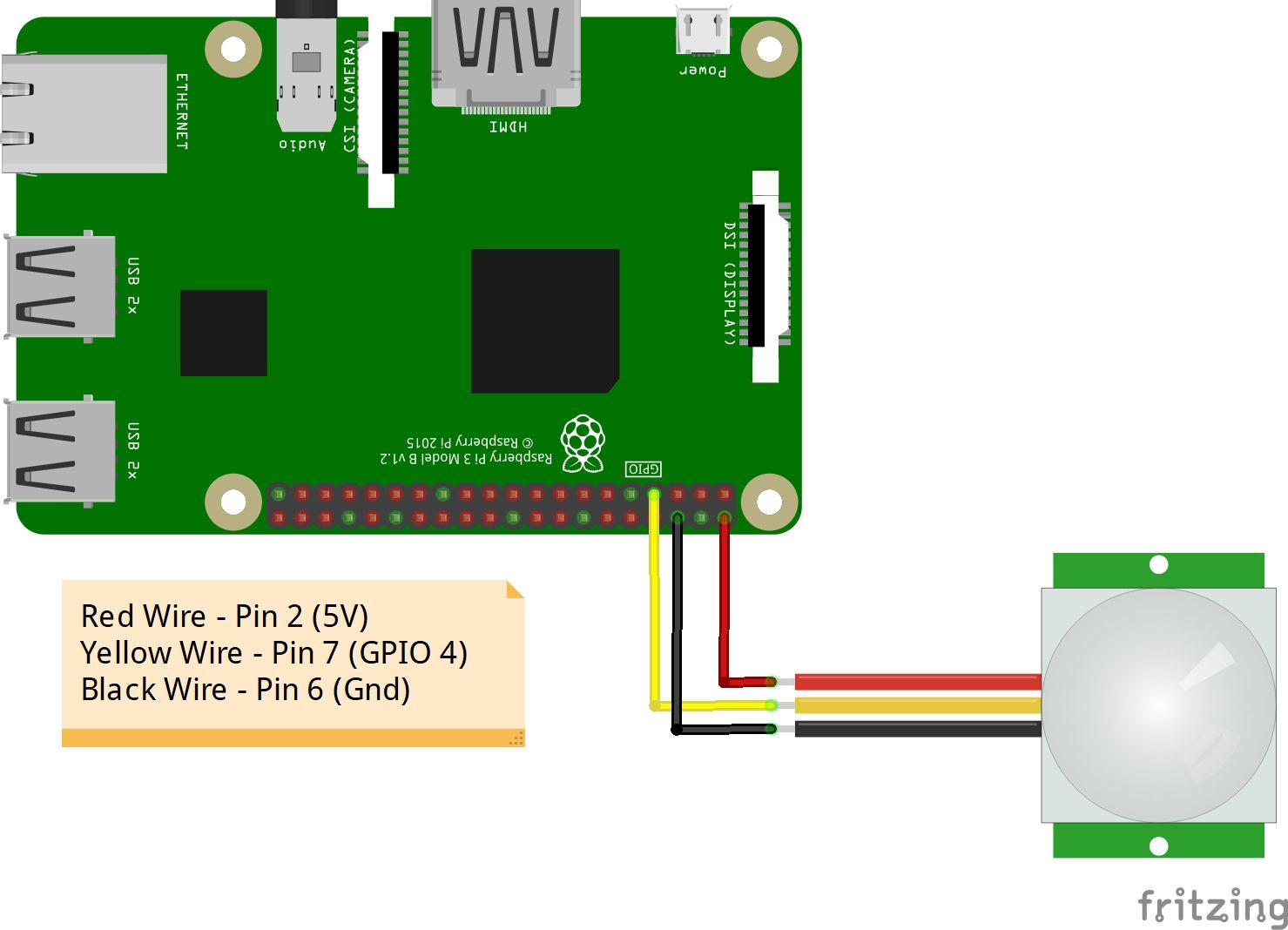
Step 2: Connect your PIR sensor to Pi
Step 3: Install MMM-PirSensor module
https://github.com/paviro/MMM-PIR-SensorHope it helps !
-
RE: Film vs Acrylic
I would suggest glass as it is more sturdy & durable.
https://youtu.be/BZ_JVD9ReMk -
RE: Cant seem to find config section to edit modules.
@Robertovj3 Thank you for for appreciation !
Check the github page of MMM-ScreenCast for issues… I am sure you will find something there, else create a new issue ! -
RE: I am in need of help
How to Install MM & Getting started with MM Modules using @sdetweil Installation Scripts ! - https://youtu.be/PHpth_KQHcE
-
RE: Cant seem to find config section to edit modules.
I made these tutorials for giving a head start, starting from scratch !
https://www.youtube.com/playlist?list=PLBy3Sw0lBrNeihCn0fOr-m5RYJNb4w4IS
It used @sdetweil installation scripts !
- Introduction to Raspberry pi : https://youtu.be/wqKCPbu7V7Y
- Setting up MM Hardware : https://youtu.be/BZ_JVD9ReMk
- Installing MM & introduction to MM - Modules : https://youtu.be/PHpth_KQHcE
- Configuring Calendar & Weather Modules : https://youtu.be/ce6O2aGB9tY
Hope it helps !
-
RE: Best Magic Mirror Build !
@tbs86
Hi ! Holes to be drilled afterwards…First of all we need to build our frame based on the size of screen.
Next, transfer the holes on the Mirror and get it drilled !Caution : There is a special machine for drilling holes on glass !
-
RE: Step by step video tutorial - how to build frame less magic mirror !
thanks ! would definitely try it … :)
-
RE: Raspberry Pi 3 b+ and Magic Mirror
I have made a video tutorial about how to install MM application using @sdetweil scripts. I have also tried to explain the module configurations ! Hope it would help you…
-
RE: Step by step video tutorial - how to build frame less magic mirror !
So, after posting my videos on Fb, there were lot of people who were interested in building the mirror, however most of them did not know where to start.
Hence i decided to build a series of tutorials to get everyone out there started, who even don’t know what is Raspberry Pi.
I am a Mechanical Engineer and i wasn’t sure how to do things, but i learned after lots of research. I made this series of Videos starting from
Demonstration of MM - https://youtu.be/sCetiJk2Qus
How to build hardware of Frame less MM - https://youtu.be/BZ_JVD9ReMk
How to Install MM & Getting started with MM Modules - https://youtu.be/PHpth_KQHcE
How to configure calendar & weather modules - https://youtu.be/ce6O2aGB9tYI also plan to make some more of them so that this project can reach to as many people as possible !
-
RE: Best Magic Mirror Build !
So, after posting my videos on Fb, there were lot of people who were interested in building the mirror, however most of them did not know where to start.
Hence i decided to build a series of tutorials to get everyone out there started, who even don’t know what is Raspberry Pi.
I am a Mechanical Engineer and i wasn’t sure how to do things, but i learned after lots of research. I made this series of Videos starting from
- Demonstration of MM - https://youtu.be/sCetiJk2Qus
- How to build hardware of Frame less MM - https://youtu.be/BZ_JVD9ReMk
- How to Install MM & Getting started with MM Modules - https://youtu.be/PHpth_KQHcE
- How to configure calendar & weather modules - https://youtu.be/ce6O2aGB9tY
I also plan to make some more of them so that this project can reach to as many people as possible !
-
Step by step video tutorial - how to build frame less magic mirror !
Hello everyone !
This is my frame-less magic mirror setup. After demonstarting the build https://www.youtube.com/watch?v=sCetiJk2Qus&t=4s , I received lot of requests to demonstrate the build.
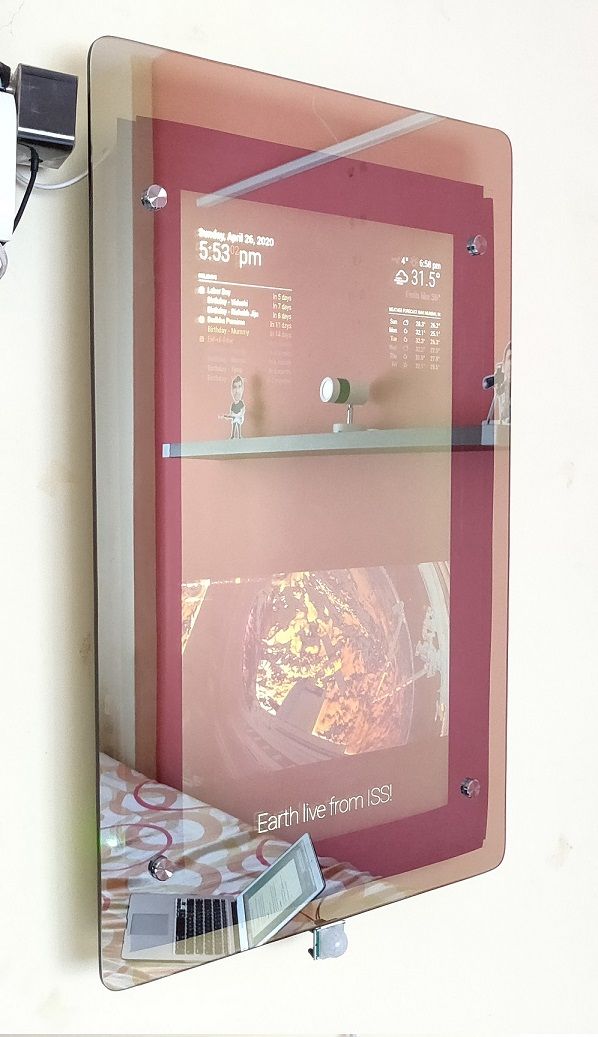
Finally i was able to complete my video. I am sharing with anyone who needs it. Comments are most welcomed !
-
RE: Best Magic Mirror Build !
{
	module: "newsfeed",
        position: "upper_third",
		              	config: {
	           		       	feeds: [
					               {
						                      title: "The Hindu - National",
					                         	url: "https://www.thehindu.com/news/national/feeder/default.rss"
                                                       },

                                                       {
                                                                       title: "Times of India - National",
                                                                       url: "https://timesofindia.indiatimes.com/rssfeeds/-2128936835.cms"
                                                        },

			                     	],
			                 	showSourceTitle: true,
			                 	showPublishDate: true,
			                   	broadcastNewsFeeds: true,
			                 	broadcastNewsUpdates: true,
			                    hideLoading: true,
                                showDescription: true,
                                updateInterval: 45000
		                          	}
	           	},
This module is for one row of news feed ! and it will show feeds from the above two links (in my case National news The Hindu & Times of India)
You may add more feed links if required.Now, if you want to display a new row for the news, configure it as a new module with exact same name as of news feed. For eg. I have added international news feed
{
                        module: "newsfeed",
                        position: "upper_third",
                        config: {
                                feeds: [
                                        {
                                                title: "The Hindu - International",
                                                url: "https://www.thehindu.com/news/international/feeder/default.rss"
                                        },

                                        {
                                                title: "Times of India - International",
                                                url: "https://timesofindia.indiatimes.com/rssfeeds/296589292.cms"
                                        },

				],
                                showSourceTitle: true,
                                showPublishDate: true,
                                broadcastNewsFeeds: true,
                                broadcastNewsUpdates: true,
                                hideLoading: true,
                                showDescription: true,
                                updateInterval: 45000
			 }
                },
Keep in mind that the sequence of the rows will be according to the module position ie. if the News feed for national news is above international news. The First row would be of National news followed by International News.
Hope it helps !
-
RE: MMM-pages - modules with same name on different pages
Your most welcome ! :slightly_smiling_face:
Greeting from INDIA too!
Prakhar -
RE: Cooling Raspi
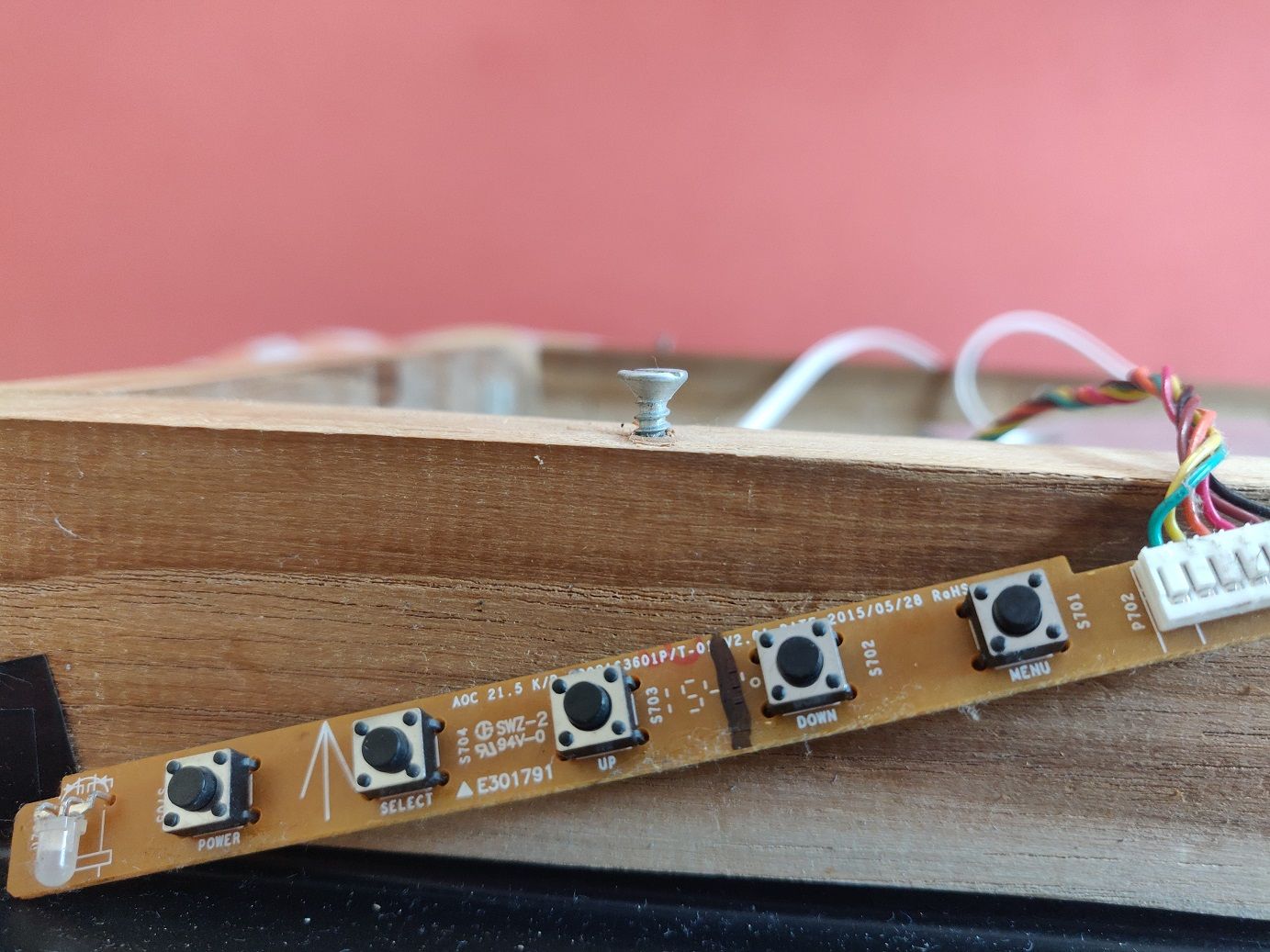
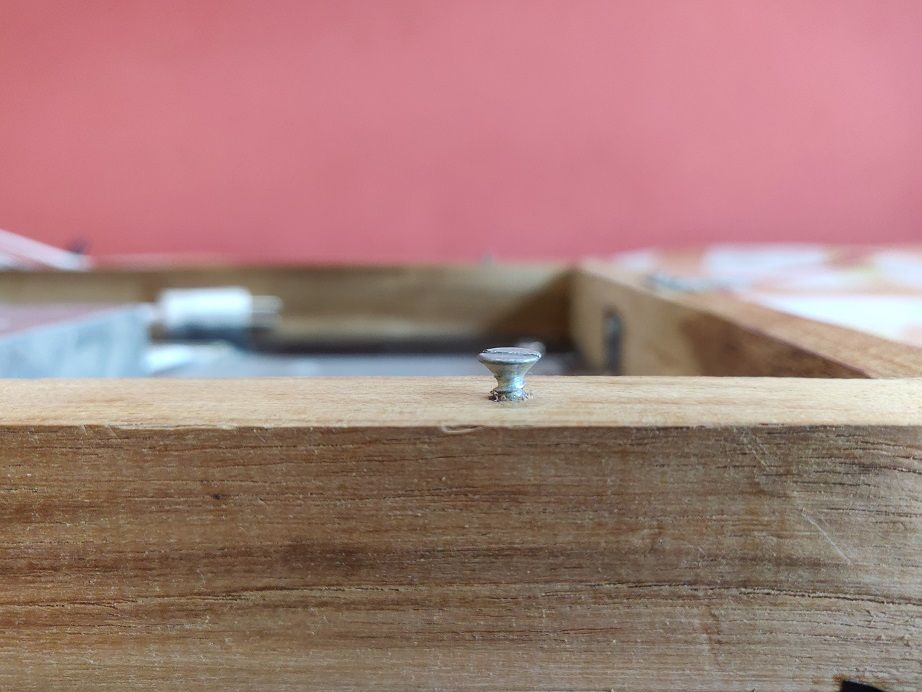
@requiemmg Actually there is a hack! You can increase the space between wall & frame by placing 4 no screws in the back side of frame that would give you some extra margin to place your fan on Rpi. You can also adjust the screw height accordingly! Hope it helps !