@sdetweil
Ok. Let me know when you are back and can help again.
Thanks a lot.
P
Offline
A New Chapter for MagicMirror: The Community Takes the Lead
Read the statement by Michael Teeuw here.
Read the statement by Michael Teeuw here.
Posts
-
RE: Default calendar customEvents not working
-
RE: Default calendar customEvents not working
It’s not the error I saw before.
-
RE: Default calendar customEvents not working
@sdetweil
I did. But…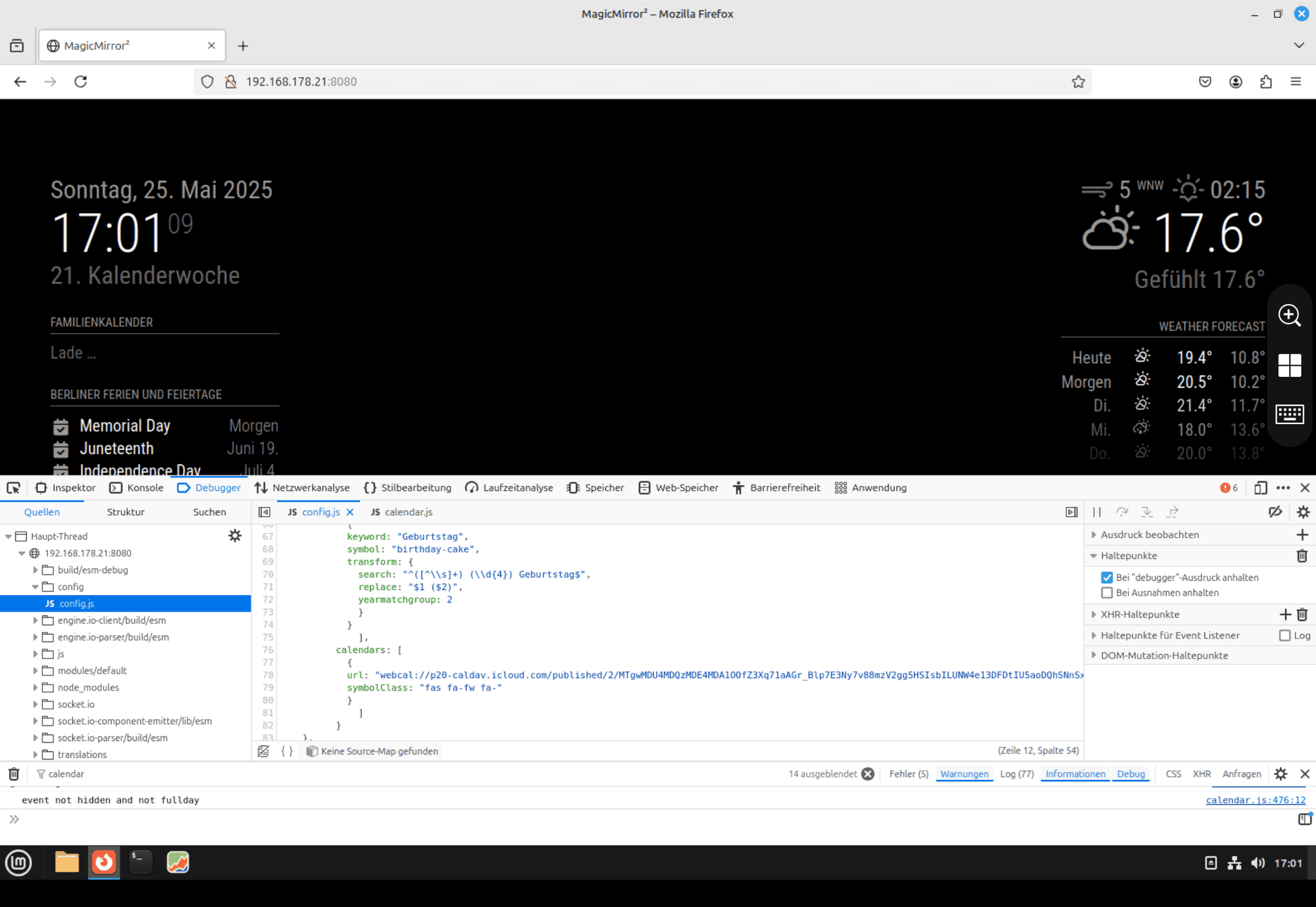
I got the feeling i am not far away from the solution. Have still patient to bring me to that point? :)
-
RE: Default calendar customEvents not working
@sdetweil
Ok. Within the regex101 there is no mistake. But when I change within the config nothing happens again.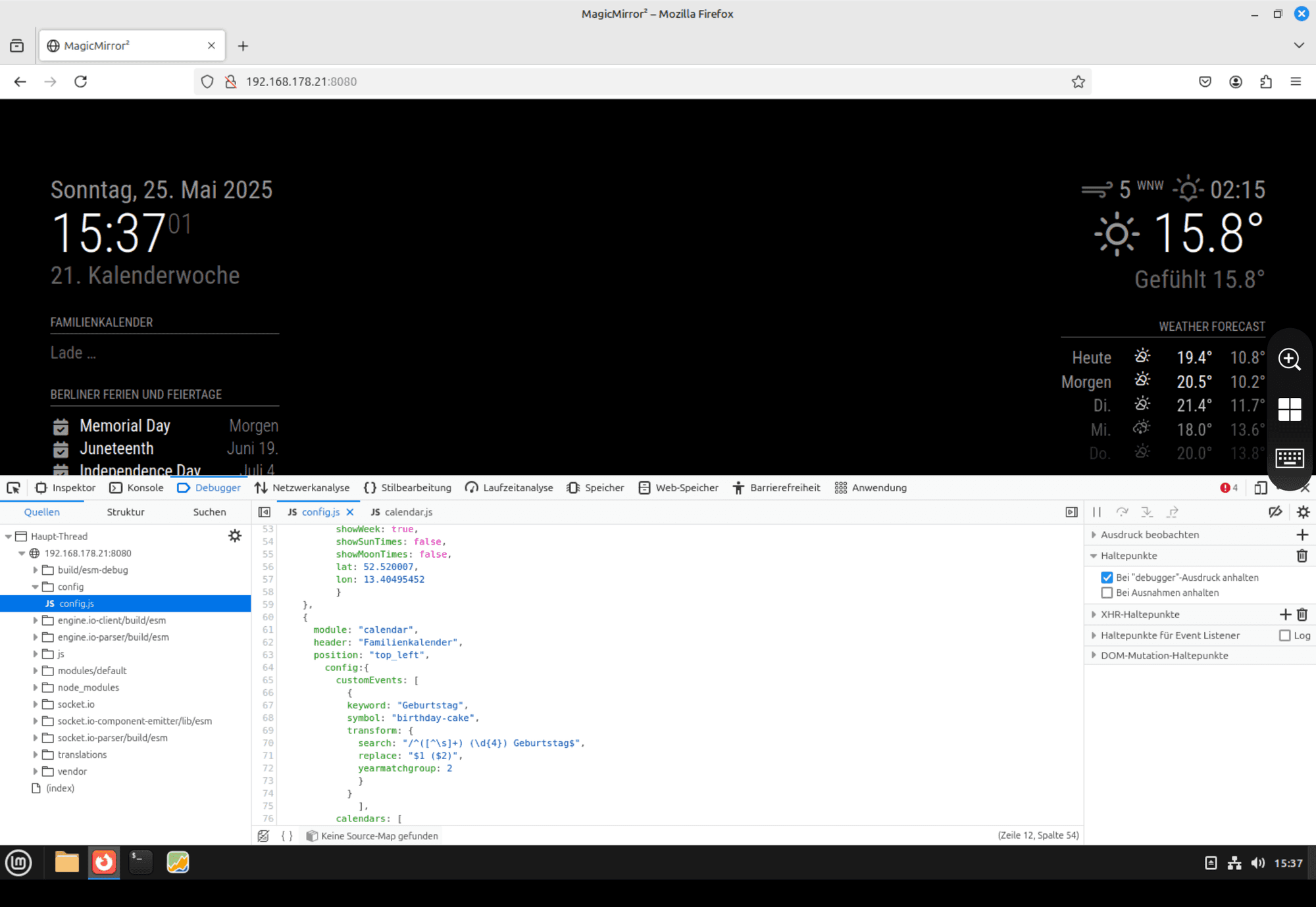
-
RE: Default calendar customEvents not working
@sdetweil
Meanwhile I found the right place. Sorry for this.
In the pic below you can see the entry.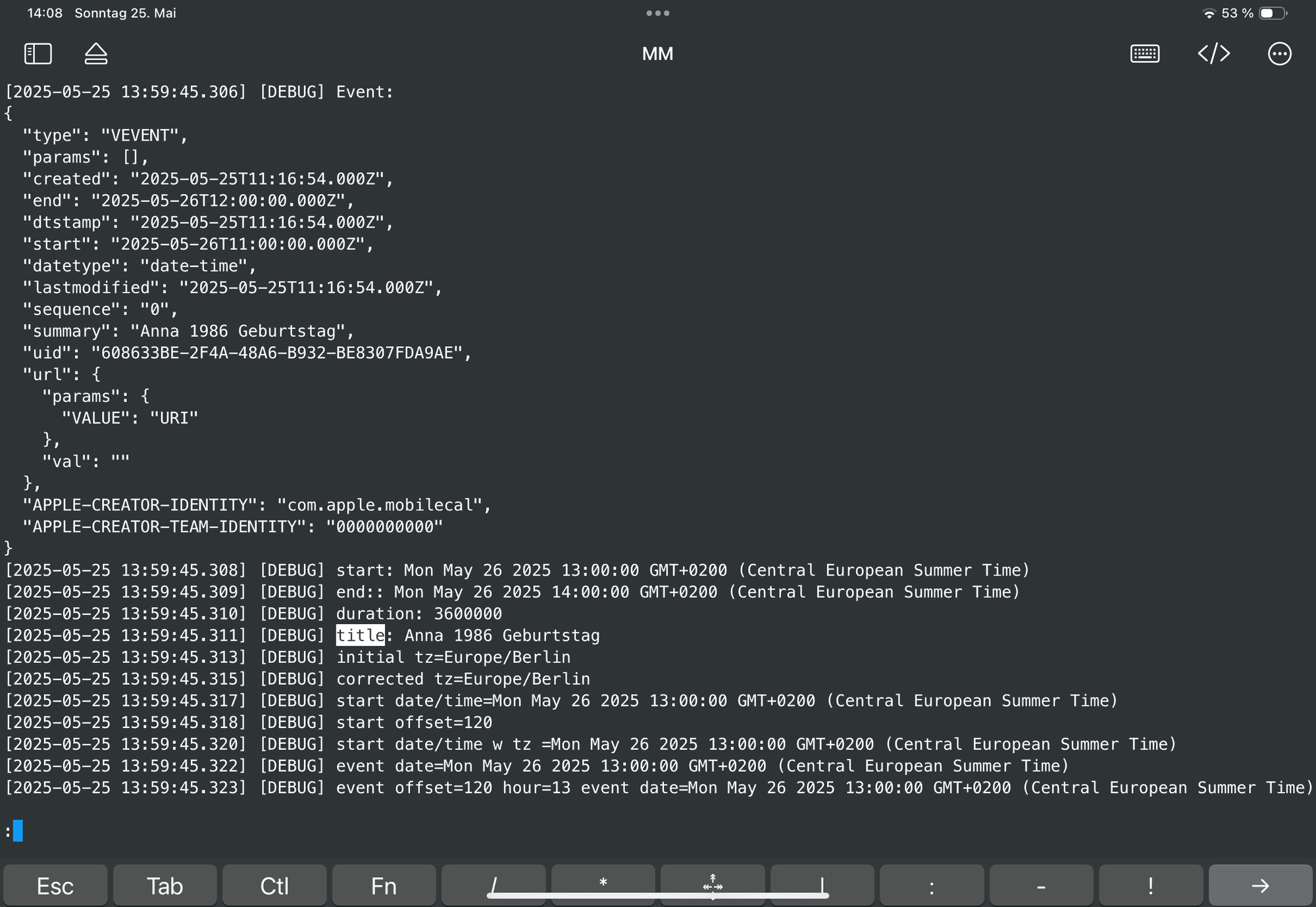
Does help you?
-
RE: Default calendar customEvents not working
@sdetweil
I did add the debug setting but presumably at the wrong position.
Thought I should add it here:module: "calendar", header: "Familienkalender", position: "top_left", config:{ loglevel: ["DEBUG"], customEvents: [ { keyword: "Geburtstag", symbol: "birthday-cake", transform: { search: "^([^\']*) \'(\\d{4})$", replace: "$1 ($2)", yearmatchgroup: 2 } } -
RE: Default calendar customEvents not working
@sdetweil
Finally I got some time to test. See the pic below: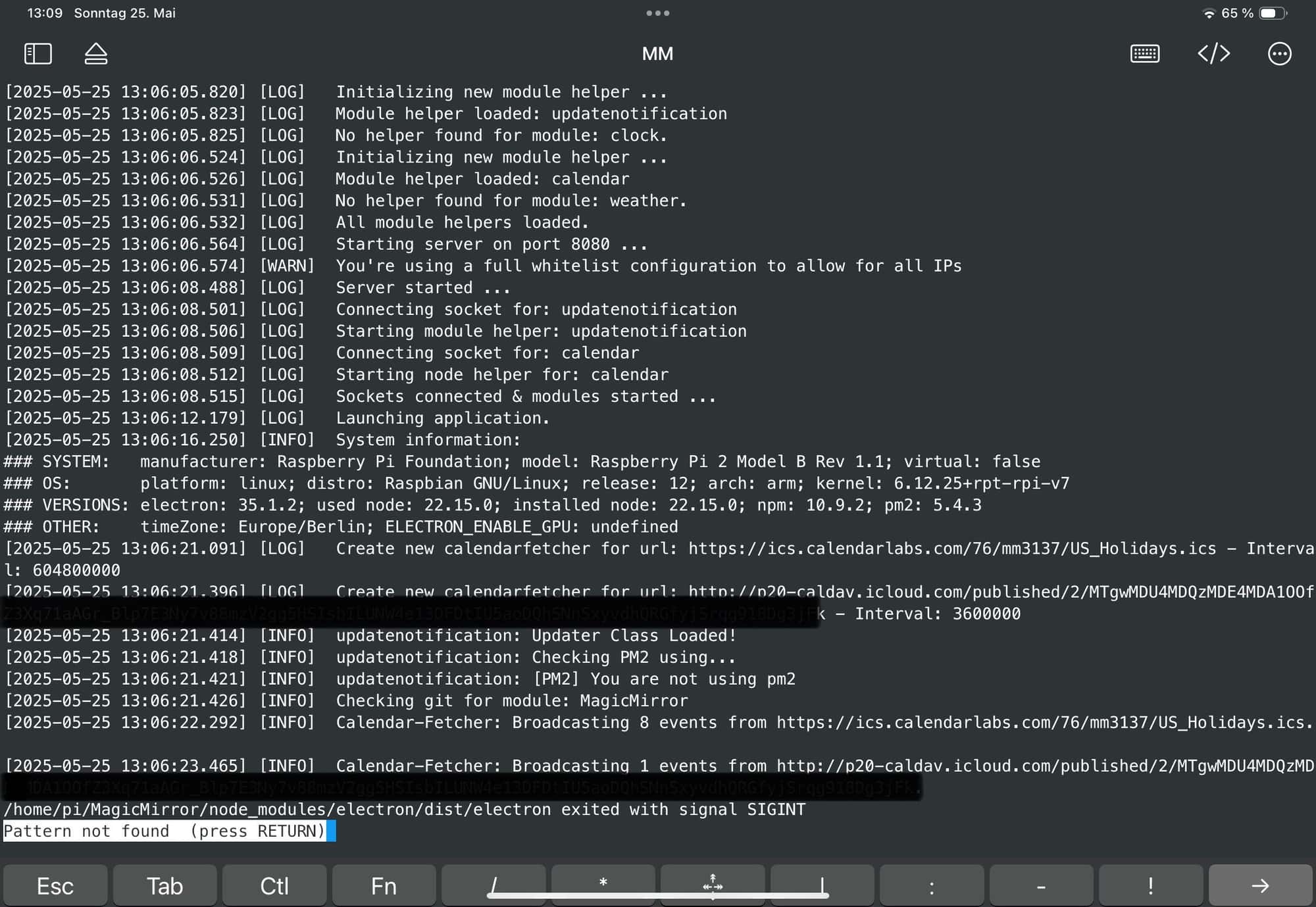
I got the message that there is one entry but no title is shown. Did I do something wrong?
-
RE: Default calendar customEvents not working
@sdetweil
Thanks for helping.I tried to figure out. Went to the console tab and put the filter on cal.
I get an error your yearmatch is that right? But I don’t know how to deal with it. Can you give me a hint?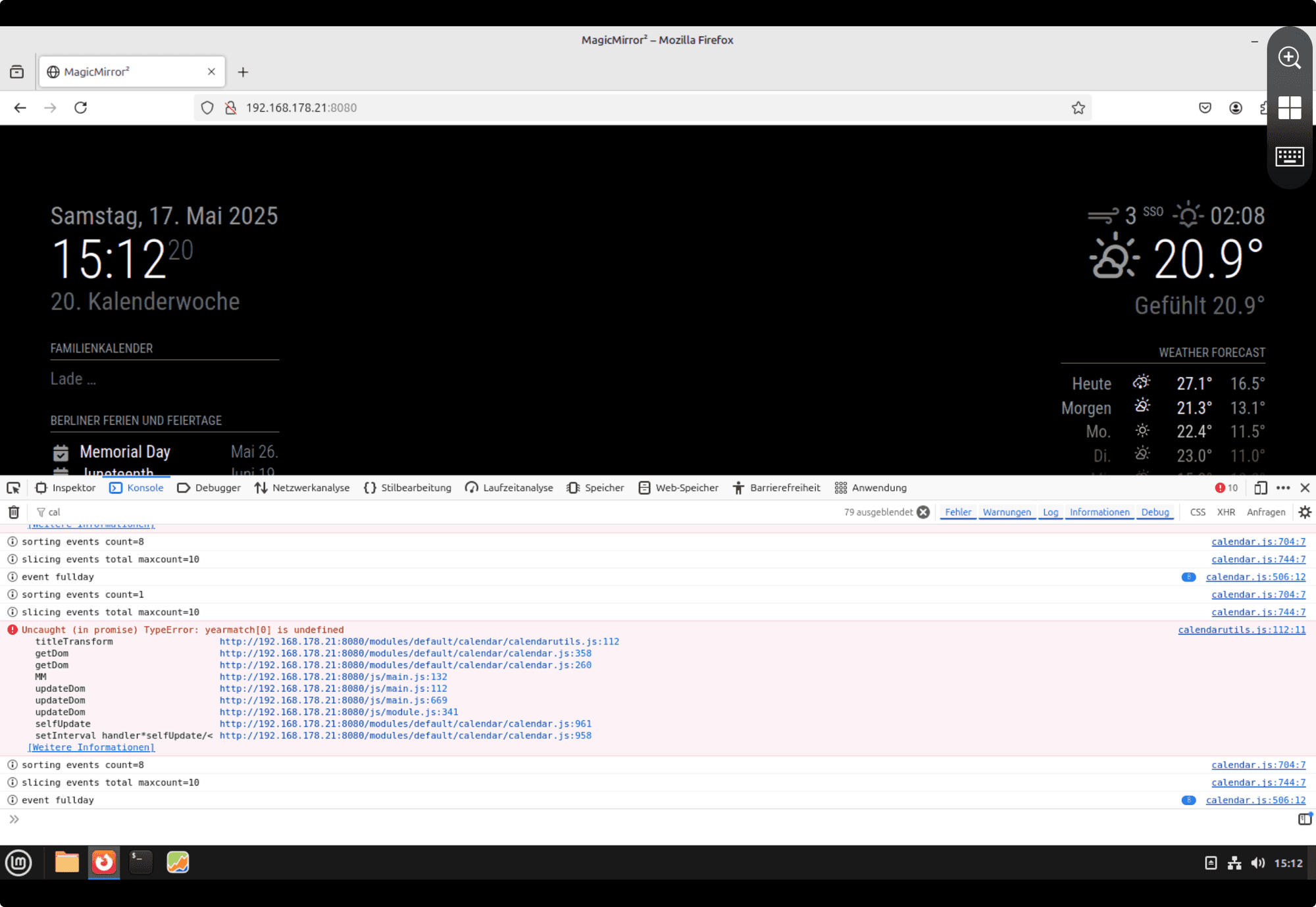
-
RE: Default calendar customEvents not working
Thank you a lot @sdetweil
Now the right symbol is shown on my screen.Next I tried to use the transform option:
                {
                        module: "calendar",
                        header: "Familienkalender",
                        position: "top_left",
                                config:{
                                        customEvents: [
                                                {
                                                keyword: "Geburtstag",
                                                symbol: "birthday-cake",
                                                transform: {
                                                        search: "^(.+) (\\d{4}) Geburtstag$",
                                                        replace: "$1 ($2)",
                                                        yearmatchgroup: 2
                                                        }
                                                }
                                                        ],
                                        calendars: [
                                                {
                                                url: "my-url“,
                                                symbolClass: "fas fa-fw fa-"
                                                }
                                                  ]
                                        }
                },
But when I refresh the browser whithin the Kalender „Familienkalender“ is no entry anymore but the word „loading…“ but nothing new is shown after a while.
What could this circumstance cause?
-
Default calendar customEvents not working
Hi guys,
I installed the newest mm version via GitHub.
I have tested a lot within the calendar module. My iCal-calendar is shown, but the default calendar module does not work with any customEvents entries.{ module: "calendar", header: "Familienkalender", position: "top_left", config: { calendars: [ { url: "my-url“, symbolClass: "fas fa-fw fa-", customEvents: [ { keyword: "Geburtstag", symbol: "fire" } ] } ] } },Can you help me to fix it? I want change the symbols first and afterwards adding some regex-entries.
Did I miss something?
Thanks for your help.
Best regards
Pauabaer -
RE: Docker install on synology nas
I fixed it and now MM is running in docker on my synology diskstation.
I had to insertuser: rootin the compose file. It is working fine.
-
RE: Docker install on synology nas
I tried to start via command line
paua@NAS:~$ docker run  -d \
>         --user root \
> --name magicmirror \
>     --publish 8036:8080 \
>     --restart unless-stopped \
>     -e TZ=Europe/Berlin \
>     --volume /volume2/docker/MagicMirror/config:/opt/magic_mirror/config \
>     --volume /volume2/docker/MagicMirror/modules:/opt/magic_mirror/modules \
>     --volume /volume2/docker/MagicMirror/css:/opt/magic_mirror/css \
>     karsten13/magicmirror:latest
docker: permission denied while trying to connect to the Docker daemon socket at unix:///var/run/docker.sock: Post "http://%2Fvar%2Frun%2Fdocker.sock/v1.24/containers/create?name=magicmirror": dial unix /var/run/docker.sock: connect: permission denied.
See 'docker run --help'.
But again I got the permission error.
-
RE: Docker install on synology nas
@sdetweil
That’s what i checked before. Id -u > 1026 / id -g > 100.
These parameters i inserted in the compose file. -
RE: Docker install on synology nas
@sdetweil
I startet the container with a compose file where I added the user 1026 and group ID 100 but there is no success.Still the same error - see attached file.
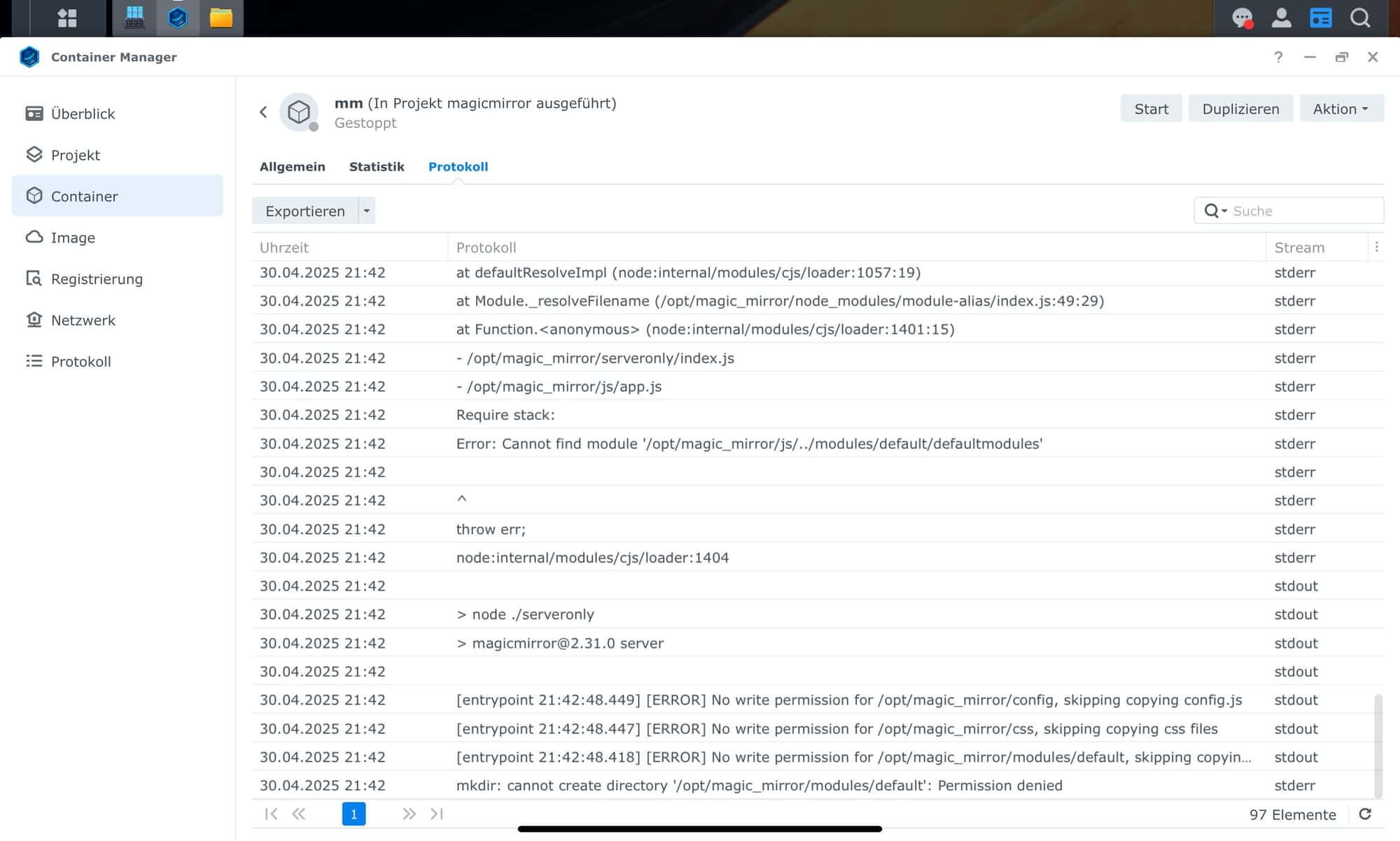
-
RE: Docker install on synology nas
@sdetweil
I tried it in the Synology gui. I have added puid and pgid as I did in other containers.But I got the same message: access denied.
So what would be the difference when I change the entry whithin the compose?
And how do I find this file at my synology? :)
-
RE: Docker install on synology nas
I have the same issue but I do not really know how to run the container as user node with uid/gid 1000.
You wrote two ways with the hint that this should happen as root. How do I do this?
And can I make this run just for the MagicMirror docker? Because I have other dockers with other uids/gids.
Thanks for your help.
Paua
-
RE: default calendar module - vacation length
@sdetweil
I‘ve already set this beneath the dateFormat in the config-section. But without success. -
RE: custom news feed like a live ticker
@sdetweil
We do not have a rss feed. I searched a bit before i wrote here and was wondering whether the only solution might be creating a rss feed.Do you think so to?
-
RE: default calendar module - vacation length
@sdetweil
when i set this - i think its not neccessary because default=true - no change in the output. That’s why I am asking here.