MagicMirror Forum
    • Recent
    • Tags
    • Unsolved
    • Solved
    • MagicMirror² Repository
    • Documentation
    • 3rd-Party-Modules
    • Donate
    • Discord
    • Register
    • Login
    1. Home
    2. roth_nj
    3. Posts
    A New Chapter for MagicMirror: The Community Takes the Lead
    Read the statement by Michael Teeuw here.
    R
    Offline
    • Profile
    • Following 0
    • Followers 0
    • Topics 1
    • Posts 31
    • Groups 0

    Posts

    Recent Best Controversial
    • RE: multiple modules in a region

      @MMRIZE

      i do have a question for you since im using the code you helped set up in this thread.

      im thinking of adding in a week view and day view or task list/agenda as well. i would like to have that group change in and out with the 5 week calendar view.

      what is your suggestion on the best module to do that? ive read about pages and carousel. tips for implementation given the custom css work already done here?

      thanks again
      posted in Troubleshooting
      R
      roth_nj
    • RE: MMM-CalendarExt3

      @MMRIZE said in MMM-CalendarExt3:

      @roth_nj
      I think it could be achieved by CSS modification. However, without details, I cannot guess what you exactly want. Do you have a sketch for it?
      (By default, this module is designed to imitate the Apple calendar app or Fantastical app. I’m sorry if you think it doesn’t look alike. )

      sorry if theres any misunderstanding. i think the module is great and works awesome. i have my pi hooked up to a 40" tv that i am going to frame and hang. so with the detail and how close just trying to tweak the visuals now that i have everything functioning well. one of the things i’ve noticed with my set up is the contrast between all the white text and black background. from what i’ve researched it is a drawback to using a TV instead of a computer monitor or smaller device. adjusting the contrast/brightness on the tv itself made the pictures look like crap. i think this will help a by separating the white text from the black background.

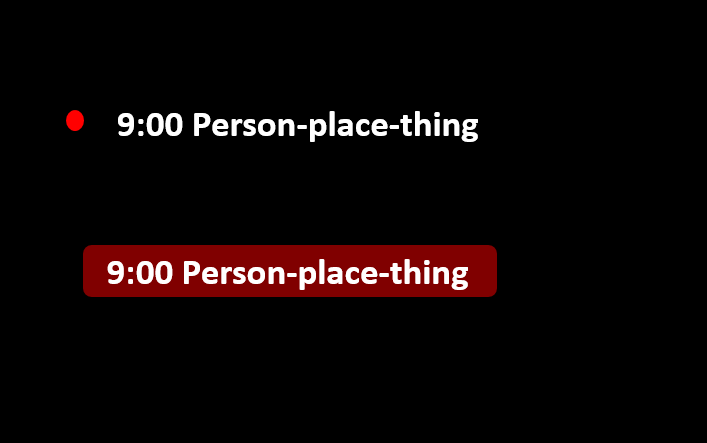
      what i meant is to have the type of transparent tinted box around (or behind) the calendar entry texts in the style of apples current design looks. heres a quick think i made in powerpoint.

      6c4d3d72-4850-481f-9ece-f995328a0620-image.png

      thank you again for all you help

      posted in Utilities
      R
      roth_nj
    • RE: MMM-CalendarExt3

      Formatting question… not sure if it’s best for to ask here or some place else….

      I currently have the icons turned off, and 6 color coded calendars being displayed. Right now there is the small colored dot next to each and I have it color coded and the legend turned on and that’s all good….

      How would I go about formatting each entry so it has the “apple” look? Like a light shaded transparent box around each entry that pulled the tint from the calendar color. Also I would then off the colored dots

      posted in Utilities
      R
      roth_nj
    • RE: multiple modules in a region

      thank you!

      i changed this:

      .module.clock .date{
        color: #FFF;
      }
      
      .module.clock .sun{
        color: #FFF;
      }
      
      .module.clock .moon{
        color: #FFF;
      }
      
      .module.MMM-MoonPhase .module-header{
        color: #FFF;
        }
        
      #moonphase-phase, #moonphase-age, #moonphase-phase-age {
      	color: #FFF;
      }
      

      to this, but in a few modules, so its quite bit neater now:

      .module.clock .date,.sun,.moon,.module-header,#moonphase-phase, #moonphase-age, #moonphase-phase-age{
        color: #FFF;
      }
      

      is there a way to change ALL the text color in a module to a certain color? i did this the hard way and found each displayed text figured out how to code it. just want to know for future added modules or i decide to change these are going to add in more code

      posted in Troubleshooting
      R
      roth_nj
    • RE: multiple modules in a region

      ok im actually getting some where but i have another question. i got the code figured out to change part of it. why does the whole module not work?

      this changed the color of the date text to white

      .module.clock .date{
        color: #FFF;
      }
      

      but when i do this, nothing happens. this all in the custom.css by the way

      .module.clock .module{
        color: #FFF;
      }
      
      posted in Troubleshooting
      R
      roth_nj
    • RE: multiple modules in a region

      i need a little bit of css help.
      how do i write a small section of code for the custom css change all various texts in a module to a certain color? for instance, for the clock and weather, i want all the text to be white. not gray/dimmed. i can find in the main css, and custom css where its been set but i only want to do it for those modules becuase it will mess up the calendar.

      ive been trying to use dev mode and everything. i understand the basic concepts on what im trying to do, i just dont know how to code it.

      ive been following this but still stuck

      https://forum.magicmirror.builders/topic/6808/css-101-getting-started-with-css-and-understanding-how-css-works

      heres a couple things i;ve tried. both inside a section of code and new. this was just me testing around. ive tried a bunch of other stuff but at the point of needing help

      .module.clock .digital {
        display: flex;
        flex-direction: column-reverse;
        color-text: #fff;
      }
      
      .module.clock .digital {
        color-text: #FFF;
      }
      
      posted in Troubleshooting
      R
      roth_nj
    • RE: MMM-CalendarExt3

      @bicolorbore586 said in MMM-CalendarExt3:

      @roth_nj in the config of the module set the ‘mode’ to week. The add the config option ‘weeksInView’ and set that to 4 or 5
      Here’s an extract from mine:

      {
      			module: "MMM-CalendarExt3",
      			position: "lower_third",
      			config: {
      				mode: "week",
      				weekIndex: 0,
      				weeksInView: 5,


      As MMRIZE says, it’s in the readme file (under config details). The re-render, as you say is also listed in there, as one of the intervals.

      thanks… trust me, i read all that stuff a number of times. it just didn’t click that thats what i meant. im going to go bang my head against the wall now ha ha

      posted in Utilities
      R
      roth_nj
    • RE: multiple modules in a region

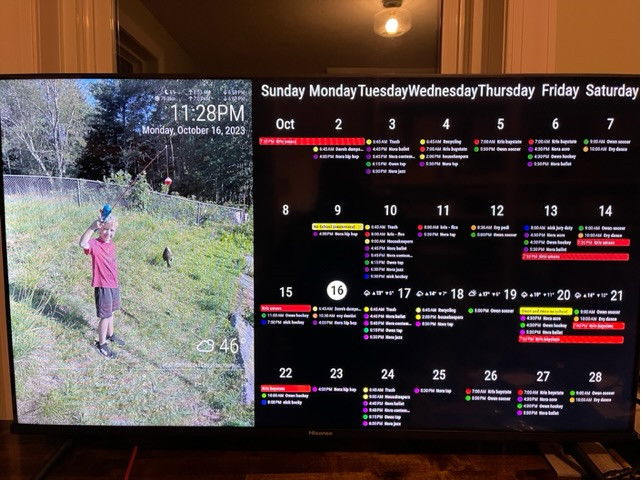
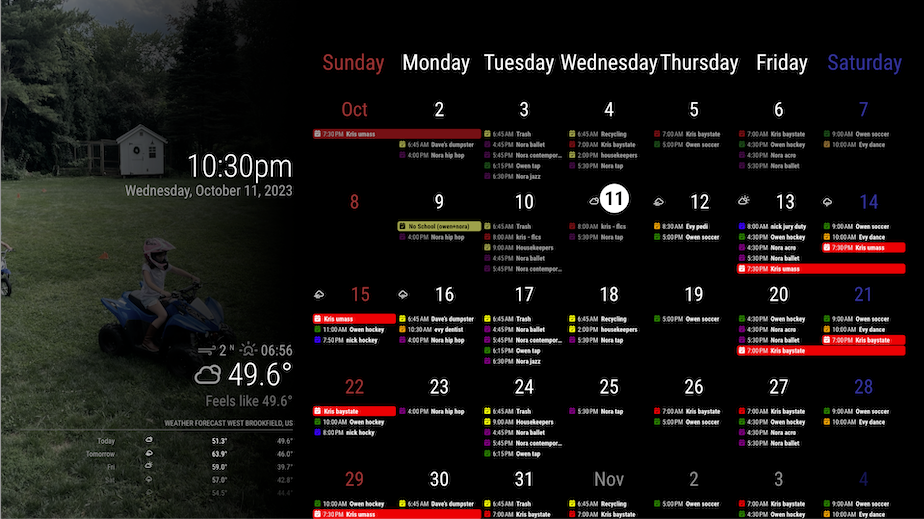
      this is the latest. im pretty happy with the formatting now. i have no idea if it did it “right” but i got it to look how i wanted. only big thing left i think is to get it to be a 4-5 week rolling calendar vs just the whole month. then some minor stuff like color/font/etc.

      b7f0c9cb-6de8-49fe-ac71-e91796f93864-image.png

      this is what i ended up changing in the custom css you shared. split apart the top right and top left to be different. made the top left position absolute and moved it to where it looked good. used the same px as the padding for other regions. added in the bottom bar (wasn’t in there - calendar is in the bottom bar). again made that absolute and moved it until it looked good. im going to guess if i tried adding the header in, it would be off the screen.

      .region.bottom.bar {
        padding: 20px;
        position: absolute;
        top: -100px;
      }
      
      .region.top.left {
        box-sizing: border-box;
        text-align: right;
        top: 20px;
        right: 20px;
        position: absolute;//unset
      }
      
      .region.top.right {
        box-sizing: border-box;
        text-align: right;
        bottom: 0;
        position: unset;
      }
      
      posted in Troubleshooting
      R
      roth_nj
    • RE: MMM-CalendarExt3

      @hrmax23 said in MMM-CalendarExt3:

      @MMRIZE Is there a way to show a rolling 4/5 week in the month mode? Basically something like -1 week to +3 weeks rather than showing basically the current month until that month is over.

      Also, is there a trick to get the calendar to re-render completely on some interval? On my MM right now, it’s currently showing the current day in the 5th week (i.e. still showing April as the current month). If I restart MM, it will update to show May as current month, but doesn’t seem to do it automatically. I only have 1 scene so not using MMM-Scenes.

      @MMRIZE said in MMM-CalendarExt3:

      @roth_nj
      You don’t have to read entire posts on this thread. Just read the README md first.
      And there is the feature description of what you want probably.

      i did. again, im new to all of this. i am not a programmer at all in any sense. im an ME but did have to take a c++ course like 20 years ago. my brain just doesn’t see this stuff easily. i can read through the readme’s for various modules and get the basic functions but then i have been reading through all the trouble shooting threads about them to get a better understanding on how to actually do it.

      at this point im guessing something on the css level with transforming or preprocessing the data?

      posted in Utilities
      R
      roth_nj
    • RE: multiple modules in a region

      i was able to fix the clock alignment. digging into the custom.css, i found that the top right and top left were formatted the same. i split them out and modified the top left to alight and fix the position:

      .region.top.left {
        box-sizing: border-box;
        text-align: right;
        top: 20px;
        right: 20px;
        position: absolute;//unset
      }
      
      .region.top.right {
        box-sizing: border-box;
        text-align: right;
        bottom: 0;
        position: unset;
      }
      
      posted in Troubleshooting
      R
      roth_nj
    • RE: MMM-CalendarExt3

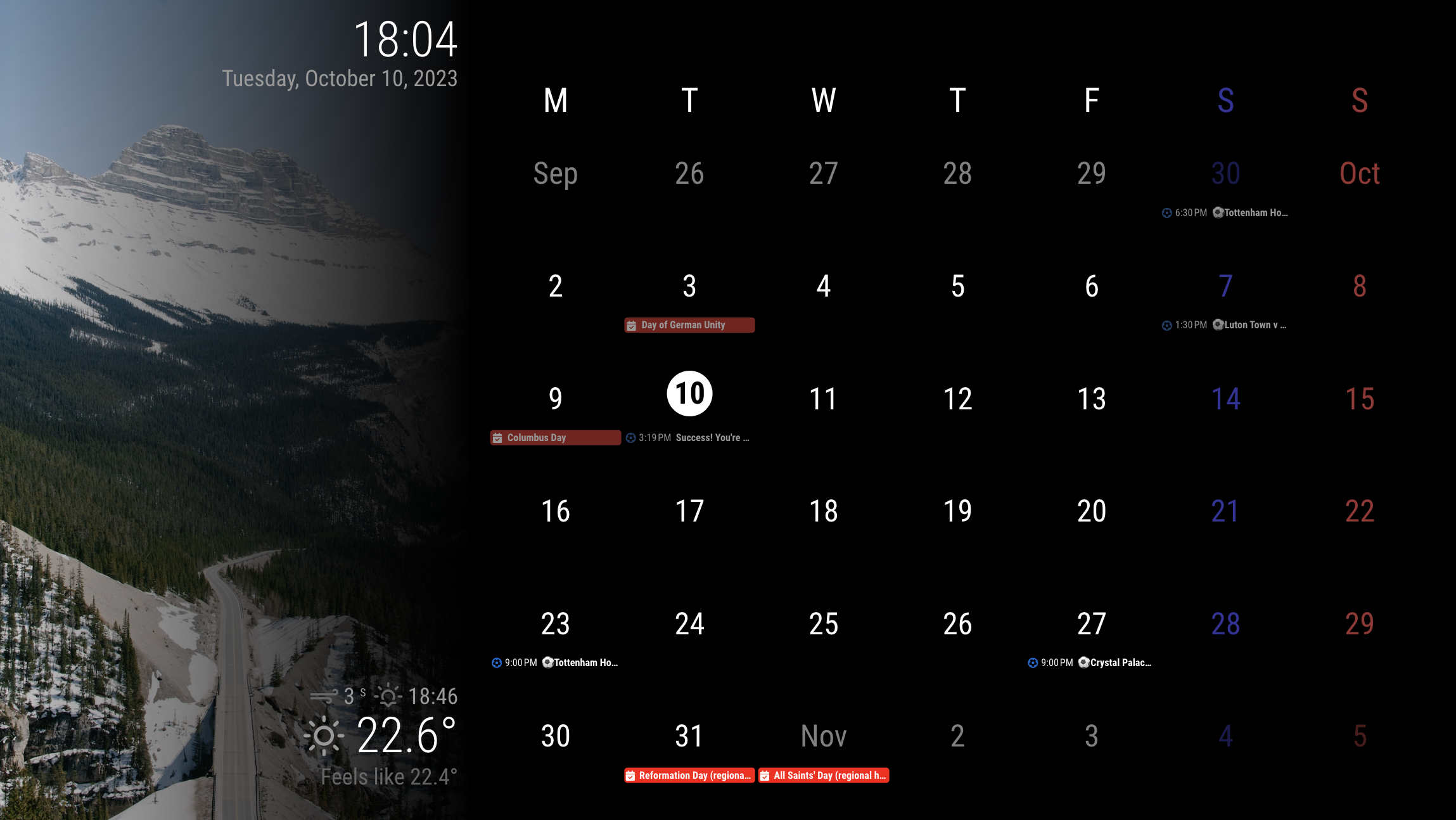
      is there a way to set this up to have a rolling 4 or 5 weeks (depending on how its configured) instead of the traditional only one month view. that way you can continually see a few weeks in advance?

      please forgive me if this has already been asked/covered. I tried to go through this thread but with 38 pages and a lot of code bits, I didn’t see it.

      posted in Utilities
      R
      roth_nj
    • RE: multiple modules in a region

      62cb8a94-3900-40c5-bf6a-5ab709cce016-image.png

      posted in Troubleshooting
      R
      roth_nj
    • RE: multiple modules in a region

      @MMRIZE it got my pi programmed and the mirror up and running on the screen. i have started doing some minor graphical tweaks like font/color/size etc and changed the 33% wallpaper size to 40%… all that stuff is pretty clear to me on what/where to edit and theres a ton of into on the forum/github

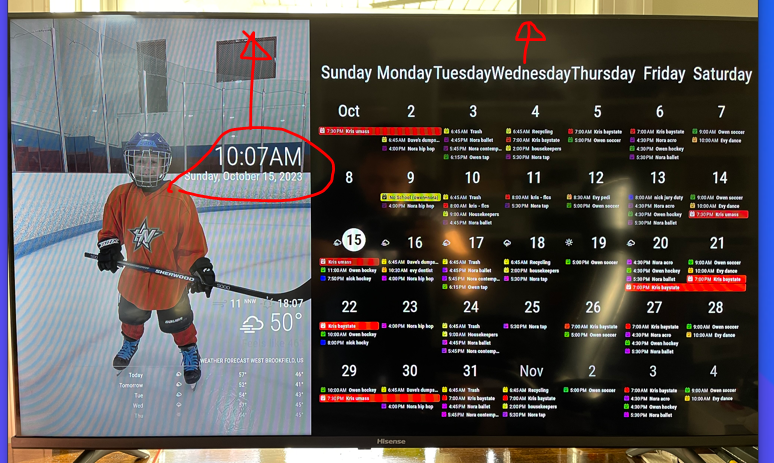
      i have a couple follow up questions for you now: i want to adjust the position of the calendar top and clock. you can see in this picture that they are off set from the “top” of the screen. i want to get them to the edge. thanks again

      posted in Troubleshooting
      R
      roth_nj
    • RE: multiple modules in a region

      @MMRIZE

      bingo… awesome thanks again. I was looking for anything with fade. gradient makes sense — I’m not a programmer in any sense. after changing that, I spread the wallpaper out to 40% but left the calendar overlapping a little bit still at 66%

      its getting real close now. but like I said I’m not going to mess with too much more until I get it up on my pi+monitor

      thanks again for the help

      22378d8d-0e62-4506-87c5-b0ba0d0367a6-image.png

      posted in Troubleshooting
      R
      roth_nj
    • RE: multiple modules in a region

      @MMRIZE

      1b2f61c0-36e1-48fd-bf4c-13341d8438e5-image.png

      posted in Troubleshooting
      R
      roth_nj
    • RE: multiple modules in a region

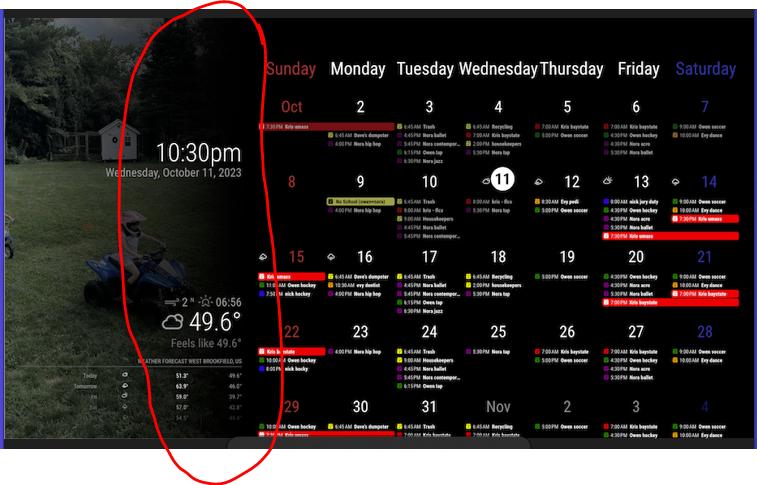
      @MMRIZE
      a little misunderstanding here. i am talking about this zone at the wallpaper background to the calendar.

      i already changed the sunday red and saturday blue to both be white at this point

      posted in Troubleshooting
      R
      roth_nj
    • RE: multiple modules in a region

      @MMRIZE

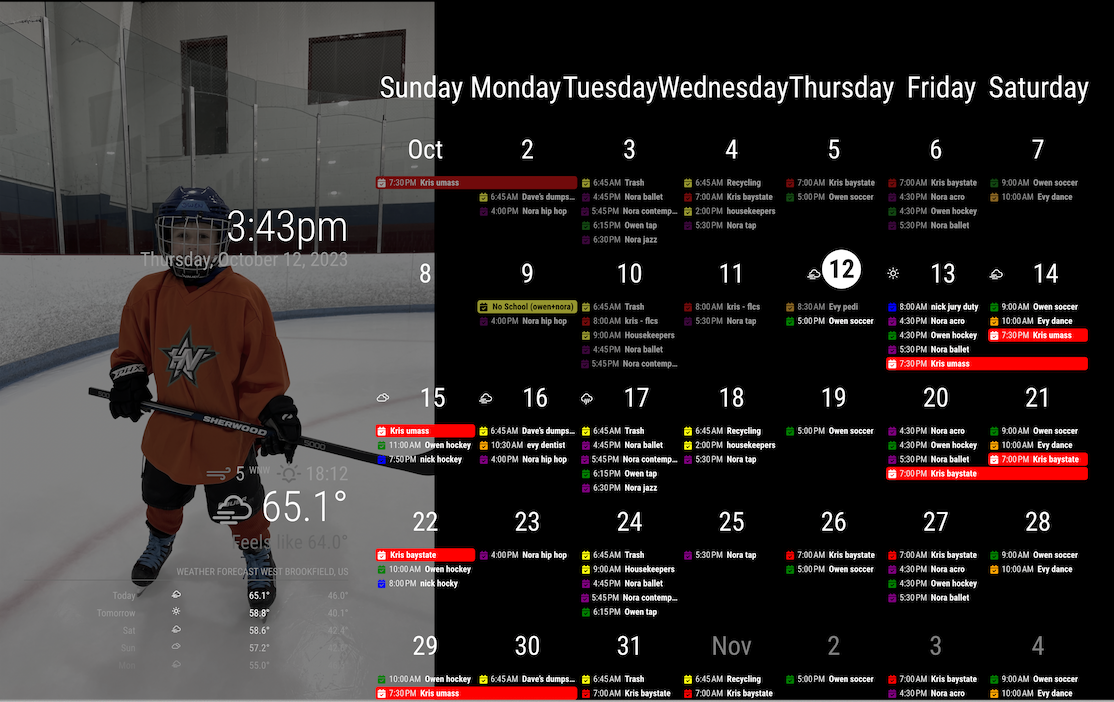
      I was able to pop that code in easy enough and its all working well. this is all still running on my Mac to my monitor via electron so ill wait until I get it into my actual pi and wall display before going crazy with the finishing touches. (spacing, colors, boarders, edges, etc). hoping ill be able to get that part up and running this weekend.

      one thing I was playing around with now trying to tweak but not having any luck is the fade of the calendar pictures to the right side of them. I tried the fadeedges config option for the calendar in the main config file but it was breaking it. would it be a module/config thing? or a css thing?

      here’s what it looks like at the moment
      ad23d6be-7e82-4f83-8d77-9482fb9bbfea-image.png

      posted in Troubleshooting
      R
      roth_nj
    • RE: multiple modules in a region

      @sdetweil said in multiple modules in a region:

      @roth_nj

      @MMRIZE said in multiple modules in a region:

      Only for those modules on the screen, the CSS is severely overridden. So when you add additional modules, you should carefully handle them.

      just be careful , as he whacked the css pretty hard here to make this work, and other modules may no longer fit properly…

      MM is after all, just a web page…

      understood. as of now i only have the mmm_wallpaper and mmm_calenderext3 added in. i have half of the default modules turned off and only the clock+2 weathers still on atm. even if i do add something, it will be something like the default modules. something light and simple over the top of the photos

      posted in Troubleshooting
      R
      roth_nj
    • RE: multiple modules in a region

      @MMRIZE

      that is awesome. looks like its actually in portrait but you rotated all the text to be read the other way? thats one way to skin that cat. i like it.

      so, i know im not the first one to ask for a configuration like this. i know because i spent quite i bit of time searching and reading through all i could (here, github, reddit, etc)… it might be worth while putting together a polished post saying for a dakboard clone?

      for reference. i went though and set up the dakboard but me being me, refused to pay for the upgrade. i needed it to handle 6 ical’s and wanted to be able to change the colors. simple things really, but they lock both those abilities behind the upgrade.

      again, thank you very much. ill play around with it again tonight after work. im sure ill end up having some questions sooner or later

      posted in Troubleshooting
      R
      roth_nj
    • RE: multiple modules in a region

      @MMRIZE said in multiple modules in a region:

      @roth_nj
      similar?
      mimic

      that right there would be amazing

      posted in Troubleshooting
      R
      roth_nj
    • 1 / 1