MagicMirror Forum
    • Recent
    • Tags
    • Unsolved
    • Solved
    • MagicMirror² Repository
    • Documentation
    • 3rd-Party-Modules
    • Donate
    • Discord
    • Register
    • Login
    • Profile
    • Following 0
    • Followers 110
    • Topics 92
    • Posts 21,469
    • Groups 1
    S Do not disturb
    1. Home
    2. sdetweil
    3. Best
    A New Chapter for MagicMirror: The Community Takes the Lead
    Read the statement by Michael Teeuw here.

    Posts

    Recent Best Controversial
    • RE: show and hide modules using python ?

      @sakliadem what is the problem with displaying output?

      node helper starts python script in background
      python script does print
      node helper gets stdout text from running python script

      node helper sends to front end
      front end receives, processes and creates content
      front end tells mm new content is available by calling updateDom()
      mm calls getDom() to get new content to display where module position is
      posted in Troubleshooting
      S
      sdetweil
    • RE: Lost modules. Not showing after reinstall

      @mumblebaj no package.json, so nothing to do and nothing gets done

      posted in Troubleshooting
      S
      sdetweil
    • RE: Just updated MagicMirror today, and now I "0|MagicMirror | sh: 1: ./node_modules/.bin/electron: not found"

      @fribse did u use my upgrade script?

      do

      cd ~/MagicMirror
      npm install electron@17.2.0
      
      posted in Troubleshooting
      S
      sdetweil
    • RE: Building mirror without programing

      @N6NG yes, npm isn’t installed WITH node…

      use my script… then u don’t have all this hassle

      posted in Troubleshooting
      S
      sdetweil
    • RE: Default weather module not showing after MM update

      @Jarhead96097 would be interested in knowing if my upgrade script avoided this problem

      posted in Troubleshooting
      S
      sdetweil
    • RE: Default Weather module still not displaying

      @Jarhead96097 remove all the options except

      apiKey
      and
      locationID

      default type is current
      default provider is openweathermap

      posted in Troubleshooting
      S
      sdetweil
    • RE: Default Weather module still not displaying

      @Jarhead96097

      this is on pi, or windows, or ??

      ok, do this

      cd ~/MagicMirror
      rm -rf node_modules
      npm install 
      #added
      git checkout modules/default/weather/weather.js
      git status
      

      then try again

      posted in Troubleshooting
      S
      sdetweil
    • RE: Default Weather module still not displaying

      @Jarhead96097

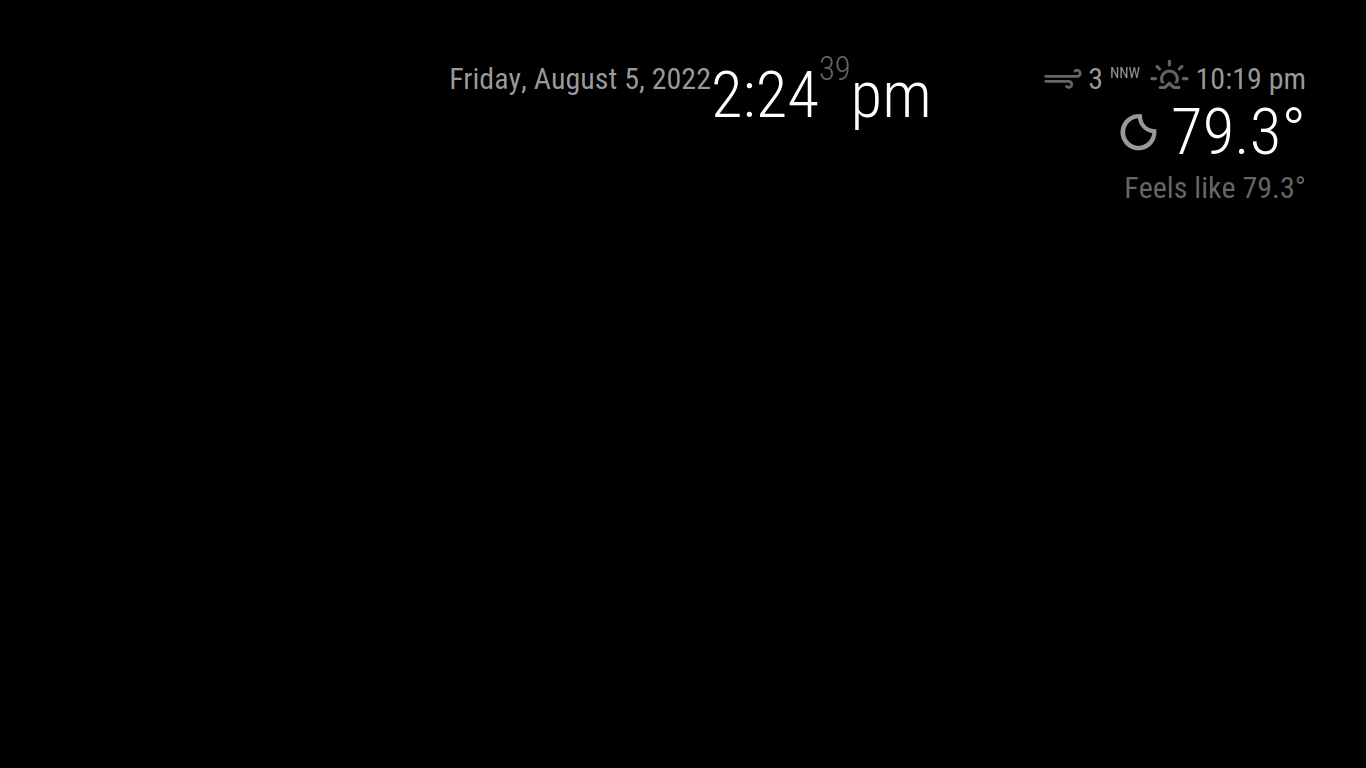
      ok, I just did this

      		{
      			module: "weather",
      			position: "top_right",
      			config: {
      				locationID: "361058",
      				apiKey: "xxxxx"
      				}
      		},
      

      try that with your openweathermap apiKey

      Screenshot_2022-08-05_14-24-42.png

      posted in Troubleshooting
      S
      sdetweil
    • RE: Default Weather module still not displaying

      @Jarhead96097 ah, one other question, what is the current node level

      node --version

      posted in Troubleshooting
      S
      sdetweil
    • RE: Installed on Raspabrry pi4b with magic mirror os modules go back to default after restart

      @omnismarthome the config for compliments is in the config.js, right? NOT editing this module source file (which could be replaced)

      never edit the module source files.

      posted in Troubleshooting
      S
      sdetweil
    • RE: Installed on Raspabrry pi4b with magic mirror os modules go back to default after restart

      @omnismarthome NO>>>>>>>>

      only where the config.js is located

        {
            module: "compliments",
            position:" ?????",
            config: { 
                  compliments: { 
                          anytime: [........],
                           etc 
                 ] 
            }
        }
      
      posted in Troubleshooting
      S
      sdetweil
    • RE: NPM run start cannot be used

      @史新瑞

       cd ~/MagicMirror
      npm install electron@19.0.6
      

      for the other black screen

      see https://forum.magicmirror.builders/topic/15778/fix-for-black-screen-in-2-16-and-later/

      posted in Troubleshooting
      S
      sdetweil
    • RE: Black Screen after installing fonts-noto-color-emoji

      @aunrea you are in the wrong folder

      cd ~/MagicMirror
      
      posted in Troubleshooting
      S
      sdetweil
    • RE: Electron

      @kayakbabe when developing a module, dont use pm2

      just
      npm start
      in the MagicMirror folder
      ctrl-c top stop.

      pm2 is for production

      use ssh from your PC, maybe winscp or bitvise ssh client that gives you ssh terminal and file manager over the pi files. then u can edit w notepad++ or vs ode or whatever u like

      if u need the dev window you can do it on your PC… never have to touch the pi itself.

      if u change the modulename.js, or css, or config.js settings, just reload the page, no restart required

      posted in Troubleshooting
      S
      sdetweil
    • RE: Electron

      @kayakbabe yes requiring hardware makes it another challenge…

      posted in Troubleshooting
      S
      sdetweil
    • RE: Error: object_proxy

      @mumblebaj upgrade? mm yes, package.json is replaced

      posted in Troubleshooting
      S
      sdetweil
    • RE: Can't cloon the repository

      @Purple u have to install git too…

      best to use my script which does all the setup

      see
      https://github.com/sdetweil/MagicMirror_scripts

      posted in Troubleshooting
      S
      sdetweil
    • RE: Bluetooth music through Pi

      this looks like the current info

      https://singleboardbytes.com/1600/turn-any-speaker-bluetooth-enabled-using-raspberry-pi.htm

      posted in Troubleshooting
      S
      sdetweil
    • RE: IR Frame not responding while using MM

      @CurlyQ12391 there is no touch support in the base mm.

      sorry ir frame

      mm has mouse turned off by default
      in main.css comment out the
      cursor:none;

      posted in Troubleshooting
      S
      sdetweil
    • RE: Default Calendar Troubleshooting - "No Upcoming Events"

      @CurlyQ12391 you should decrease it. let me look at the fix to see what it does

      posted in Troubleshooting
      S
      sdetweil
    • 1 / 1