MagicMirror Forum
    • Recent
    • Tags
    • Unsolved
    • Solved
    • MagicMirror² Repository
    • Documentation
    • 3rd-Party-Modules
    • Donate
    • Discord
    • Register
    • Login
    1. Home
    2. SiDuMo
    3. Best
    A New Chapter for MagicMirror: The Community Takes the Lead
    Read the statement by Michael Teeuw here.
    S
    Offline
    • Profile
    • Following 0
    • Followers 0
    • Topics 2
    • Posts 7
    • Groups 0

    Posts

    Recent Best Controversial
    • 75" (180x60cm) Standing Mirror with dual screens

      Hey builders,

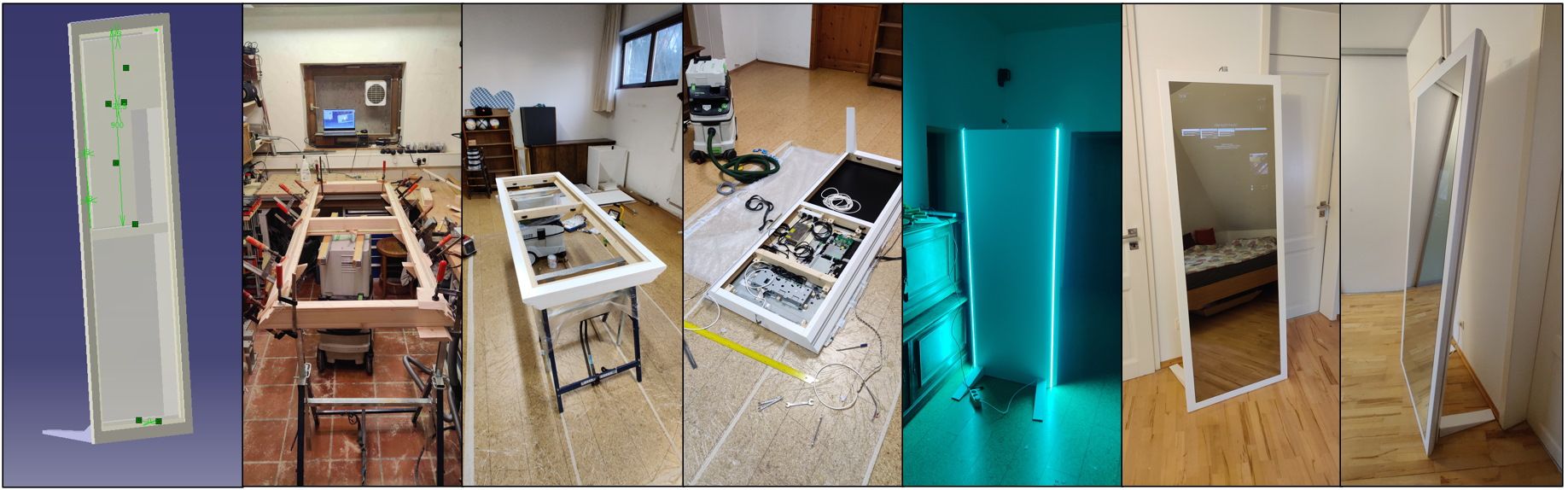
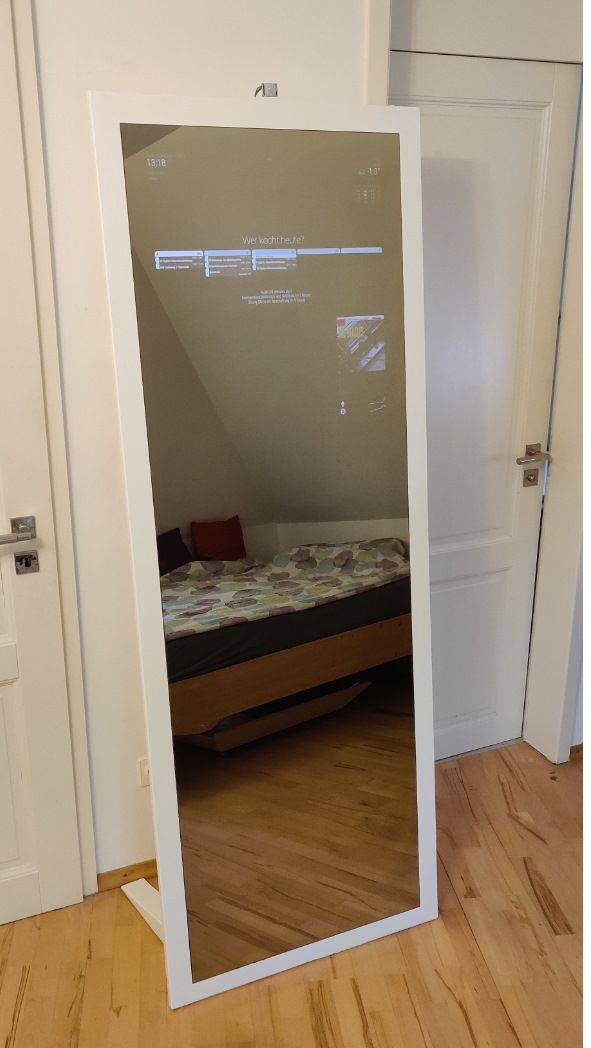
      here is my second magic mirror which I worked on for quite a while:
      lowres.jpg
      Kollage.jpg
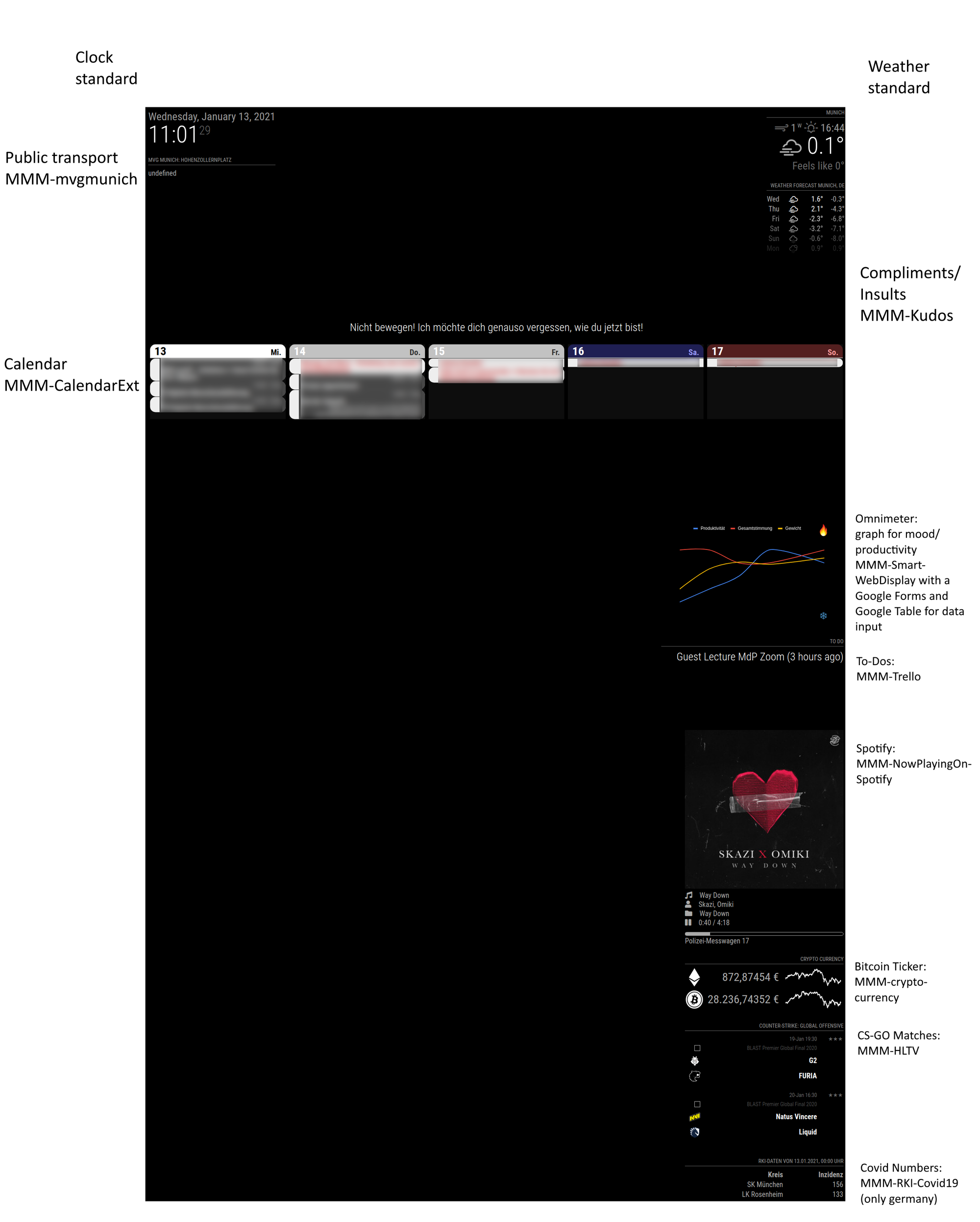
      2021-01-13-110129_1920x3000_scrot_edit.png
      Here are the config files (redacted).

      Features:

      • Dual Screen setup with one Raspi 4 B 4GB
      • 180x60cm mirror (Mirropane Chrome Star II)
      • 2 23,5" IPS Panels FHD
      • LED Lighting down the back side (Alexa controlled)

      Some key issues (feel free to ask me anything about this):

      • finding a glue that holds 25kgs of Mirror
      • making the frame white and good-looking
      • finding a way to use two MM instances on two different screens (not that hard, I’m just a noob with programming)

      The PIR Sensor will be hidden somewhere in the future.

      I’m happy to help if someone has similar plans, just send me a message :)

      Stay creative
      Simon

      posted in Show your Mirror
      S
      SiDuMo
    • [SOLVED] Displaying part of a website (Google Sheets Graph)

      Hey coders,

      first of all: sorry for asking a noob question. I’ve tried to tackle this on my own (including forum searches) but can’t find a way to approach the problem.

      • The Challenge: Display the graph on this website.

      • My solution so far: Use MMM-SmartWebDisplay. However, this gives me only this part:smartwebdisplay.jpg

      • Config:

      		{
      			module: 'MMM-SmartWebDisplay',
      			position: 'middle_center',	// This can be any of the regions.
      			config: {
      				// See 'Configuration options' for more information.
      				logDebug: false, //set to true to get detailed debug logs. To see them : "Ctrl+Shift+i"
      				height:"100%", //hauteur du cadre en pixel ou %
      				width:"100%", //largeur
                     			updateInterval: 0, //in min. Set it to 0 for no refresh (for videos)
                      		NextURLInterval: 0.5, //in min, set it to 0 not to have automatic URL change.
                      		displayLastUpdate: true, //to display the last update of the URL
      				displayLastUpdateFormat: 'ddd - HH:mm:ss', //format of the date and time to display
                      		url: ["https://docs.google.com/spreadsheets/d/1jYJ5Vvc4Z9PrL2gYqE8-1dKrQDe1bKIj3Lt6hwoyeFU/edit?usp=sharing"], 
         		   		//source of the URL to be displayed
      				scrolling: "no", // allow scrolling or not. html 4 only
      				shutoffDelay: 10000 //delay in miliseconds to video shut-off while using together with MMM-PIR-Sensor 
      			}
      		},
      

      I somehow need to tell the module what part of the website I need, and that’s where I am currently stuck.
      Any help is appreciated, please feel free to propose different modules/solutions if my way is dumb.
      Also if you’re interested, here is my build.

      Stay creative,
      Simon
      posted in Troubleshooting
      S
      SiDuMo
    • RE: [MMM-EmbedURL] Embed one or multiple websites to the mirror

      I really enjoy the module :)
      One thing I figured out and which might be nice to add to the git manual:

      You can invert the colors of websites though CSS styling.
      This will make white background black and looks nice at the mirror.

      Add to your custom.css:

      .MMM-EmbedURL {
        filter: invert(100%);
      }
      

      Enjoy!

      posted in Utilities
      S
      SiDuMo
    • 1 / 1