Are you on Pi 4 perhaps? I also got the same problem with the module mentioned above.
Then I switched to this one and it works https://github.com/bugsounet/MMM-NewPIR
 U
Offline
U
Offline
A New Chapter for MagicMirror: The Community Takes the Lead
Read the statement by Michael Teeuw here.
Read the statement by Michael Teeuw here.
Posts
-
RE: "No Signal" message when PIR sensor is triggered
-
RE: My first, slim mirror at home
@djdocta I am using this one for spotify https://github.com/raywo/MMM-NowPlayingOnSpotify
-
RE: My first, slim mirror at home
@Philly yes I did solder on three needed wires. You can’t let them hang on sensor connection points, need to be soldered.
Try getting soldering gun from some friend. And skip buying cheap soldering device… -
RE: UPDATE: Replaced my PIR-Sensor with a Doppler Microwave Sensor.
@Philly I gave up on PIR as it was giving me too many false-positive reads no matter which type or brand I tried. Simply too unreliable for my taste. And you need to position it in front of mirror glass which doesn’t look good on my slim smart mirror design.
The microwave sensor mentioned in this thread works perfectly for my mirror so far. I had to set the trimmer value a bit higher (close to 180ohm) to get an ideal sensing range. But as you see on the link above, my design has a sensor behind glass. -
My first, slim mirror at home
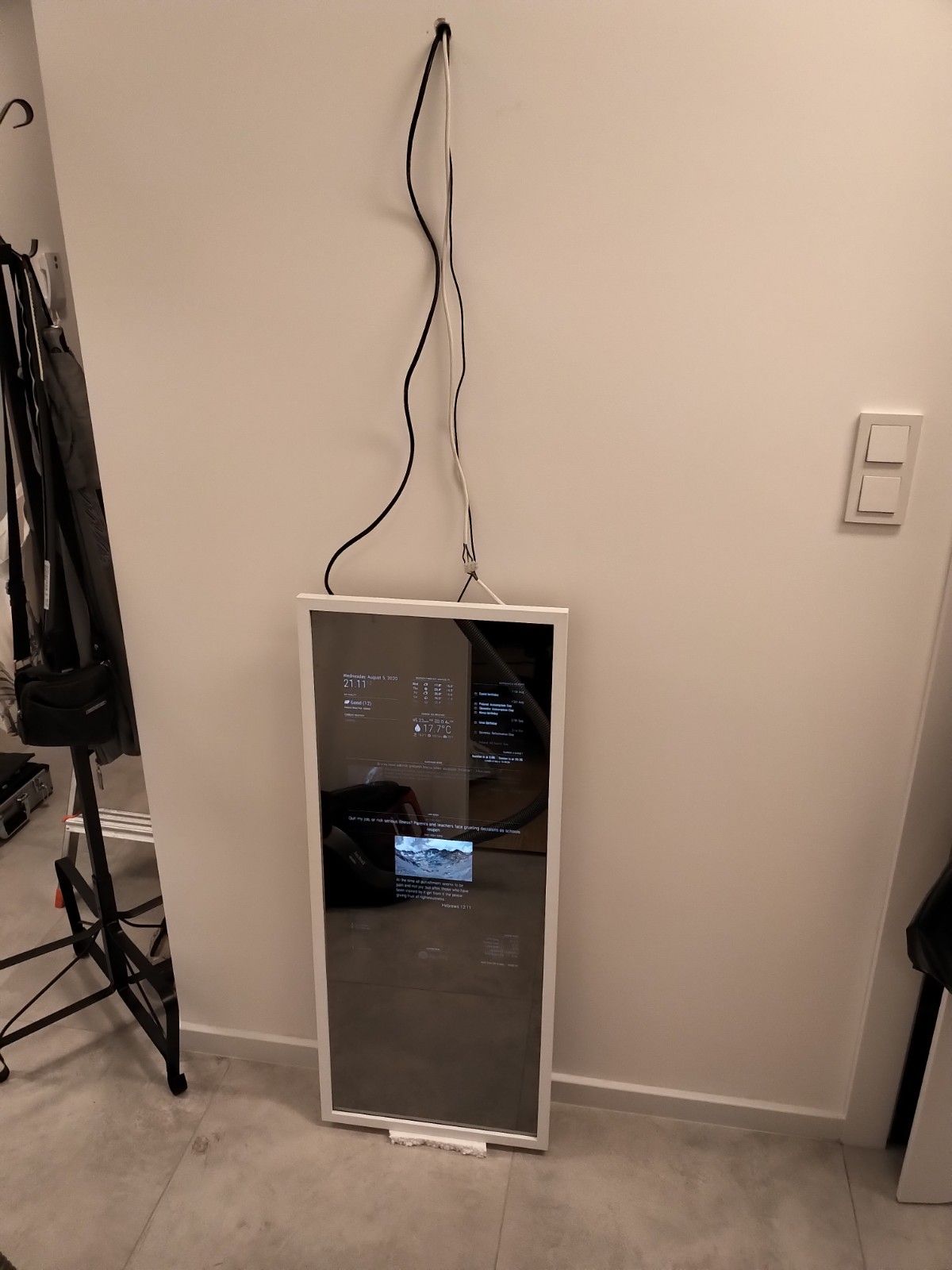
Finally, I made it! My first magic mirror at home. I was planning and getting it all together for months.
Software and motion…
Initial MM install on Pi4 was not so hard, the only thing I struggled was putting the screen to sleep and waking it up with motion.
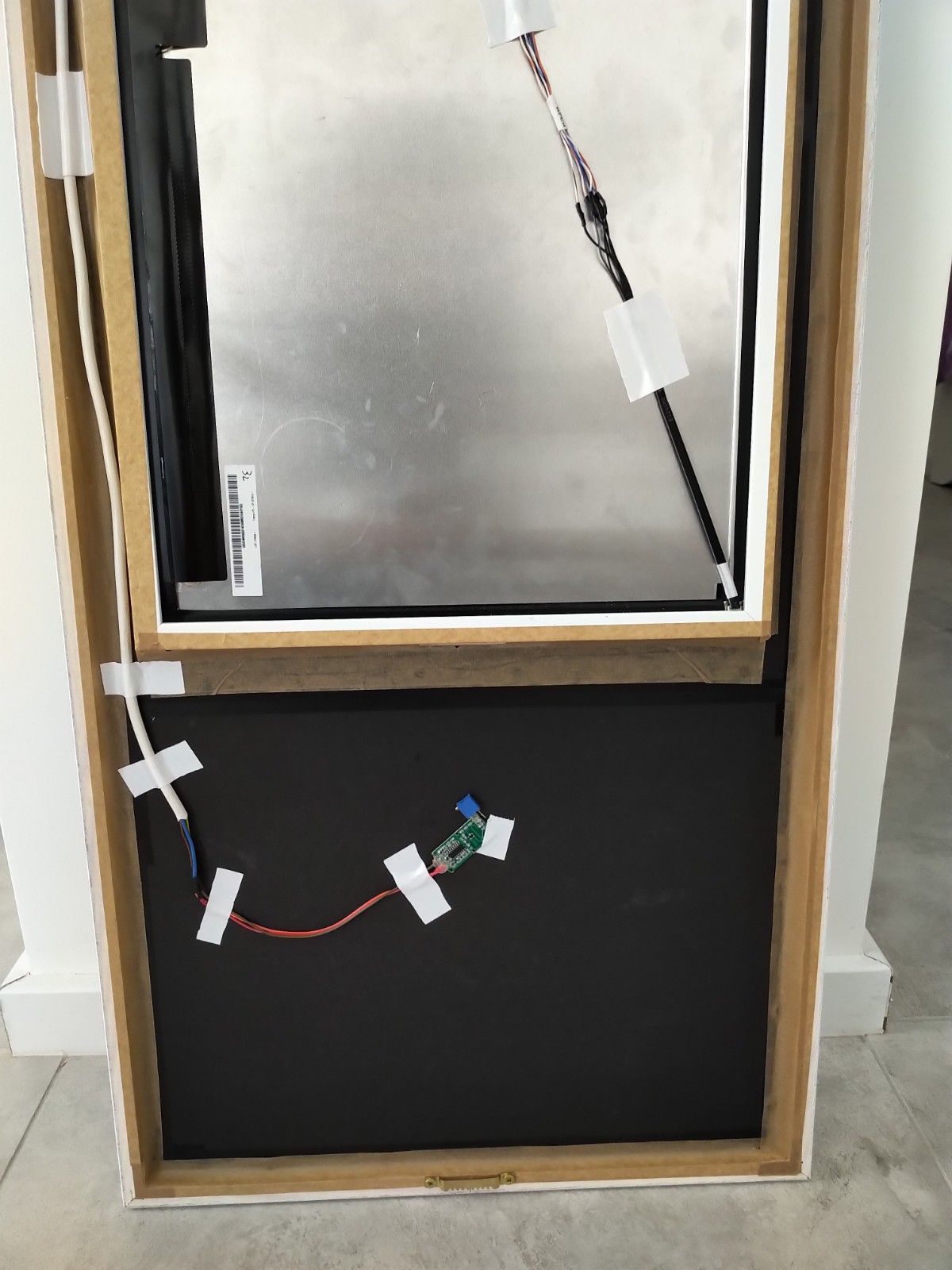
After trying several PIR sensors I always had false detections or poor detection. It would also look ugly on a clean minimal frame I wanted to install. I simply gave up on the PIR sensor and switched to RCWL-0516 sensor.
Here I need to thank @Fozi for his post on using a microwave sensor. Really good post with everything explained. When I tried a microwave sensor it just worked in the first try!
I am still fine tuning MM modules use and so far I have on: weather, air quality, spotify, philips hue, calendar, news, system stats, sunrise sunset, and motion detection and bible verse. All runs great on a 2GB Pi4 system.Screen…
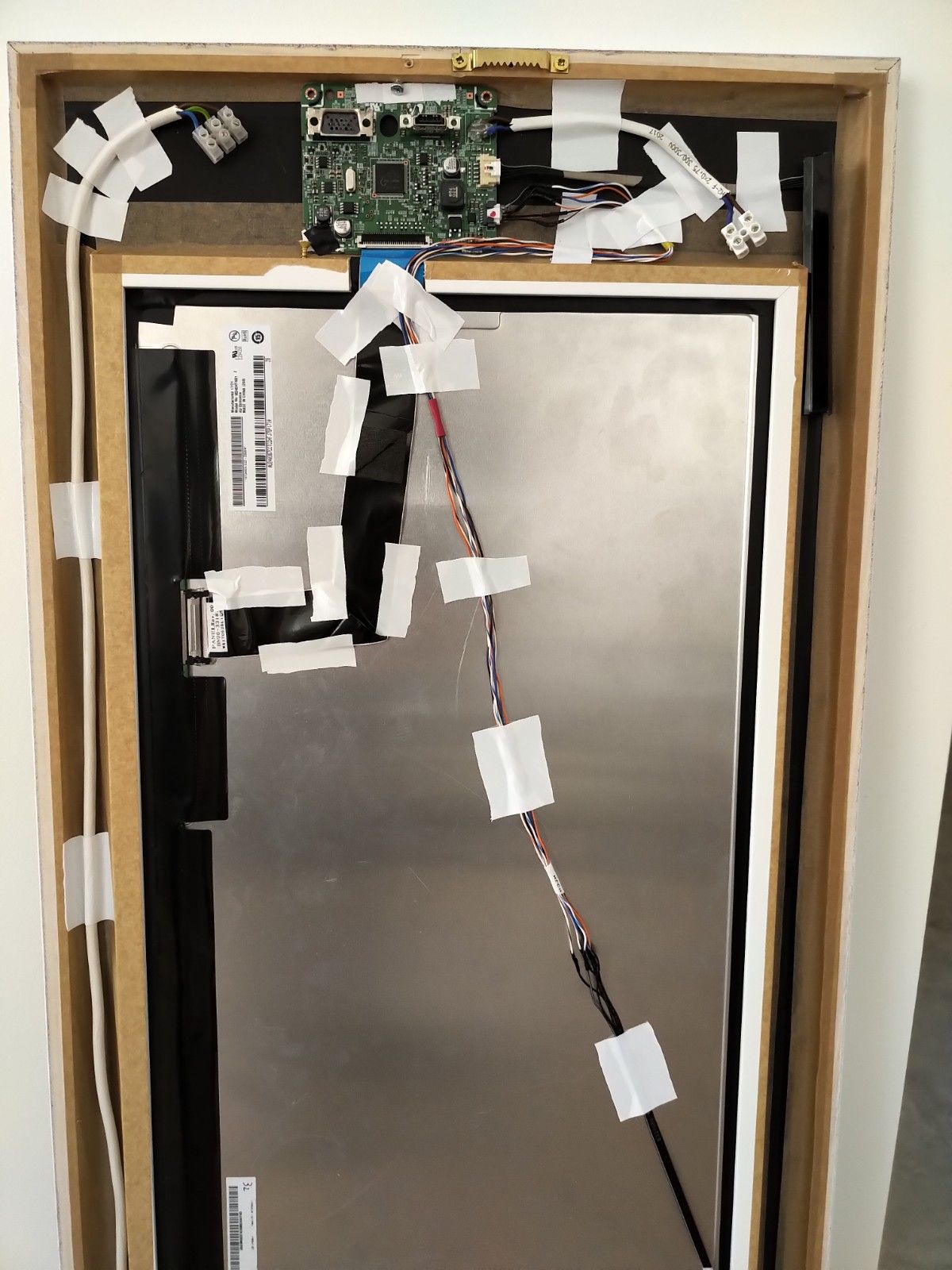
I was lucky to have a spare samsung 24" screen that was easy to disassemble. Total screen depth without its motherboard is only 20mm. That gave me the opportunity to use an ordinary wood frame and go as slim as possible.
I did need to move the screen mainboard to a different location which meant extending 6wire cable for the backlight. Another good thing with this monitor that it’s powered by external 14V brick. It means no mains AC power needed on mirror assembly.Mirror glass…
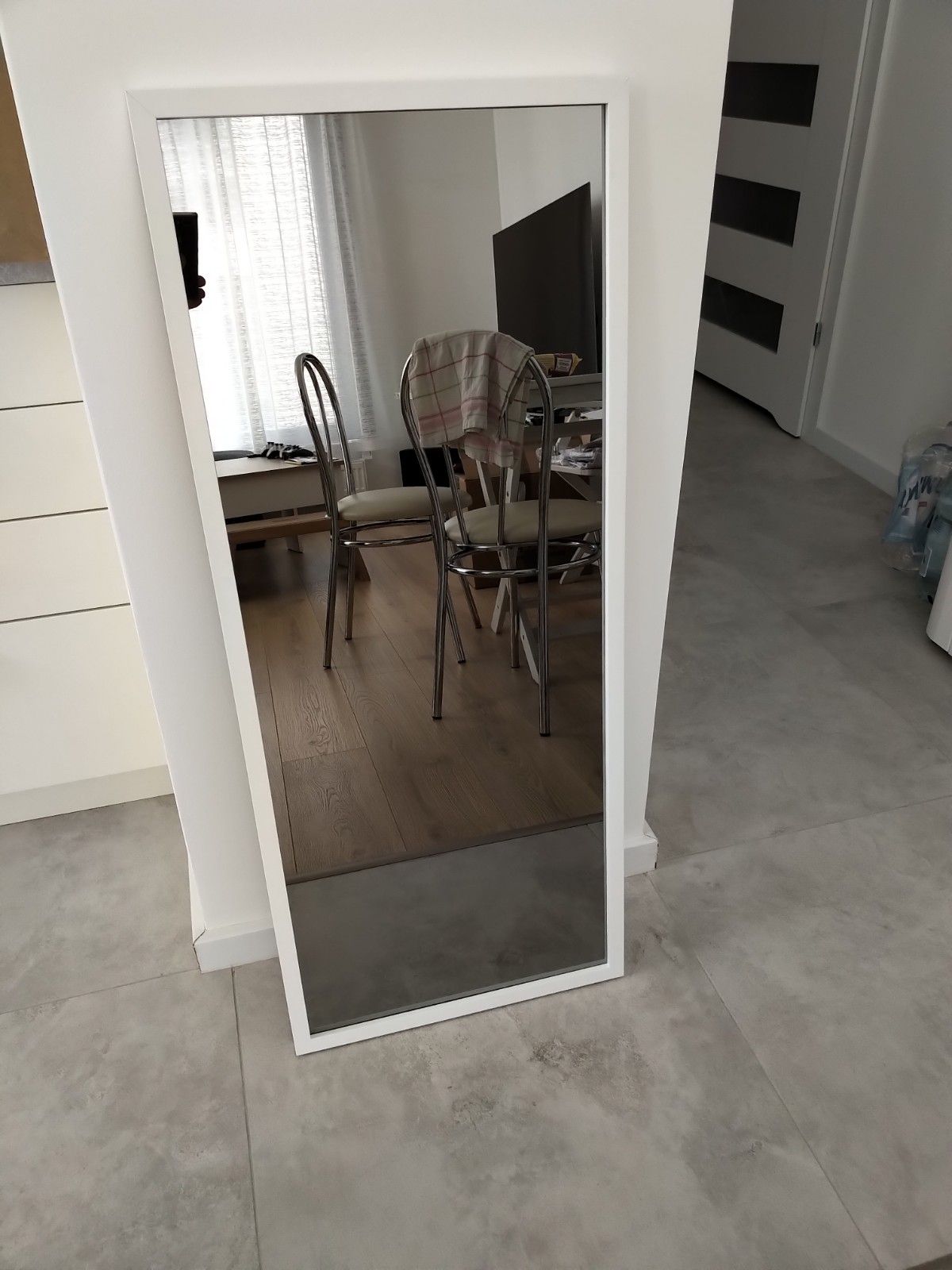
Big thanks to @Goldjunge_Chriz for organizing group buy of mirror glass. The glass itself looks great and it’s not too heavy. I was double lucky with my order, got it delivered in one piece and it had no protective film to indicate correct side :D
Advice for folks deciding on a future order of glass mirror, take it with polished edges. It makes your life easier when handling with a bigger piece of glass.Frame and mounting…
First, I prepared the glass with putting sheets of black A3 format paper and taping it down to the backside. Also, I cut a hole for the screen and taped the edges of the screen.
Then I went to local picture framing studio where at first I got weird looks but then guys took it in and did a good job. They did a frame under a frame design. First bigger frame for the glass and under it another smaller frame for screen.
I was positively surprised how good it looked, even my wife changed her mind :D After getting frame done I focused on cables. I tried to minimize connections as much as possible but in the end, I have 3 cables (HDMI, screen power, motion sensor) that need to connect to the mirror. I am looking at cable connector ideas for quicker disassembly when needed.
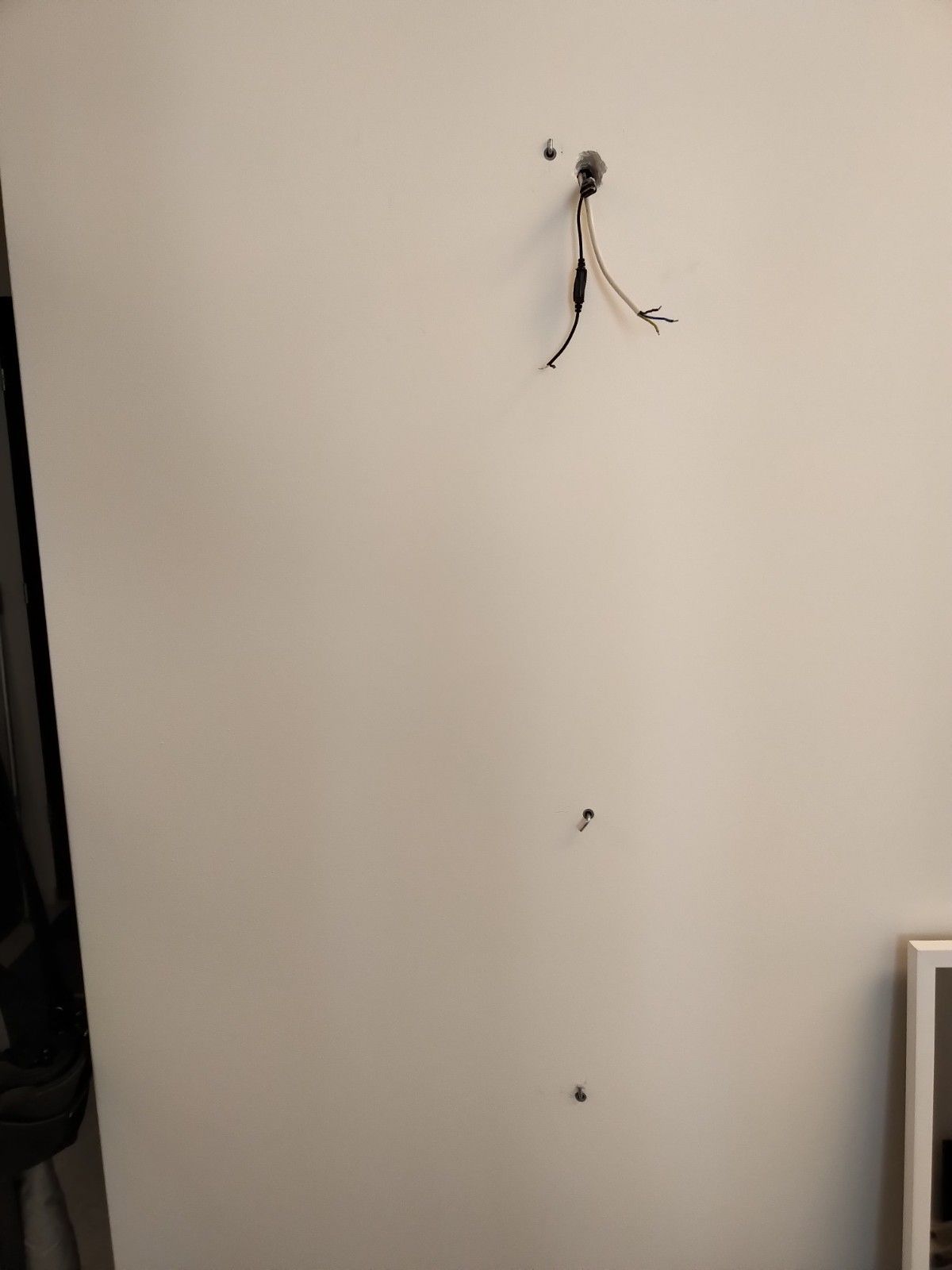
I was also worried about how to mount it all on a wall. In the end, I drilled 3 mounting holes to the wall with sturdy long hanging screws. Top and bottom screws are for hangers mounted on the frame and I also added a screw to the middle, just under the screen frame to add that extra holding place. There is another bigger hole for routing all cables from the back of wall.
I hope this mounting will be sufficient, the whole mirror is like 7-8kg. If anyone has better ideas of mounting wooden framed mirror pls share.Overall I am happy with this build. The whole frame is max 26mm from the wall and the fact there are no wires anywhere it makes it a true magic mirror ;)
Also, I learned some new things and found another great community of builders!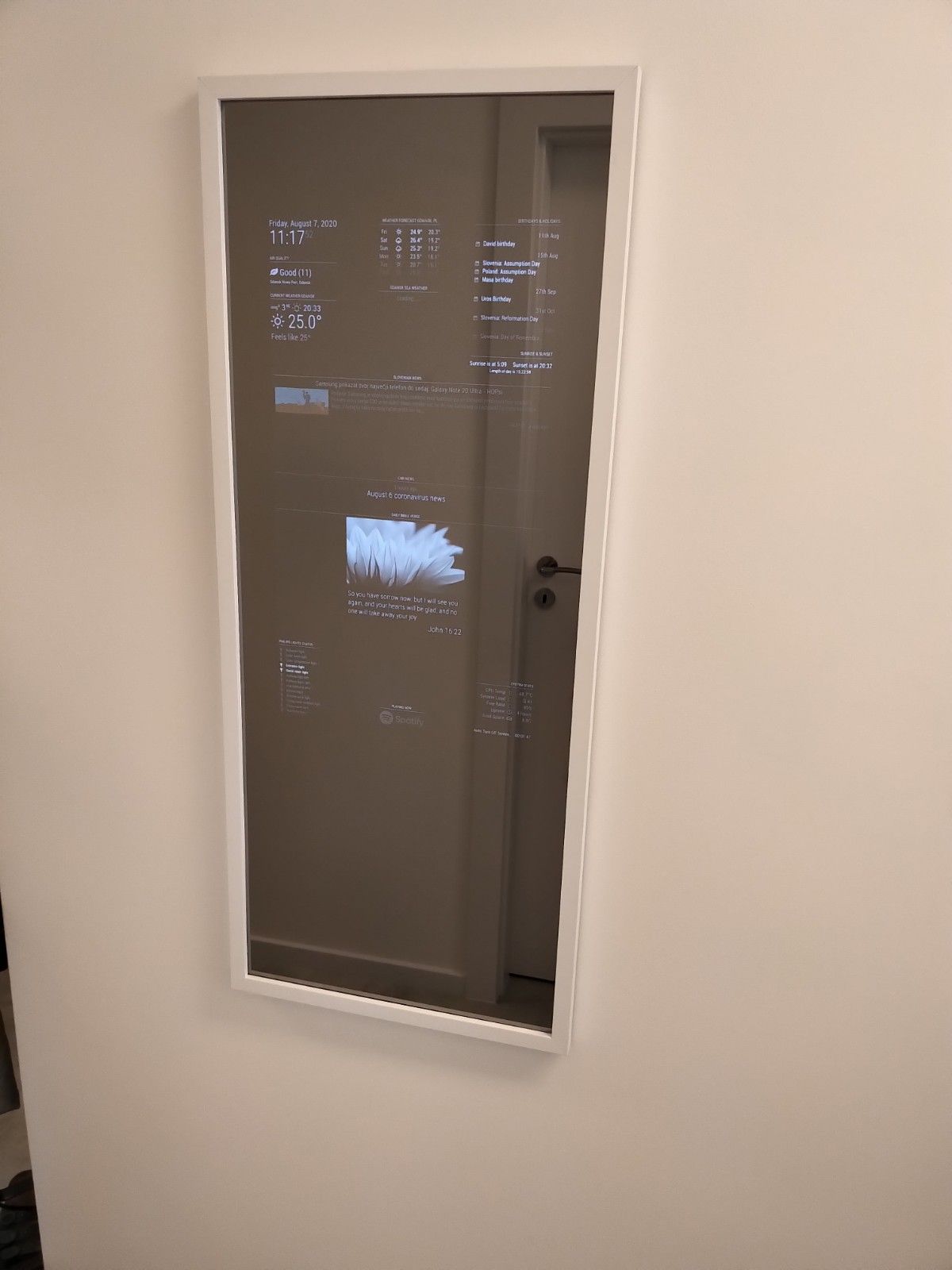
-
RE: *NEW LIST 29.06.2021* Two way community order for mirror glass for all european countries - Open until at least 10 people have entered
@Goldjunge_Chriz said in Two way community order for mirror glass for all european countries - Open until at least 10 people have entered the list:
that’s true. There was no film attached to one of the mirrors at the factory. then that was probably yours :) the film also has no function, but is simply intended to show the correct side.
If you compare both sides with each other and hold them in the light, you should notice a side that is a little lighter and reflects better. this is the coated side, i.e. the side you look into. The other side has a little less mirror effect.
Yaaay lucky lottery winner :D I did it this way and hoped it’s correct. Thanks for confirming it.
I am now waiting for a frame to be built. Then assembly and mounting on wall… -
RE: *NEW LIST 29.06.2021* Two way community order for mirror glass for all european countries - Open until at least 10 people have entered
@fribse said in Two way community order for mirror glass for all european countries - Open until at least 10 people have entered the list:
@uros76 Chris told me that the side with the protective film on is the ‘outside’ of the mirror.
Protective film? Mine did not have any protective film.
@Goldjunge_Chriz can you indicate how do I recognize which side is which? -
RE: *NEW LIST 29.06.2021* Two way community order for mirror glass for all european countries - Open until at least 10 people have entered
I got mine luckily in one piece. But it did have a small chip on one of the edges. Possible damage through process of sanding off edges…
By the way, how to be 100% which side is correct? One looks slightly more reflective than other but I am not sure :/ -
RE: Minimal depth of a frame for the magic mirror
@stepan it really depends on monitor. My 24" Samsung S24D330H screen without mainboard is max depth like 17mm. The screen’s mainboard is connected with 3 cables to the screen. One is for screen data, second for screen lighting inverter, and third for touch buttons panel.
Luckily screen data cable is long enough so I can move the mainboard around. The inverter power cable is not long enough for maneuvering but its only few wires so I will just extend those wires to the desired location. The touch panel cable I don’t care about since I won’t be manipulating with buttons at all.
One more good thing about this monitor is the power supply. It uses an external brick-style power supply which gives only 14V to monitor. I guess that’s why they managed to make monitor so thin, no need for internal power supply electronics. Saying that it will make my life easier to just solder on +/- power wires directly on the mainboard.Anyway, that’s my plan for my first MM. Now I am waiting for the glass mirror to be produced and delivered. Then I plan to summarize complete build.
-
RE: Minimal depth of a frame for the magic mirror
I am planning to go for 2cm depth with the Samsung monitor I took apart. I will need to move monitors mainboard on the side and use angled hdmi cable. Once I receive mirror glass will sum up whole setup.
-
RE: UPDATE: Replaced my PIR-Sensor with a Doppler Microwave Sensor.
Update on my MM setup. I finally took the time and now I have a working microwave sensor using the MMM-NewPIR module to automatically turn off and on LCD screen. For testing, I set the trimpot to 160ohms and it works ok through the normal glass. And this is all working on pi4 (2GB ram) using Rapsberrian. I have no clue why now all the sudden pi4 works just fine. Last week when I was testing I gave up :).
Anyway, so far good and happy with the setup. Now waiting for mirror glass and then setting up the sensor sensitivity and assembly.
-
RE: *NEW LIST 29.06.2021* Two way community order for mirror glass for all european countries - Open until at least 10 people have entered
Getting excited :P
@Goldjunge_Chriz what’s our next step?
-
RE: *NEW LIST 29.06.2021* Two way community order for mirror glass for all european countries - Open until at least 10 people have entered
That’s a great progress, just one more missing to make it 10.
@lavolp3 or @gdr2404 pls confirm.# username width (m) height (m) real area (m2) area to pay for (min. 0,4 m²) location of delivery additional comments (like polished edges) confirmed 1 Ivanov_d 0,8 0,73 0,58 0,58 Bulgaria polished edges confirmed 2 fribse 0,7 0,6 0,42 0,42 Denmark polished edges confirmed 3 lavolp3 0,666 0,666 0,44 0,44 Germany 4 super99iper 0,735 1,26 0,9261 0,9261 Italy polished edges confirmed 5 Photon2000 0,79 0,79 0,62 0,62 Germany polished edges confirmed 6 lolo 0,84 0,7 0,59 0,59 Croatia polished edges confirmed 7 gdr2404 1,1 0,45 0,5 0,5 United Kingdom polished edges 8 hozt 0,48 0,70 0,294 0,4 Portugal polished edges confirmed 9 gianni.b 0,911 0,522 0,4755 0,4755 Italy polished edges confirmed 10 djdocta 0,578 0,953 0,55 0,55 Belgium Confirmed 11 uros76 0,4 1 0,4 0,4 Poland polished edges confirmed -
RE: PIR sensor to turn monitor off. Nothing works :(
For those unsuccessfully trying to put the monitor to sleep and wake up with PIR, are you running MM on pi4 with Rapsberian?
I never managed to get this combination to work. Instead I did succeed with Lubuntu on pi4.Currently I have working PIR on pi3 with Rapsberian. No issue with this one.
Just the pi4 is so different and worse to configure sleep/wakeup. -
RE: *NEW LIST 29.06.2021* Two way community order for mirror glass for all european countries - Open until at least 10 people have entered
Ok. I want to change the dimension on my order. Treat my line as confirmed now.
Thanks# username width (m) height (m) real area (m2) area to pay for (min. 0,4 m²) location of delivery additional comments (like polished edges) confirmed 1 Ivanov_d 0,8 0,73 0,58 0,58 Bulgaria polished edges 2 fribse 0,7 0,6 0,42 0,42 Denmark polished edges 3 lavolp3 0,666 0,666 0,44 0,44 Germany 4 super99iper 0,715 1,24 0,89 0,89 Italy polished edges 5 Photon2000 0,79 0,79 0,62 0,62 Germany polished edges 6 lolo 0,84 0,7 0,59 0,59 Croatia polished edges 7 gdr2404 1,1 0,45 0,5 0,5 United Kingdom polished edges 8 hozt 0,48 0,70 0,294 0,4 Portugal polished edges 9 gianni.b 0,911 0,522 0,4755 0,4755 Italy polished edges 10 djdocta 57,8 95,3 0,55 0,55 Belgium 11 uros76 0,4 1 0,4 0,4 Poland polished edges confirmed -
RE: *NEW LIST 29.06.2021* Two way community order for mirror glass for all european countries - Open until at least 10 people have entered
@Goldjunge_Chriz just checking, these conditions still apply including minimum surface 0.4square meter?
https://forum.magicmirror.builders/topic/1011/order-closed-two-way-mirror-order-in-germany -
RE: UPDATE: Replaced my PIR-Sensor with a Doppler Microwave Sensor.
Ok.
So, for a pi4 I managed to get PIR waking up MM screen with these steps:- Install latest Lubuntu with gdm3 environment
- Edit /etd/gdm3/custom.conf. This will set autologin so that desktop environment loads every reboot
# Enabling automatic login AutomaticLoginEnable = true AutomaticLogin = yourusername- Follow these steps to create wakeup script https://www.ketzler.de/2017/12/exit-screensaver-on-raspberry-pi-with-motion-sensor/
- Create file “/etc/xdg/autostart/motion.desktop” with the following contents. This runs PIR sensing in the background after every reboot
[Desktop Entry] Name=motion Exec=sudo gpio-watch -e rising 4- Set screensaver blank screen to desired timeout, 1min in my case. Lubutu knows how to handle pi4 blanking and puts to sleep my hdmi monitor
This way I got pi4 waking up with PIR sensing. Not ideal setup but it works.
I spent too much time trying to get pi4 work properly with Rapsberian, I simply had too many issues with it.
At the end I am using pi3 for my first production MM and the pi4 is waiting for the next project. -
RE: MMM-News
Ok @Sean understand the drawbacks of MM structure and thanks for all the work on this module.
It was just a thought if its possible. I will live with use of two modules :) -
RE: UPDATE: Replaced my PIR-Sensor with a Doppler Microwave Sensor.
@cowboysdude scripts works fine with my pi3.
It seems pi4 has different way of putting a monitor to sleep, I never figured out how to do it on pi4.
Instead, I tested lubuntu on pi4 and managed to put it out of sleep with this mouse click script linked to PIR motion:xdotool click 1I can share more details on lubuntu setup if needed.