MagicMirror Forum
    • Recent
    • Tags
    • Unsolved
    • Solved
    • MagicMirror² Repository
    • Documentation
    • 3rd-Party-Modules
    • Donate
    • Discord
    • Register
    • Login
    A New Chapter for MagicMirror: The Community Takes the Lead
    Read the statement by Michael Teeuw here.

    calendar (icloud) not loading after last MM Update

    Scheduled Pinned Locked Moved Solved Troubleshooting
    18 Posts 4 Posters 5.7k Views 4 Watching
    Loading More Posts
    • Oldest to Newest
    • Newest to Oldest
    • Most Votes
    Reply
    • Reply as topic
    Log in to reply
    This topic has been deleted. Only users with topic management privileges can see it.
    • C Offline
      Chazzer
      last edited by

      hi together,
      Does anyone have a tip? I’ve already replaced the public URL. Restarting PM2 also didn’t work.

       {
                              module: "calendar",
                              header: "timmi Termine",
                              position: "top_left",
                              config: {
                                      displaySymbol: false,
                                      maximumEntries: 10,
                                      maxTitleLength: 18, 
                                      maximumNumberOfDays: 30,
                                      timeFormat: "abolute",
                                      dateFormat:"MMM Do HH:MM",
                                      calendars: [
                                              {
                                                      fetchInterval: 300000,
                                                      displaySymbol: false,
                                                      maximumEntries: 10,
                                                      maxTitleLength: 15, 
                                                      maximumNumberOfDays: 30,
                                                      url: "webcal://p106-caldav.icloud.com/........>
                                              }
                                      ]
                              }
                      },
      
      C mumblebajM 2 Replies Last reply Reply Quote 0
      • C Offline
        Chazzer @Chazzer
        last edited by

        Update: When checking the configuration for the calendar module in the value of timeFormat. Instead of ‘abolute’, it should be ‘absolute’. I corrected the timeFormat. Unfortunately, there’s no improvement; it’s not loading the calendar.

        S C 2 Replies Last reply Reply Quote 0
        • S Do not disturb
          sdetweil @Chazzer
          last edited by

          @Chazzer install the older parser

          cd ~/MagicMirror
          npm install node-ical@0.16.1
          

          Sam

          How to add modules

          learning how to use browser developers window for css changes

          1 Reply Last reply Reply Quote 0
          • C Offline
            Chazzer @Chazzer
            last edited by Chazzer

            @sdetweil That’s the solution! Installed npm install node-ical@0.16.1 and then executed pm2 restart MagicMirror. Thank you so much!

            1 Reply Last reply Reply Quote 0
            • mumblebajM Offline
              mumblebaj Module Developer @Chazzer
              last edited by

              @Chazzer said in calendar (icloud) not loading after last MM Update:

              timeFormat: “abolute”,

              This doesn’t look right either. Think it should be “absolute” and not “abolute”

              Check out my modules at: https://github.com/mumblebaj?tab=repositories
              Check my blog-post: https://mumblebaj.xyz/
              Check my MM Container: https://hub.docker.com/repository/docker/mumblebaj/magicmirror/general

              1 Reply Last reply Reply Quote 1
              • S Offline
                sil3ntstorm
                last edited by

                I had a power outage while executing the command, now I get this error message when I try to run it.

                e7b43c3c-b391-42cc-a714-cb85a200771b-grafik.png

                Does anyone know what to do?

                S 1 Reply Last reply Reply Quote 0
                • S Do not disturb
                  sdetweil @sil3ntstorm
                  last edited by

                  @sil3ntstorm
                  do

                  cd ~/MagicMirror
                  sudo rm -rf node_modules/node-ical
                  npm install node-ical@0.16.1
                  

                  Sam

                  How to add modules

                  learning how to use browser developers window for css changes

                  1 Reply Last reply Reply Quote 0
                  • S Offline
                    sil3ntstorm
                    last edited by

                    96bc42f7-f16e-4fef-b183-6b88b522da32-grafik.png

                    the same message

                    S 1 Reply Last reply Reply Quote 0
                    • S Do not disturb
                      sdetweil @sil3ntstorm
                      last edited by

                      @sil3ntstorm ah,

                      cd ~/MagicMirror
                      sudo rm -rf node_modules/axios
                      

                      Sam

                      How to add modules

                      learning how to use browser developers window for css changes

                      1 Reply Last reply Reply Quote 0
                      • S Offline
                        sil3ntstorm
                        last edited by

                        8f5cd8cb-eaae-4799-bc14-59aaf90f89ac-grafik.png
                        Unfortunately when I enter that nothing happens

                        S 1 Reply Last reply Reply Quote 0
                        • S Do not disturb
                          sdetweil @sil3ntstorm
                          last edited by

                          @sil3ntstorm on Linux most commands when successful set the return code and just exit

                          do now reinstall node-ical again

                          Sam

                          How to add modules

                          learning how to use browser developers window for css changes

                          S 1 Reply Last reply Reply Quote 0
                          • S Offline
                            sil3ntstorm
                            last edited by

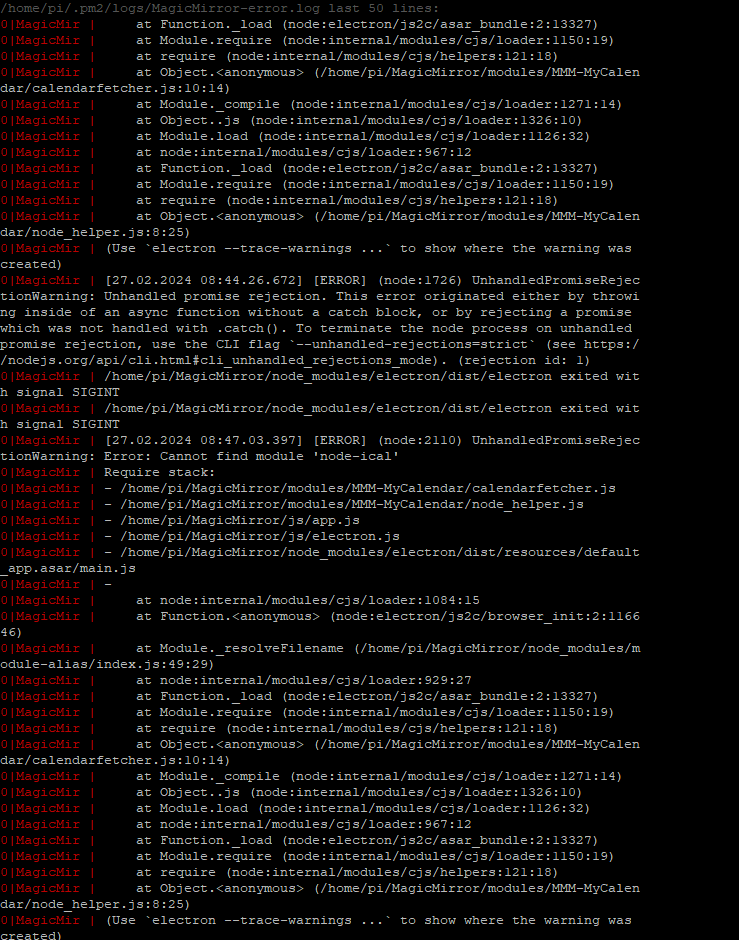
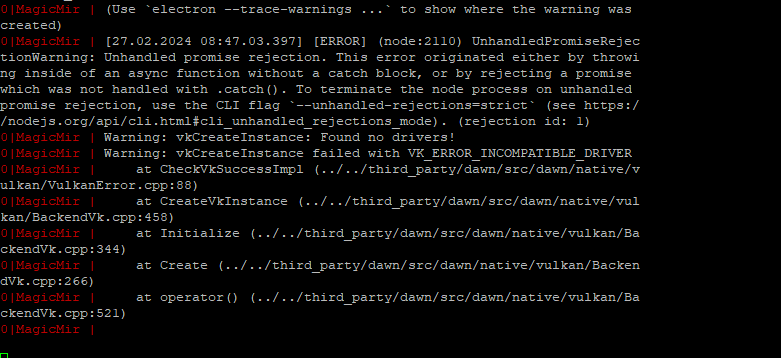
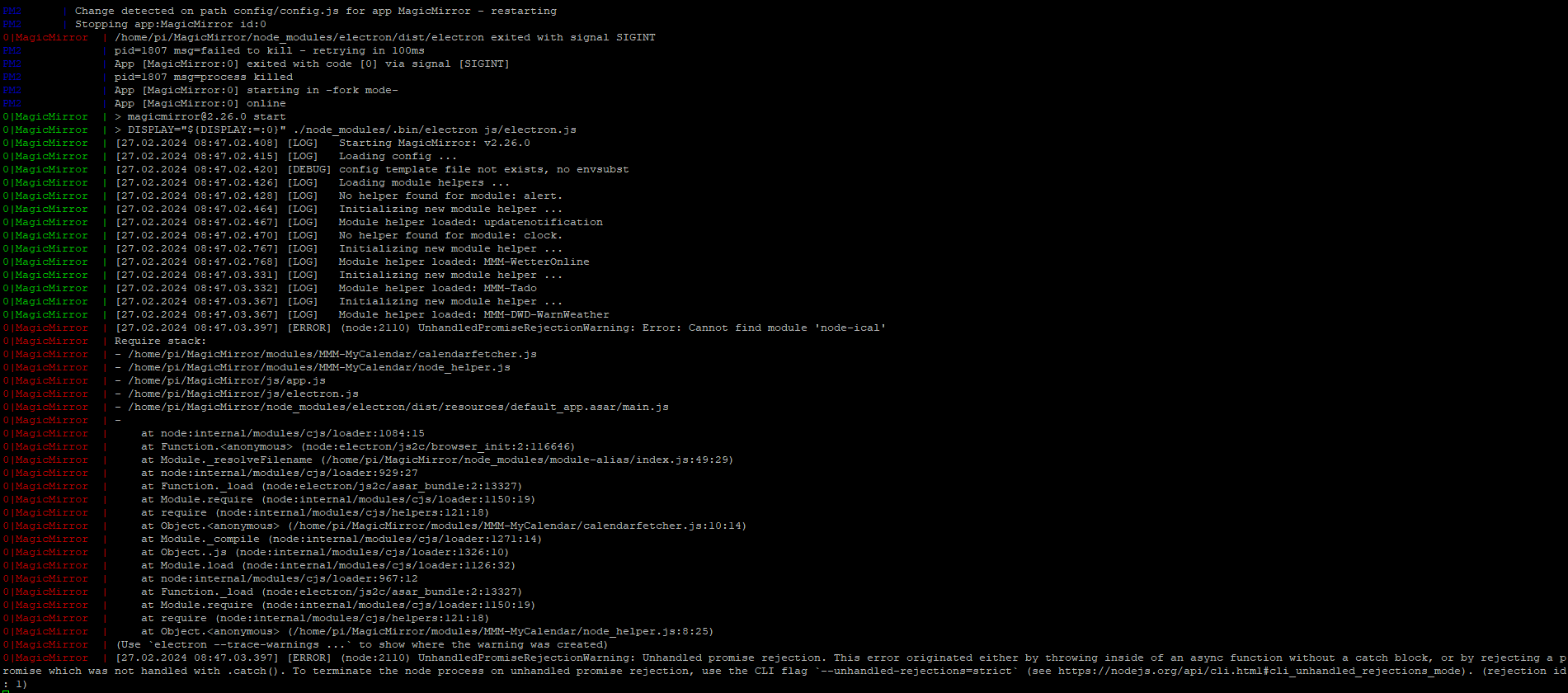
                            I have now restarted the PI and it boots up but only up to where MM2 is supposed to start, then this image with sunset or sunrise remains and the MM software does not start. This is in the log file (see below)
                            If I deactivate my calendar module everything starts normally.
                            The things I was supposed to do yesterday I also did this morning, and I get the same message as yesterday evening
                            505c9a54-ca6f-4748-a58a-646ed4dbce9e-grafik.png

                            1 Reply Last reply Reply Quote 0
                            • S Offline
                              sil3ntstorm
                              last edited by

                              b4517688-efd9-4d87-ab58-a53347896fd8-grafik.png

                              e4852d90-9bff-4164-b9b0-616b3638dc0a-grafik.png

                              1 Reply Last reply Reply Quote 0
                              • S Offline
                                sil3ntstorm
                                last edited by

                                Does it help if I delete the module with the command and then reinstall it?

                                
                                cd~/MagicMirror
                                rm-rf modules/MMM-MyCalendar
                                1 Reply Last reply Reply Quote 0
                                • S Do not disturb
                                  sdetweil @sdetweil
                                  last edited by

                                  @sil3ntstorm said in calendar (icloud) not loading after last MM Update:

                                  reinstall node-ical again

                                  looks like you didn’t do this step

                                  cd ~/MagicMirror
                                  npm install node-ical@0.16.1
                                  

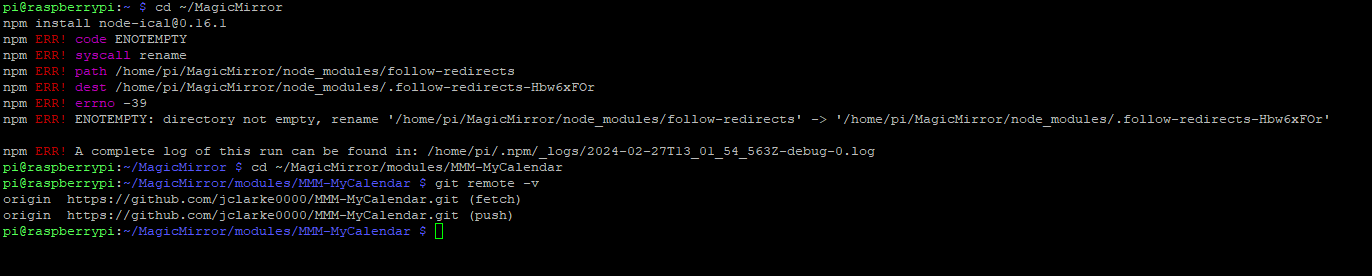
                                  which MMM-MyCalendar are you using?
                                  one I found doesn’t have a node_helper.js

                                  git remote -v

                                  in the module folder

                                  Sam

                                  How to add modules

                                  learning how to use browser developers window for css changes

                                  S 1 Reply Last reply Reply Quote 0
                                  • S Offline
                                    sil3ntstorm @sdetweil
                                    last edited by sil3ntstorm

                                    @sdetweil

                                    4be4b191-e909-45b5-88ec-469af2636de1-grafik.png

                                    https://github.com/jclarke0000/MMM-MyCalendar

                                    S 1 Reply Last reply Reply Quote 0
                                    • S Do not disturb
                                      sdetweil @sil3ntstorm
                                      last edited by

                                      @sil3ntstorm ok, something has happened to the node_modules folder, so time to cleanup

                                      do

                                      cd ~/MagicMirror
                                      sudo rm -rf node-modules
                                      npm run install-mm
                                      npm install node-ical@0.16.1
                                      

                                      Sam

                                      How to add modules

                                      learning how to use browser developers window for css changes

                                      S 1 Reply Last reply Reply Quote 0
                                      • S Offline
                                        sil3ntstorm @sdetweil
                                        last edited by

                                        @sdetweil

                                        I tried it but these error messages appear. I even completely reinstalled MM, the message you see below comes after I enter the command
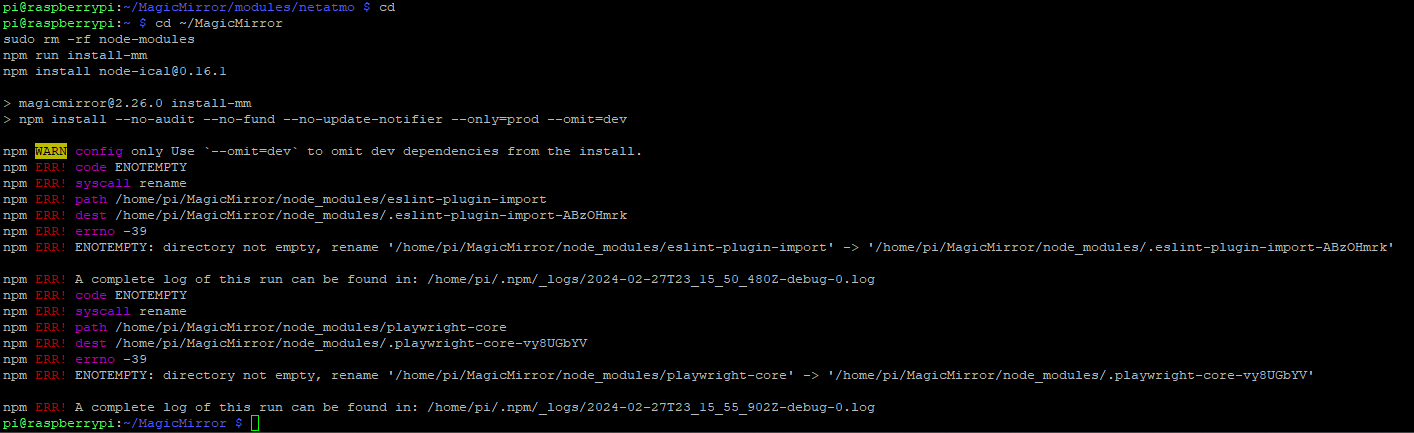

                                        fa0be7de-1741-4cb1-a7c9-0bab0b7e5a40-grafik.png

                                        1 Reply Last reply Reply Quote 0

                                        Hello! It looks like you're interested in this conversation, but you don't have an account yet.

                                        Getting fed up of having to scroll through the same posts each visit? When you register for an account, you'll always come back to exactly where you were before, and choose to be notified of new replies (either via email, or push notification). You'll also be able to save bookmarks and upvote posts to show your appreciation to other community members.

                                        With your input, this post could be even better 💗

                                        Register Login

                                        • 1 / 1
                                        • First post
                                          Last post
                                        Enjoying MagicMirror? Please consider a donation!
                                        MagicMirror created by Michael Teeuw.
                                        Forum managed by Sam, technical setup by Karsten.
                                        This forum is using NodeBB as its core | Contributors
                                        Contact | Privacy Policy