Read the statement by Michael Teeuw here.
CSS modifications on a module which has no own css styles?
-
Hi CSS gurus,
I’ve found a nice module which is really useful and displays some JSON information on my MagicMirror (“MMM-JsonValue”).I would like to change the color of the text for this module (do be precise: four different colors for four different instances of same module (module allows multiple instances).
Unfortunately there is absolutely no CSS definition within this module.
The developer console didn’t show (for me!) anything, either (“no element selected”).
The hovered text which I mean is attributed as “#text”: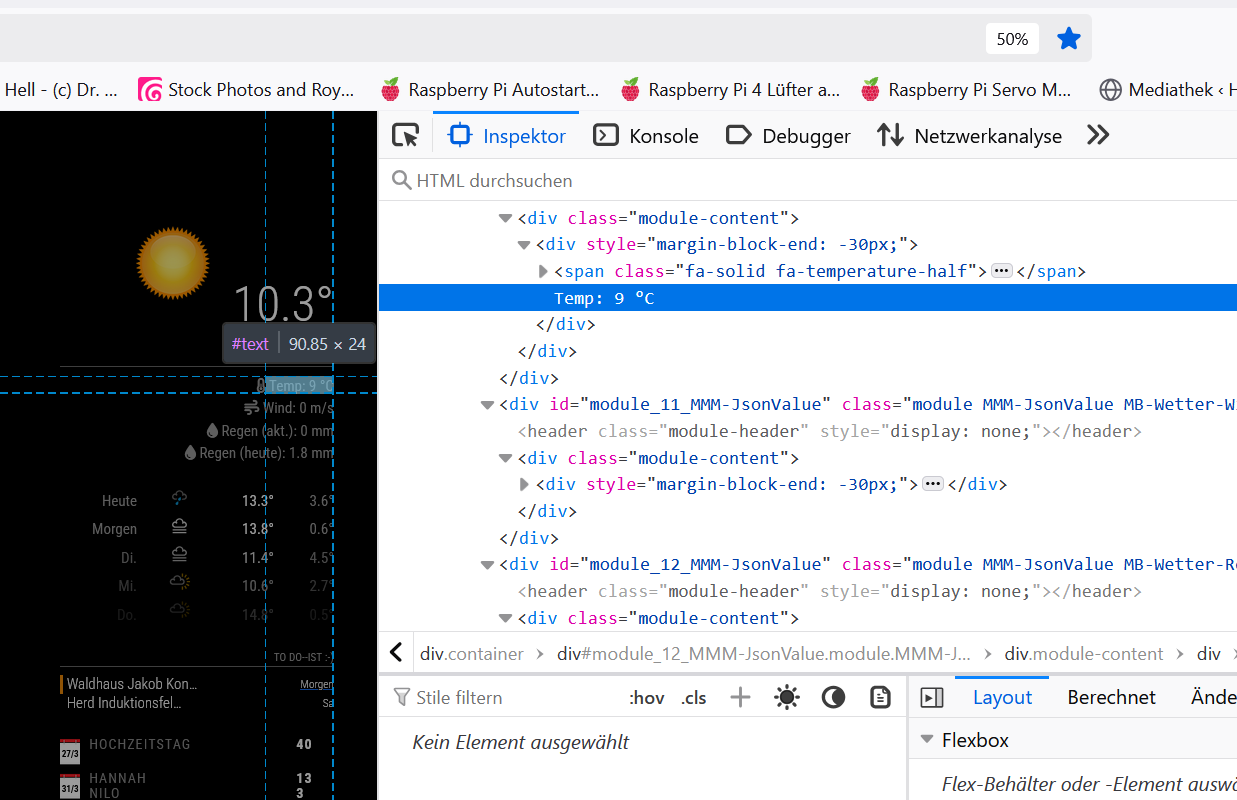
I differentiated the module-instances by assigning classes to them.
Is there any way to address the color of these text-entries per defined class?One of these classes is “MB-Wetter-Temp” so I’ve tried:
.MB-Wetter-Temp body {
  color: "fuchsia";
}
and
.MB-Wetter-Temp .text {
  color: "fuchsia";
}
and several iterations but nothing works.
Any hint for me?Thanks a lot in advance!
Regards,
Ralf -
@rkorell the part of the css before the { is called the
selector clause.it ‘selects’ the elements that the stuff between {} will be applied to
they can be quite complex, like here in my mmm-config to change an element in a generated form
.possibly-hidden-tab div:nth-child(2)  > div > div >div >ul >li:only-child >a[rel*="Item%201"] {
  display: none;
}
so you just have to describe how to target those elements
-
@sdetweil ,
Dear Sam,
yes, I know and the selector clause is exactly what I’m struggling to find.
I’ve managed to see several clauses like your example with “nth-child” and several wild namings in other cases.
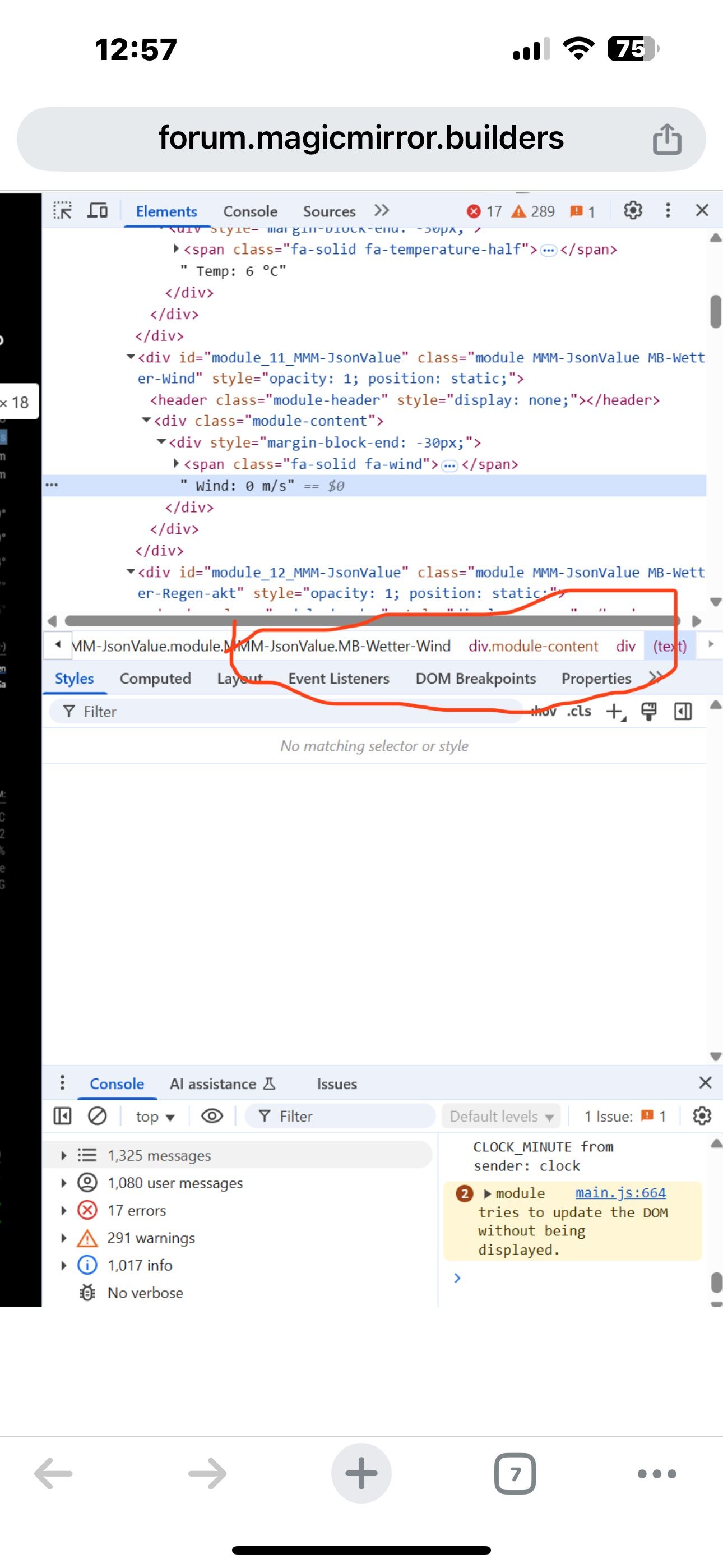
But in th given case I cannot “pick” the clause.If I select the text in developer console (see image) “Kein Element ausgewählt” which tranlates to “no element selected”.
Consecutively it is not possible to extract the “inner HTML” or even the “CSS Path” - which in other circumstances is offered via right mouse context-menu…So how can I figure out the selector clause?
Thanks!
Ralf -
.module-name div.module-block-end { color:....; } -
@sdetweil would this work with the classes name as well?
-
@rkorell yes. as a replacement for module_name
when you select the element in the dev window
down at the bottom is the selector clause prototype -
@sdetweil unfortunately your suggestion doesn’t work…
And I cannot see anything “at the button” ?Defnitely no “selector clause prototype”
-
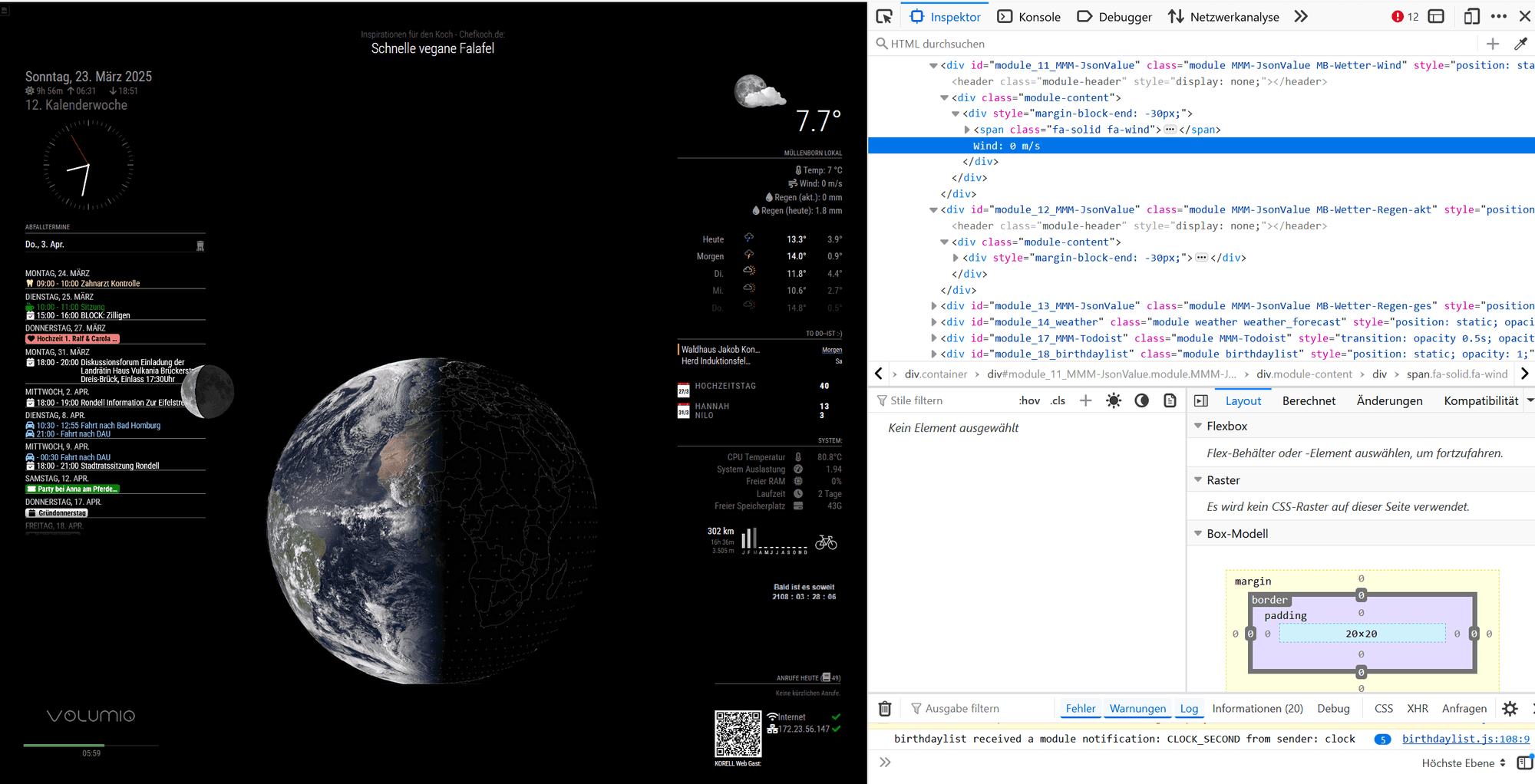
This is complete view in Firefox Browser -
@rkorell there is an extra close div after the span
where does it open
-
@rkorell
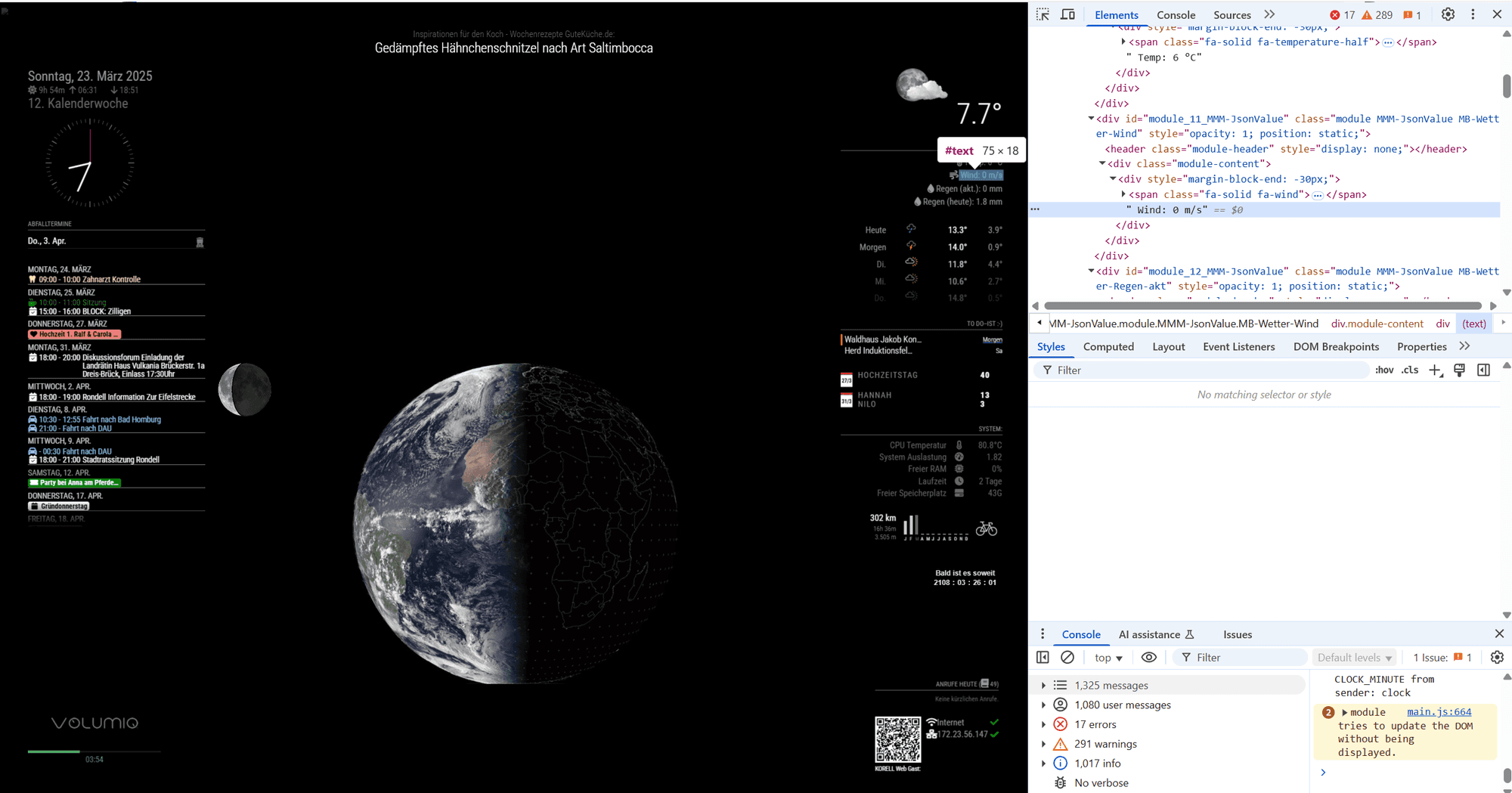
This same in Chrome -
@sdetweil said in CSS modifications on a module which has no own css styles?:
where does it open
<div module>
<div class "module content">
<div Style "margin-block-end">
  <span class> font-awesome-picture
" HERE THE TEXT"
</div>
</div>
</div>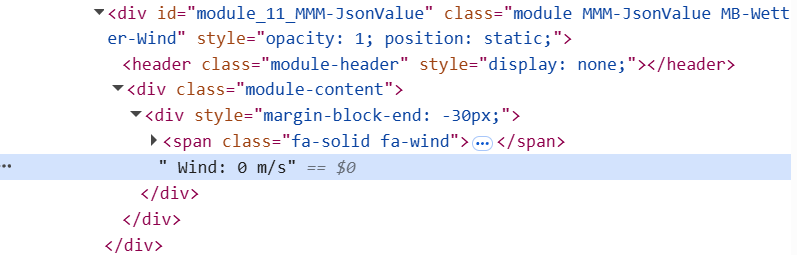
The " <div class “module content”> " is identified by
"#module_10_MMM-JsonValue > div:nth-child(2) " (for the first instance of module)
second and following instances are counted up consecutively
"#module_11_MMM-JsonValue > div:nth-child(2) "
"#module_12_MMM-JsonValue > div:nth-child(2) "
"#module_13_MMM-JsonValue > div:nth-child(2) " -
#module_10_MMM-JsonValue > div:nth-child(2) {
   color: "fuchsia";
}
Doesn’t work, either :-(
-
@rkorell prototype
-
@rkorell maybe that will work
if you change it in the input area, does change
-
.module-content div {
color:
} -
@sdetweil Ahhhh…
THIS “bottom” …
Sorry for misinterpreting this.
Will try your suggestion. -
@sdetweil
Unfortunately.MB-Wetter-Temp .module-content div { color: "fuchsia"; }doesn’t work :-(
May you are much faster than me?
If you mind to try MMM-JsonValue with this{ /// WIND module: "MMM-JsonValue", position: "top_right", classes: "MB-Wetter-Wind", disabled: false, config: { apiBase: 'https://api.weather.com/v2/pws/observations/current?stationId=IGEROL23&format=json&units=m&numericPrecision=decimal&apiKey=e0658025e8d74a2da58025e8d70a2ddf', method: "GET", title: "", // Widget Title, set to null if not needed icon: "fa-solid fa-wind", // Font Awesome icon, displayed before any text, set to null if not needed prefix: " Wind: ", // "Quote: \"" --- Text displayed before the value, can be a blank String "" suffix: " m/s", // "\" (from https://api.quotable.io/random)" ----- Text displayed after the value, can be a blank String "" jsonPath: "$.observations[:1].metric.windSpeed", // value in the json to display, the module use https://github.com/dchester/jsonpath for parsing. Note: if $ is not the first character in your path, it will be added for backward-compatibility reason. refreshInterval: 5 * 1000 * 60, // refresh every 5 minutes debug: false, skipPadding: false, // yo can un-comment this line if you want to display a related value below; using a second instance. } },code snippet in config.js …
Gives you the windspeed on my weather station monitored by wunderground …Thanks again !
Ralf -
@rkorell said in CSS modifications on a module which has no own css styles?:
.MB-Wetter-Temp .module-content div {
color: “fuchsia”;
}SO close… the color is NOT in quotes (in css)
sorry I missed that before.MB-Wetter-Wind .module-content div { color: blue; }
here I am using the dev window to override the blue to red… see the top right of the right column , note that the one from custom.css (just below), is strikethru to say it is overridden by something higher up
if you uncheck the checkbox in front of the color:red; it will disable that value and the strikethru will go away and the text will be blue
-
@sdetweil said in CSS modifications on a module which has no own css styles?:
dev window to override the blue to red
I guess your own CSS modification has enabled this…
Without this the entry #text doesn’t have any opportunity to change anything… -
@sdetweil said in CSS modifications on a module which has no own css styles?:
SO close…
:-)
You’ve made my day!
THANKS a LOT!!!
Hello! It looks like you're interested in this conversation, but you don't have an account yet.
Getting fed up of having to scroll through the same posts each visit? When you register for an account, you'll always come back to exactly where you were before, and choose to be notified of new replies (either via email, or push notification). You'll also be able to save bookmarks and upvote posts to show your appreciation to other community members.
With your input, this post could be even better 💗
Register Login