Read the statement by Michael Teeuw here.
MMM-Chores - Manage and keep track of your household Chores
-
MMM-Chores is a module for MagicMirror² that allows you to manage your household chores.
It provides an admin interface where you can add, edit, and delete tasks. You can also set due dates and assign tasks to different persons. The module displays the tasks on your MagicMirror, allowing you to keep track of your household chores at a glance.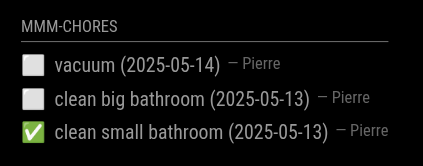
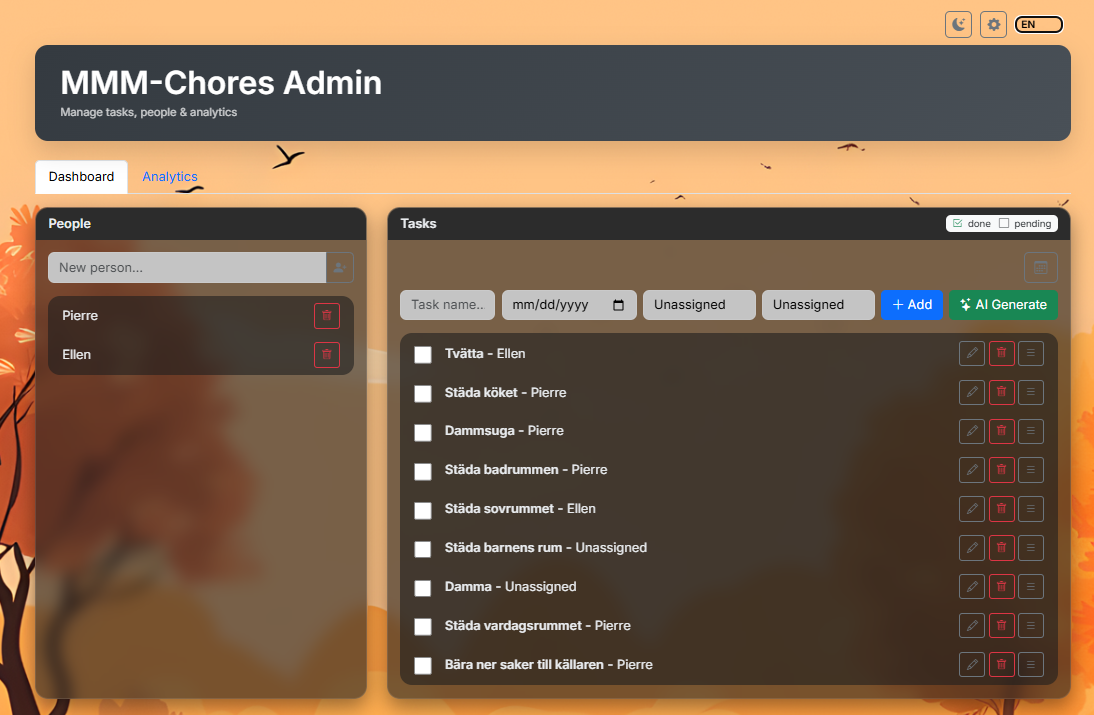
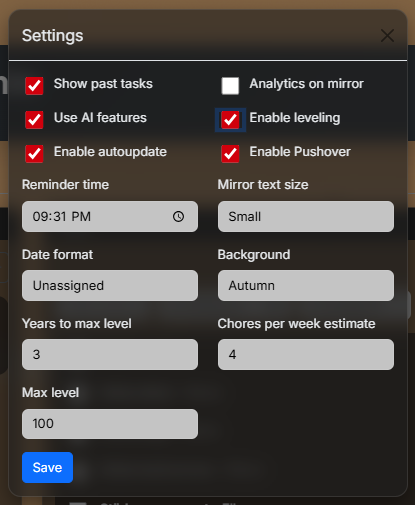
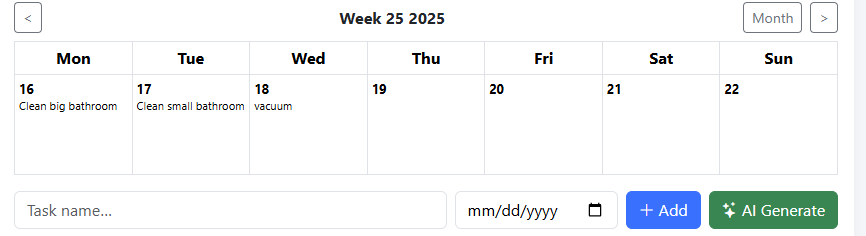
---- AI option is availible and uses only data from data.json if openai api key is provided ↑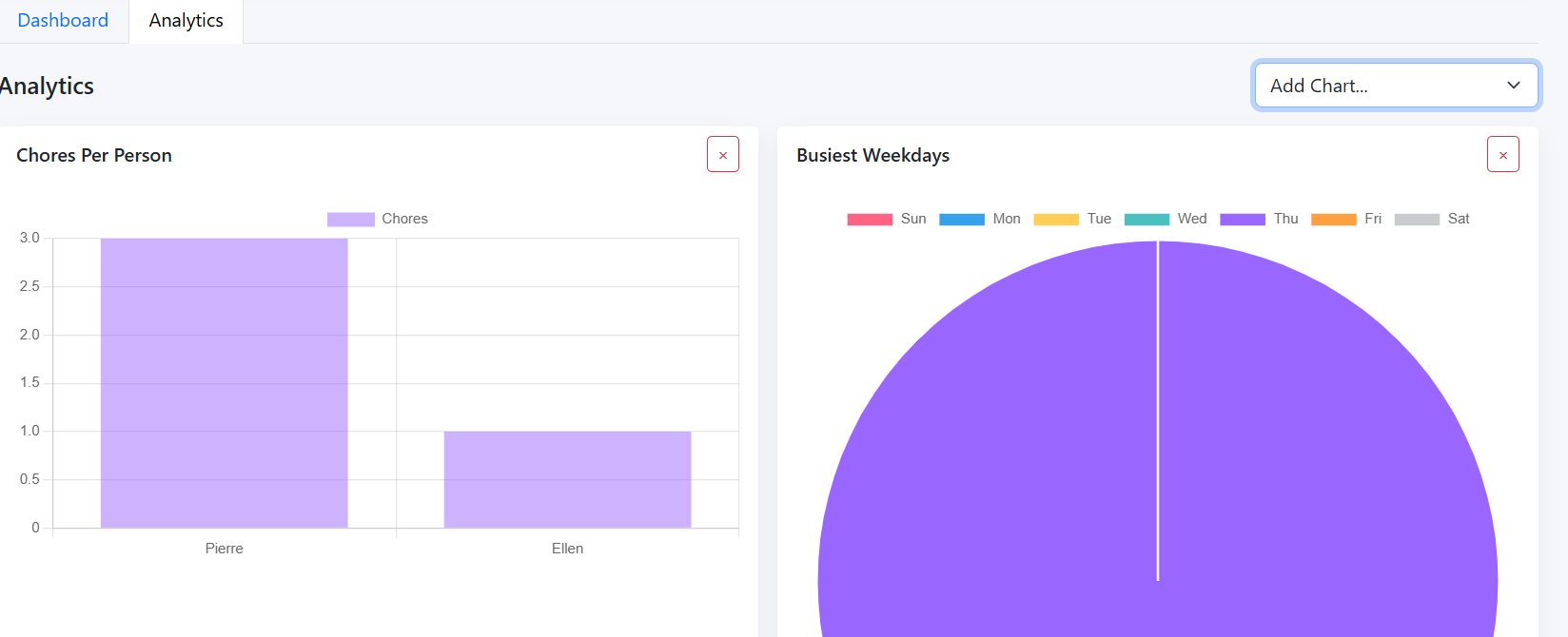
cd ~/MagicMirror/modules
git clone https://github.com/PierreGode/MMM-Chores
cd ~/MagicMirror/modules/MMM-Choresnpm install
{ module: "MMM-Chores", position: "bottom_right", header: "Chores", config: { updateInterval: 60 * 1000, adminPort: 5003, openaiApiKey: "your-openApi-key here", pushoverApiKey: "your-pushover-api-key", pushoverUser: "your-pushover-user-key", login: false, users: [ { username: "admin", password: "secret", permission: "write" }, { username: "viewer", password: "viewer", permission: "read" } ], settings: "unlocked", // set a 6 digit pin like "000000" to lock settings popup with a personal pin, change 000000 to any 6 digit password you want, or comment this out to lock settings completly // other options can be set in the admin portal levelTitles: [ // titles for every 10 levels "Junior", "Apprentice", "Journeyman", "Experienced", "Expert", "Veteran", "Master", "Grandmaster", "Legend", "Mythic" ] } }, -
Looks really nice, especially the admin interface!
-
S sdetweil referenced this topic on
-
S sdetweil referenced this topic on
-
I just installed this module and it shows on MagicMirro when I run the program.
For the admin side of things, I went into public folder and opened the admin chrome file.
I see where I can add a person and a task and I can fill out the form fields, but when I click to add another person or add the task nothing works.
Brand new to this, literally just installed this as my first module so it may be operator error. Any help is appreciated!
-
I’ve been looking for a working To Do list unsuccessfully for a while. This seems like a winner to me. Is there a way to remove the date from the task so I have more room for the task description?
-
Thanks for this module, it’s exactly the type of thing i was looking for. Quick question, and this might be on my side of things, but I can’t get the chores to click after they’ve been finished. I see a little cursor pop up over the box, but nothing happens. I can mark them completed from the admin page and it changes it to the check mark. Just wondering if there was some config I might’ve missed? Maybe I have it set to too small of a size?
-
@dmykins
Hi! I have made updates. Do a git pull in the folder and it should work fine. -
@smfd_guy
Hi I made a new update. ( git pull in the folder)
If you leave dateFormatting With only ”” it will not show a date{
module: “MMM-Chores”,
position: “bottom_right”,
header: “Chores”,
config: {
hideYear: true,
updateInterval: 60 * 1000,
adminPort: 5003,
showDays: 1, // show tasks from today and th>
showPast: true, // also show unfinished tasks f>
dateFormatting: “” // example: month-day, can b>
}
}, -
Has been a lot of updates last 2 days. Try to go to the folder and do a git pull and restart the mm
/Pierre -
I just did a new pull and tried the “” to hide the dates. I rebooted but the dates are still showing up. Not sure what I’m doing wrong…
{
module: “MMM-Chores”,
position: “top_left”,
header: “Chores”,
config: {
updateInterval: 60 * 1000,
adminPort: 5003,
openaiApiKey: “your-openApi-key-here”,
hideYear:true,
showDays: 3, // show tasks from today and the next 2 days (total 3 days)
showPast: true, // also show unfinished tasks from past days
dateFormatting:“” // Date format pattern to display task dates,You can use tokens like ‘yyyy’ (year), ‘mm’ (month), ‘dd’ (day), or “mm-dd-yyyy” (US style)
}
}, -
@smfd_guy – Same here… New install but the dates display nevertheless.
-
Thanks for all the updates. I’m still unable to click on the chores to mark them as completed. I’m assuming this is an issue on my end. Has anyone else been able to mark them at completed?
-
@redbeardedninja – Are you trying to clear the item(s) on the display screen? I tried that too, but found it can only be marked done from the admin panel.
-
Yeah, exactly what I’m trying to do. Ideally, the kids or me or whoever would be able to check off their completed chores. When I go to click the box on the display screen, I see the hand/mouse cursor but it doesn’t interact. If I have to do it from the admin panel, it sort of defeats the purpose that I’m looking for. Open to ideas of how to make this work (not that I have the skill or knowledge to accomplish that…but still).
-
@redbeardedninja – Agreed! If the developer can make it work as you described it will be much more useable. Probably more intuitive to use, too.
-
@PierreGode could you clarify how this module is meant to work? Should we be able to check off things on the magic mirror, or just on the admin panel?
-
Hi! dateFormatting: “” is now working with todays patch.
-
@redbeardedninja the plan is to do everything in the admin portal. the mirror is for you to have an overview of what is done and what is left to do.
-
@JohnGalt
if you want to remove things from the mirror you can delete them after being marked as completed. ( everything is still stored in data.json file and AI can use that as information. -
@redbeardedninja Hi! good point! I am lookin at it and started a update for it to work.
-
@PierreGode awesome, thanks for letting us know and working on a new way to interact with your module


Hello! It looks like you're interested in this conversation, but you don't have an account yet.
Getting fed up of having to scroll through the same posts each visit? When you register for an account, you'll always come back to exactly where you were before, and choose to be notified of new replies (either via email, or push notification). You'll also be able to save bookmarks and upvote posts to show your appreciation to other community members.
With your input, this post could be even better 💗
Register Login