MagicMirror Forum
    • Recent
    • Tags
    • Unsolved
    • Solved
    • MagicMirror² Repository
    • Documentation
    • 3rd-Party-Modules
    • Donate
    • Discord
    • Register
    • Login
    A New Chapter for MagicMirror: The Community Takes the Lead
    Read the statement by Michael Teeuw here.

    How to hide Splash screen on boot or edit Splash screen on boot?

    Scheduled Pinned Locked Moved Unsolved Troubleshooting
    12 Posts 7 Posters 13.9k Views 6 Watching
    Loading More Posts
    • Oldest to Newest
    • Newest to Oldest
    • Most Votes
    Reply
    • Reply as topic
    Log in to reply
    This topic has been deleted. Only users with topic management privileges can see it.
    • N
      nobita
      last edited by

      Becuase I would like to show other Text replace Splash screen on boot
      Thanks for help

      1 Reply Last reply
      Reply Quote 0
      • B
        broberg Project Sponsor
        last edited by

        First hit on google, h
        ttp://www.raspberry-projects.com/pi/pi-operating-systems/raspbian/custom-boot-up-screen

        Don’t know if it works on all PI’s however

        1 Reply Last reply
        Reply Quote 0
        • L
          lolobyte
          last edited by yawns

          Hi, if you have installed the jessie plex version, you have to start

          sudo raspi-config

          At point 3 Boot Options it is possiblr to general disable or enable the splash screen on boot.

          If you have an normal jessie without plex the use a custom splash screen

          sudo apt-get install fbi

          Copy your custom splash image to /etc/ and name it splash.png.

          Next, create an init.d script called “asplashscreen” in “/etc/init.d/”.

          Create now this script with
          sudo nano /etc/init.d/asplashscreen

          #! /bin/sh
          ### BEGIN INIT INFO
          # Provides:          asplashscreen
          # Required-Start:
          # Required-Stop:
          # Should-Start:      
          # Default-Start:     S
          # Default-Stop:
          # Short-Description: Show custom splashscreen
          # Description:       Show custom splashscreen
          ### END INIT INFO
          
          
          do_start () {
          
              /usr/bin/fbi -T 1 -noverbose -a /etc/splash.png    
              exit 0
          }
          
          case "$1" in
            start|"")
              do_start
              ;;
            restart|reload|force-reload)
              echo "Error: argument '$1' not supported" >&2
              exit 3
              ;;
            stop)
              # No-op
              ;;
            status)
              exit 0
              ;;
            *)
              echo "Usage: asplashscreen [start|stop]" >&2
              exit 3
              ;;
          esac
          
          :
          

          Then make that script executable and install it for init:

          sudo chmod a+x /etc/init.d/asplashscreen
          sudo insserv /etc/init.d/asplashscreen
          

          Reboot and watch your custom splash screen:

          sudo reboot

          If you want to hide most of the Boot text then follow this step:

          sudo nano /boot/cmdline.txt

          may look something like this:

          tty3: starts with console 3 to hide the boot messages!
          
          dwc_otg.lpm_enable=0 console=ttyAMA0,115200 console=tty3 loglevel=3 logo.nologo root=/dev/mmcblk0p2 rootfstype=ext4 elevator=deadline fsck.repair=yes rootwait
          

          good luck

          Mod-Edit: Please use markdown, otherwise this becomes totally unreadable.

          N 1 Reply Last reply
          Reply Quote 1
          • N
            nobita @lolobyte
            last edited by

            @lolobyte Thanks your help,I will try later

            1 Reply Last reply
            Reply Quote 0
            • L
              lolobyte
              last edited by

              Sorry, don’ know who has written this…

              Mod-Edit: Please use markdown, otherwise this becomes totally unreadable.

              Probably a Moderator.

              What please is “markdown” and how to use it?

              B 1 Reply Last reply
              Reply Quote 0
              • B
                broberg Project Sponsor @lolobyte
                last edited by

                @lolobyte
                Here is a documentation of markdown :
                http://commonmark.org/help/

                1 Reply Last reply
                Reply Quote 1
                • S
                  schlachtkreuzer6
                  last edited by

                  The the easiest way to change the splash screen is changing the picture ;) https://pi280.wordpress.com/2016/10/17/about-that-pixel-splash-screen/

                  N 1 Reply Last reply
                  Reply Quote 0
                  • N
                    nobita @schlachtkreuzer6
                    last edited by

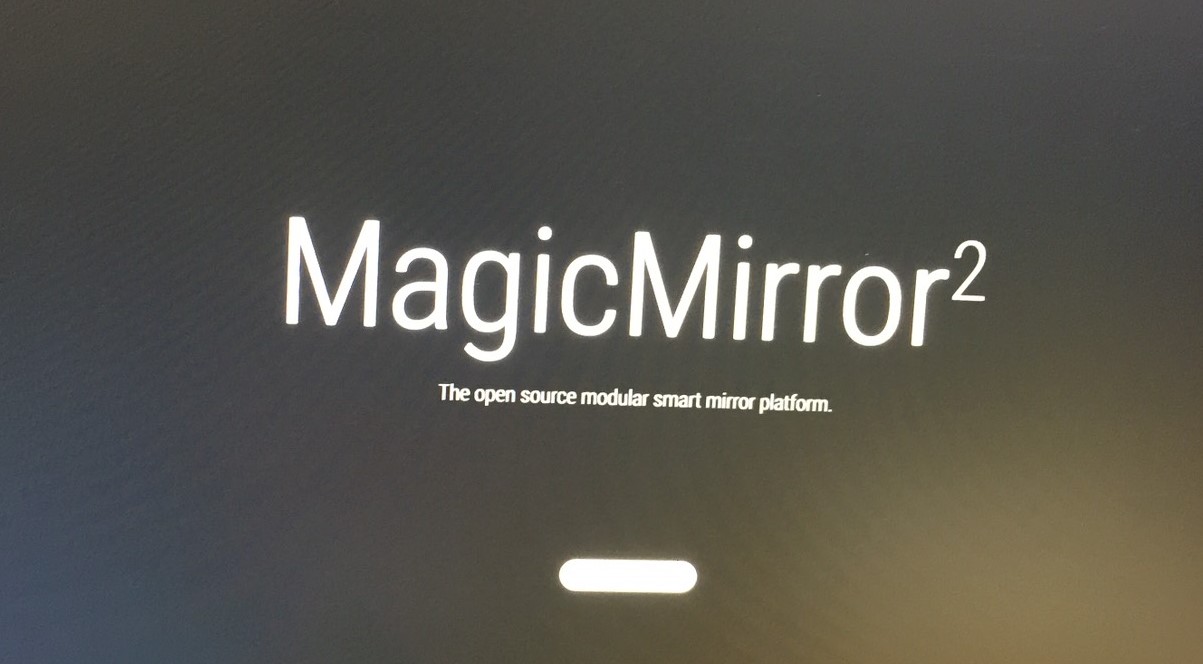
                    @schlachtkreuzer6 I mean Splash screen on boot like this0_1486022813410_S__4210701.jpg

                    Y S 2 Replies Last reply
                    Reply Quote 2
                    • Y
                      yawns Moderator @nobita
                      last edited by

                      @nobita
                      I did not check, so this is all theory.
                      The splashscreen is using plymouth, so you should be able to change it the “common way”:

                      http://www.bodhilinux.com/w/changing-plymouth-bootsplash/

                      1 Reply Last reply
                      Reply Quote 0
                      • S
                        schlachtkreuzer6 @nobita
                        last edited by

                        @nobita yeah just change that image to another image (in the standard plymoth directory) and you are fine. i did that like this, before MM v2.1 with the splash screen was released, because that wohle plymouth stuff did not work for me. and there just few comandlines and worked perfectly!

                        B 1 Reply Last reply
                        Reply Quote 0
                        • B
                          bachoo786 @schlachtkreuzer6
                          last edited by

                          @schlachtkreuzer6 how do you change the image? In which folder is the image?

                          S 1 Reply Last reply
                          Reply Quote 0
                          • S
                            sdetweil @bachoo786
                            last edited by sdetweil

                            @bachoo786 >In which folder is the image?

                            /usr/share/plymouth/themes

                            this shows the list of available

                             plymouth-set-default-theme --list
                            

                            this resets to default
                            plymouth-set-default-theme --reset

                            see the installer code (and the install.log, as install changed the splash screen image)

                            Sam

                            How to add modules

                            learning how to use browser developers window for css changes

                            1 Reply Last reply
                            Reply Quote 0

                            Hello! It looks like you're interested in this conversation, but you don't have an account yet.

                            Getting fed up of having to scroll through the same posts each visit? When you register for an account, you'll always come back to exactly where you were before, and choose to be notified of new replies (either via email, or push notification). You'll also be able to save bookmarks and upvote posts to show your appreciation to other community members.

                            With your input, this post could be even better 💗

                            Register Login

                            • 1 / 1
                            • First post
                              Last post
                            Enjoying MagicMirror? Please consider a donation!
                            MagicMirror created by Michael Teeuw.
                            Forum managed by Sam, technical setup by Karsten.
                            This forum is using NodeBB as its core | Contributors
                            Contact | Privacy Policy