Read the statement by Michael Teeuw here.
Quick Syntax Error
-
Can someone take a look at the new config setup for MMM-DropboxWallpaper and tell me where the syntax is wrong:
{
  module: 'MMM-DropboxWallpaper',
  position: 'fullscreen_below', // fullscreen_below is the best position.
  classes: "default everyone", // when you use MMM-ProfileSwitcher.
  config: {
    refreshInterval: 1000*60,
    search: [".jpg", ".png", ".gif"], // Or you can find target files like "PARTIAL FILENAME". (wildcard or regexp not supported)
    directory: "/Pics", // root of directories of Dropbox to be scanned.
    sort: "random", //"time09", "time90", "nameAZ", "nameZA", "random"
    tokenLocationIQ : "secret", // See http://locationiq.org/#register
    dropboxAccessToken: "secret",
    width: "100%", // 'px' or '%' or valid value for CSS dimensions units.
    height: "100%",
    mode: "contain", // 'cover', 'contain', 'hybrid' or any other values for CSS `background-size`
    dateTimeFormat: "HH:mm MMM Do, YYYY", // See. moment.js .format()
  }
},
All I did was change my directory and API codes, but its giving the syntax error during startup. Seeing anything?
-
@smartsoldier said in Quick Syntax Error:
dateTimeFormat: “HH:mm MMM Do, YYYY”, // See. moment.js .format()
take out the comma after YYYY"
-
@smartsoldier
I’ve copied your configuration and tried. but there was no syntax error.{ module: 'MMM-DropboxWallpaper', position: 'fullscreen_below', // fullscreen_below is the best position. classes: "default everyone", // when you use MMM-ProfileSwitcher. config: { refreshInterval: 1000*60, search: [".jpg", ".png", ".gif"], // Or you can find target files like "PARTIAL FILENAME". (wildcard or regexp not supported) directory: "/MyMirror", // root of directories of Dropbox to be scanned. sort: "random", //"time09", "time90", "nameAZ", "nameZA", "random" tokenLocationIQ : "", // See http://locationiq.org/#register dropboxAccessToken: "", width: "100%", // 'px' or '%' or valid value for CSS dimensions units. height: "100%", mode: "contain", // 'cover', 'contain', 'hybrid' or any other values for CSS `background-size` dateTimeFormat: "HH:mm MMM Do, YYYY", // See. moment.js .format() } }, -
I would try changing this:
tokenLocationIQ : "secret",to this:
tokenLocationIQ: "secret", -
I tried taking out the comma after YYYY, and moving the : closer to tokenLocationIQ. Neither worked. I’m not really sure how Sean managed to run without syntax errors when I am using the exact same config…
-
@smartsoldier I’ve copied from your post and nothing changed except some private values(tokens)
-
@smartsoldier
Most of the syntax errors could be raised by missing or exceeding bracket, comma.
I suggest you remove configuration of modules one-by-one and try.
Or you should upload a completeconfig.jshere. -
I also do not get an error when copy/pasting your config lines.
$ npm run config:checkdoes not give an error.
You should try it yourself; a very useful command.
Perhaps the error does not apply to the MMM-DropboxWallpaper config ? -
Ok well I used npm run config:check and it found no errors, but I still get the syntax error message is red when I start up the MM. What is happening!??!
-
@smartsoldier We don’t know. Remove all the modules in
config.jsand add one-by-one. Let’s see what happens. -
@sean If I remove this module everything runs fine, then if I put it back this happens. Does that mean its this module or no?
-
Are you willing to share the syntax error with us?
I thought you were referring to the “create config file” message at startup. -
@smartsoldier Of course, it could be the fails of that module configuration.
-
This post is deleted! -
@smartsoldier
No error at all. I didn’t modify anything.
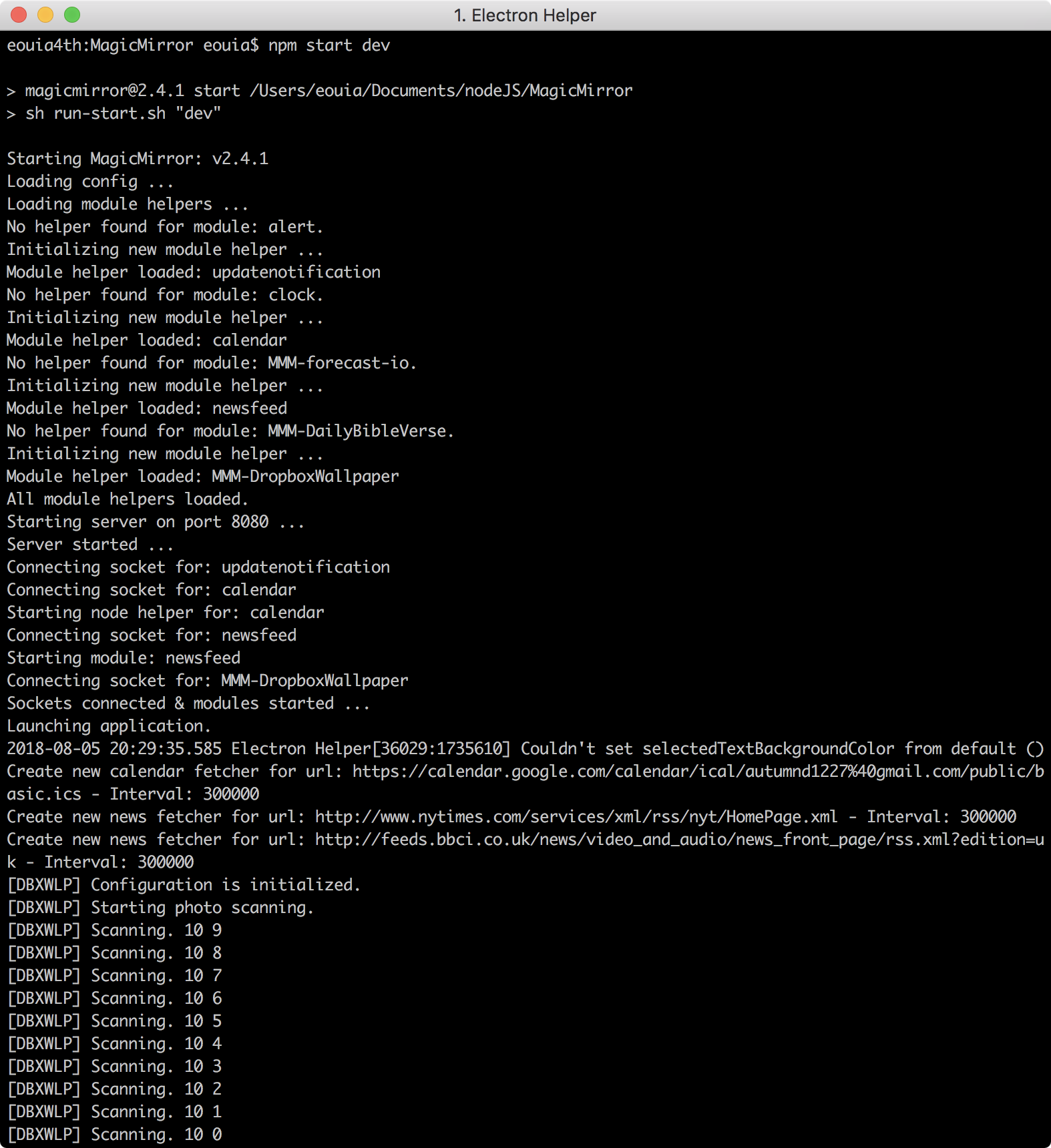
-
Well I guess that settles that. I’ll just do a reinstall. Thanks for all the help though. You responded really quickly :)
-
@smartsoldier Please edit the post with the config.js and remove your private api keys, like apiKey and dropboxAccessToken.
-
I personally would not do a complete re-install, but I would re-install the modules according to their instructions.
Those modules would be:MMM-DropboxWallpaper
MMM-forecast-io
MMM-DailyBibleVerseIn that order.
Btw, are all modules under the MagicMirror/modules directory ?
You yourself proofed that most stuff works.
@Sean proofed that your config is okay.Btw, a simple ‘trick’ to disable a module is to put
disabled: true,
under the module name
and
disabled: false,
to enable it again.
Disabled:
module: 'MMM-DropboxWallpaper',
disabled: true,
Enabled:
module: 'MMM-DropboxWallpaper',
disabled: false,
This gives you a faster way of excluding ‘wrong’ modules.
Or simply to test a module, whilst leaving the config when the module is not needed. -
@smartsoldier cut and paste your code in the www.jslint.com
check single quotes, spaces
and test it… you should find your error quickly
fix, and cut/paste the results back into the config.js
-
Did you try to remove the comma as I suggested?
Those give me fits everytime… no errors. black screen


Hello! It looks like you're interested in this conversation, but you don't have an account yet.
Getting fed up of having to scroll through the same posts each visit? When you register for an account, you'll always come back to exactly where you were before, and choose to be notified of new replies (either via email, or push notification). You'll also be able to save bookmarks and upvote posts to show your appreciation to other community members.
With your input, this post could be even better 💗
Register Login