MagicMirror Forum
    • Recent
    • Tags
    • Unsolved
    • Solved
    • MagicMirror² Repository
    • Documentation
    • 3rd-Party-Modules
    • Donate
    • Discord
    • Register
    • Login
    A New Chapter for MagicMirror: The Community Takes the Lead
    Read the statement by Michael Teeuw here.

    [MMM-MyRadio] Web Radio Player

    Scheduled Pinned Locked Moved Entertainment
    34 Posts 13 Posters 22.6k Views 12 Watching
    Loading More Posts
    • Oldest to Newest
    • Newest to Oldest
    • Most Votes
    Reply
    • Reply as topic
    Log in to reply
    This topic has been deleted. Only users with topic management privileges can see it.
    • D Offline
      deder2
      last edited by

      Hello, I have a problem with your module.
      the module is not displayed? the script files are well executable.
      mpg123 is well installed.
      MagicMirror is up to date.
      I use your config by default

      {
      module: ‘MMM-MyRadio’,
      position: ‘top_right’,
      config: {
      stations: [
      “Bayern1 Bayern1”,
      “Bayern3 Bayern3”,
      “Charivari Charivari”,
      Kos Kos,
      “AB AB”
      ]

      }

      }

      an idea ?

      1 Reply Last reply Reply Quote 0
      • tbbearT Offline
        tbbear Module Developer
        last edited by

        Hello,
        did u set a , after the last brackets? Did u follow the install from readme?

        Robert the Bear

        Cr4z33C 1 Reply Last reply Reply Quote 0
        • yawnsY Offline
          yawns Moderator
          last edited by

          Kos Kos is missing " ", isn’t it?

          tbbearT 1 Reply Last reply Reply Quote 0
          • tbbearT Offline
            tbbear Module Developer @yawns
            last edited by

            @yawns good catch i think

            Robert the Bear

            1 Reply Last reply Reply Quote 0
            • D Offline
              deder2
              last edited by

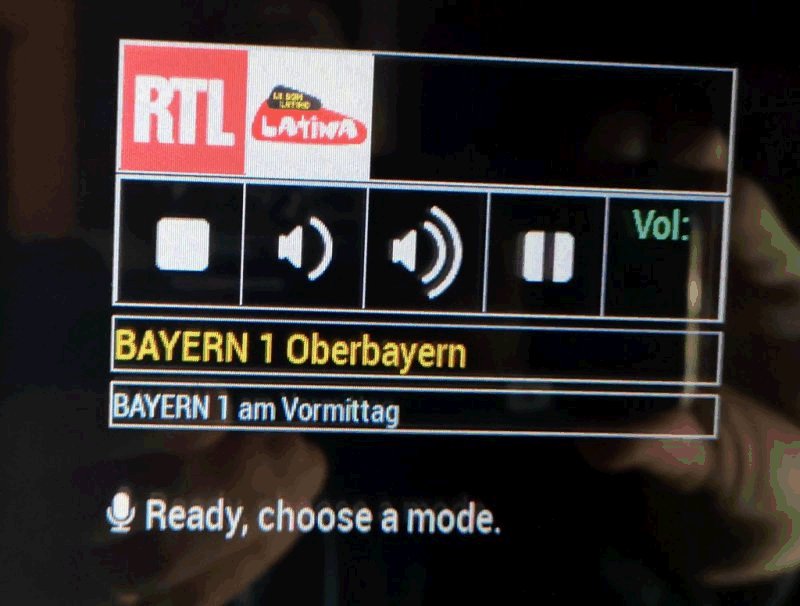
              I progress, the module is displayed but no image of chain and no sound.

                {
                  module :  "MMM-MyRadio" ,
                          position :  "top_left",
                          config : {
                                  stations : [
                                           " Bayern1 Bayern1 " ,
                                           " Bayern3 Bayern3 " ,
                                           " Charivari Charivari " ,
                                           " Kos Kos " ,
                                           " AB AB "
                                          ]
                          }
                },
              
              tbbearT 1 Reply Last reply Reply Quote 0
              • tbbearT Offline
                tbbear Module Developer @deder2
                last edited by

                @deder2 please remove the blanks before and after a station it should look like
                “Bayern1 Bayern1“

                Robert the Bear

                1 Reply Last reply Reply Quote 0
                • D Offline
                  deder2
                  last edited by

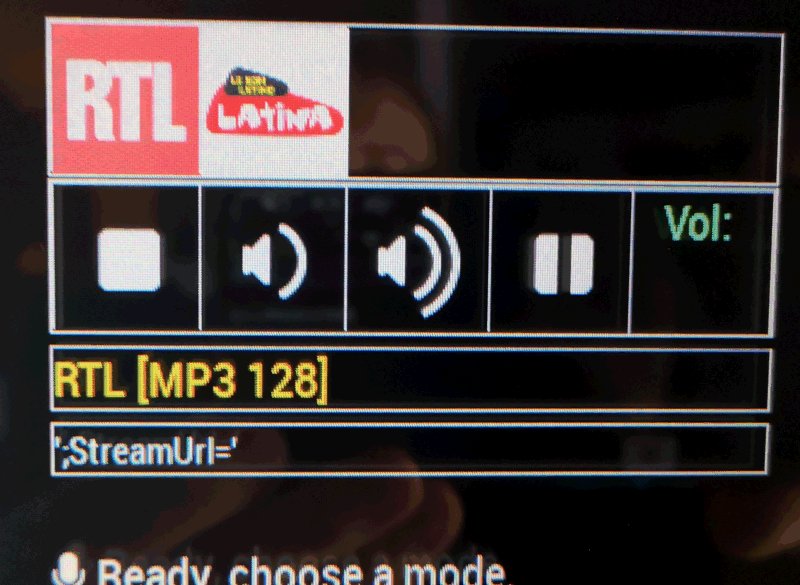
                  great, no space it works for pictures.
                  however, I created two radios (two script files and two image files)
                  but I still have the names of the old radio Bayern1 AB …
                  And still no sound.

                    {
                      module :  "MMM-MyRadio" ,
                              position :  "top_left",
                              config : {
                                      stations : [
                                               "rtl rtl" ,
                                               "latina latina" ,
                                              ]
                              }
                    },
                  

                  script :

                  #!/bin/bash

                  killall mpg123

                  sleep 0.1

                  mpg123 -@ http://streaming.radio.rtl.fr/rtl-1-44-128.m3u 1>~/MagicMirror/modules/MMM-MyRadio/RDS.log

                  thank you

                  tbbearT 1 Reply Last reply Reply Quote 0
                  • tbbearT Offline
                    tbbear Module Developer @deder2
                    last edited by

                    @deder2 Are u sure that ur audio configuration is working? U can play sound? I had the most problems
                    with setting up the audio config on the diff. systems so please check if this works.
                    After changing to ur stations (by the the way i checked ur mpg123 -@ http://streaming.radio.rtl.fr/rtl-1-44-128.m3u
                    and its working fine on my system. Try on ur own call from terminal: mpg123 -@ http://streaming.radio.rtl.fr/rtl-1-44-128.m3u
                    if u hear nothing than its a problem of ur audio config.

                    Robert the Bear

                    1 Reply Last reply Reply Quote 0
                    • D Offline
                      deder2
                      last edited by

                      thank you for your help and sorry for my english.

                      in the console the sound works with this command

                      mpg123 -@ http://streaming.radio.rtl.fr/rtl-1-44-128.m3u

                      I planned to use MMM-voice to control your module.

                      The sound of the radio must launch directly at the start of the magicmirror?

                      1 Reply Last reply Reply Quote 0
                      • D Offline
                        deder2
                        last edited by

                        0_1539803980226_IMG_20181017_211040.jpg

                        1 Reply Last reply Reply Quote 0
                        • D Offline
                          deder2
                          last edited by

                          0_1539807066608_radio.jpg

                          1 Reply Last reply Reply Quote 0
                          • Cr4z33C Offline
                            Cr4z33 @tbbear
                            last edited by Cr4z33

                            Hi @tbbear, is there any chance you can get m3u8 streams working with your module by ie. using cvlc instead? :)

                            mpg123 can’t handle this format right now.

                            1 Reply Last reply Reply Quote 0
                            • Cr4z33C Offline
                              Cr4z33 @tbbear
                              last edited by

                              @tbbear you there mate?

                              1 Reply Last reply Reply Quote 0
                              • E Offline
                                electros Project Sponsor
                                last edited by

                                Hi, I’m trying to use this player with wireless speakers. But without success. Maybe somebody did this and it can help me?

                                1 Reply Last reply Reply Quote 0

                                Hello! It looks like you're interested in this conversation, but you don't have an account yet.

                                Getting fed up of having to scroll through the same posts each visit? When you register for an account, you'll always come back to exactly where you were before, and choose to be notified of new replies (either via email, or push notification). You'll also be able to save bookmarks and upvote posts to show your appreciation to other community members.

                                With your input, this post could be even better 💗

                                Register Login

                                • 1
                                • 2
                                • 2 / 2
                                • First post
                                  Last post
                                Enjoying MagicMirror? Please consider a donation!
                                MagicMirror created by Michael Teeuw.
                                Forum managed by Sam, technical setup by Karsten.
                                This forum is using NodeBB as its core | Contributors
                                Contact | Privacy Policy