Read the statement by Michael Teeuw here.
MMM-CalendarWeek
-
@peter_mcc Just looking at the documentation, it looks like you’re running up against the allowDuplicate config, which is false by default, so it’s finding your multiple/same events and hiding them. add to the module config a line for
allowDuplicate: true, -
Hey, I’m using this tool and I’m appreciate it very much - thank you!
But is there any possibility/option to adjust the columns-width or the space between two days?
-
How should i type in for multiple calendars?
Have tried different things but its just ending up config error. -
@qjaxxx
As far as I can see, you have closed the “config”-section of the module configuration too soon. As you have posted a screenshot of your config, not the config yourself, I will refrain from typing it manually, but you have a closing bracket “}” between “fetchInterval” and “calendars”. Please remove it, as the array of calendars should be within your config section. -
-
@othomys It depends on your setup. Calendar icons are supported using font awesome fonts, is that what you are looking for?
If so, you should use the “symbol” parameter in the calendar config as shown here:calendars: [ { url: 'http://www.calendarlabs.com/templates/ical/US-Holidays.ics', symbol: 'calendar', auth: { user: 'username', pass: 'superstrongpassword', method: 'basic' } }, ], -
@bolish
Great idea! Would need some “css magic”, but I’ve created an issue in the GitHub repository. Please feel free to follow the development here:
https://github.com/heskja/MMM-CalendarWeek/issues/27 -
@Gingos
It is definitely doable with some CSS magic. I have created an issue in the GitHub repository to configure it with parameters as well. Please feel free to follow the development here: https://github.com/heskja/MMM-CalendarWeek/issues/28 -
How do you get the calendar to space evenly ?
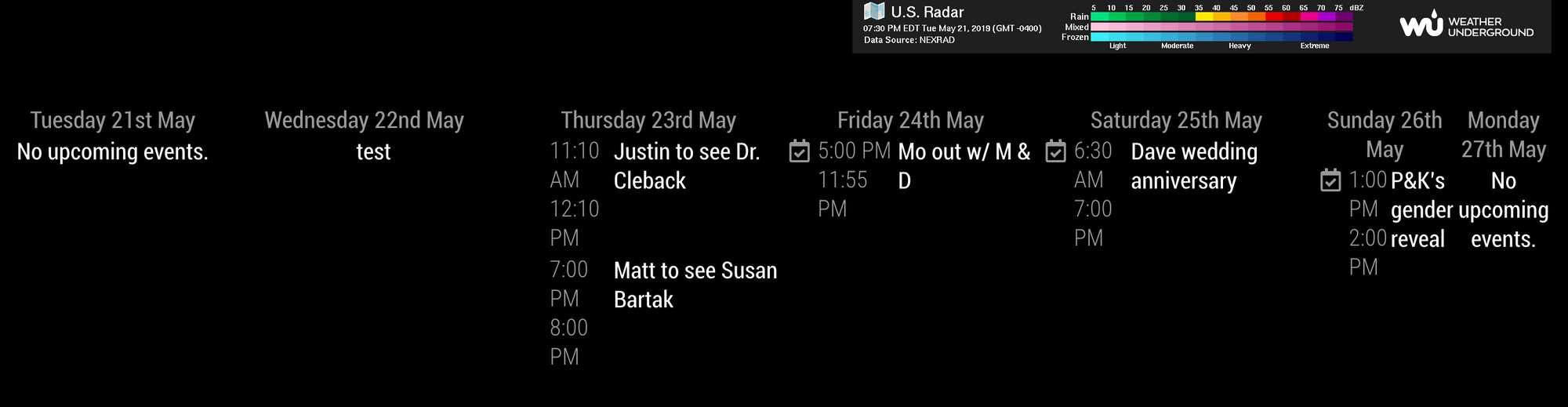
-
Hello, love this module! Works great, and I have been able to customize it pretty easily with css.
One change I would like to make… How can I make the events into two td’s instead of three? I’d like a td on the left for the symbol, and then a td on the right with the event name on top and the time underneath the event name.
So the “time” td would instead be a div within the “title” td. It would look like this:
[SYMBOL] My Event Title
8:00 AM -
I was able to solve this with some hacky absolute positioning.
Having another issue now, though. Today is Tuesday, and my repeating events from Wednesday (tomorrow) are showing for today. But I can see that next Wednesday’s repeating events are showing on Wednesday (and not on Tuesdaay, the wrong day, like this week’s Wed events are).
I have rebooted several times and I updates MM core. No change. Any ideas on why this is happening and how I can fix it?
-
I have no idea what is going on either. I literally haven’t touched any code but ever since daylight savings (Sunday November 3rd) both my “MMM-MyCalendar” AND “MMM-CalendarExt2” modules are showing events on the wrong days. The problem seems to only occur with reoccurring events; they usually show up one day earlier. Rebooting does not correct the issue. I hope someone can figure this out soon :(
-
@rookiepilot the calendar parser has a bug
-
@rookiepilot I am having the exact same issue. I even tried to delete the event and re-add it and it still shows 1 day early.
-
@rookiepilot and @lotusvball - are you still having the same issue? I think I am having the same issue - some (not all) events appear a day early and at the wrong time. Do you know if there is a fix?
-
@eddie2208 I gave up on the problem and didn’t use my MM for a month or so. It was still running on a monitor mounted on the wall but I just didn’t pay attention to the calendar module or just hid that particular module. Oddly, after a month or two I noticed it just magically started to work correctly (it IS a magic mirror after all) without any intervention on my part; no problems since then :)
Hello! It looks like you're interested in this conversation, but you don't have an account yet.
Getting fed up of having to scroll through the same posts each visit? When you register for an account, you'll always come back to exactly where you were before, and choose to be notified of new replies (either via email, or push notification). You'll also be able to save bookmarks and upvote posts to show your appreciation to other community members.
With your input, this post could be even better 💗
Register Login