Read the statement by Michael Teeuw here.
Huge text that does not fit on the screen. Help!
-
Friends, this is my first mirror, I have not dealt with Linux and stuff before. After installing MagicMirror, the text does not fit on the screen. Can I reduce text or captions? I apologize for my English.
Sincerely, Michael
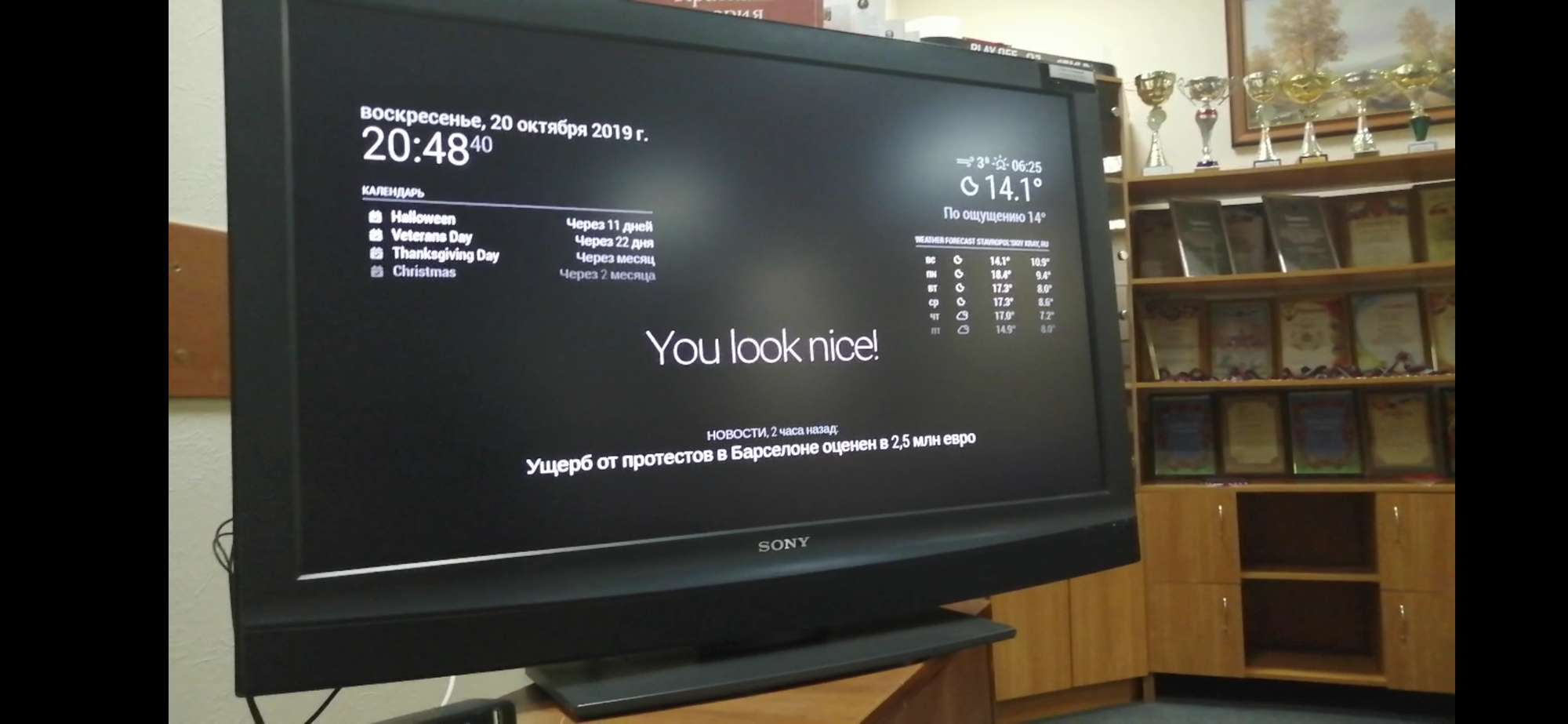
-
@Mrtrol2013 you have to work with ~/MagicMirror/css/custom.css
There you have option customize each moduleshort example I made to customize default module clock a bit:
.clock .time { margin: 10px; font-size 20px; color: grey; } .clock .date { margin: 10px; font-size: 12px; } -
You can press and hold the CTRL button then tap the + or - to change the sizes of everything at the same time…
-


Hello! It looks like you're interested in this conversation, but you don't have an account yet.
Getting fed up of having to scroll through the same posts each visit? When you register for an account, you'll always come back to exactly where you were before, and choose to be notified of new replies (either via email, or push notification). You'll also be able to save bookmarks and upvote posts to show your appreciation to other community members.
With your input, this post could be even better 💗
Register Login