MagicMirror Forum
    • Recent
    • Tags
    • Unsolved
    • Solved
    • MagicMirror² Repository
    • Documentation
    • 3rd-Party-Modules
    • Donate
    • Discord
    • Register
    • Login
    A New Chapter for MagicMirror: The Community Takes the Lead
    Read the statement by Michael Teeuw here.

    Are you tired of editing config.js, or have trouble doing it, see my new module

    Scheduled Pinned Locked Moved Utilities
    293 Posts 28 Posters 400.9k Views 31 Watching
    Loading More Posts
    • Oldest to Newest
    • Newest to Oldest
    • Most Votes
    Reply
    • Reply as topic
    Log in to reply
    This topic has been deleted. Only users with topic management privileges can see it.
    • S Do not disturb
      sdetweil @stoffel
      last edited by

      @stoffel i have seen a couple places in some data where I inadvertently change paths to files with leading …

      so be careful…

      will update fix when I have it…

      Sam

      How to add modules

      learning how to use browser developers window for css changes

      1 Reply Last reply Reply Quote 0
      • S Offline
        stoffel
        last edited by

        @sdetweil
        ok, thanks. it works well with all my modules, great!

        but when i add the MMM-Volume i have another error. i think it is a problem from MMM-Volume. it’s two years old. it’s a json format error

        S 1 Reply Last reply Reply Quote 1
        • S Do not disturb
          sdetweil @stoffel
          last edited by sdetweil

          @stoffel no, I fixed a problem with MMM-Volume earlier today… haven’t pushed it yet…

          Sam

          How to add modules

          learning how to use browser developers window for css changes

          S 1 Reply Last reply Reply Quote 0
          • S Offline
            stoffel @sdetweil
            last edited by

            @sdetweil

            ok

            when you module works also with MMM-Volume then i am very happy.:beaming_face_with_smiling_eyes: i control my mm over remote control.

            thank you very much for your support, great job :thumbs_up:

            S 1 Reply Last reply Reply Quote 0
            • S Do not disturb
              sdetweil @stoffel
              last edited by sdetweil

              @stoffel do a git pull on the newform branch, and try it out… this is with the fix for MMM-Volume

              and another, plus an npm install after

              Sam

              How to add modules

              learning how to use browser developers window for css changes

              S 1 Reply Last reply Reply Quote 0
              • AssassinsA Offline
                Assassins
                last edited by

                Work 100% with rpi 3, Nice modul you made, Thanks alot

                1 Reply Last reply Reply Quote 1
                • S Offline
                  stoffel @sdetweil
                  last edited by

                  @sdetweil

                  good morning

                  sometimes i can not post, when i submit i have a error message in the lower right corner ?!

                  ok, i’v tested your fix. at the moment your module do not work for. in mm says i use localhost, but in my config i have addressed at 0.0.0.0 and ipWhitelist: []

                  mmm-config.png
                  i send you the result of pm2 logs --lines=100. one for test without MMM-Volume and one with.
                  i hope it’s help you.

                  S 2 Replies Last reply Reply Quote 0
                  • S Do not disturb
                    sdetweil @stoffel
                    last edited by

                    @stoffel yes, the forum is not very helpful on why a posting error… i get it too…
                    i refresh the screen and then I can post the exact same message… (I copy it before refresh)

                    MMM-Volume… i thought i pushed that one line change… just did… git pull

                    the localhost/0.0.0.0

                    will examine

                    Sam

                    How to add modules

                    learning how to use browser developers window for css changes

                    S 1 Reply Last reply Reply Quote 0
                    • S Do not disturb
                      sdetweil @stoffel
                      last edited by

                      @stoffel ok, fixes… in branch newform…

                      on the QR code messages I was changing address AND ipWhitelist EMPTY…
                      i only check address now, and assume you know what you are doing on whitelist

                      Sam

                      How to add modules

                      learning how to use browser developers window for css changes

                      1 Reply Last reply Reply Quote 0
                      • S Do not disturb
                        sdetweil
                        last edited by

                        For any that want to look at the multi-module form layout and give feedback

                        checkout the multi-module branch

                        git checkout multi-module
                        

                        there is a file that contains the list of module names that CAN be used multiple times in the same config.js

                        modules_list.txt
                        

                        you cannot submit the form, only view it…

                        to go back to the operating version

                        git checkout main
                        

                        or

                        (with the .... fixes) 
                        git checkout newform 
                        

                        Sam

                        How to add modules

                        learning how to use browser developers window for css changes

                        1 Reply Last reply Reply Quote 0
                        • S Offline
                          stoffel @sdetweil
                          last edited by

                          @sdetweil

                          i did it. WOW, all works well. thanks, great job and fast :thumbs_up:

                          but it works only when i open …/review or must add ‘?port=8300’ at …/config.html

                          thank you very much :-)

                          S 1 Reply Last reply Reply Quote 0
                          • S Do not disturb
                            sdetweil @stoffel
                            last edited by sdetweil

                            @stoffel said in Are you tired of editing config.js, or have trouble doing it, see my new module:

                            but it works only when i open …/review or must add ‘?port=8300’ at …/config.html

                            well, i need a free port to have the two parts communicate.

                            I had ‘guessed’ at a free port, but some other users had stuff running there
                            so, I have it get a free port, but now I have to pass that to the form side…

                            use the review URL , it will always redirect to the correct url

                            it will probably never change on your system , so once u know what the number is, use that url…

                            Sam

                            How to add modules

                            learning how to use browser developers window for css changes

                            S 1 Reply Last reply Reply Quote 0
                            • S Offline
                              stoffel @sdetweil
                              last edited by

                              @sdetweil

                              ok, thanks for you support. great job !

                              i follow this tread and test your module. but in the next days i am a little bit busy.

                              so, @ all have a nice WE

                              S 1 Reply Last reply Reply Quote 0
                              • S Do not disturb
                                sdetweil @stoffel
                                last edited by

                                @stoffel thanks for your help!..

                                I need people like you to help improve the module. every bug found now helps…

                                Sam

                                How to add modules

                                learning how to use browser developers window for css changes

                                S 1 Reply Last reply Reply Quote 0
                                • S Offline
                                  stoffel @sdetweil
                                  last edited by

                                  @sdetweil

                                  thanks ;-)

                                  and i like people like you who spent a lot of time for creating useful modules like this !!

                                  again thanks a lot

                                  1 Reply Last reply Reply Quote 0
                                  • BKeyportB Offline
                                    BKeyport Module Developer
                                    last edited by

                                    So, I’m getting the header and nothing else.
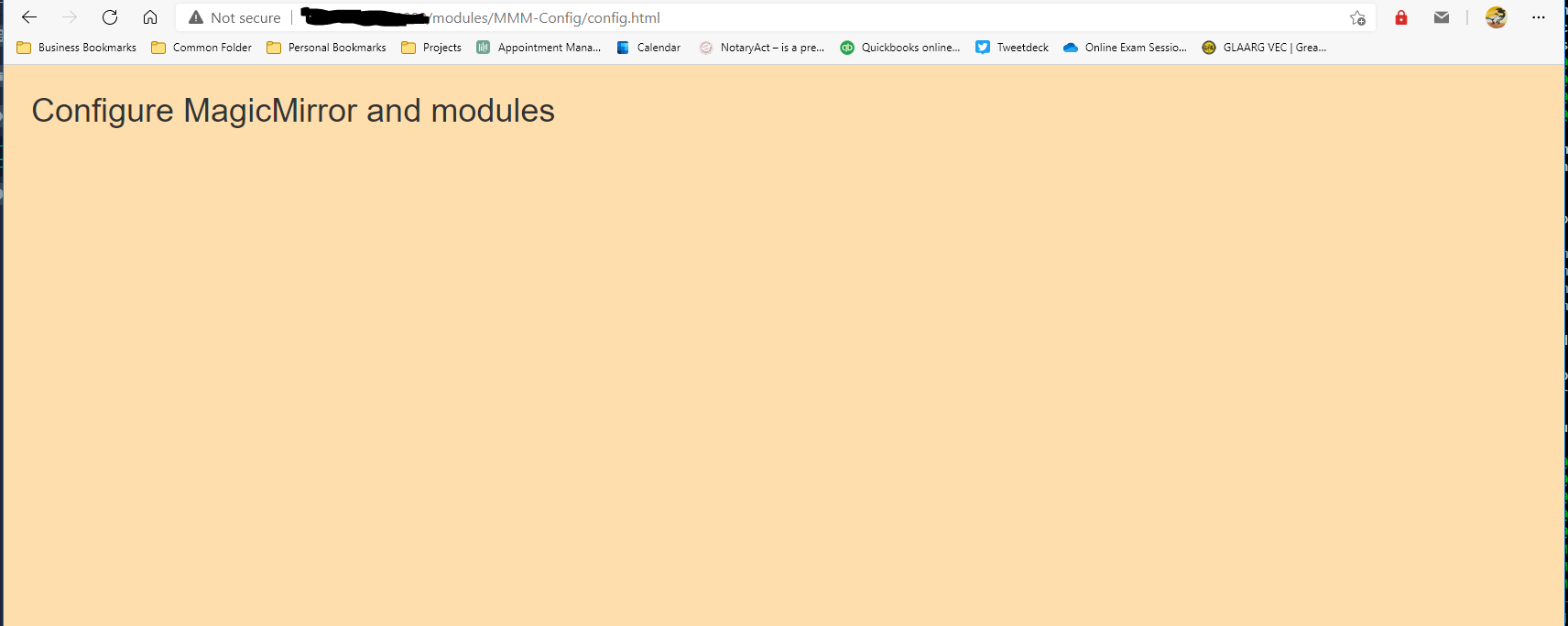
                                    310e0ba5-a44c-4045-9bc2-861d161a8f96-image.png

                                    fresh install of MagicMirror using the script, PM2. Here’s my config, as you can see, the only changes are the listening address, the ipWhitelist, and the addition of the module as shown in the readme.

                                    modules I installed (but didn’t configure for testing) were MMM-Config, MMM-Multimonth, and MMM-OpenWeatherForecast.

                                    var config = {
                                            address: "0.0.0.0",     // Address to listen on, can be:
                                            port: 8080,
                                            basePath: "/",  // The URL path where MagicMirror is hosted. If you are using a Reverse proxy
                                            ipWhitelist: [],        // Set [] to allow all IP addresses
                                            useHttps: false,                // Support HTTPS or not, default "false" will use HTTP
                                            httpsPrivateKey: "",    // HTTPS private key path, only require when useHttps is true
                                            httpsCertificate: "",   // HTTPS Certificate path, only require when useHttps is true
                                            language: "en",
                                            locale: "en-US",
                                            logLevel: ["INFO", "LOG", "WARN", "ERROR"], // Add "DEBUG" for even more logging
                                            timeFormat: 24,
                                            units: "metric",
                                            // serverOnly:  true/false/"local" ,
                                            // local for armv6l processors, default
                                            //   starts serveronly and then starts chrome browser
                                            // false, default for all NON-armv6l devices
                                            // true, force serveronly mode, because you want to.. no UI on this device
                                    
                                            modules: [
                                            {
                                                    module:"MMM-Config",
                                                    position:"top_right",  // the QR code (if requested) will appear here
                                                    config:{
                                    
                                                    }
                                            },
                                    ... (no changes after this point) 
                                    

                                    The "E" in "Javascript" stands for "Easy"

                                    S 1 Reply Last reply Reply Quote 0
                                    • S Do not disturb
                                      sdetweil @BKeyport
                                      last edited by sdetweil

                                      @bkeyport if u open the developers window, ctrl-shift-i, and select the console tab. are there errors shown

                                      also if u look in the pm2 logs, are there problems.

                                      do a
                                      git checkout newform
                                      and try again. lots of fixes there

                                      the latest code requires a port number to be passed to the form page… use the review link

                                      http://mm_ip:mm_port/modules/MMM-Config/review
                                      (thats the url on the qr image)

                                      Sam

                                      How to add modules

                                      learning how to use browser developers window for css changes

                                      BKeyportB 1 Reply Last reply Reply Quote 0
                                      • BKeyportB Offline
                                        BKeyport Module Developer @sdetweil
                                        last edited by

                                        @sdetweil

                                        Failed to load resource (Connection refused) http://IP:8200/socket.io/?EIO=4&transport=polling&t=NchkO1_

                                        DevTools failed to load SourceMap: Could not load content for http://IP:8080/modules/MMM-Config/node_modules/jsonform/deps/opt/bootstrap.css.map: HTTP error: status code 404, net::ERR_HTTP_RESPONSE_CODE_FAILURE

                                        Then repeated
                                        (anonymous) @ VM6:1
                                        create @ polling-xhr.js:198
                                        Request @ polling-xhr.js:115
                                        request @ polling-xhr.js:62
                                        doPoll @ polling-xhr.js:90
                                        poll @ polling.js:74
                                        doOpen @ polling.js:23
                                        open @ transport.js:44
                                        open @ socket.js:194
                                        Socket @ socket.js:119
                                        ./node_modules/engine.io-client/lib/index.js.module.exports @ index.js:3
                                        open @ manager.js:112
                                        (anonymous) @ manager.js:342
                                        VM6:1 GET http://IP:8200/socket.io/?EIO=4&transport=polling&t=NchkPo7 net::ERR_CONNECTION_REFUSED

                                        The "E" in "Javascript" stands for "Easy"

                                        S 1 Reply Last reply Reply Quote 0
                                        • S Do not disturb
                                          sdetweil @BKeyport
                                          last edited by sdetweil

                                          @bkeyport did u use the review link, its probably port 8300 now

                                          see the instructions here

                                          https://github.com/sdetweil/MMM-Config/issues/8

                                          Sam

                                          How to add modules

                                          learning how to use browser developers window for css changes

                                          BKeyportB 1 Reply Last reply Reply Quote 0
                                          • BKeyportB Offline
                                            BKeyport Module Developer @sdetweil
                                            last edited by BKeyport

                                            @sdetweil review link as shown redirects to:

                                            http://raspberrypi:8080/modules/MMM-Config/config.html?port=8301

                                            which fails because it’s not in DNS - changing raspberrypi to my IP address results in same header as before. Did update newform, and restarted MM.

                                            The "E" in "Javascript" stands for "Easy"

                                            S 3 Replies Last reply Reply Quote 0

                                            Hello! It looks like you're interested in this conversation, but you don't have an account yet.

                                            Getting fed up of having to scroll through the same posts each visit? When you register for an account, you'll always come back to exactly where you were before, and choose to be notified of new replies (either via email, or push notification). You'll also be able to save bookmarks and upvote posts to show your appreciation to other community members.

                                            With your input, this post could be even better 💗

                                            Register Login

                                            • 1
                                            • 2
                                            • 3
                                            • 4
                                            • 5
                                            • 14
                                            • 15
                                            • 3 / 15
                                            • First post
                                              Last post
                                            Enjoying MagicMirror? Please consider a donation!
                                            MagicMirror created by Michael Teeuw.
                                            Forum managed by Sam, technical setup by Karsten.
                                            This forum is using NodeBB as its core | Contributors
                                            Contact | Privacy Policy
