Read the statement by Michael Teeuw here.
updateDom() blocks MagicMirror
-
Hey,
I am developing my own first module. Therefore I looked at some other modules and in the dev documentation.
This is what I have right now:
Module.register("MMM-VPlan", {
	defaults: {
		fadeSpeed: 2,
                username: "",
                password: ""
	},

	getStyles: function() {
        return ["MMM-Plan.css"];
	},

    start: function() {
		Log.log("Starting module: " + this.name);

        this.response = {
            "name": "Test",
            "entries": {
                "lessions": "Teacher Subject Room representation"
            }
        };

		//this.getData();
        updateDom();
	},

	getDom: function() {
        const wrapper = document.createElement("div");
        wrapper.innerHTML = response;
        return wrapper;
	},

    getData: function () {
        const request = new XMLHttpRequest();
        request.open('GET', 'http://localhost/vplan/' + username + '/' + password + '/today', true);
        request.onreadystatechange = () => {
          if (request.readyState != 4) {
            return;
          };

          if (request.status === 200) {
            this.response = JSON.parse(request.response);
            this.updateDom();
          } else {
            Log.error(`${this.name}: Could not load data`);
          }

          setTimeout(() => this.getData(), this.config.updateIntervalMs);
        };
        request.send();
      },
})
The getData() function is not in use.
My problem is the getDom() function. If I call updateDom() in the start method, the mirror shows only a black screen without any content. Even the other modules aren`t visible.
If I delete updateDom() in the start methode, the mirror shows all modules. But my module returns undefined: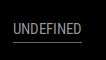
-
@1blaunitrox said in updateDom() blocks MagicMirror:
wrapper.innerHTML = response;where is response?
i think u meant this.response
don’t call updateDom() in start
mm will call it the 1st time when the module is loaded
note that this.response might be empty in a real life situation, but you MUST return something
an empty div is ok… (it IS something) -
@1blaunitrox you can walk thru the module code in the developers window sources tab
ctrl-shift-i,
source tab
left nav, navigate to modules, your module name, click your modulename.js
source on the right
click on a source line, left edge to turn on a break point
hit f5 to refresh , will stop
upper right arrow is run, next is step, next is into, next is over
mouse hover over variables for value/content
u can use chrome (firefox/edge) on the pc if u allow remote connection in config.js
address:"0.0.0.0". ipWhitelist:[], -
@1blaunitrox the black screen is cause your module source crashed the browser… oops…
its this.updateDom()
look at my sample module
https://github.com/sdetweil/SampleModule -
@sdetweil I changed getDom() to this:
getDom: function() {
        const wrapper = document.createElement("div");
        if(response.lenght <= 0) {
            wrapper.innerHTML = "No Entries";
        } else {
            wrapper.innerHTML = this.response;
        }
        return wrapper;
	},
There is a check if the array has any entries.
But the mirror shows “undefined”
-
@1blaunitrox said in updateDom() blocks MagicMirror:
if(response.lenght <= 0) {
this.response.length
always gotta use this.
unless u created the variable INSIDE the routine using it…
use the debugger
-
Not exectly what I wanted :joy:
Why can getDom() not transfrom the array in a readable string? -
@1blaunitrox yes, this.response is an object
        this.response = {
            "name": "Test",
            "entries": {
                "lessions": "Teacher Subject Room representation"
            }
        };
html doesn’t know objects
-
@sdetweil Is there a Json parser I can use?
-
@1blaunitrox said in updateDom() blocks MagicMirror:
Why can getDom() not transfrom the array in a readable string?
getDom() CAN do anythign YOU implement… it does NOTHING by itself…
-
@sdetweil JSON.parse, JSON. stringify
u have an object so, stringify turns it into text
parse takes text and makes an object -
@sdetweil What about
JSON.stringify(this.response); -
@1blaunitrox that would work
but it will be the JSON text representation of the object
all fields and values
-
@sdetweil
First: Is there an other option?Second: I added the getData() function in getDom()
        const wrapper = document.createElement("div");
        this.getData();
        if(this.response.lenght <= 0) {
            wrapper.innerHTML = "No Entries";
        } else {
            wrapper.innerHTML = JSON.stringify(this.response);
        }
        return wrapper;
Now the mirror show
UNDEFINEDagain -
-
@1blaunitrox this.getData() is not synchronous, so it will return long before the data is ready
don’t call from getDom()
-
see the doc
https://docs.magicmirror.builders/development/introduction.html#module-structure
https://docs.magicmirror.builders/development/core-module-file.html#subclassable-module-methods
notificationReceived in particular -
@sdetweil Do you remember my problem yesteray that my magic mirror doesn`t start? I started the program today in the morning. Without doing anythink since yesterday evening, the same error occurs.
The only think I change was that I renamed lenght to length. Than I deleted the module module and copyed the new one.
old post: https://forum.magicmirror.builders/topic/16233/error-while-starting-magic-mirror/29
-
@1blaunitrox I need to see the messages output by npm start
if you use pm2, then pm2 logs --lines=50
also maybe info from the developers window, ctrl-shift-i on the keyboard and select the console tab and scroll up to see any errors red text
-
@sdetweil
Here is the .pm2/logs/MagicMirror-error.log
https://haste.lyrotopia.net/equzexapal.js
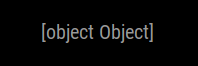
Its always the same errorHere is the .pm2/logs/MagicMirror-out.log
https://haste.lyrotopia.net/mosubanoro.css
Hello! It looks like you're interested in this conversation, but you don't have an account yet.
Getting fed up of having to scroll through the same posts each visit? When you register for an account, you'll always come back to exactly where you were before, and choose to be notified of new replies (either via email, or push notification). You'll also be able to save bookmarks and upvote posts to show your appreciation to other community members.
With your input, this post could be even better 💗
Register Login