MagicMirror Forum
    • Recent
    • Tags
    • Unsolved
    • Solved
    • MagicMirror² Repository
    • Documentation
    • 3rd-Party-Modules
    • Donate
    • Discord
    • Register
    • Login
    A New Chapter for MagicMirror: The Community Takes the Lead
    Read the statement by Michael Teeuw here.

    MMM-MyStandings

    Scheduled Pinned Locked Moved Sport
    24 Posts 12 Posters 13.5k Views 13 Watching
    Loading More Posts
    • Oldest to Newest
    • Newest to Oldest
    • Most Votes
    Reply
    • Reply as topic
    Log in to reply
    This topic has been deleted. Only users with topic management privileges can see it.
    • V Offline
      vinp Module Developer @MMKF
      last edited by

      @MMKF Thanks for the feedback. I have updated the code to show one division at a time. I realize that is better for most users. Try a git pull inside the MMM-MyStandings folder again, as far as it being too wide, you can try overriding the .MMM-MyStandings class in your custom.css to control width.

      1 Reply Last reply Reply Quote 0
      • V Offline
        vinp Module Developer
        last edited by

        I’ve updated the code to include the option to load logos from local folders. It mimics the way MMM-MyScoreboard does it. This way the logos will look the same if you use both modules. I also made it easier in the future to add more sports that don’t have divisions. Lastly, I added MLS as a sport option.

        1 Reply Last reply Reply Quote 0
        • J Offline
          Jfarro
          last edited by

          Thankyou for your work on this, I’m running it and it was easy to setup, has a great amount of options, and is beautiful! Now if my sports teams would do their part and not be at the bottom, that’d be great :)

          1 Reply Last reply Reply Quote 1
          • V Offline
            vinp Module Developer
            last edited by

            Thanks for the feedback ! Glad you are enjoying it. I love seeing sports updates on the mirror!

            1 Reply Last reply Reply Quote 1
            • M Offline
              my_nerdy_account
              last edited by

              I love this module! Thanks so much for sharing it.

              I’ve modified the css and .njk template to something I really like. What I need now is for the leagues to rotate through in a specific order. It seems like they load in a random order every time I restart MM.
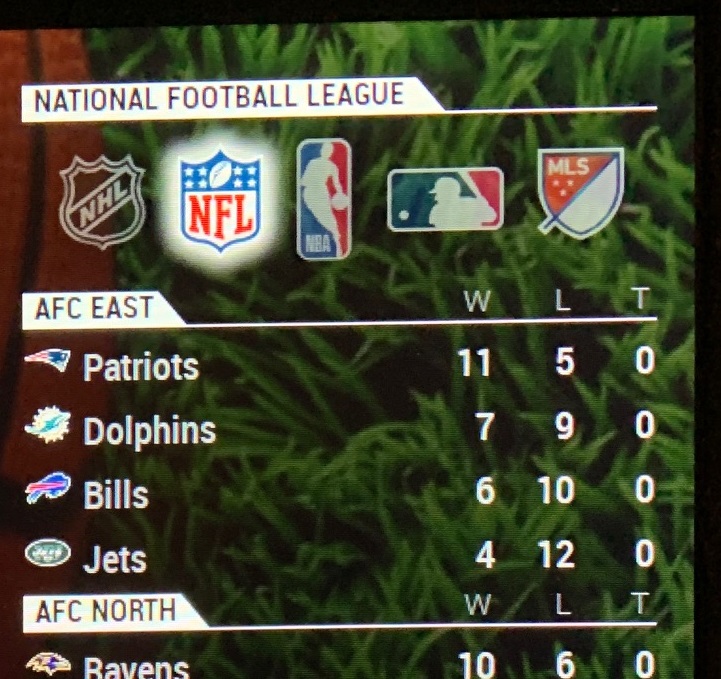
              0_1562316738999_standings.jpg

              FLhTF V 2 Replies Last reply Reply Quote 1
              • FLhTF Offline
                FLhT @my_nerdy_account
                last edited by

                These are Cool! I’m inspired to (eventually) adapt this to display FIRST Tech Challenge and FIRST Robotics Competition Stats.

                1 Reply Last reply Reply Quote 1
                • A Offline
                  alecbalec
                  last edited by

                  Great module, I forked it on github and added the English Premier League.

                  V 1 Reply Last reply Reply Quote 0
                  • V Offline
                    vinp Module Developer @my_nerdy_account
                    last edited by

                    @my_nerdy_account that looks awesome! Care to share your branch in GitHub?

                    1 Reply Last reply Reply Quote 0
                    • V Offline
                      vinp Module Developer @alecbalec
                      last edited by

                      @alecbalec I’m testing out the ability to add many more soccer leagues… stay tuned for an update

                      1 Reply Last reply Reply Quote 0
                      • V Offline
                        vinp Module Developer
                        last edited by

                        I’ve added NCAAM Basketball and lots of different Soccer leagues from ESPN. It should be able to handle all the soccer leagues that have standings/tables available. I looked at how MMM-MyScoreboard did the soccer leagues and used the same naming. Have a look at my code (get latest) and let me know how it goes. thanks!

                        1 Reply Last reply Reply Quote 0
                        • N Offline
                          Newtothis
                          last edited by

                          @vinp Hi

                          Thanks for the module, really enjoying it and thanks for updating it. I was just wondering if it is possible to have two leagues showing at the same time?

                          I tried using two instances of the configuration (One for NBA and one for Premier League) in the config.js but this didn’t work. Very new at all of this, so please excuse me if it is really obvious answer

                          Thanks!

                          V 1 Reply Last reply Reply Quote 2
                          • V Offline
                            vinp Module Developer @Newtothis
                            last edited by

                            @Newtothis I dont think this module supports that. I think I read on this forum that if the module uses a node_helper.js it wont be possible. Otherwise you could try copying and renaming a similar folder and setup the MM config with both names. There is a issue logged on my github with your same suggestion. I just haven’t had the chance to look to see how much effort it would take to implement.

                            S 1 Reply Last reply Reply Quote 0
                            • S Offline
                              sdetweil @vinp
                              last edited by sdetweil

                              @vinp said in MMM-MyStandings:

                              that if the module uses a node_helper.js it wont be possible

                              it IS possible… just have to think thru the choices of the solution…

                              there is only ONE node_helper loaded for all instances of the module.

                              any sendSocketNotification from the helper to the module (instances) goes to ALL instances at once.

                              so, one could send the module identifier from the module.js to the node_helper, and use THAT as a key into a storage area saved by module instance (config from module _1, module_2, etc)…
                              config: {},
                              this.config[module_id].config_variable

                              and then on the send BACK, return the module identifier as part of the data, and the module checks to see if the response is for that instance…

                              another way, to avoid the storage, is for the module to send config every time, and the identifier, and
                              the node helper send back the identifier as part of the response… and module checks… same as before…

                              I created a module that does option 2 , never stores any module instance data in node_helper
                              https://github.com/sdetweil/NewBusTimes

                              Sam

                              How to add modules

                              learning how to use browser developers window for css changes

                              N 1 Reply Last reply Reply Quote 1
                              • cowboysdudeC Offline
                                cowboysdude Module Developer
                                last edited by

                                Excellent!

                                1 Reply Last reply Reply Quote 0
                                • N Offline
                                  Newtothis @sdetweil
                                  last edited by

                                  @sdetweil Thank you!

                                  I managed to get it working by renaming the module and replacing all instances of the module name with something different.

                                  I am having trouble getting ‘ENG_NATIONAL’, ‘ENG_LEAGUE_1’ AND ‘ENG_LEAGUE_2’ tables to appear, do you have any ideas on how to get them working?

                                  Thank you

                                  S V 2 Replies Last reply Reply Quote 0
                                  • S Offline
                                    sdetweil @Newtothis
                                    last edited by

                                    @Newtothis sorry. No idea how the module works

                                    Sam

                                    How to add modules

                                    learning how to use browser developers window for css changes

                                    1 Reply Last reply Reply Quote 0
                                    • V Offline
                                      vinp Module Developer @Newtothis
                                      last edited by

                                      @Newtothis said in MMM-MyStandings:

                                      ENG_NATIONAL

                                      Your config should look something like :

                                      {
                                                  module: "MMM-MyStandings",
                                                  position: "top_left",
                                                  config: {
                                                      sports: [
                                      		    { league: "ENG_LEAGUE_1" },
                                                      ]
                                                  }
                                              },
                                      

                                      You can add more leagues to rotate by adding a similar format inside of the sports [] array
                                      { league: “ENG_LEAGUE_1” },
                                      { league: “ENG_LEAGUE_2” },
                                      { league: “ENG_NATIONAL” },

                                      1 Reply Last reply Reply Quote 0
                                      • D Offline
                                        Dropzone1969
                                        last edited by

                                        Is there a way to make the NFL rotate between NFC and AFC?

                                        1 Reply Last reply Reply Quote 0
                                        • C Offline
                                          chanster
                                          last edited by

                                          Love this module ! Instead of grouping by divisions, is there a way group by conference instead for NBA?

                                          1 Reply Last reply Reply Quote 1
                                          • R Offline
                                            ricochetd
                                            last edited by

                                            Got a pretty basic config where I’m just starting with only NHL standings. The config.js below is the only thing that works, but it only gives the NHL Central Division standings. If showByDivision is set to true, any other Division is listed or even commented out, it shows no standings at all; just a black screen. I included a header so that I know it’s actually loading; it’s not providing any results. I’ve done a git pull and it says it’s up to date. If I change the league to NBA, it loads all of the divisions. Also, is it possible to show by overall league standings?

                                            Here’s my config.js code and screenshots:

                                            {
                                            module: “MMM-MyStandings”,
                                            header: “My Standings”,
                                            position: “top_right”,
                                            config: {
                                            updateInterval: 60 * 60 * 1000, // every 60 minutes
                                            rotateInterval: 1 * 60 * 1000, // every 1 minute
                                            sports: [
                                            { league: “NHL” },
                                            ],
                                            nameStyle: “short”,
                                            showLogos: true,
                                            useLocalLogos: true,
                                            showByDivision: false,
                                            fadeSpeed: 1000,
                                            },
                                            },
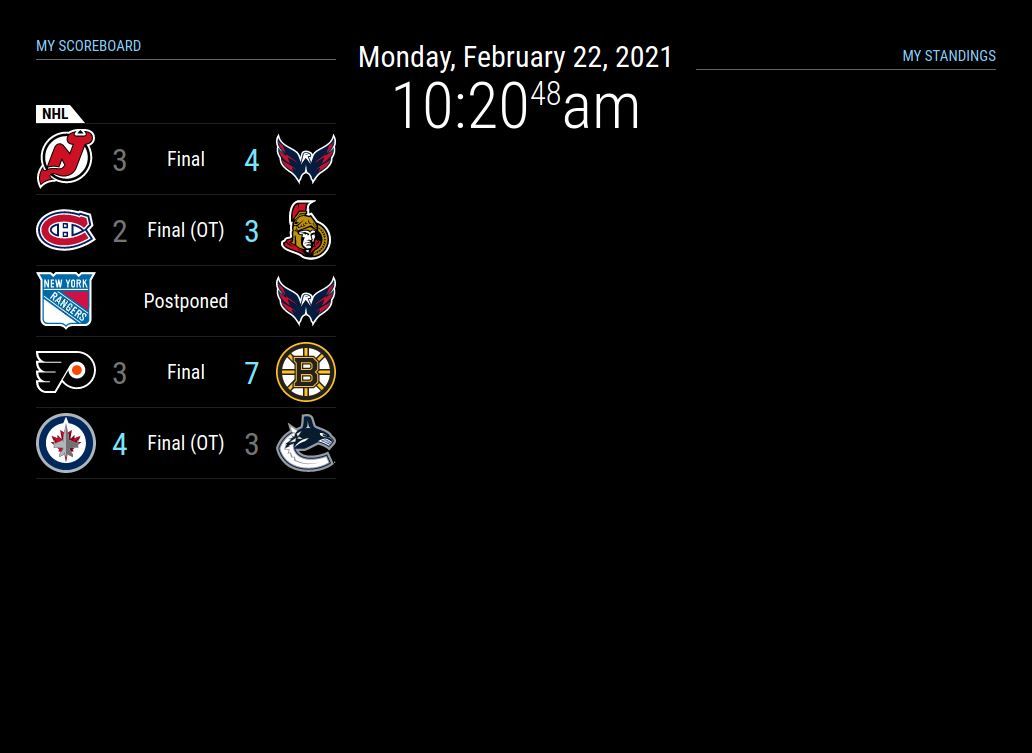
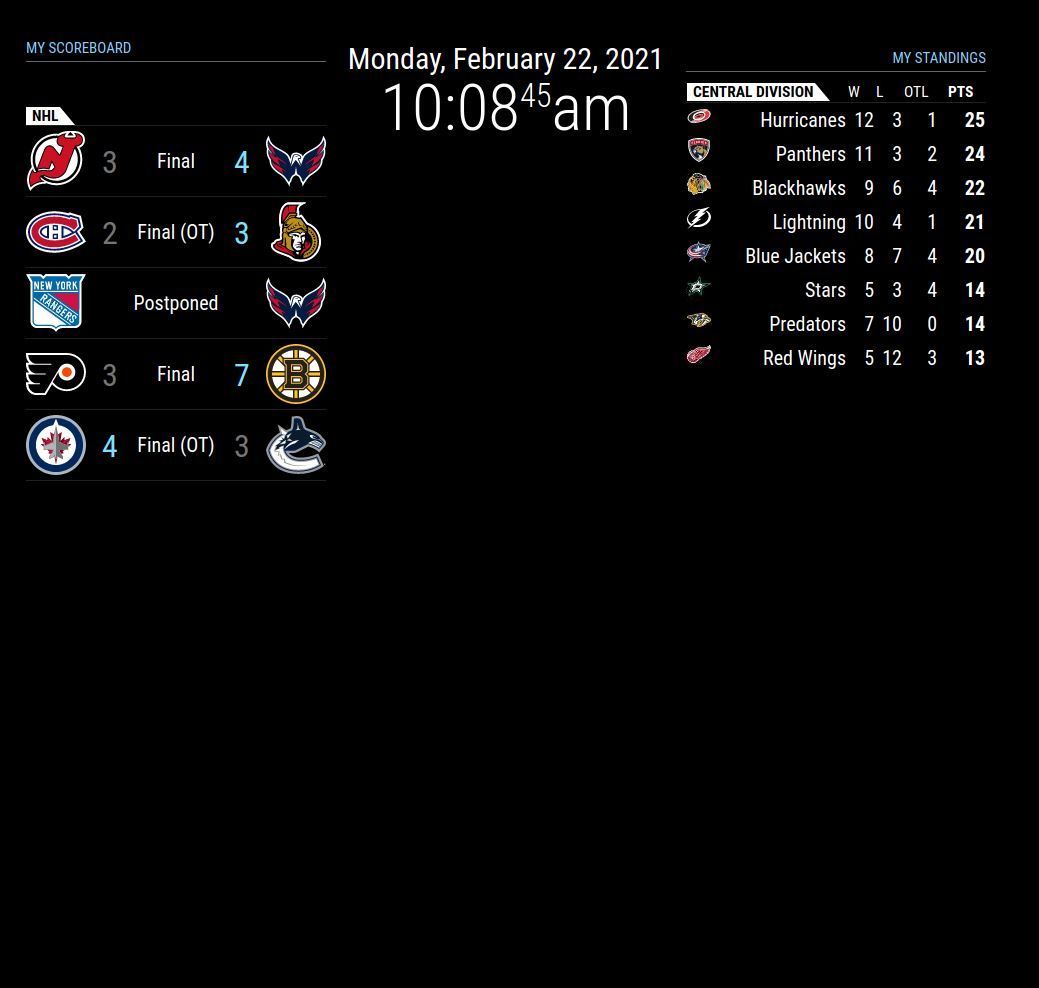
                                            showByDivision_false_Output.JPG

                                            showByDivision_true_Output.JPG

                                            1 Reply Last reply Reply Quote 0

                                            Hello! It looks like you're interested in this conversation, but you don't have an account yet.

                                            Getting fed up of having to scroll through the same posts each visit? When you register for an account, you'll always come back to exactly where you were before, and choose to be notified of new replies (either via email, or push notification). You'll also be able to save bookmarks and upvote posts to show your appreciation to other community members.

                                            With your input, this post could be even better 💗

                                            Register Login

                                            • 1
                                            • 2
                                            • 1 / 2
                                            • First post
                                              Last post
                                            Enjoying MagicMirror? Please consider a donation!
                                            MagicMirror created by Michael Teeuw.
                                            Forum managed by Sam, technical setup by Karsten.
                                            This forum is using NodeBB as its core | Contributors
                                            Contact | Privacy Policy