MagicMirror Forum
    • Recent
    • Tags
    • Unsolved
    • Solved
    • MagicMirror² Repository
    • Documentation
    • 3rd-Party-Modules
    • Donate
    • Discord
    • Register
    • Login
    A New Chapter for MagicMirror: The Community Takes the Lead
    Read the statement by Michael Teeuw here.

    MMM-GoogleMapsTraffic : black screen by copying the code in config.js

    Scheduled Pinned Locked Moved Troubleshooting
    16 Posts 4 Posters 3.7k Views 4 Watching
    Loading More Posts
    • Oldest to Newest
    • Newest to Oldest
    • Most Votes
    Reply
    • Reply as topic
    Log in to reply
    This topic has been deleted. Only users with topic management privileges can see it.
    • R Offline
      RIKKO14
      last edited by

      Hello,
      I copied the file described in the link https://github.com/vicmora/MMM-GoogleMapsTraffic in my config.js but since I have a black screen on MM, I can’t find the error …
      if I remove the part:

      var config = { modules: [
      

      it’s the same problem

      here is my config.js:

      .....
      						title: "Le Monde, Culture",
      						url: "https://www.lemonde.fr/culture/rss_full.xml"
      					},
      				],
      				showSourceTitle: true,
      				showPublishDate: true,
      				broadcastNewsFeeds: true,
      				broadcastNewsUpdates: true,
      			}
      		},
      	var config = {
          modules: [
              {
                  module: 'MMM-GoogleMapsTraffic',
                  position: 'top_left',
                  config: {
                      key: 'AIzaSyBQ.....',
                      lat: 49.182863,
                      lng: -0.370679,
                      height: '300px',
                      width: '300px'
                      styledMapType: "transparent",
                      disableDefaultUI: true,
                      backgroundColor: 'hsla(0, 0%, 0%, 0)',
                      markers: [
                          {
                              lat: 49.182863,
                              lng: -0.370679,
                              fillColor: '#9966ff'
                             },
                      ],
                  },
              }
          ]
      },
      			/*{
      			disabled: false,
      			module: "MMM-Climacell-Hourly",
      ....
      

      Thanks you for your help.

      1 Reply Last reply Reply Quote 0
      • BKeyportB Offline
        BKeyport Module Developer
        last edited by

        They included too much in their config sample. If you have a backup of your old config, back out and redo it, with this sample instead.

          {
                    module: 'MMM-GoogleMapsTraffic',
                    position: 'top_left',
                    config: {
                        key: 'YOUR_KEY',
                        lat: 37.8262306,
                        lng: -122.2920096,
                        height: '300px',
                        width: '300px'
                        styledMapType: "transparent",
                        disableDefaultUI: true,
                        backgroundColor: 'hsla(0, 0%, 0%, 0)',
                        markers: [
                            {
                                lat: 37.8262316,
                                lng: -122.2920196,
                                fillColor: '#9966ff'
                            },
                        ],
                    },
                },
        

        The "E" in "Javascript" stands for "Easy"

        1 Reply Last reply Reply Quote 0
        • R Offline
          RIKKO14
          last edited by

          it’s the same problem… :

          ...
          						title: "Le Monde, Culture",
          						url: "https://www.lemonde.fr/culture/rss_full.xml"
          					},
          				],
          				showSourceTitle: true,
          				showPublishDate: true,
          				broadcastNewsFeeds: true,
          				broadcastNewsUpdates: true,
          			}
          		},
           {
                      module: 'MMM-GoogleMapsTraffic',
                      position: 'top_left',
                      config: {
                          key: 'AIzaSyBQnp-WYA1IdK9sZr0lfvrtUcQ5Qu02sNw',
                          lat: 49.182863,
                          lng: -0.370679,
                          height: '300px',
                          width: '300px'
                          styledMapType: "transparent",
                          disableDefaultUI: true,
                          backgroundColor: 'hsla(0, 0%, 0%, 0)',
                          markers: [
                              {
                                  lat: 49.182863,
                                  lng: -0.370679,
                                  fillColor: '#9966ff'
                              },
                          ],
                      },
                  },
          
          /*
                  {
                      module: 'MMM-GoogleMapsTraffic',
                      position: 'top_left',
          ...
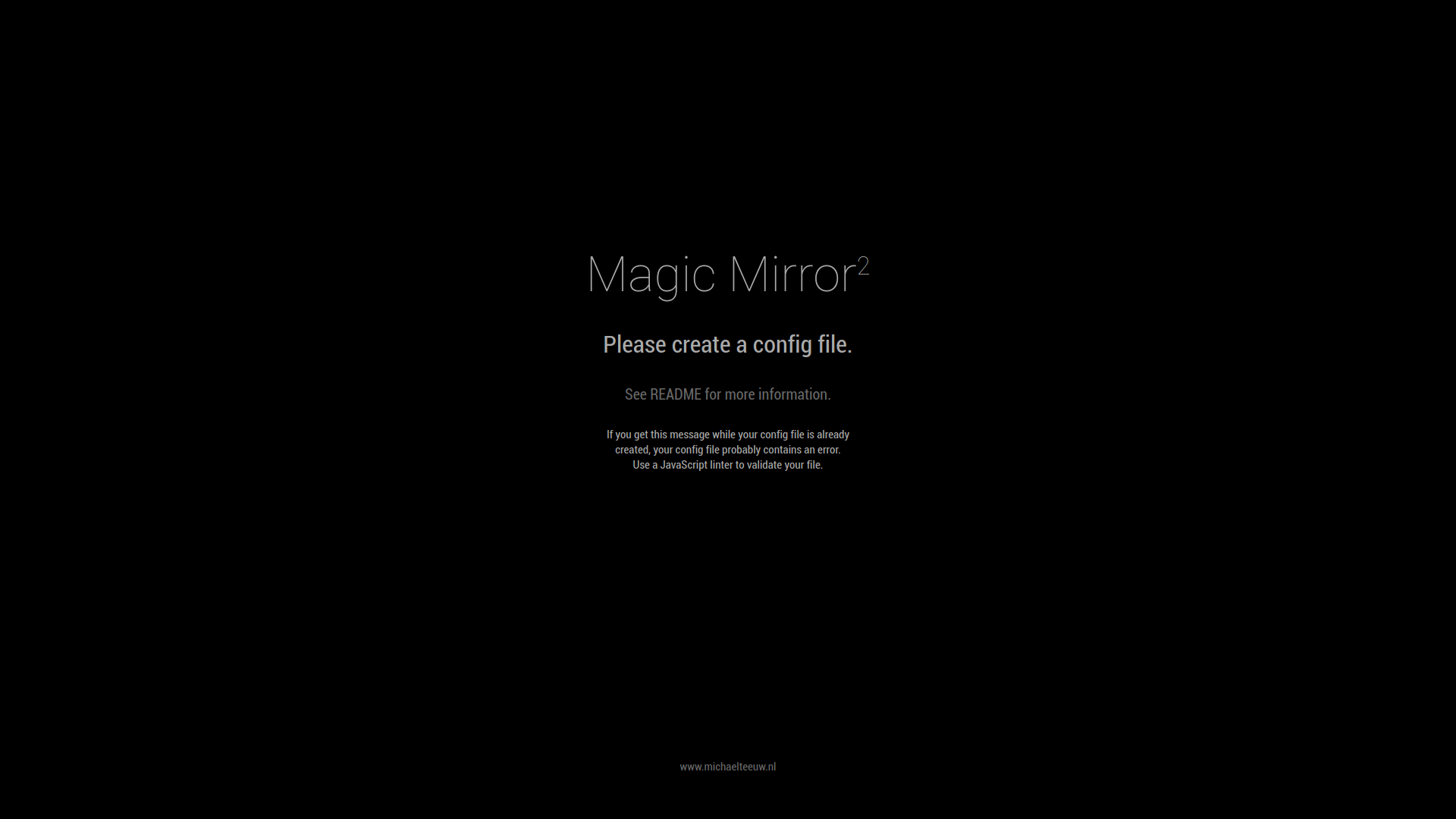
          

          2020-06-28-092405_1920x1080_scrot.png

          1 Reply Last reply Reply Quote 0
          • M Offline
            MadScientist
            last edited by

            @RIKKO14 said in MMM-GoogleMapsTraffic : black screen by copying the code in config.js:

            width: ‘300px’

            I think you missed a comma at the end of that line.

            1 Reply Last reply Reply Quote 0
            • R Offline
              RIKKO14
              last edited by

              modified, but still the same problem …

              				broadcastNewsFeeds: true,
              				broadcastNewsUpdates: true,
              			}
              		},
               {
                          module: 'MMM-GoogleMapsTraffic',
                          position: 'top_left',
                          config: {
                              key: 'AIzaSyBQnp-WYA1IdK9sZr0lfvrtUcQ5Qu02sNw',
                              lat: 49.182863,
                              lng: -0.370679,
                              height: '300px',
                              width: '300px',
                              styledMapType: "transparent",
                              disableDefaultUI: true,
                              backgroundColor: 'hsla(0, 0%, 0%, 0)',
                              markers: [
                                  {
                                      lat: 49.182863,
                                      lng: -0.370679,
                                      fillColor: '#9966ff'
                                  },
                              
                 ]
              },
              
                      /*{
                          module: 'MMM-GoogleMapsTraffic',
                          position: 'top_left',
              

              ![0_1593336531621_2020-06-28-112809_1920x1080_scrot.png](Uploading 100%)

              S 1 Reply Last reply Reply Quote 0
              • S Do not disturb
                sdetweil @RIKKO14
                last edited by

                @RIKKO14 https://forum.magicmirror.builders/topic/4231/how-to-add-modules-for-absolute-beginners?_=1593192855121
                take out the addtional stuff u added and read the above post and try again

                Sam

                How to add modules

                learning how to use browser developers window for css changes

                S 1 Reply Last reply Reply Quote 0
                • S Do not disturb
                  sdetweil @sdetweil
                  last edited by

                  @RIKKO14 also, the GoogleMapsTraffic module has a bug, which I fixed, but th e author has not taken,

                  you can use my repo instead of the original
                  https://github.com/sdetweil/MMM-GoogleMapsTraffic

                  Sam

                  How to add modules

                  learning how to use browser developers window for css changes

                  1 Reply Last reply Reply Quote 0
                  • R Offline
                    RIKKO14
                    last edited by

                    II have read the post : https://forum.magicmirror.builders/topic/4231/how-to-add-modules-for-absolute-beginners?_=1593192855121

                    I don’t anderstand what you say : "take out the addtional stuff u added ", I added nothing…
                    And I d’ont anderstand what is your “repo instead”,

                    and this my config.js, I had already installed modules where I had encountered the problem of} and not}, but there everything seems good, I do not see the error … :

                    S 1 Reply Last reply Reply Quote 0
                    • R Offline
                      RIKKO14
                      last edited by

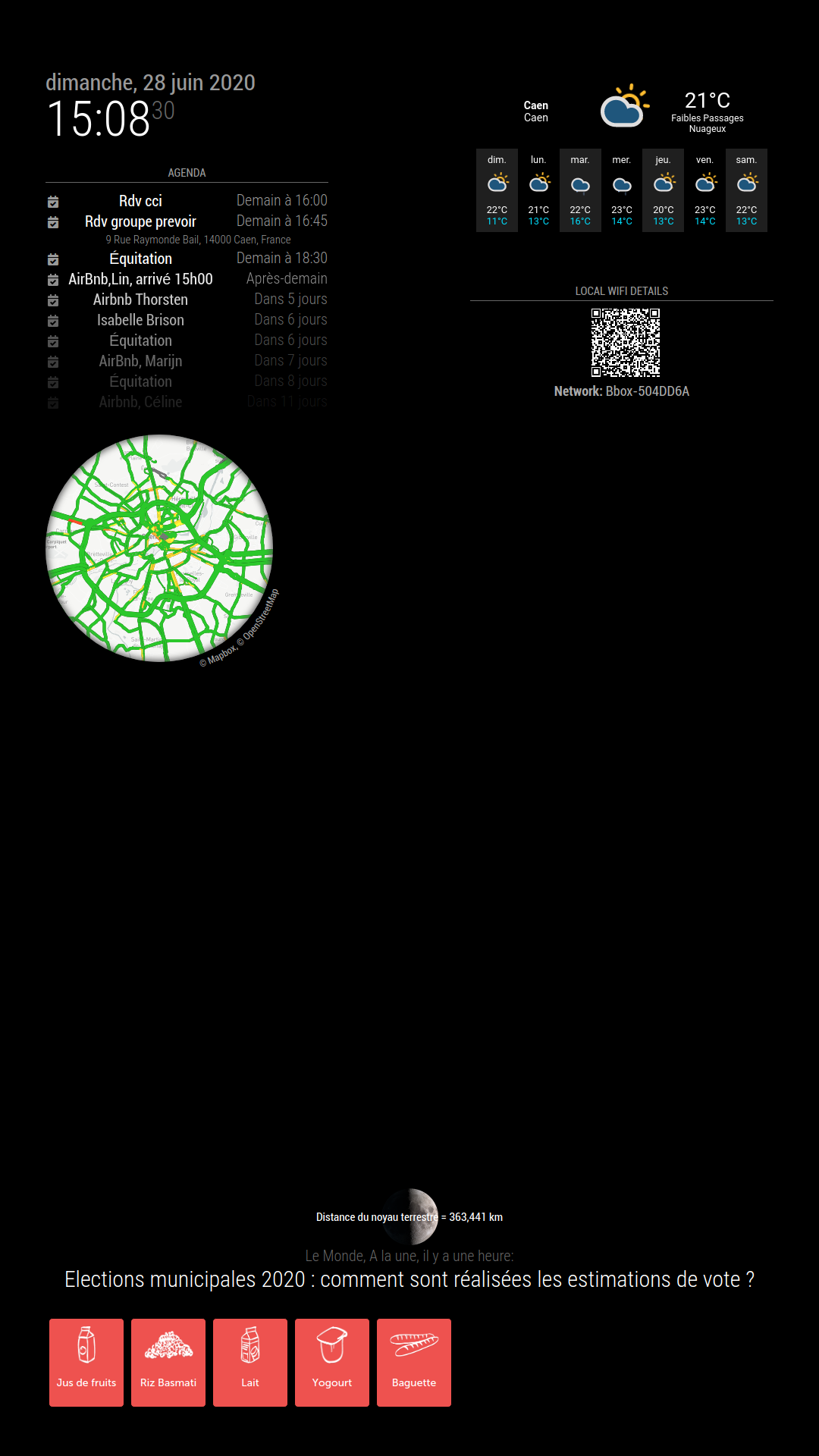
                      2020-06-28-150831_1080x1920_scrot.png

                      1 Reply Last reply Reply Quote 0
                      • S Do not disturb
                        sdetweil @RIKKO14
                        last edited by

                        @RIKKO14 the last thing you said was

                        modified, but still the same problem …
                        
                        "take out the addtional stuff u added ", I added nothing…
                        

                        you added a new module definition (that is additional stuff)

                        repo, the site on github is a repository, repo for short

                        the original u are trying to use is
                        https://github.com/vicmora/MMM-GoogleMapsTraffic

                        mine is
                        https://github.com/sdetweil/MMM-GoogleMapsTraffic

                        note that the userids are different.

                        so, instead of git cloning vic’s repo, do that with mine (instead)

                        Sam

                        How to add modules

                        learning how to use browser developers window for css changes

                        1 Reply Last reply Reply Quote 0
                        • R Offline
                          RIKKO14
                          last edited by

                          This post is deleted!
                          S 1 Reply Last reply Reply Quote 0
                          • S Do not disturb
                            sdetweil @RIKKO14
                            last edited by

                            @RIKKO14 thats why I suggested the link on modules for beginners, you have too many braces {} and brackets []

                            just cutting and pasting what the author gives you is trouble if you don’t understand what ytou are supposed to do

                            module entries no not HAVE to have a trailing , (comma) UNLESS there are more entries after

                            and showing the module in that whole list is bad, cause people just copy… and boom you have TWO config entries and two module lists… not good…

                            Sam

                            How to add modules

                            learning how to use browser developers window for css changes

                            1 Reply Last reply Reply Quote 0
                            • R Offline
                              RIKKO14
                              last edited by

                              ça y’est le module s’affiche enfin mais nouveau bug… la carte s’affiche et aussitot après un écran “problem” s’affiche… Pfff
                              this the config.js modified :
                              {
                              module: ‘MMM-GoogleMapsTraffic’,
                              position: ‘top_right’,
                              config: {
                              key: ‘AIzaSyBQnp-WYA1IdK9sZr0lfvrtUcQ5Qu02sNw’,
                              lat: 49.182863,
                              lng: -0.370679,
                              height: ‘300px’,
                              width: ‘300px’,
                              styledMapType: “transparent”,
                              disableDefaultUI: true,
                              backgroundColor: ‘hsla(0, 0%, 0%, 0)’,
                              markers: [
                              {
                              lat: 49.182863,
                              lng: -0.370679,
                              fillColor: ‘#9966ff’
                              }
                              ]
                              }

                              },

                              1 Reply Last reply Reply Quote 0
                              • R Offline
                                RIKKO14
                                last edited by

                                	{
                                            module: 'MMM-GoogleMapsTraffic',
                                            position: 'top_right',
                                            config: {
                                                key: 'AIzaSyBQnp-WYA1IdK9sZr0lfvrtUcQ5Qu02sNw',
                                                lat: 49.182863,
                                                lng: -0.370679,
                                                height: '300px',
                                                width: '300px',
                                                styledMapType: "transparent",
                                                disableDefaultUI: true,
                                                backgroundColor: 'hsla(0, 0%, 0%, 0)',
                                                markers: [
                                                    {
                                                        lat: 49.182863,
                                                        lng: -0.370679,
                                                        fillColor: '#9966ff'
                                                    }
                                                ]
                                            }
                                           
                                }	
                                
                                1 Reply Last reply Reply Quote 0
                                • R Offline
                                  RIKKO14
                                  last edited by

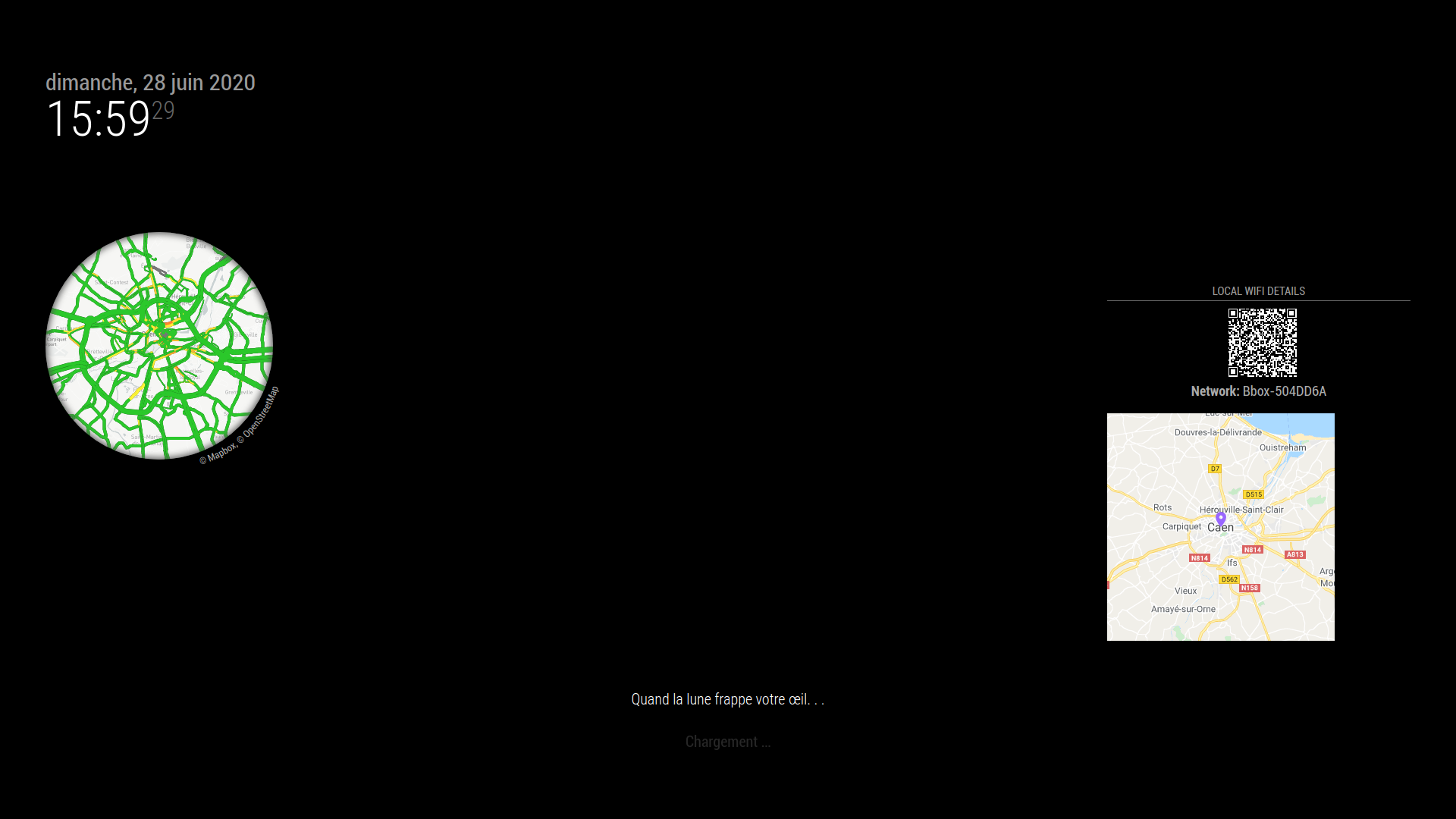
                                  2020-06-28-155930_1920x1080_scrot.png
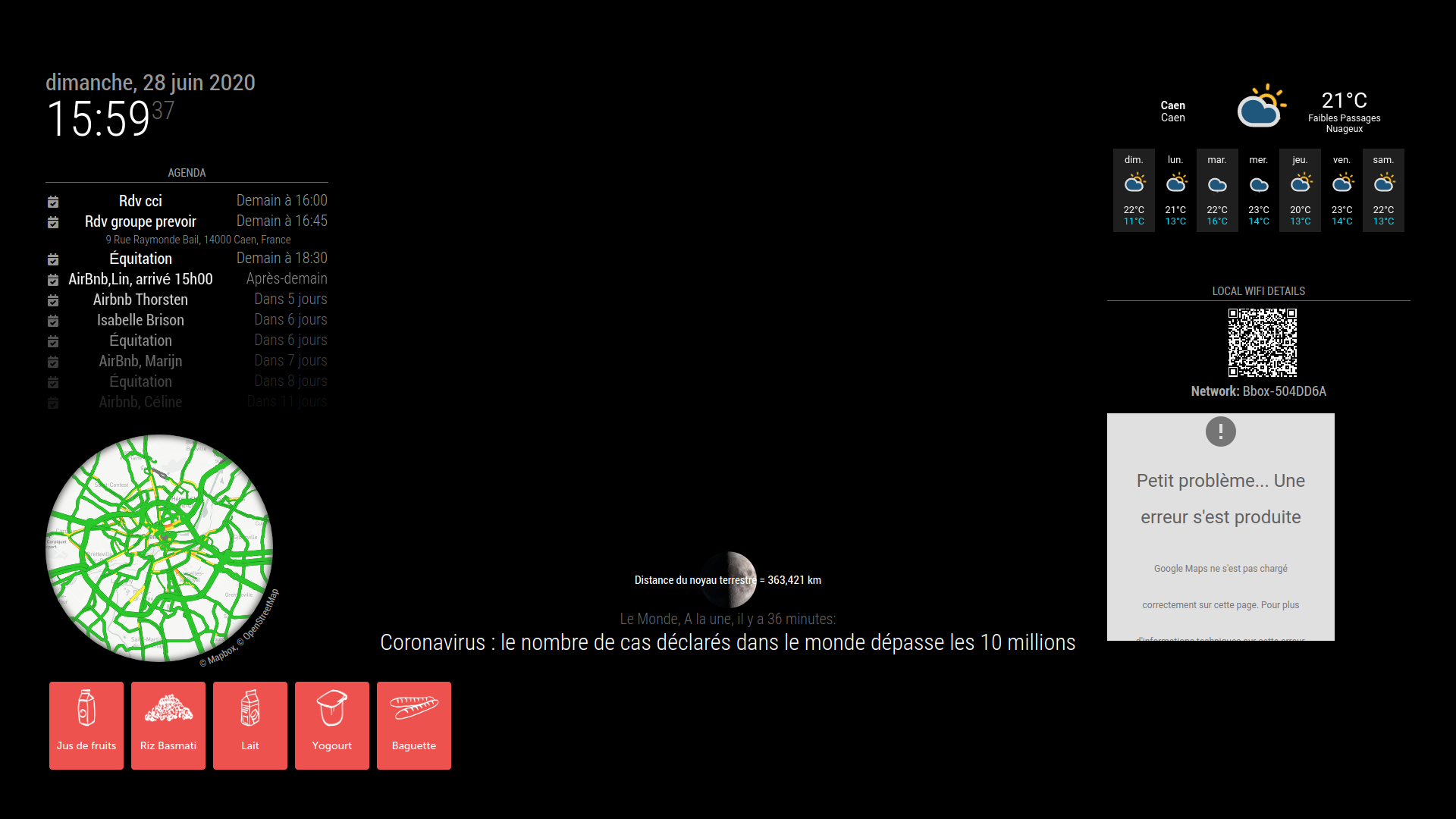
                                  2020-06-28-155938_1920x1080_scrot.png

                                  1 Reply Last reply Reply Quote 0
                                  • R Offline
                                    RIKKO14
                                    last edited by

                                    that’s it the module finally appears but new bug … the map appears and immediately after a “problem” screen appears … Pfff

                                    1 Reply Last reply Reply Quote 0

                                    Hello! It looks like you're interested in this conversation, but you don't have an account yet.

                                    Getting fed up of having to scroll through the same posts each visit? When you register for an account, you'll always come back to exactly where you were before, and choose to be notified of new replies (either via email, or push notification). You'll also be able to save bookmarks and upvote posts to show your appreciation to other community members.

                                    With your input, this post could be even better 💗

                                    Register Login

                                    • 1 / 1
                                    • First post
                                      Last post
                                    Enjoying MagicMirror? Please consider a donation!
                                    MagicMirror created by Michael Teeuw.
                                    Forum managed by Sam, technical setup by Karsten.
                                    This forum is using NodeBB as its core | Contributors
                                    Contact | Privacy Policy