Read the statement by Michael Teeuw here.
MMM-google assistant black screen.
-
@Mathieu
It seems you can’t find some “Error: Cannot find module” files, in particular some components of “snowboy”.
I advise you to uninstall and clean install by carefully following this guide .Unfortunately the user @bugsounet is no longer part of the forum and without him it will be very difficult to get information on this module … :-(
-
@Egnos it’s ok after clean install thank you … but … I am also having an issue with youtube it is not working. I used different commands but it is not showing youtube videos. I already changed all the false to true as per the video my GA is working but youTube still not working.
-
@Mathieu good job!
Post your config please (if I’m not mistaken some YouTube videos covered by copyright, due to Google policies, are no longer visible using GA…) -
Thank you I will post my config here this evening.
And it’s the same for link internet… it’s doesn’t work. Thank you. and I try post a screen shot.
Merci.
-
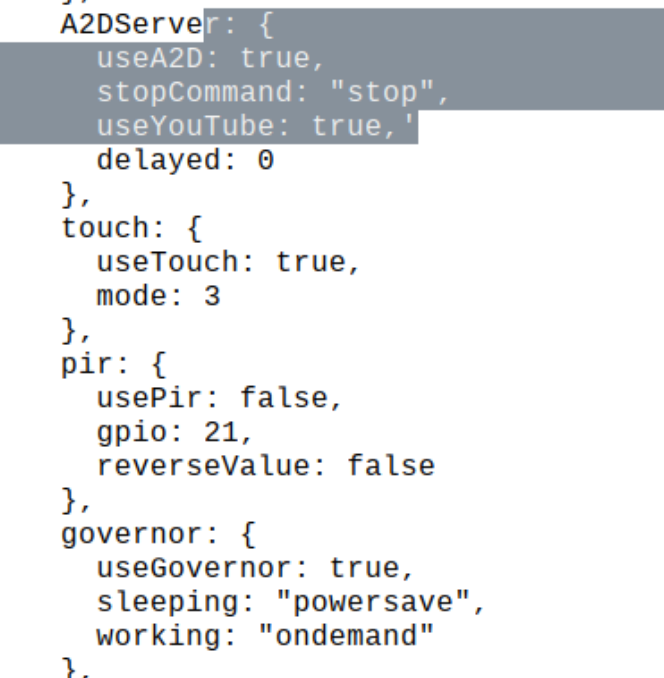
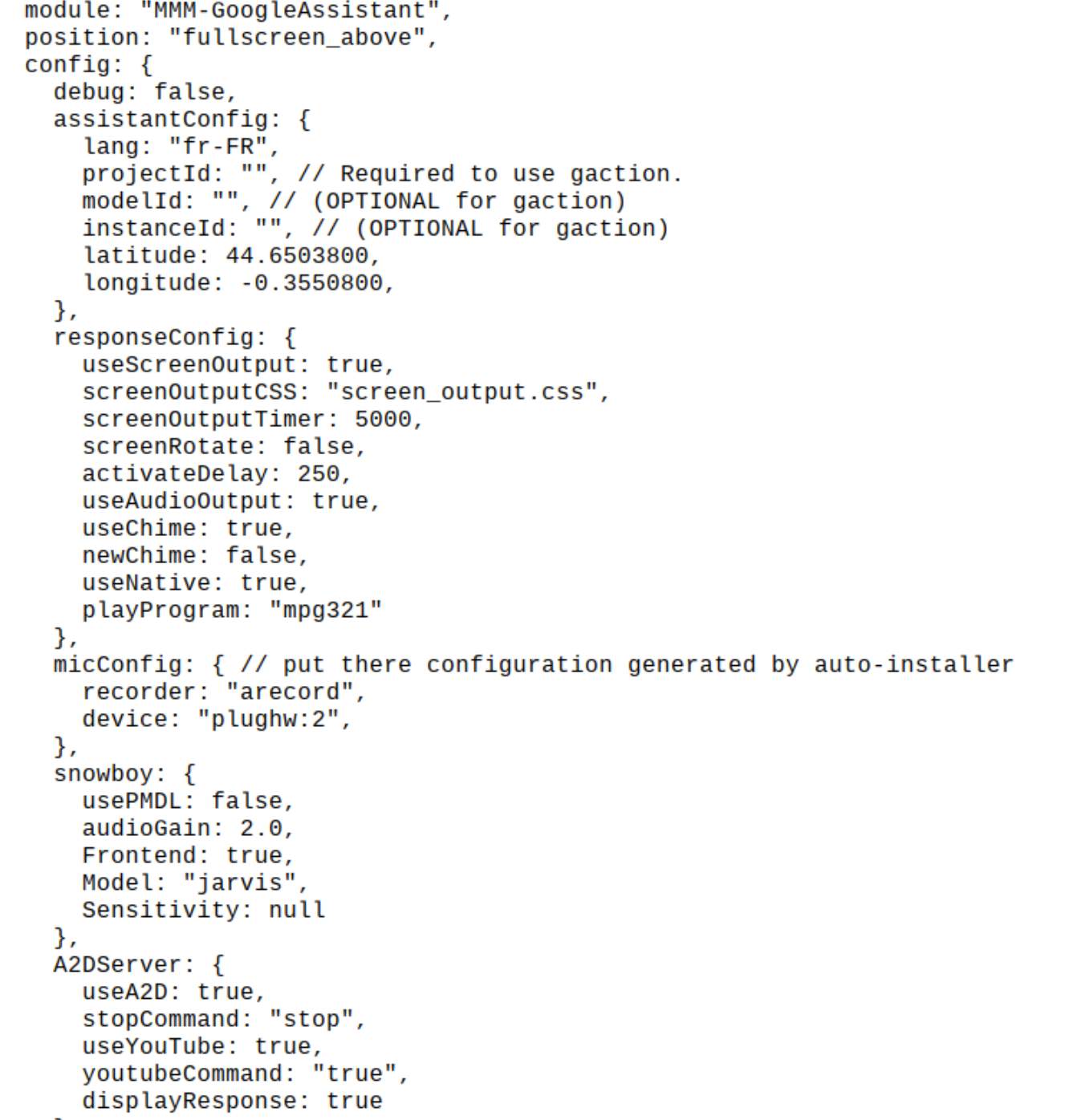
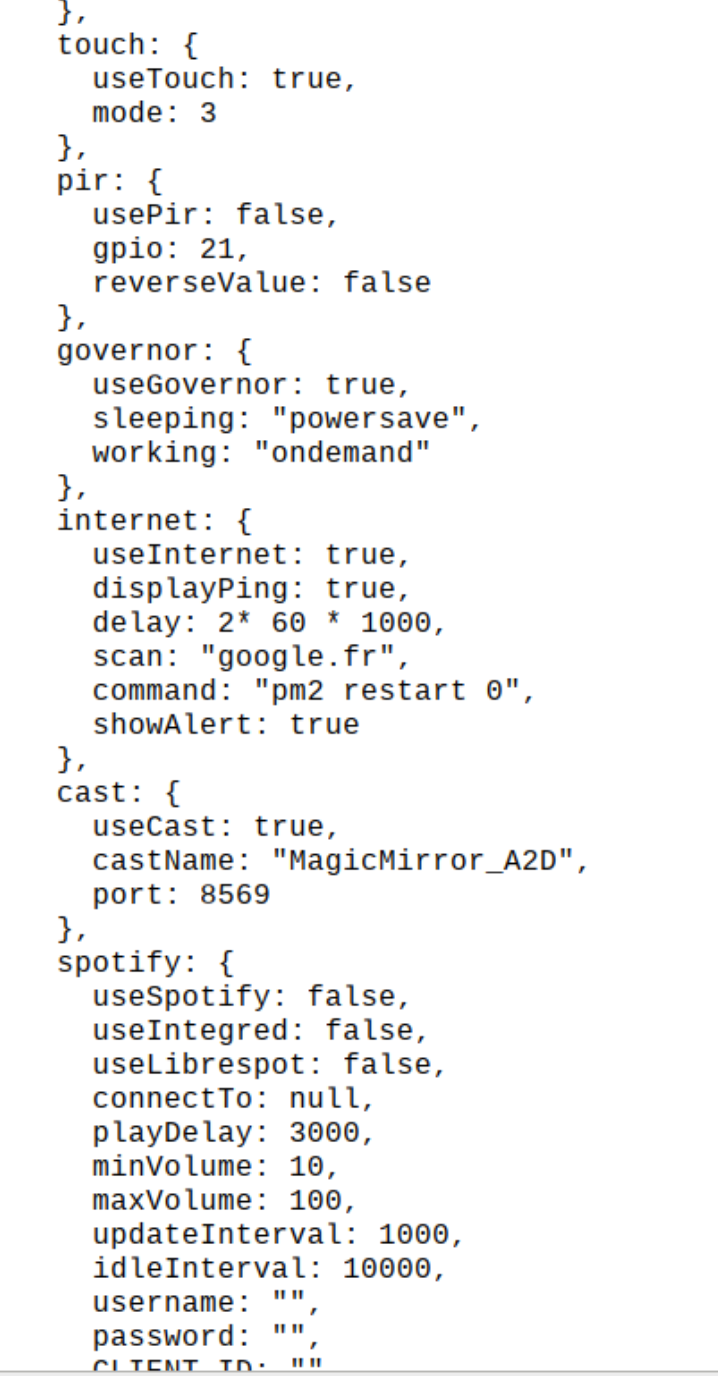
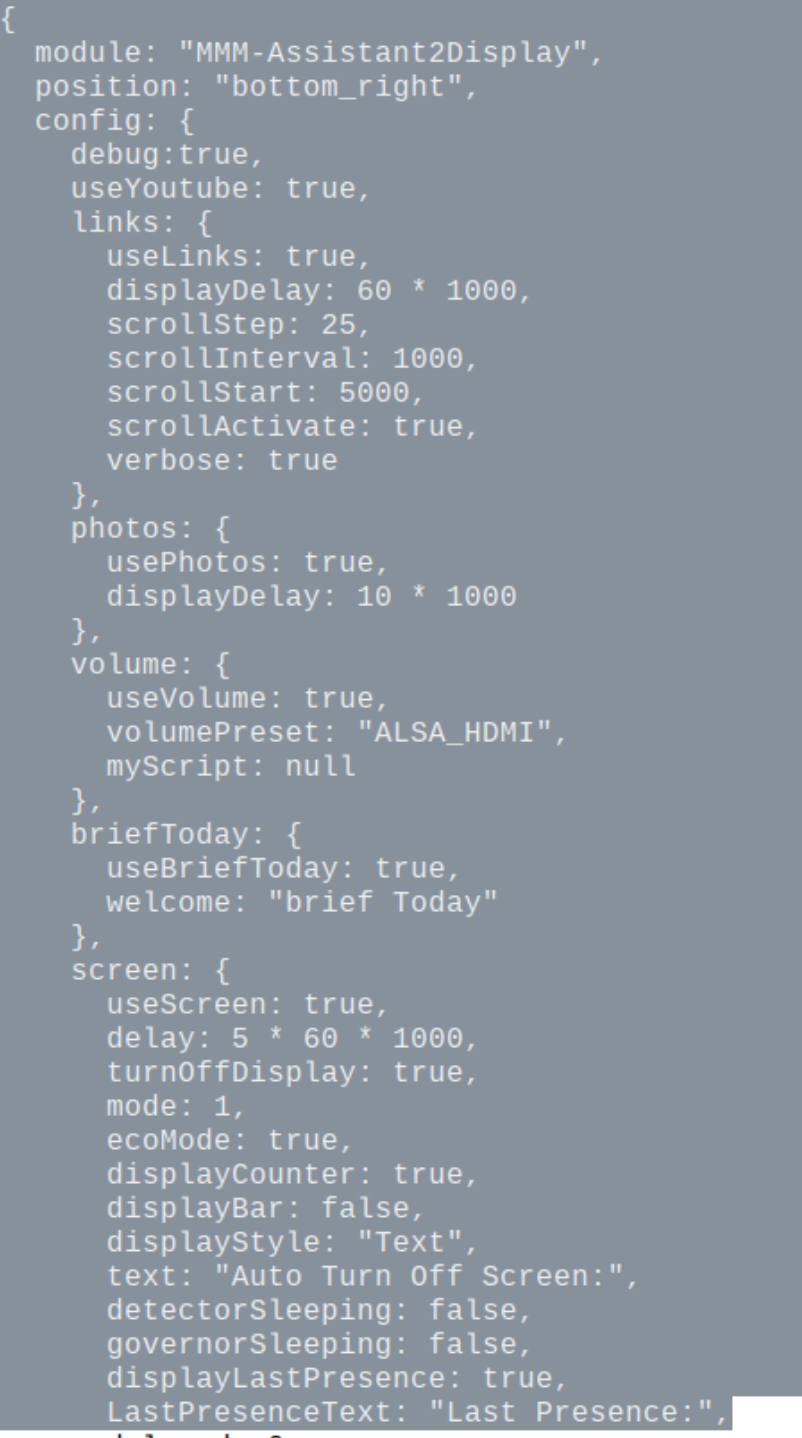
-
I just posted about issues I’m having with this module after update
I tried a fresh install but sadly I’m not having any luck with it
Wish I hadn’t updated :(
-
@Mathieu meanwhile it would be better if you read the guideon github for MMM-GoogleAssistant and MMM-Assistant2Display
Then I would try this config:
{
		  module: "MMM-GoogleAssistant",
		  position: "fullscreen_above",
		  config: {
			assistantConfig: {
				lang: "fr-FR",
				latitude: 44.6503800,
				longitude: -0.35508007.558791,
							},
			responseConfig: {
			  useScreenOutput: true,
			  screenOutputCSS: "screen_output.css",
			  screenOutputTimer: 5000,
			  screenRotate: false,
			  activateDelay: 250,
			  useAudioOutput: true,
			  useChime: true,
			  newChime: false,
			  useNative: true,
			  playProgram: "mpg321"
							},
			A2DServer: {
			  useA2D: true,
			  stopCommand: "stop",
			  useYouTube: true,
			  youtubeCommand: "youtube",
			  displayResponse: true
						},
			micConfig: {
			  recorder: "arecord",
			  device: "plughw:2"
						},
			snowboy: {
				Sensitivity: 0.7,
				Model: "jarvis"
					},
				}
	},

	{
		  module: "MMM-Assistant2Display",
		  position: "bottom_right",
		  config: {
			debug:false,
			useYoutube: true,
				cast: {
					useCast: true,
					castName: "MagicMirror",
					port: 8569
					},
				volume: {
					  useVolume: true,
					  volumePreset: "ALSA_HDMI",
					  myScript: null
						},
				links: 	{
						useLinks: true,
						scrollActivate: true
						},
						}
		},
after activating GA with “Jarvis” remember to say “YouTube …” and the name of the video …
-
@Egnos Thank You. Merci. Gracias
I try this evening. -
It’s Ok … work after clean install…
But how you stop Youtube Vidéos where is the command…?
Thank you
-
@Mathieu Stop ;-)
Hello! It looks like you're interested in this conversation, but you don't have an account yet.
Getting fed up of having to scroll through the same posts each visit? When you register for an account, you'll always come back to exactly where you were before, and choose to be notified of new replies (either via email, or push notification). You'll also be able to save bookmarks and upvote posts to show your appreciation to other community members.
With your input, this post could be even better 💗
Register Login