Read the statement by Michael Teeuw here.
Help please!!
-
@sdetweil Yes, it still is showing undefined though
-
is this on a pi4? I see a problem with the qrcp it wants to know which adapter to run on, wifi or ethernet… and its parms aren;t working… I tried on all kinds of machines with one adapter… weird…
if pi4 open terminal do qrcp config
and basically hit enter til it endsthen try mm again
-
install setup fixed
please git pull
and then npm install again -
@sdetweil No, it is a Pi 3B
-
@sdetweil Thank you. It works perfect. Fantastic module.
-
I added some more updates, the app that corrects the image orientation runs only on what u upload now, not ALL the images int he folder… (could be hundreds or thousands)…
debug:true to turn on messages from node helper and module (false by default)
took out other dead code
edit: to add the npm install
git pull in the module folder to get the latest, npm install and then restart MM -
This post is deleted! -
@sdetweil Hello! Yes I can see the QR code on the display. However, when I scan it - this is what its showing me
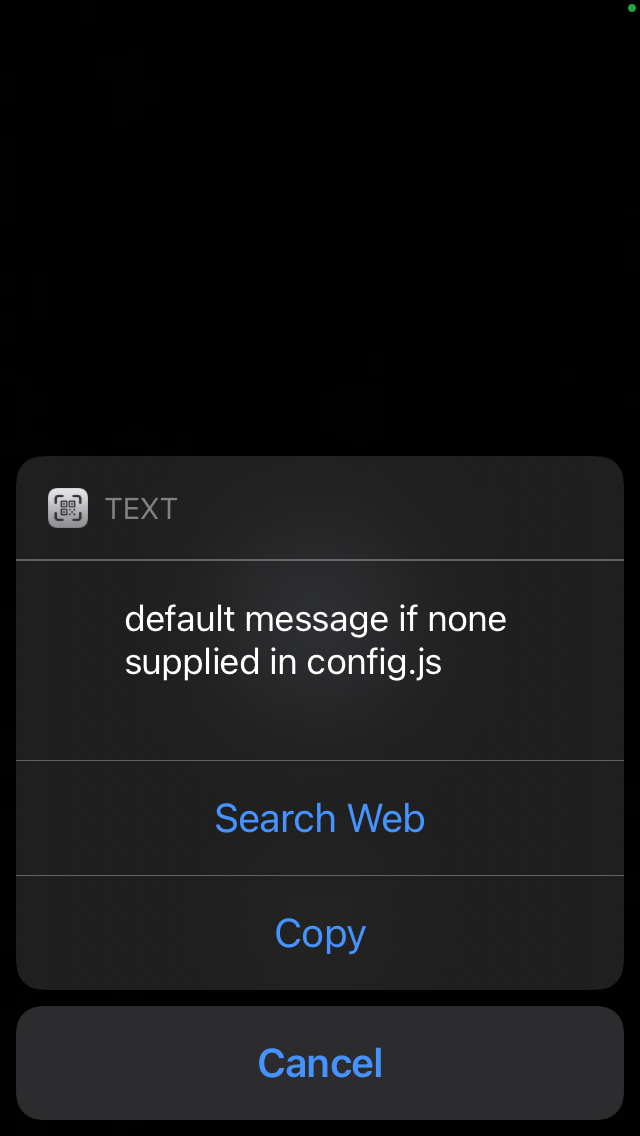
What does this mean?
-
@innovation did you git pull and npm install the latest
the postinstall script is supposed to fix that
-
@sdetweil
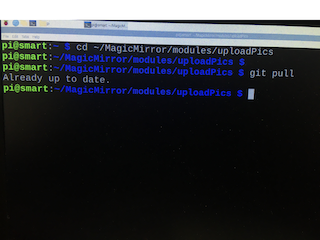
It says it’s up to date -
@innovation and then u did npm install
-
@sdetweil Yes
-
@innovation can u open a terminal window and do
qrcp
and look in the module folder for qrcp.json -
@sdetweil Into cd ~/MagicMirror/modules/uploadPics?
-
@innovation yes
-
@sdetweil GNU bash, version 5.0.3(1)-release (arm-unknown-linux-gnueabihf)
These shell commands are defined internally. Typehelp' to see this list. Typehelp name’ to find out more about the functionname'. Useinfo bash’ to find out more about the shell in general.
Useman -k' orinfo’ to find out more about commands not in this list.A star (*) next to a name means that the command is disabled.
job_spec [&] history [-c] [-d offset] [n] or history -anrw >
(( expression )) if COMMANDS; then COMMANDS; [ elif COMMANDS; t>
. filename [arguments] jobs [-lnprs] [jobspec …] or jobs -x command>
: kill [-s sigspec | -n signum | -sigspec] pid |>
[ arg… ] let arg [arg …]
[[ expression ]] local [option] name[=value] …
alias [-p] [name[=value] … ] logout [n]
bg [job_spec …] mapfile [-d delim] [-n count] [-O origin] [-s >
bind [-lpsvPSVX] [-m keymap] [-f filename] [-q > popd [-n] [+N | -N]
break [n] printf [-v var] format [arguments]
builtin [shell-builtin [arg …]] pushd [-n] [+N | -N | dir]
caller [expr] pwd [-LP]
case WORD in [PATTERN [| PATTERN]…) COMMANDS > read [-ers] [-a array] [-d delim] [-i text] [->
cd [-L|[-P [-e]] [-@]] [dir] readarray [-d delim] [-n count] [-O origin] [->
command [-pVv] command [arg …] readonly [-aAf] [name[=value] …] or readonly>
compgen [-abcdefgjksuv] [-o option] [-A action]> return [n]
complete [-abcdefgjksuv] [-pr] [-DEI] [-o optio> select NAME [in WORDS … ;] do COMMANDS; done
compopt [-o|+o option] [-DEI] [name …] set [-abefhkmnptuvxBCHP] [-o option-name] [–]>
continue [n] shift [n]
coproc [NAME] command [redirections] shopt [-pqsu] [-o] [optname …]
declare [-aAfFgilnrtux] [-p] [name[=value] …> source filename [arguments]
dirs [-clpv] [+N] [-N] suspend [-f]
disown [-h] [-ar] [jobspec … | pid …] test [expr]
echo [-neE] [arg …] time [-p] pipeline
enable [-a] [-dnps] [-f filename] [name …] times
eval [arg …] trap [-lp] [[arg] signal_spec …]
exec [-cl] [-a name] [command [arguments …]] > true
exit [n] type [-afptP] name [name …]
export [-fn] [name[=value] …] or export -p typeset [-aAfFgilnrtux] [-p] name[=value] …
false ulimit [-SHabcdefiklmnpqrstuvxPT] [limit]
fc [-e ename] [-lnr] [first] [last] or fc -s [p> umask [-p] [-S] [mode]
fg [job_spec] unalias [-a] name [name …]
for NAME [in WORDS … ] ; do COMMANDS; done unset [-f] [-v] [-n] [name …]
for (( exp1; exp2; exp3 )); do COMMANDS; done until COMMANDS; do COMMANDS; done
function name { COMMANDS ; } or name () { COMMA> variables - Names and meanings of some shell v>
getopts optstring name [arg] wait [-fn] [id …]
hash [-lr] [-p pathname] [-dt] [name …] while COMMANDS; do COMMANDS; done
help [-dms] [pattern …] { COMMANDS ; }This is what it says
-
@innovation what did u type??
qrcpshould have replied
sam@galliumos:~/MagicMirror/modules/uploadPics$ qrcp
Error: requires at least 1 arg(s), only received 0
Run `qrcp help` for help.
anf then, if the file was present
ls qrcp.jsonshould have replied
sam@galliumos:~/MagicMirror/modules/uploadPics$ ls qrcp.json qrcp.json -
@sdetweil
pi@smart:~ $ qrcp
Error: requires at least 1 arg(s), only received 0
Runqrcp helpfor help. -
@innovation and for the file?
-
@sdetweil
pi@smart:~ $ ls qrcp.json
ls: cannot access ‘qrcp.json’: No such file or directory
pi@smart:~ $
Hello! It looks like you're interested in this conversation, but you don't have an account yet.
Getting fed up of having to scroll through the same posts each visit? When you register for an account, you'll always come back to exactly where you were before, and choose to be notified of new replies (either via email, or push notification). You'll also be able to save bookmarks and upvote posts to show your appreciation to other community members.
With your input, this post could be even better 💗
Register Login