Read the statement by Michael Teeuw here.
MMM-newsfeedtouch - News so hot you wanna touch it
-
Description:
This module caters to you who are running touch mirrors and wants some more information on the headlines without having the description of the headline to be visible the entire time.
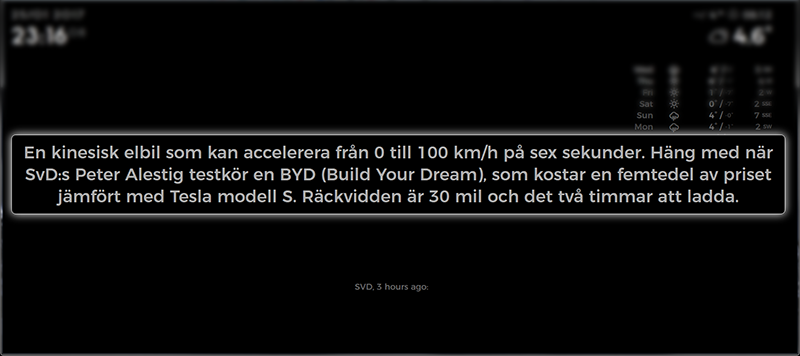
When you touch the Headline, a larger Description of the Headline appears. The Description is set on a timer (set by readInterval, standard read time is 15 seconds) OR you can actively touch the description to close it and load the next Headline.
Works otherwise exactly as the default news feed module.
Thanks to @strawberry-3-141 for the help to get me started with this!
Screenshots:
Download:
[card:brobergp/MMM-newsfeedtouch]
Version 0.1
- First release, evaluation needed
- Get Description on touch
-
Looks great!! Can’t wait to get my ir touch frame :)
-
@broberg
When I press on the headline, the headline disappears for 15 sec. Thats it.
Here the config.js:{ "module": "MMM-newsfeedtouch", "position": "bottom_bar", "config": { "feeds": [ { "title": "n-tv", "url": "http://www.n-tv.de/23.rss" }, { "title": "Welt", "url": "https://www.welt.de/feeds/topnews.rss" } ] }, "classes": "default everyone" },This does not work with any rss feed?
Can you give me a rss link where it works, so I can test. -
@Ralf if you don’t get anything displayed that means that the rss feed doesn’t have a description specified for the headline, ie no data.
Try the feed from some big news sources. They usually have descriptions specified.
-
@Ralf another thought hits me, is your display horizontal or vertical? If it’s horizontal you might have to change the css a bit
.infoCenter { Top: -400px; } -
@broberg the display is horizontal, i changed the custom.css
changed the rss feed to BBC and NY Times, same result,
the modul position is “top_bar”, before "bottom_bar,
Unfortunately no change -
@Ralf Okey, sorry for the long time away, I have tested your feeds on my own mirror,
I can’t really find why you don’t get the description,
try this code in your custom.css
.infoCenter {
  position: fixed;
  top: 10px;
  z-index: 10;
}
That should make the description appear right on top of the headline.
(I also added a higher z-index value in case something is being rendered above it, but it shouldn’t be) -
@broberg Perfect, works great. The description appear now on top of the screen (module position is bottom_bar), but thats right what i want.
Looks great. Thanks a lot. -
@Ralf Glad it works, even though it doesn’t work as I thought it would!
just a question, are you using another browser to display the MM or is it the built in browser that comes with MM?Since my css code behaves differently for you than it does for me I would really like to know why :D
-
@broberg I’m still using the built in browser that comes with MM.
Strange. -
Well finally got my touch frame up and running and this module is not working for me…
Where are you supposed to touch to get it to work? It’s not working for me :(
-
@cowboysdude the headline is what is clickable, are you using the latest version of MM? 2.1.1?
Is it just the newsfeed you can’t click?
-
@broberg Let me fire it up in a bit and make sure I’m using the correct versions. I just started working on the big mirror again yesterday so it’s likely there is some updating that needs to happen ;)
OK my bad… I should have known better… I built the big mirror software a while ago and just fired it back up yesterday after a couple months… it’s working perfectly!!
Thanks for reminding me to check better next time :)
-
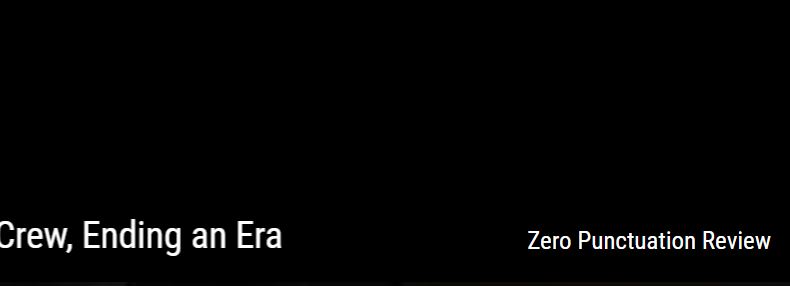
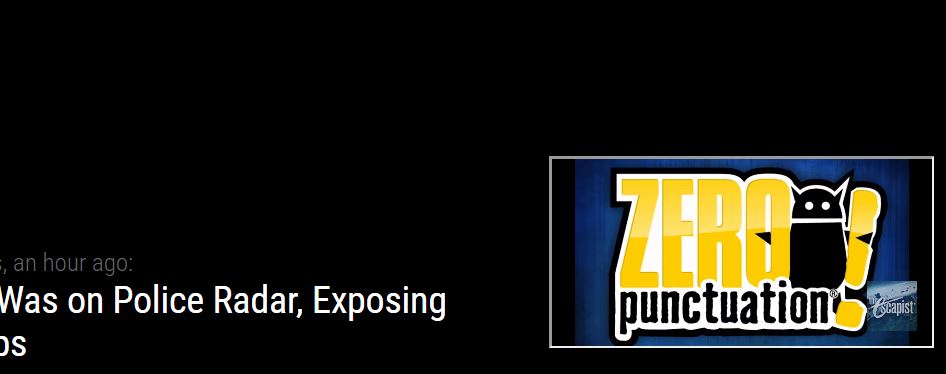
@broberg Hi, great module it works well for me. however… After seeing this I though OH MAYBE I WANT A VIDEO TO PLAY WHEN I CLICK ON SOMETHING, so i tried to make a module for it and then it just wouldn’t work. So i sort of fiddled with this one to have 1 hardcoded “headline” which when clicked on, opened an iframe element and played the latest video from a youtube playlist as shown below.
//codechange
                        var title = document.createElement("div");
                        title.className = "bright small regular fed";


                        title.innerHTML = "Zero Punctuation Review";
                        title.addEventListener("click", () => showdesc(this)); //Show description on click
                        wrapper.appendChild(title);


                        //below is the function to show description and hide title
                        function showdesc(thisdesc) {
                                thisdesc.intpause();    //clear interval
                                title.style.display="none";
/*                              var readTimer = setTimeout(function() {hidedesc(thisdesc)}, thisdesc.config.readInterval); //sets timeout for the description
                                description = document.createElement("div");
                                description.className = "infoCenter";
                                description.innerHTML = thisdesc.newsItems[thisdesc.activeItem].description;
                                description.addEventListener("click", () => hidedesc(thisdesc));  //Hide description on click
                                description.addEventListener("click", () => clearTimeout(readTimer)); //Stop timer when clicked so the next title doesn't reload again.
*/

                                description = document.createElement ("iframe");
                                description.className = "vid";
                                description.src = 'https://www.youtube.com/embed/htm+lastest?list=PLAbMhAYRuCUhawCEV2oXZGrienoKTN16X&autoplay=1';
                                description.autoplay = true;
                                description.addEventListener("click", () => hidedesc(thisdesc));  //Hide description on click
                                description.addEventListener("click", () => clearTimeout(readTimer)); //Stop timer when clicked so the next title doesn't reload again.

//                              wr.appendChild(video);


                                wrapper.appendChild(description);


                        };

                        //and to close the description on click and get next title
                        function hidedesc(thisdesc) {
                                thisdesc.activeItem++;
                                thisdesc.intresume();   //resume the interval
                                description.style.display="none";
                        };

//codechange end
Just a Suggestion in case you wanted in the future to incorporate playing the news release video as an option for your module. Sorry for playing with it!
-
This module only seems to work properly when used in top_bar or bottom_bar - or something that spans the entire “middle” of the screen.
The description doesn’t work properly when used in top_right or bottom_right, although the rest of the module does work - the description doesn’t work.
It’s possible there is some magic css that would make it work properly.
I’m trying it on a 7" touchscreen, so real estate is limited
-Earle
-
@emlowe yes, position and size is done with css and do need adjusting when used on smaller layouts. Look at the css code in the module for the class names and copy it to you custom.css and then play around with position and size.
-
Just to followup on my CSS, the following should center the content pretty well on most setups - I can’t figure out why I have to manually set the height though, but if I don’t the border doesn’t draw around all the text.
This creates something like a “pop-up” in the middle of your screen for the content, which works pretty well for me.
.infoCenter { position: fixed; left: 50%; top: 50%; transform: translate(-50%,-50%); // This centers the box width: 80vw; // set the width to about 80% of the screen height: 20vw; // set the height to about 20% of the screen } -
This post is deleted!


Hello! It looks like you're interested in this conversation, but you don't have an account yet.
Getting fed up of having to scroll through the same posts each visit? When you register for an account, you'll always come back to exactly where you were before, and choose to be notified of new replies (either via email, or push notification). You'll also be able to save bookmarks and upvote posts to show your appreciation to other community members.
With your input, this post could be even better 💗
Register Login