MagicMirror Forum
    • Recent
    • Tags
    • Unsolved
    • Solved
    • MagicMirror² Repository
    • Documentation
    • 3rd-Party-Modules
    • Donate
    • Discord
    • Register
    • Login
    A New Chapter for MagicMirror: The Community Takes the Lead
    Read the statement by Michael Teeuw here.

    MMM-Carousel not displaying

    Scheduled Pinned Locked Moved Forum
    96 Posts 4 Posters 60.0k Views 4 Watching
    Loading More Posts
    • Oldest to Newest
    • Newest to Oldest
    • Most Votes
    Reply
    • Reply as topic
    Log in to reply
    This topic has been deleted. Only users with topic management privileges can see it.
    • S Offline
      sdetweil @mumblebaj
      last edited by sdetweil

      @mumblebaj yep, thats the newest… 9months old, shbatm is 3 years, and the barnaby is 5 years old

      Sam

      How to add modules

      learning how to use browser developers window for css changes

      mumblebajM P 2 Replies Last reply Reply Quote 0
      • mumblebajM Offline
        mumblebaj Module Developer @sdetweil
        last edited by

        @sdetweil Lets see which one he is using. I am off to bed. Been a long day.

        Check out my modules at: https://github.com/mumblebaj?tab=repositories
        Check my blog-post: https://mumblebaj.xyz/
        Check my MM Container: https://hub.docker.com/repository/docker/mumblebaj/magicmirror/general

        1 Reply Last reply Reply Quote 1
        • P Offline
          pastormingle
          last edited by

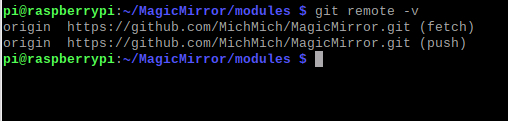
          ebad5d8f-c39c-424b-a8a0-317d2c1e5c57-image.png

          S 1 Reply Last reply Reply Quote 0
          • P Offline
            pastormingle @sdetweil
            last edited by

            @sdetweil so do i need to upgrade my magicmirror ?

            S 1 Reply Last reply Reply Quote 0
            • P Offline
              pastormingle
              last edited by

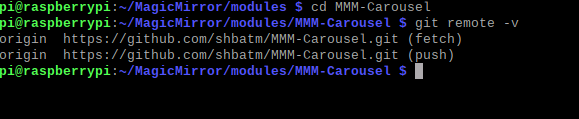
              f73eb162-1ab2-433f-9cba-3e4613c366de-image.png

              1 Reply Last reply Reply Quote 0
              • S Offline
                sdetweil @pastormingle
                last edited by

                @pastormingle you need to get into the MMM-Carousel folder

                cd ~/MagicMirror/modules/MMM-Carousel
                git remote -v
                

                Sam

                How to add modules

                learning how to use browser developers window for css changes

                1 Reply Last reply Reply Quote 0
                • S Offline
                  sdetweil @pastormingle
                  last edited by

                  @pastormingle no, shouldn’t have to

                  that error is typically from bad position:

                  Sam

                  How to add modules

                  learning how to use browser developers window for css changes

                  P 1 Reply Last reply Reply Quote 0
                  • P Offline
                    pastormingle @sdetweil
                    last edited by

                    @sdetweil OK it’s working now… Thanks for all the hard work… So I unistalled the shbatm version and installed the schramkef. now it’s working fine…

                    730a416c-50f8-455b-a988-7324e486992d-image.png

                    S 1 Reply Last reply Reply Quote 1
                    • S Offline
                      sdetweil @pastormingle
                      last edited by

                      @pastormingle great… glad its working

                      Sam

                      How to add modules

                      learning how to use browser developers window for css changes

                      P 1 Reply Last reply Reply Quote 0
                      • P Offline
                        pastormingle
                        last edited by

                        I am trying to use the carouselId:“1” function on multiple calendars. But when in use i am getting a module load error… not sure i am doing this right…

                        code_text
                        ```[{name:'calendar', classes:'zoom200', position:"middle_center", carouselId:"1"} ],
                               {
                        			module: "calendar",
                        			colored: true,
                                                header: "Mikes Calendar",
                        			position: "left",
                                                timeFormat: 'absolute',
                                                broadcastPastEvents: false,
                                                fade: false,
                                                showEnd: false,
                                                color: '#ffffff',
                                                config: {
                                                        carouselId:"1"
                                                        tableClass: "medium",
                        				calendars: [
                        					{
                        					  symbol: "calendar-day",
                        					  url:"https://outlook.office365.com/owa/f2033a09d6504d21833241fb44df8c3c@dxc.com/a53b29290ce3e0405428856/calendar.ics"
                        					}, 
                        				]
                        			       }
                        		             },
                        1 Reply Last reply Reply Quote 0
                        • P Offline
                          pastormingle @sdetweil
                          last edited by

                          @sdetweil I am having an intermittent issue now with displaying my office 365 work calendar… Sometimes it comes back with an "error in calendar module check logs for more details. I don’t see anything in the development console… Any direction here, please?

                          P 1 Reply Last reply Reply Quote 0
                          • P Offline
                            pastormingle @pastormingle
                            last edited by

                            @pastormingle i changed the time intervals on the fetch and that seems to have worked… thanks…

                            1 Reply Last reply Reply Quote 0
                            • S Offline
                              sdetweil
                              last edited by

                              @pastormingle messages for fetching would be in the place u start mm

                              npm start or pm2

                              Sam

                              How to add modules

                              learning how to use browser developers window for css changes

                              P 1 Reply Last reply Reply Quote 0
                              • P Offline
                                pastormingle @sdetweil
                                last edited by

                                @sdetweil Thanks Sam…
                                Can you help me with an mmm-calendarext issue? I have a basic config for it and all I get is a blank screen… If I do console window it just hangs…

                                {
                                          module: 'MMM-CalendarExt',
                                          position: "center",
                                          config: {
                                           calendars: [
                                           {
                                      url:"https://calendar.google.com/calendar/ical/pastormike%40htni.org/private-349ihavethisblocked/basic.ics"
                                         }
                                          ]
                                  }
                                	},
                                
                                S 1 Reply Last reply Reply Quote 0
                                • S Offline
                                  sdetweil @pastormingle
                                  last edited by

                                  @pastormingle see
                                  https://forum.magicmirror.builders/topic/15778/fix-for-black-screen-in-2-16-and-later

                                  Sam

                                  How to add modules

                                  learning how to use browser developers window for css changes

                                  P 1 Reply Last reply Reply Quote 0
                                  • P Offline
                                    pastormingle @sdetweil
                                    last edited by

                                    @sdetweil Still not able to display… I ran the following command and it didn’t return any errors…

                                    pi@raspberrypi:~/MagicMirror/modules/MMM-CalendarExt $ npm init -y
                                    Wrote to /home/pi/MagicMirror/modules/MMM-CalendarExt/package.json:
                                    
                                    {
                                      "name": "MMM-CalendarExt",
                                      "version": "1.0.0",
                                      "description": "Alternative calendar module for [MagicMirror](https://magicmirror.builders/)",
                                      "main": "MMM-CalendarExt.js",
                                      "scripts": {
                                        "test": "echo \"Error: no test specified\" && exit 1"
                                      },
                                      "repository": {
                                        "type": "git",
                                        "url": "git+https://github.com/eouia/MMM-CalendarExt.git"
                                      },
                                      "keywords": [],
                                      "author": "",
                                      "license": "ISC",
                                      "bugs": {
                                        "url": "https://github.com/eouia/MMM-CalendarExt/issues"
                                      },
                                      "homepage": "https://github.com/eouia/MMM-CalendarExt#readme",
                                      "dependencies": {
                                        "all": "0.0.0"
                                      },
                                      "devDependencies": {}
                                    }


                                    S 1 Reply Last reply Reply Quote 0
                                    • S Offline
                                      sdetweil @pastormingle
                                      last edited by

                                      @pastormingle all that does is built the empty packjson,which will be used by the
                                      npm install xxx -save

                                      that second step is what fixes the missing library xxx once you figure out it’s name from the log messages.

                                      ps. there are more than one potential missing library… so I teach u how to find it so next time you don’t have to post here to find the fix.

                                      Sam

                                      How to add modules

                                      learning how to use browser developers window for css changes

                                      P 1 Reply Last reply Reply Quote 0
                                      • P Offline
                                        pastormingle @sdetweil
                                        last edited by

                                        @sdetweil guess i"m not following what the xxx file would be?

                                        P 1 Reply Last reply Reply Quote 0
                                        • P Offline
                                          pastormingle @pastormingle
                                          last edited by

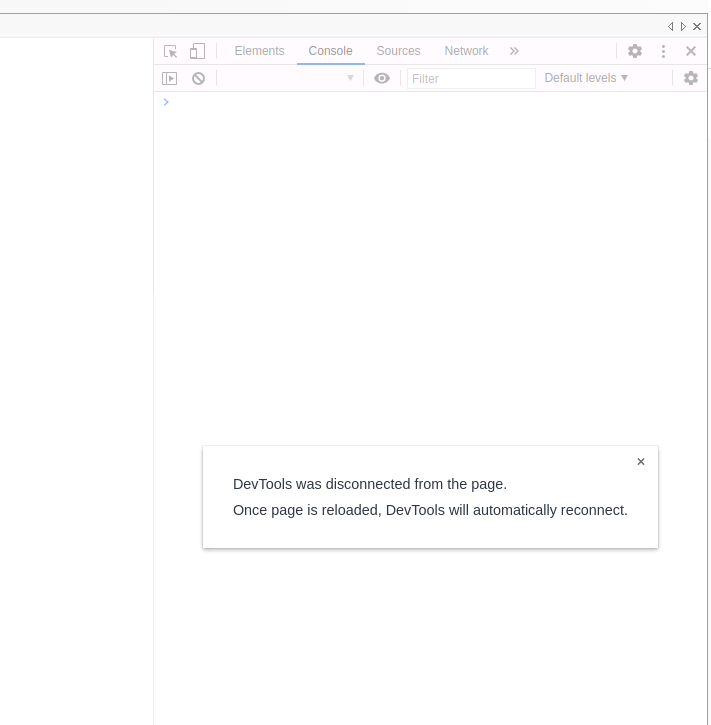
                                          @pastormingle if i do a ctrl I i get the following
                                          ?
                                          ba69f498-8078-42ba-bd19-fccb95993f66-image.png

                                          S 1 Reply Last reply Reply Quote 0
                                          • S Offline
                                            sdetweil @pastormingle
                                            last edited by

                                            @pastormingle from the linked topic

                                            then regardless do

                                            npm install xxx
                                            where xxx is the library noted in the message

                                            cannot find module xxx

                                            to find this message, look in the output of npm start. or if you use pm2 to launch mm do
                                            pm2 logs --lines=50

                                            __----------------

                                            so you look for the message and get the name from it and replace xxx with the name

                                            Sam

                                            How to add modules

                                            learning how to use browser developers window for css changes

                                            P 1 Reply Last reply Reply Quote 0

                                            Hello! It looks like you're interested in this conversation, but you don't have an account yet.

                                            Getting fed up of having to scroll through the same posts each visit? When you register for an account, you'll always come back to exactly where you were before, and choose to be notified of new replies (either via email, or push notification). You'll also be able to save bookmarks and upvote posts to show your appreciation to other community members.

                                            With your input, this post could be even better 💗

                                            Register Login

                                            • 1
                                            • 2
                                            • 3
                                            • 4
                                            • 5
                                            • 4 / 5
                                            • First post
                                              Last post
                                            Enjoying MagicMirror? Please consider a donation!
                                            MagicMirror created by Michael Teeuw.
                                            Forum managed by Sam, technical setup by Karsten.
                                            This forum is using NodeBB as its core | Contributors
                                            Contact | Privacy Policy