MagicMirror Forum
    • Recent
    • Tags
    • Unsolved
    • Solved
    • MagicMirror² Repository
    • Documentation
    • 3rd-Party-Modules
    • Donate
    • Discord
    • Register
    • Login
    A New Chapter for MagicMirror: The Community Takes the Lead
    Read the statement by Michael Teeuw here.

    Magic mirror is not showing up

    Scheduled Pinned Locked Moved Solved Troubleshooting
    37 Posts 4 Posters 17.7k Views 4 Watching
    Loading More Posts
    • Oldest to Newest
    • Newest to Oldest
    • Most Votes
    Reply
    • Reply as topic
    Log in to reply
    This topic has been deleted. Only users with topic management privileges can see it.
    • C
      CoopDog1712 @sdetweil
      last edited by

      @sdetweil 2022-04-21-142817_1920x1080_scrot.png

      after typing in pm2 logs --lines=50, all that is coming up is a repeating of these couple lines

      S 1 Reply Last reply
      Reply Quote 0
      • S
        sdetweil @CoopDog1712
        last edited by sdetweil

        @CoopDog1712 yes, sometimes, the install messes up

        pm2 stop all
        cd ~/MagicMirror
        npm install electron@17.2.0
        

        to test

        cd ~/MagicMirror
        npm start
        

        if all looks good
        ctrl-c to stop
        then

        pm2 start MagicMirror
        

        I should have asked, what pi is this on ? not pi 0 w, right?

        Sam

        How to add modules

        learning how to use browser developers window for css changes

        C 2 Replies Last reply
        Reply Quote 0
        • C
          CoopDog1712 @sdetweil
          last edited by

          @sdetweil no its a pi 4

          1 Reply Last reply
          Reply Quote 0
          • C
            CoopDog1712 @sdetweil
            last edited by

            @sdetweil so it works now, and after i enter pm2 start MagicMirror, it loads the software for the magic mirror, the only issue is that their is nothing only a blank screen, no time, weather, nothing. all that comes up is a blank screen. any suggestions?

            S 1 Reply Last reply
            Reply Quote 0
            • S
              sdetweil @CoopDog1712
              last edited by

              @CoopDog1712 have u added modules?

              if so see
              https://forum.magicmirror.builders/topic/15778/fix-for-black-screen-in-2-16-and-later

              and
              pm2 logs --lines=50
              will show you what is happening

              Sam

              How to add modules

              learning how to use browser developers window for css changes

              C 1 Reply Last reply
              Reply Quote 0
              • C
                CoopDog1712 @sdetweil
                last edited by

                @sdetweil i did what you said and this is what came up.

                pi@raspberrypi:~/MagicMirror/modules/default/clock $ npm init -y
                Wrote to /home/pi/MagicMirror/modules/default/clock/package.json:

                {
                “name”: “clock”,
                “version”: “1.0.0”,
                “description”: “The clock module is one of the default modules of the MagicMirror². This module displays the current date and time. The information will be updated realtime.”,
                “main”: “clock.js”,
                “scripts”: {
                “test”: “echo "Error: no test specified" && exit 1”
                },
                “keywords”: [],
                “author”: “”,
                “license”: “ISC”
                }

                pi@raspberrypi:~/MagicMirror/modules/default/clock $ npm install ???
                npm ERR! code EINVALIDTAGNAME
                npm ERR! Invalid tag name “???”: Tags may not have any characters that encodeURIComponent encodes.

                npm ERR! A complete log of this run can be found in:
                npm ERR! /home/pi/.npm/_logs/2022-04-24T14_06_36_382Z-debug-0.log
                pi@raspberrypi:~/MagicMirror/modules/default/clock $ pm2 start MagicMirror
                [PM2] Applying action restartProcessId on app [MagicMirror](ids: [ 4 ])
                [PM2] MagicMirror ✓
                [PM2] Process successfully started

                S 1 Reply Last reply
                Reply Quote 0
                • S
                  sdetweil @CoopDog1712
                  last edited by sdetweil

                  @CoopDog1712 no… not in clock module… we ship that

                  what was the black screen failure message from the console output?

                  you read the messages and get the name of the missing library, and replace the ??? with that name

                  the reason YOU have to read the messages is because there are multiple libraries missing…
                  you only need to fix the ones that impact the modules you installed

                  Sam

                  How to add modules

                  learning how to use browser developers window for css changes

                  C 1 Reply Last reply
                  Reply Quote 0
                  • C
                    CoopDog1712 @sdetweil
                    last edited by

                    @sdetweil i dont think i saw one. i never installed any modulles, even the ones that should come with it are not showing up

                    S 1 Reply Last reply
                    Reply Quote 0
                    • S
                      sdetweil @CoopDog1712
                      last edited by sdetweil

                      @CoopDog1712 ok, still show the messages where u start mm

                      either via
                      npm start
                      or
                      pm2

                      if pm2., then
                      pm2 logs --lines=50

                      will show the console output

                      what pi is this?

                      Sam

                      How to add modules

                      learning how to use browser developers window for css changes

                      C 2 Replies Last reply
                      Reply Quote 0
                      • C
                        CoopDog1712 @sdetweil
                        last edited by

                        @sdetweil pi 4

                        1 Reply Last reply
                        Reply Quote 0
                        • C
                          CoopDog1712 @sdetweil
                          last edited by

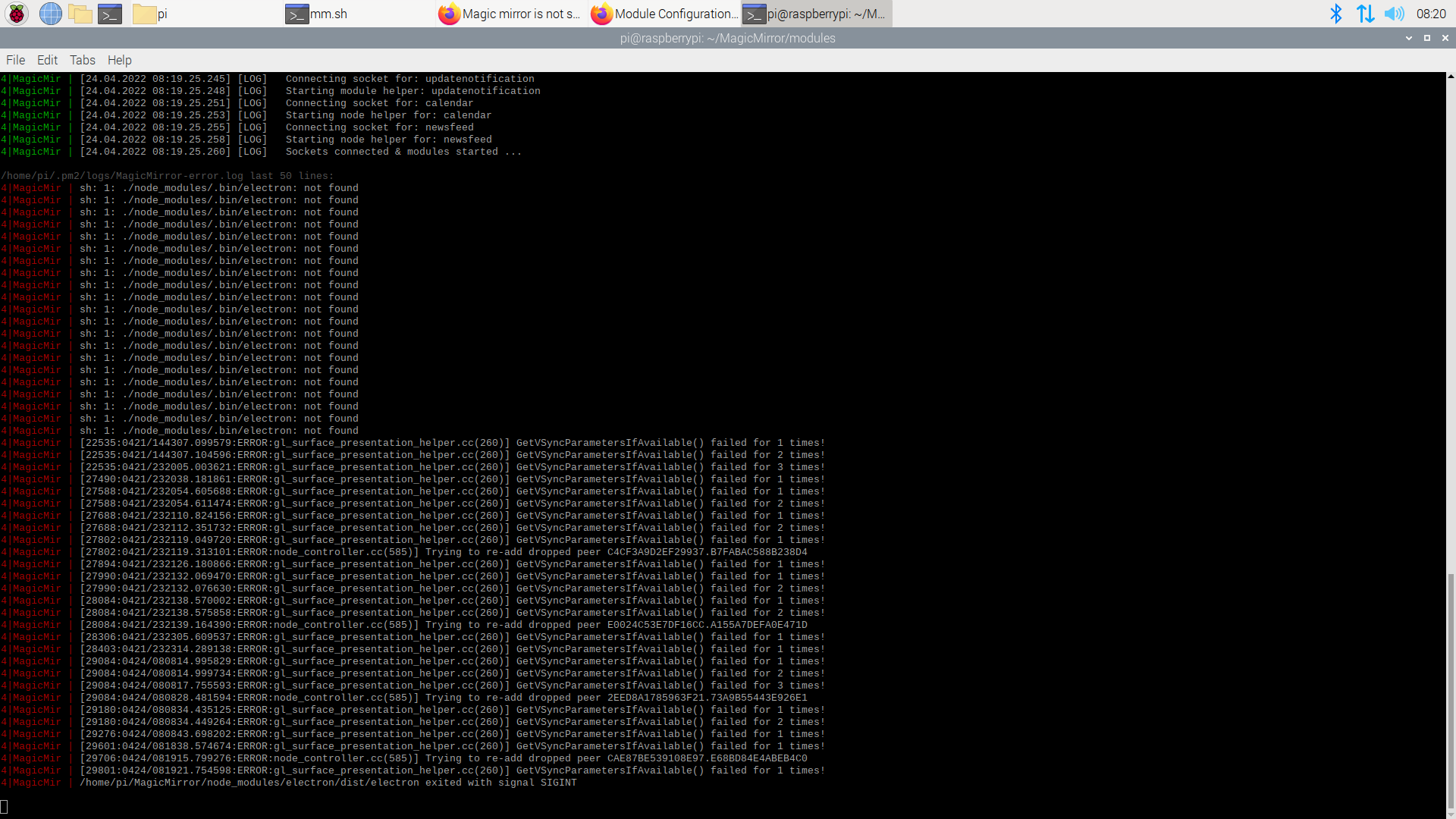
                          @sdetweil 2022-04-24-082040_1920x1080_scrot.png

                          S 1 Reply Last reply
                          Reply Quote 0
                          • S
                            sdetweil @CoopDog1712
                            last edited by

                            @CoopDog1712 ah yes, fun times…

                            do

                            pm2 stop all 
                            cd ~/MagicMirror
                            npm install electron@17.2.0
                            npm start 
                            

                            mm should come up

                            minimize mm (alt-spacebar, n)

                            ctrl-c to stop running instance
                            

                            then

                            pm2 status
                            

                            this will show the status or pm2 managed apps.

                            ┌────┬────────────────────┬──────────┬──────┬───────────┬──────────┬──────────┐
                            │ id │ name               │ mode     │ ↺    │ status    │ cpu      │ memory   │
                            ├────┼────────────────────┼──────────┼──────┼───────────┼──────────┼──────────┤
                            │ 0  │ MagicMirror        │ fork     │ 0    │ online    │ 0%       │ 2.7mb    │
                            └────┴────────────────────┴──────────┴──────┴───────────┴──────────┴──────────┘


                            use the name or the row number

                            pm2 start xxx
                            

                            xxx is the name or the row number
                            for example

                            pm2 start 0 
                            

                            Sam

                            How to add modules

                            learning how to use browser developers window for css changes

                            C 1 Reply Last reply
                            Reply Quote 0
                            • C
                              CoopDog1712 @sdetweil
                              last edited by

                              @sdetweil after i installed electron@17.2.0 then started it, this came up 2022-04-24-084424_1920x1080_scrot.png
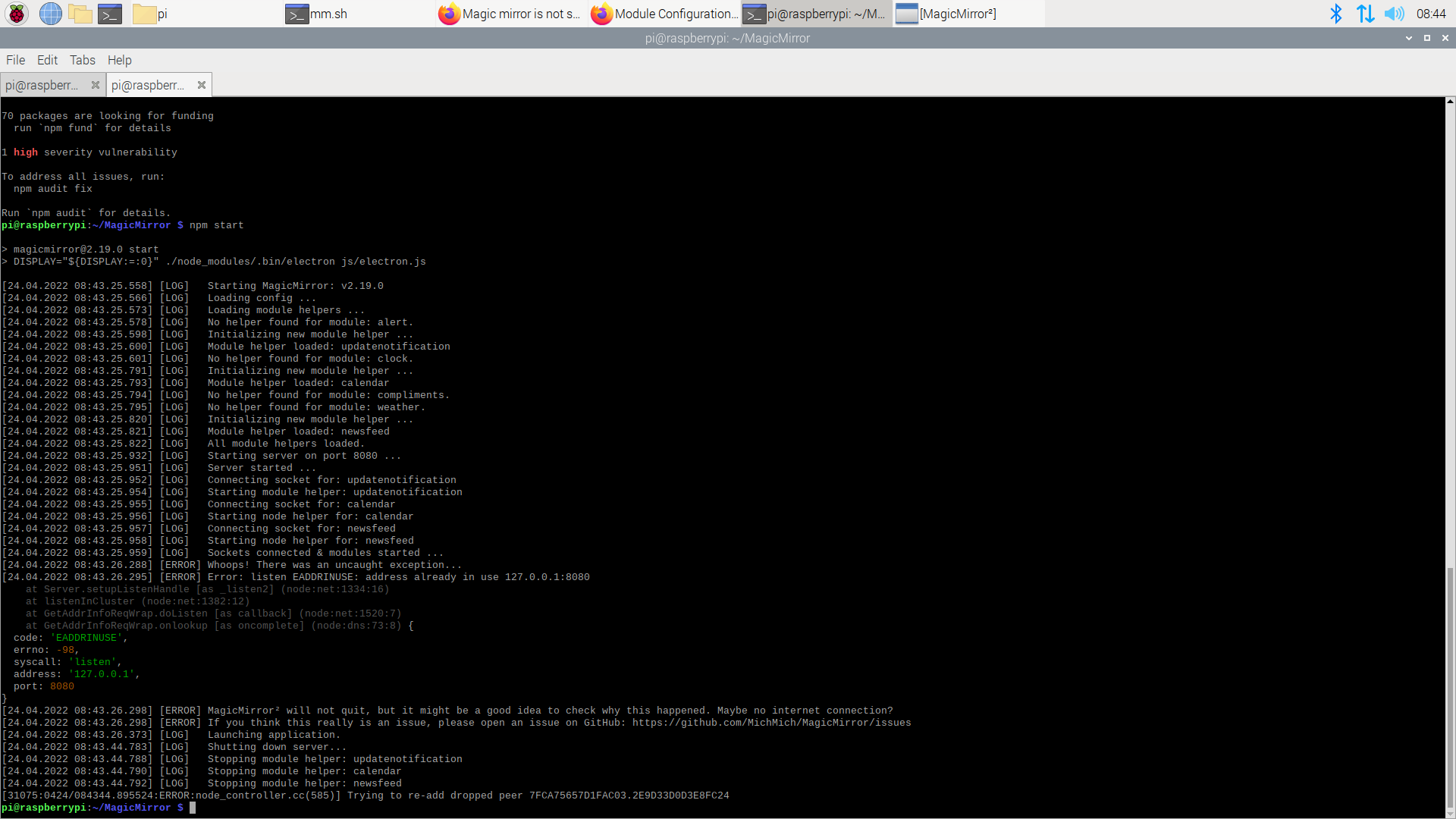
                              then i did start pm2 start 4, and it started, but was still a blank screen

                              S 1 Reply Last reply
                              Reply Quote 0
                              • S
                                sdetweil @CoopDog1712
                                last edited by

                                @CoopDog1712 says something is still running…

                                you didn’t do pm2 stop all

                                after doing test

                                ps -ef | grep -i magicmirror

                                should return nothing

                                Sam

                                How to add modules

                                learning how to use browser developers window for css changes

                                C 1 Reply Last reply
                                Reply Quote 0
                                • C
                                  CoopDog1712 @sdetweil
                                  last edited by

                                  @sdetweil whoops…
                                  ok is did pm2 stop all and then entered that line of code you gave me and got this 2022-04-24-084933_1920x1080_scrot.png
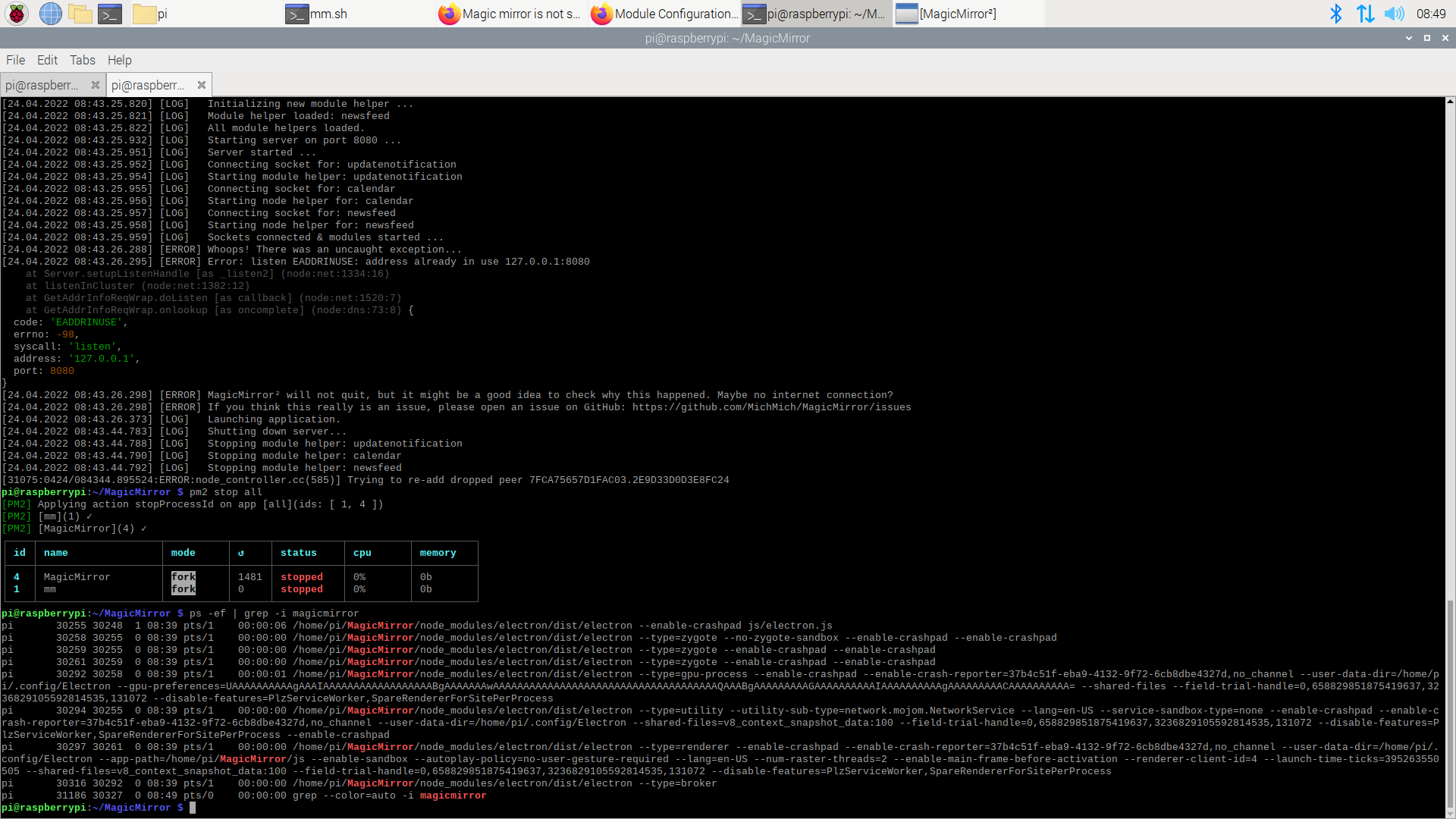
                                  S 1 Reply Last reply
                                  Reply Quote 0
                                  • S
                                    sdetweil @CoopDog1712
                                    last edited by

                                    @CoopDog1712

                                    ok do

                                    we will delete 1 entry so you don’t have 2 trying to run at the same time
                                    and then reboot

                                    pm2 delete  1
                                    pm2 save
                                    sudo reboot 
                                    

                                    Sam

                                    How to add modules

                                    learning how to use browser developers window for css changes

                                    C 1 Reply Last reply
                                    Reply Quote 0
                                    • C
                                      CoopDog1712 @sdetweil
                                      last edited by

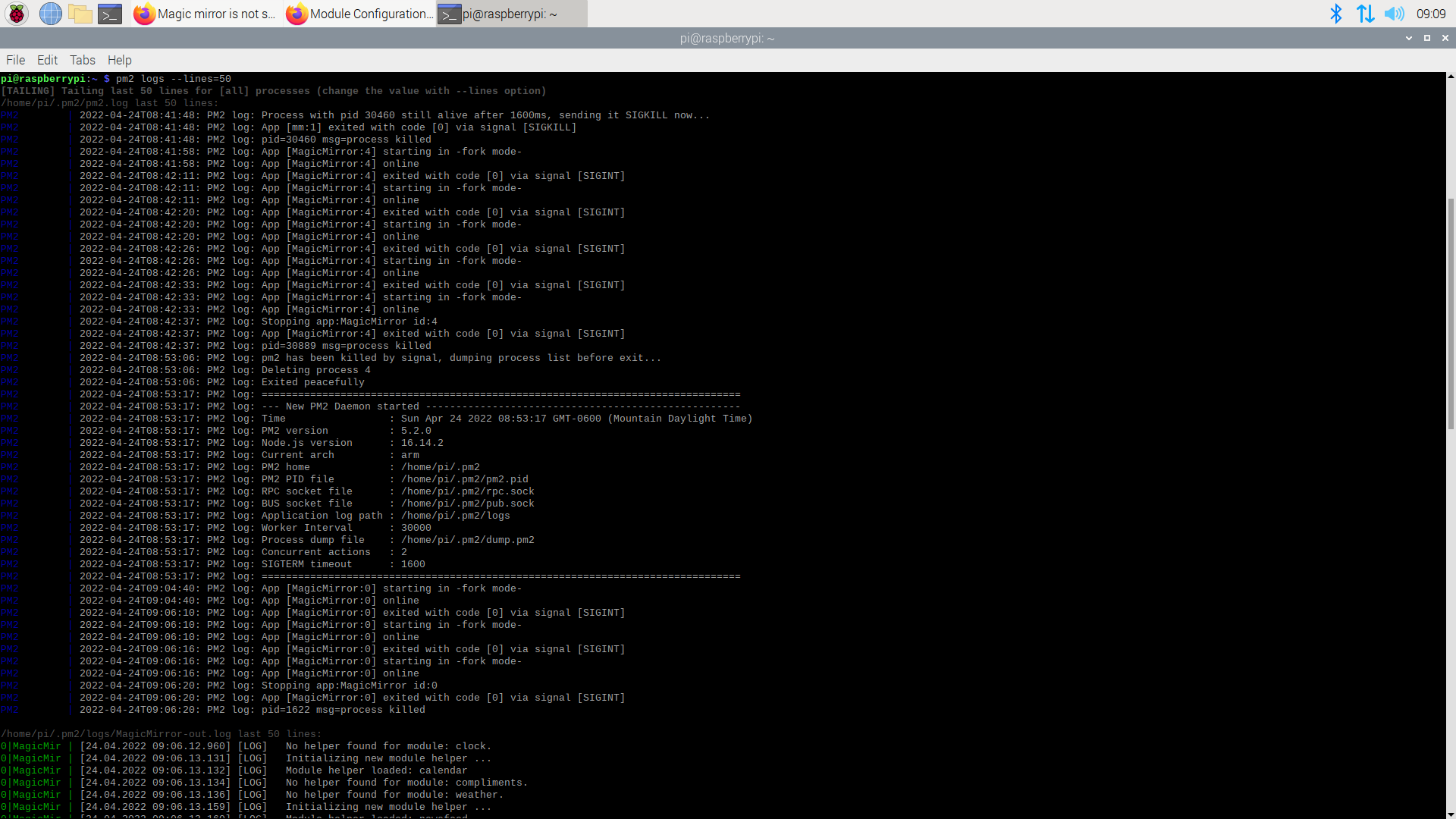
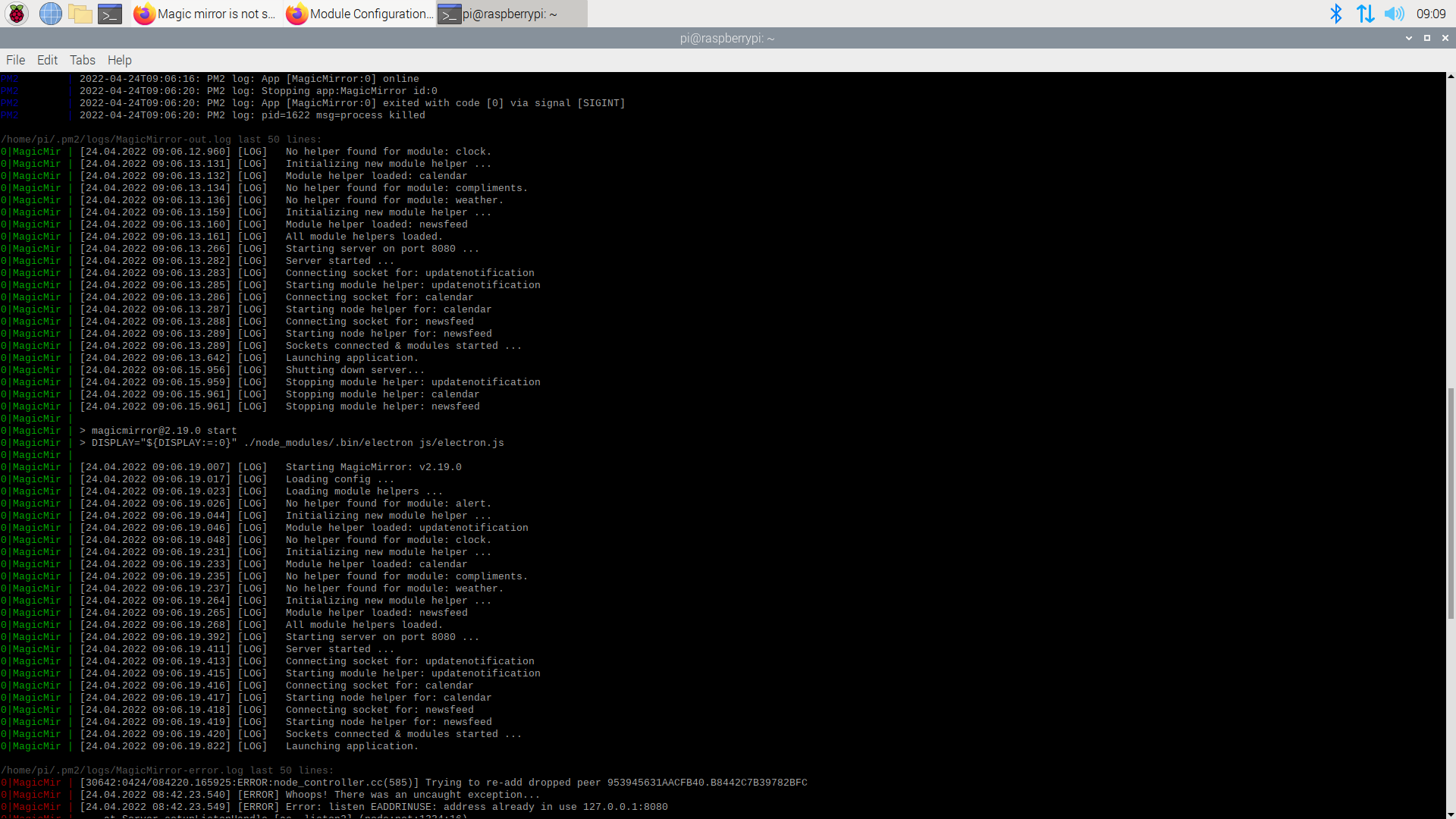
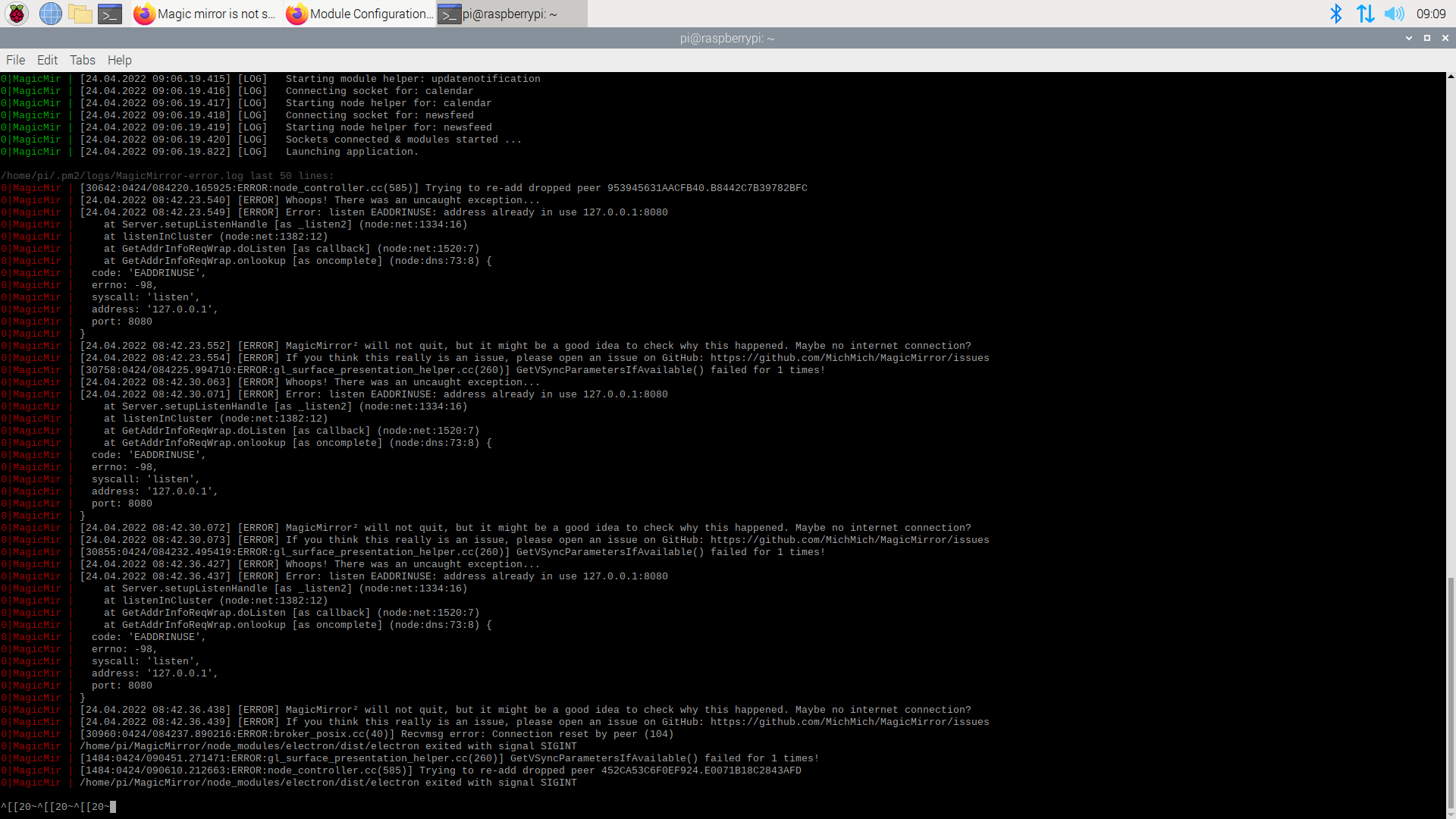
                                      @sdetweil k i rebooted, then i started it up. nothing came up, still a blank screen so i did pm2 stop all and then did pm2 logs --lines=50 and these came up2022-04-24-090948_1920x1080_scrot.png

                                      2022-04-24-090952_1920x1080_scrot.png

                                      2022-04-24-090955_1920x1080_scrot.png

                                      S 1 Reply Last reply
                                      Reply Quote 0
                                      • S
                                        sdetweil @CoopDog1712
                                        last edited by

                                        @CoopDog1712

                                        pm2 status again

                                        also, how did you install mm? manual or my automated script?

                                        did you setup MM autostart before adding pm2?

                                        ps -ef | grep -i magicmirror

                                        Sam

                                        How to add modules

                                        learning how to use browser developers window for css changes

                                        C 1 Reply Last reply
                                        Reply Quote 0
                                        • C
                                          CoopDog1712 @sdetweil
                                          last edited by

                                          @sdetweil i installed it manually, and no it didnt

                                          S 1 Reply Last reply
                                          Reply Quote 0
                                          • S
                                            sdetweil @CoopDog1712
                                            last edited by

                                            @CoopDog1712 what is the output of pm2 status?
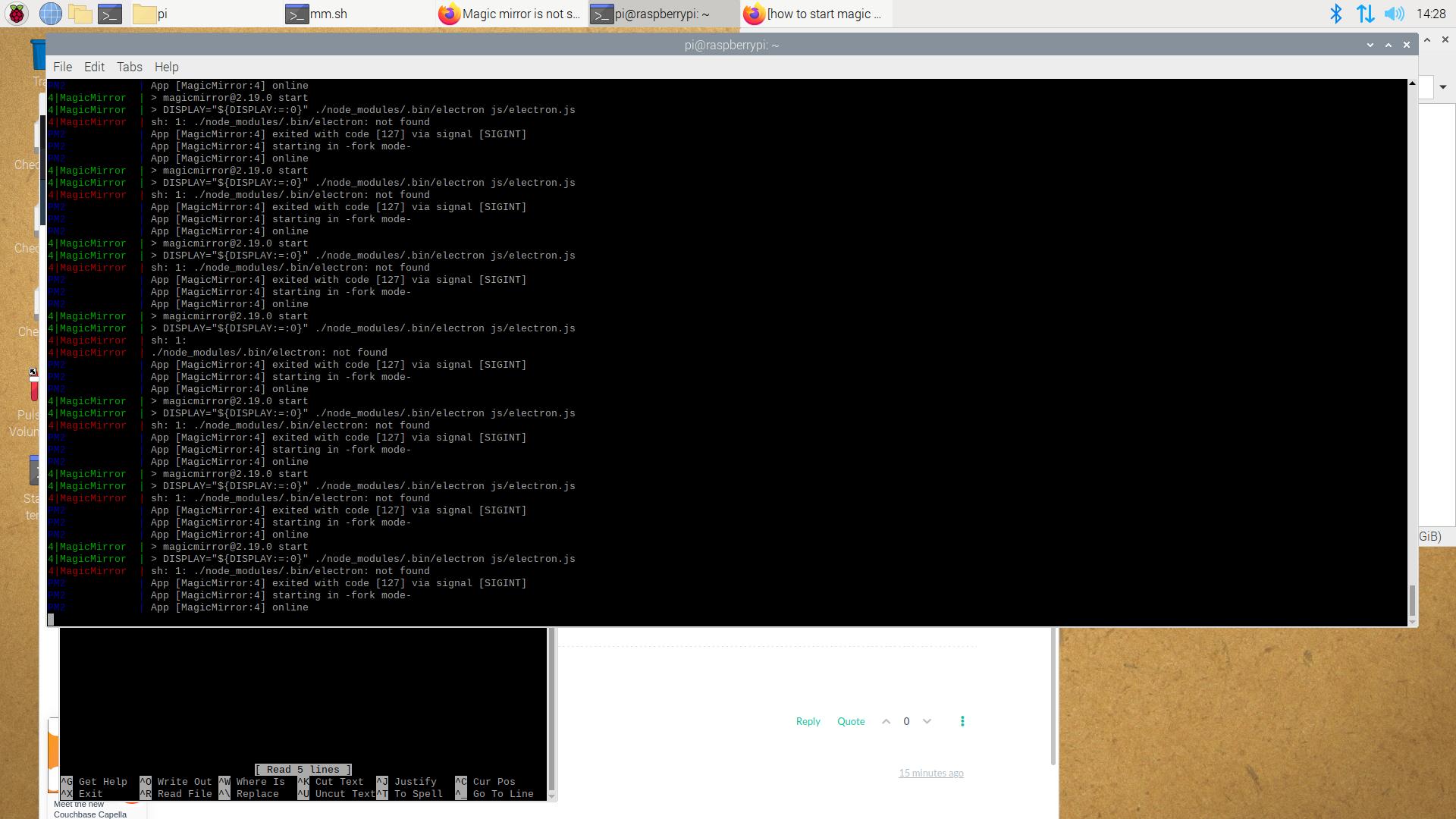
                                            Sam

                                            How to add modules

                                            learning how to use browser developers window for css changes

                                            C 1 Reply Last reply
                                            Reply Quote 0

                                            Hello! It looks like you're interested in this conversation, but you don't have an account yet.

                                            Getting fed up of having to scroll through the same posts each visit? When you register for an account, you'll always come back to exactly where you were before, and choose to be notified of new replies (either via email, or push notification). You'll also be able to save bookmarks and upvote posts to show your appreciation to other community members.

                                            With your input, this post could be even better 💗

                                            Register Login

                                            • 1
                                            • 2
                                            • 2 / 2
                                            • First post
                                              Last post
                                            Enjoying MagicMirror? Please consider a donation!
                                            MagicMirror created by Michael Teeuw.
                                            Forum managed by Sam, technical setup by Karsten.
                                            This forum is using NodeBB as its core | Contributors
                                            Contact | Privacy Policy