Read the statement by Michael Teeuw here.
MMM-CalendarExt3Agenda
-
@MMRIZE said in MMM-CalendarExt3Agenda:
@luisestrada
Done. (Released. v1.4.2)
A new config value,relativeNamedDayOptions, is introduced. Now People can modify the option generally.However, for your specific purpose (
en X díasinstead ofdentro de X días), further step is needed.Only the Mexican locale supports
en X díasformat withrelativeNamedDayOptions: {style : 'short' }, other Spanish-locales don’t.
So to geten X días, you have to uselocale: 'es-MX'regardless of which country you live.locale: "es-MX", relativeNamedDayOptions: { style: "short", },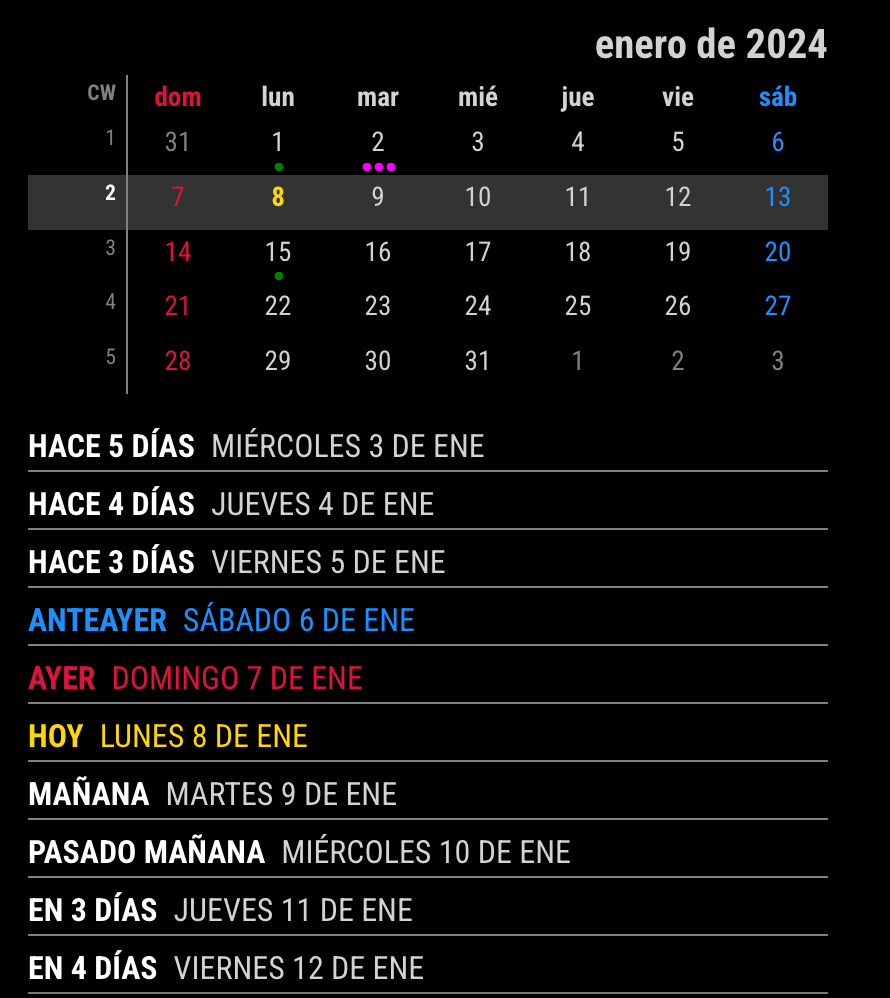
If you are living in Mexico, there would be no issue. But in other countries where the week starts on Monday, 2 more configuration is needed.
locale: "es-MX", relativeNamedDayOptions: { style: "short", }, firstDayOfWeek: 1, minimalDaysOfNewYear: 4,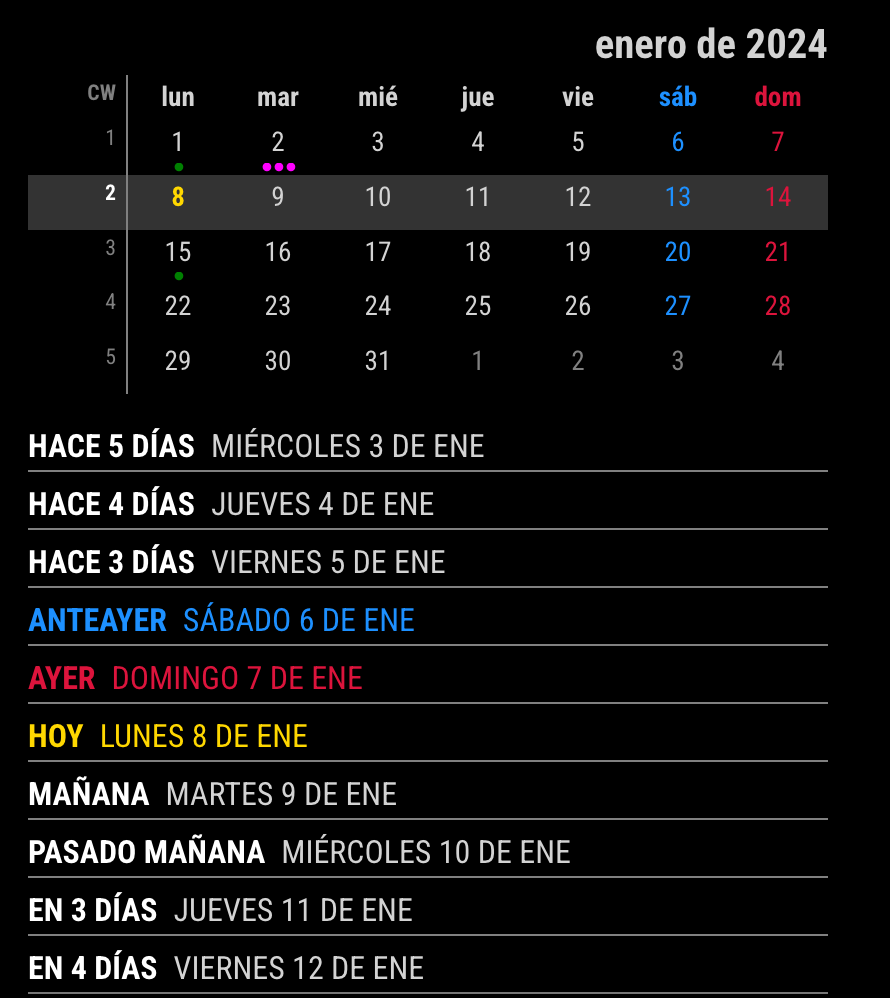
Of course, if you don’t care
dentro de 3 días, You can use any locale under which you live.locale: "es-ES",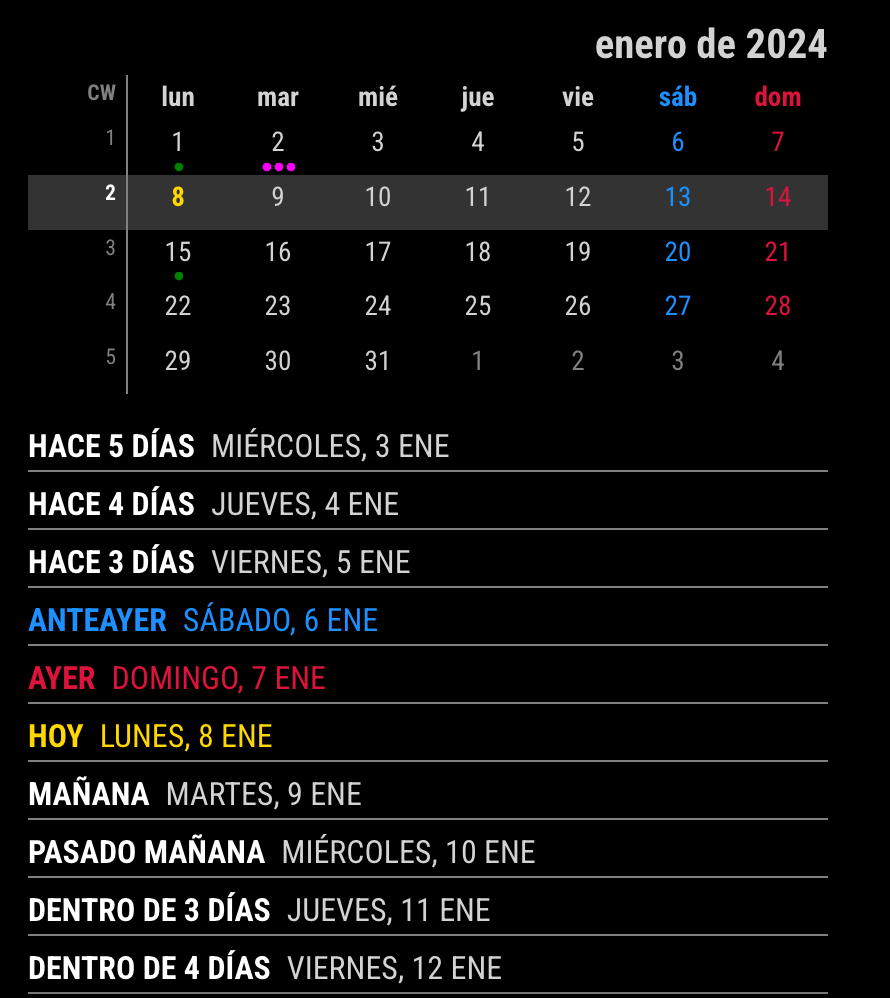
Thank you so much, it’s working perfectly. I had Spanish Colombia but I ended up switching to Mexico to make it work.
-
@ZiggidyZ
Sorry for late reply./* In your custom.css */ .CX3A .cellBody .fullday .event .headline .symbol, .CX3A .cellBody .fullday .event .headline .symbol * { display: inline-block; color: var(--oppositeColor); } -
1.4.2 looks great, thanks for the update!
i wanted to change the color of the weekend days from dodgerblue and crimson to a diff color. i had the below in my custom.css file from the previous version of the module, but it doesn’t seem to work any longer.
any suggestions?
.CX3A { font-size: 16px; min-width: 300px; max-width: 400px; text-align: left; color: lightgray; --saturdayColor: rgb(147, 112, 219); --sundayColor: rgb(147, 112, 219); --todayColor: rgb(210,105,30); --weekend_1_color: rgb(147, 112, 219); --weekend_2_color: rgb(147, 112, 219); } -
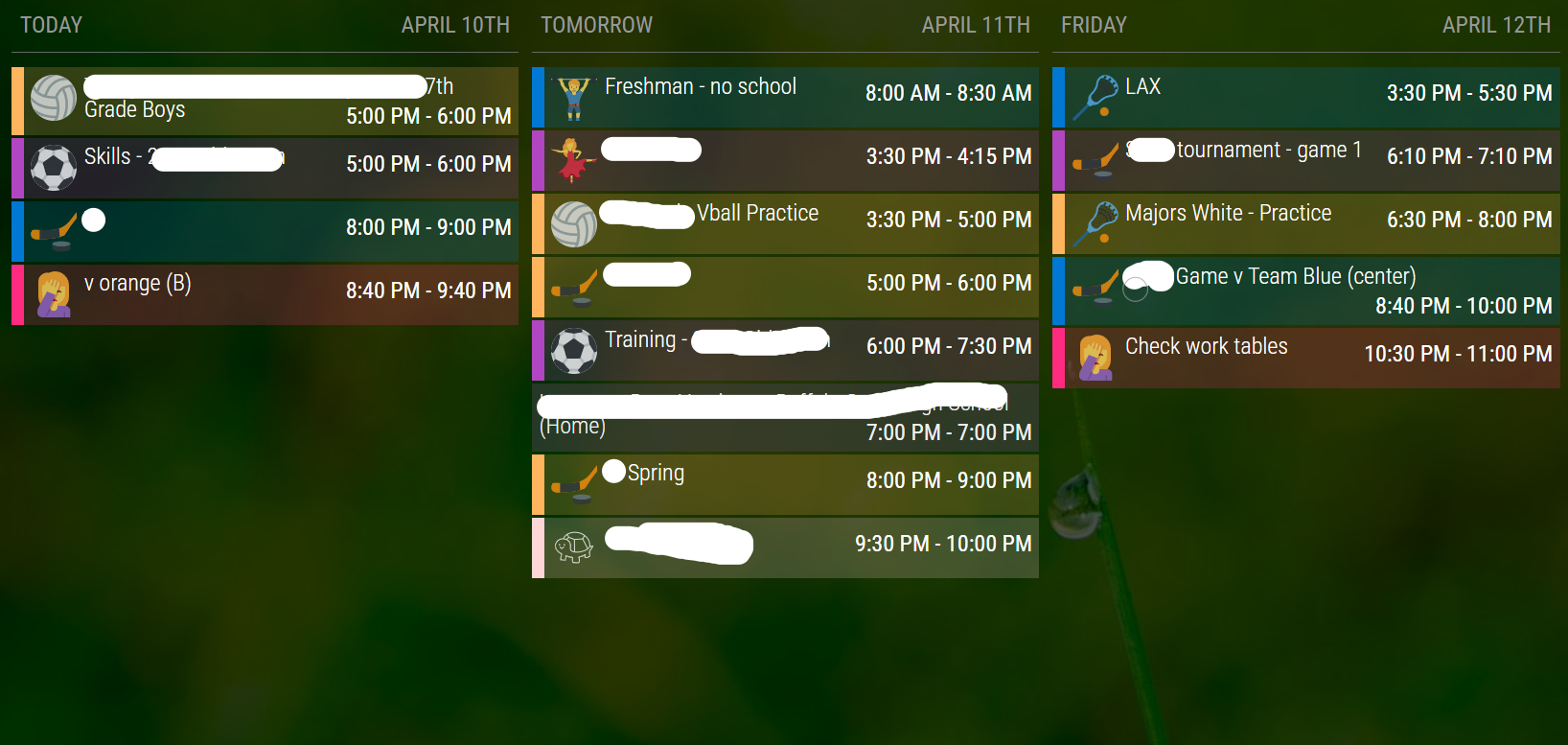
I was curious if it was possible to get a row view similar to the way MMM-CalendarExt2 worked. I have a good setup that works well for our use case, but want to move to CX3 if possible for some additional features and the reliance on the default calendar module for parsing.
This is my current setup…is it possible to adjust agenda to look like this? I can deal with the styling, but changing to a row format is the big question for me.
-
@ffingers6
I’ll try soon. -
/* config/config.js */
{
  module: "calendar",
  config: {
    broadcastEvents: true,
    defaultSymbolClassName: "", // This is needed to use the iconify icons instead of the font-awesome icons
      calendars: [
        {
          symbol: "noto:calendar",
          url: "...",
          color: "violet",
    ...
  }
},
{
  module: "MMM-CalendarExt3Agenda",
  position: "bottom_bar",
  config: {
    showMiniMonthCalendar: false,
    locale: "en-US",
    startDayIndex: 0,
    endDayIndex: 2,
    useIconify: true,
  }
},
/* css/custom.css */ .CX3A { max-width: 100%; } .CX3A .agenda { display: flex; flex-flow: row nowrap; justify-content: space-between; gap: 10px; mask-image: none; } .CX3A .agenda .cell { flex-grow: 1; flex-basis: 0; border-bottom: none; } .CX3A .agenda .cell .cellHeader { border-bottom: 2px solid gray; margin-bottom: 5px; } .CX3A .agenda .cell .cellHeaderMain { justify-content: space-between; flex-grow: 1; padding: 5px; } .CX3A .event.singleday { border-left: 2px solid var(--calendarColor); padding-left: 3px; margin-bottom: 1px; background-color: color-mix(in srgb, var(--calendarColor), transparent 75%); } .CX3A .event .time { order: 2; } .CX3A .event .title { flex-grow: 2; } .CX3A .cellBody { line-height: 120%; } .CX3A .cellBody .fullday { padding-bottom: 5px; } .CX3A .cellBody .fullday .event { max-width: 100%; }For the size, you may need some manual adjustment for your view.
-
Got tired of looking at the update notification today. Did a git pull and npm install…module isn’t showing at all now…
Should have left it alone…sigh -
@cyberphox share me your config.(eouia0819@gmail.com)
-
@MMRIZE sent! thanks for having a look!
-
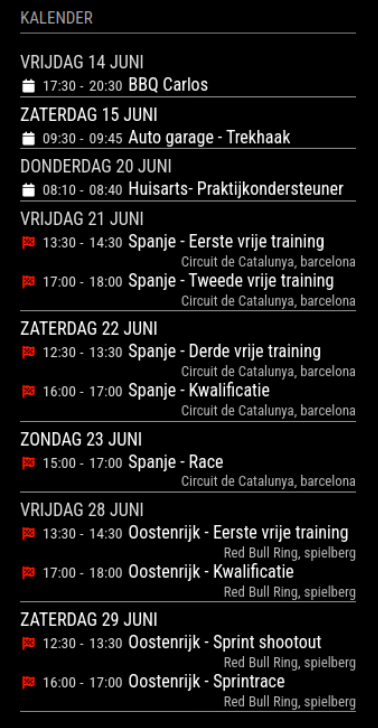
Is there a way to hide (not show) Yesterday, Today, Tomorrow, etc. and just show the day and date?
-
@htilburgs said in MMM-CalendarExt3Agenda:
Is there a way to hide (not show) Yesterday, Today, Tomorrow, etc. and just show the day and date?
Found it:
in custom.css change.CX3A .relativeDay {
display: none;
}
-
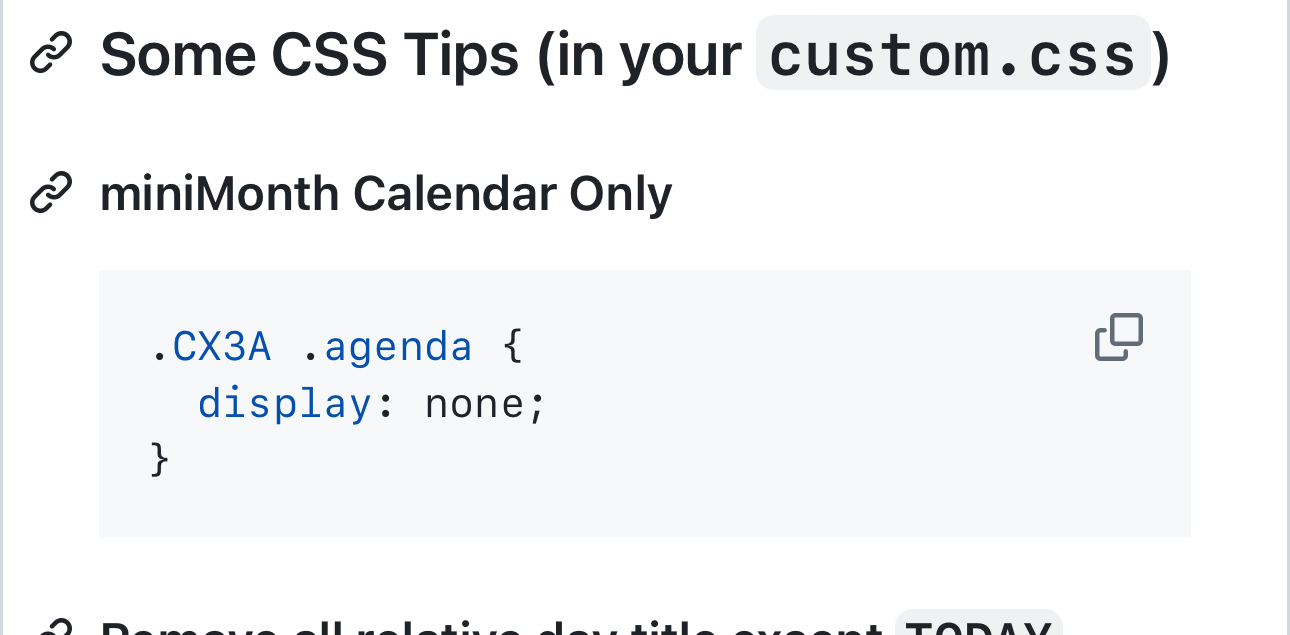
Is there a way to only show MiniMonthCalendar and no calendars? I would like to run 2 instances of MMM-CalendarExt3 Agenda
- only show MiniMonthCalendar
- only show Calendar (no problem)
-
-
@MMRIZE
I know this, but I like to have 2 instances running.
1 Calendar on the left and 1 MiniMonth on the right.
On this way the CSS wil override the Calendar part of both parts. -
@htilburgs
You can giveinstanceIdfor each instance. Then you can specify CSS selector with that instanceId./* config/config.js */ module: 'MMM-CalendarExt3Agenda', position: 'top_left', config: { instanceId: 'mymodule1', .../* css/custom.css */ .CX3A_mymodule1 .agenda { // You can select a specific instance like this. display: none; }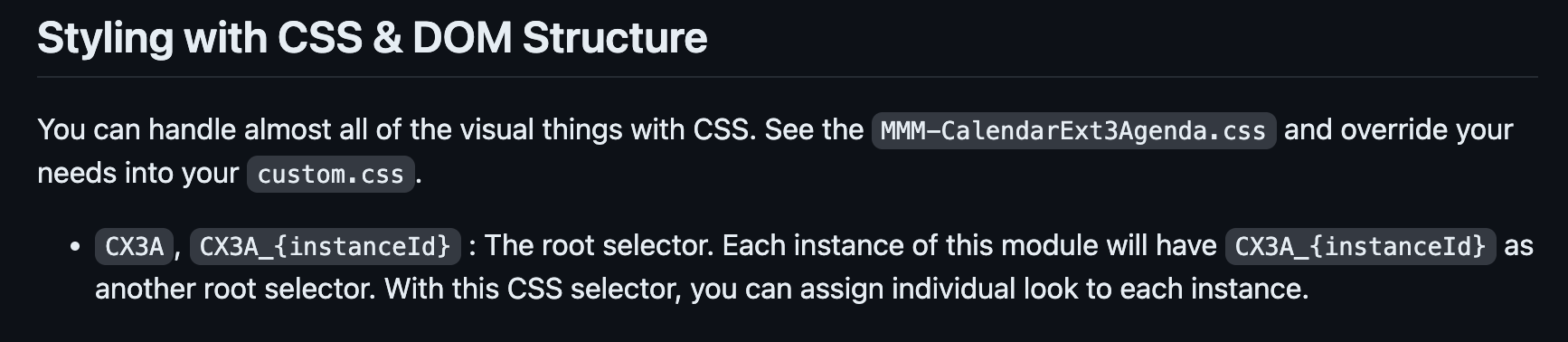
-
@htilburgs
But I’m sorry, I forgot to implement that feature until now. :D.(nobody found it was not implemented )I fix it now. You can update the module and use that instanceId selector. Sorry again. :D -
@MMRIZE
I didn’t see it either in the documentation, my mistake. Thanks for the quick reply and fix. I’ll try when I’m at home. -
@htilburgs if you have 2 instance and want different css behavior, then you need to add more entries to custom.css using another selector prefix
you can add a fake name to the classes property (at same level as module and position) and use that name instead of .CX3A.
note the dot in front means classname -
@sdetweil thanks Sam for the extra explanation.
-
@htilburgs so an example
in the second instance of agenda
add
classes:"agenda2",after the
module:"MMM-CalendarExt3Agenda",and in the css
copy all the .CX3A settings you have
and add.agenda2and a space after .agenda2
as the start of the line w .CX3A.agenda2 .CX3A ....on all the newly duplicated lines
leave out the ones you don’t want on the second instance of course



Hello! It looks like you're interested in this conversation, but you don't have an account yet.
Getting fed up of having to scroll through the same posts each visit? When you register for an account, you'll always come back to exactly where you were before, and choose to be notified of new replies (either via email, or push notification). You'll also be able to save bookmarks and upvote posts to show your appreciation to other community members.
With your input, this post could be even better 💗
Register Login