Read the statement by Michael Teeuw here.
MMM-CalendarExt3Agenda
-
MMM-CalendarExt3Agenda
Daily agenda view module of MagicMirror
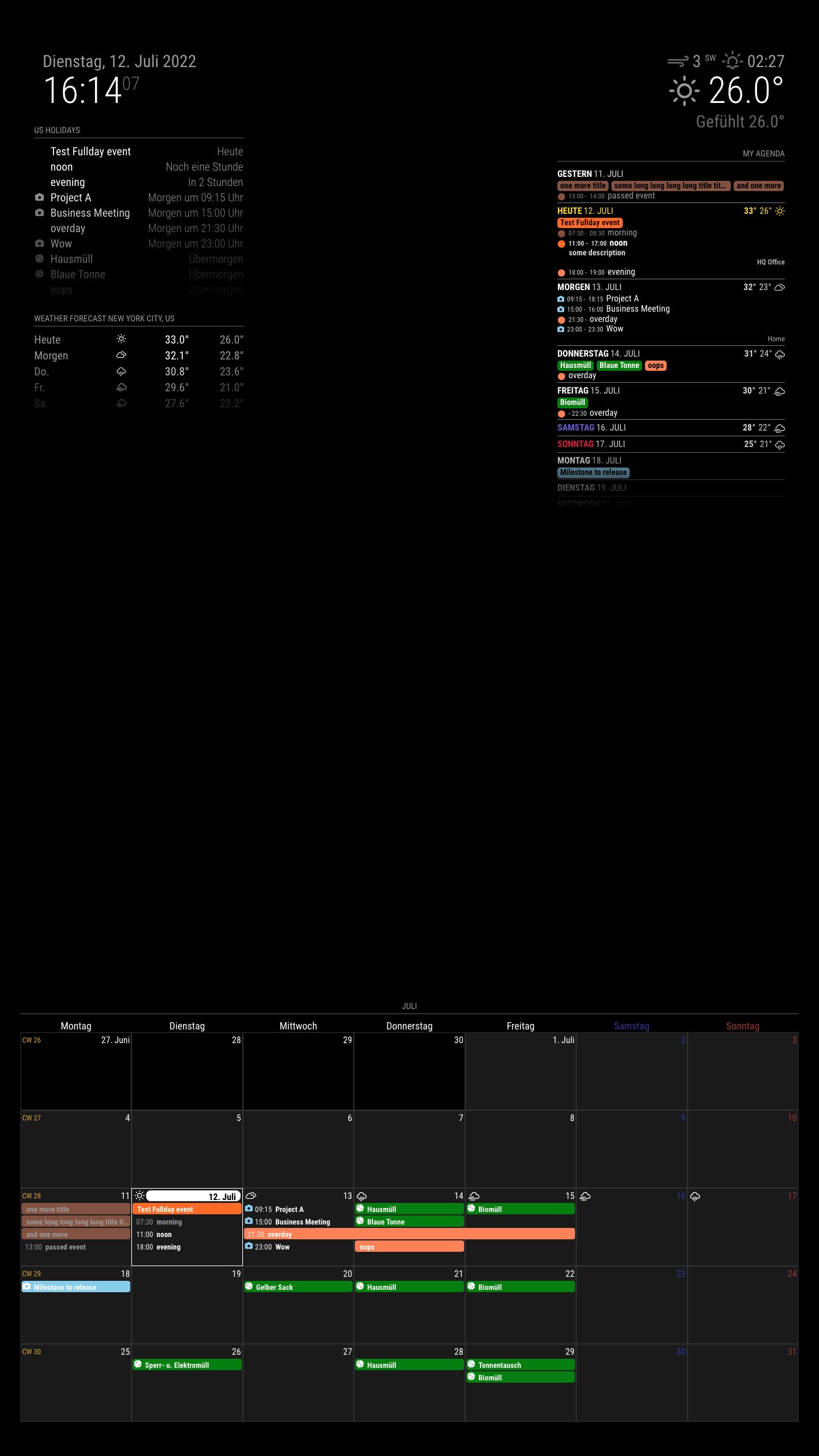
Screenshot
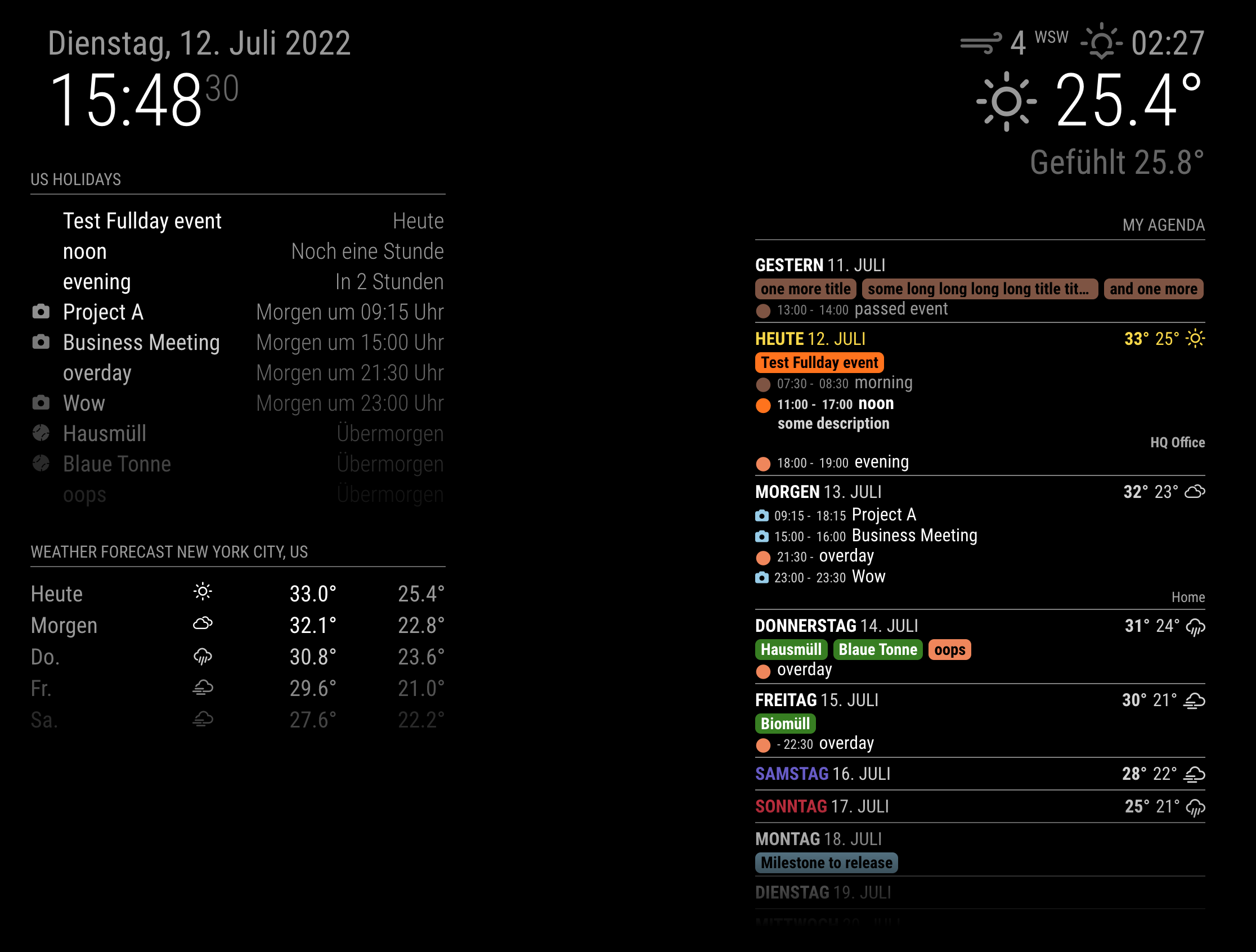
Concept
This is a sibling module of
[MMM-CalendarExt3](https://github.com/MMRIZE/MMM-CalendarExt3). This module is made to be an alternative to my previous moduleMMM-CalendarExt2, especiallydaily,currentandupcomingviews.Features
What’s different with
CX2.- Only focusing on how it shows; Parsing is delegated to the original MagicMirror module
calendar. (It means thecalendarmodule is REQUIRED to use this module.) - Respect to original MM’s hide/show mechanism. Now you can hide/show this module easily with other scheduler or control modules. (By the way, Look at this module also. - MMM-Scenes)
- No dependency on the 3rd party modules (e.g. momentJS or Luxon, etc.). This is built with pure JS and CSS only.
Relation with
CX3- Nothing. It is independent from
MMM-CalendarExt3. But of course, you can use them together.
- Only focusing on how it shows; Parsing is delegated to the original MagicMirror module
-
@MMRIZE Nicely done, Sean.
I’ll have to look into it soon, when I redo my mirror…
I need a new video module first, and things to calm down around here, moving soon.
Thanks!
-
@MMRIZE Just going to throw my thanks out here now and I know what my weekend project is going to be. CalExt3 looked interesting to me and a nice upgrade to the fussing I did to get my calendar working (mostly) how I want but having an agenda view is 100% necessary for my brain.
-
@MMRIZE Thank you for this! I installed this one after MMM-CalendarExt3 and on this one, the events appear in the correct order (re: my reported issue). Is there a way to collapse or hide the event descriptions? I have a lot of long event descriptions (especially those automatic Zoom descriptions) which take up a lot of vertical space.
Thank you again! -
@MMRIZE Okay, Got things I can’t figure out can you help clue me in:
-
Deleted - I missed the obvious CSS.
-
I’d like to wrap full day events if they go past % wide (you have it at 50%, I have it at 100%. One of my calendars (a due date calendar from the Gov’t) is extremely wordy and would like to be able to see what it’s rambling on about.
-
I’d like to get rid of the fade at the bottom. Just cut off.
-
I’d like to use an icon with full day events. Don’t have to be inverted like the rest of the event but would be nice to have the icon for consistency.
-
I’d like times to right justify, and line up correctly.
Example:
" 9:05AM - 12:05PM Bowling"
"11:10AM -  2:10PM London Silly Nannies vs New England Patriots"
Thanks man, this module is beyond amazing, like everything you do.
-
-
@BKeyport
All of them seems solvable but I’m on vacation so don’t have time. I will reply after returning a week later. -
@MMRIZE Enjoy your vacation! Shouldn’t even be checking in… :)
-
@BKeyport
Frankly says, I don’t like this kind of style, but your wish. :D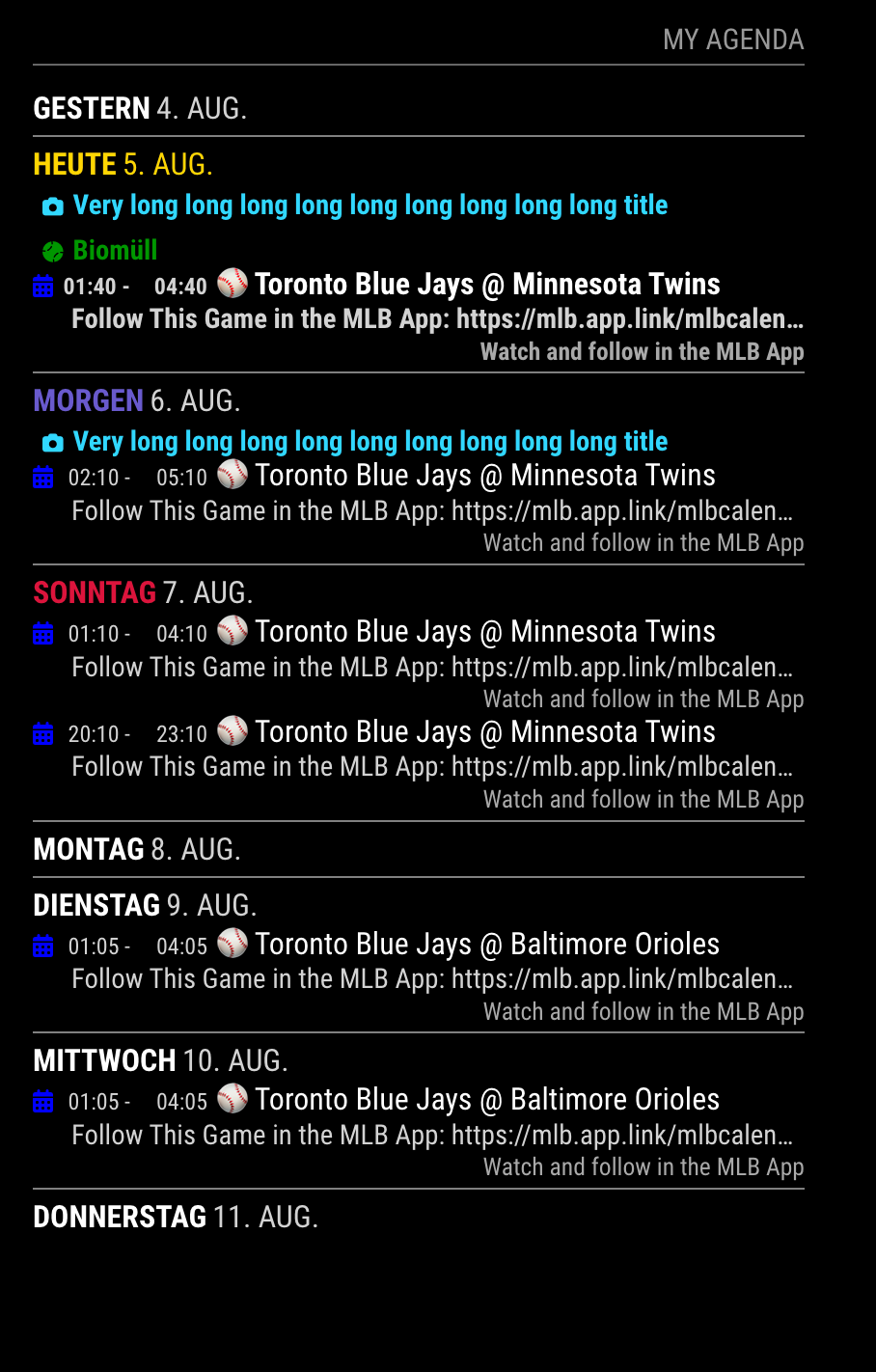
.CX3A .cellBody .fullday .event { color: var(--calendarColor); background-color: unset; max-width: 100%; } .CX3A .cellBody .fullday .event .title { color: inherit; overflow: unset; white-space: unset; text-overflow: unset; } .CX3A::after { height: 0; } .CX3A .cellBody .fullday .event .headline :not(.title) { display: inline-block; } .CX3A .cellBody .fullday .event .headline .time { display: none; } .CX3A .event .time { width: 35px; /* adjust for your entire CSS harmony */ text-align: right; } -
@MMRIZE at least you have good taste and follow the bluejays. :P
The “E” in “Javascript” stands for “Easy”
-
@BKeyport
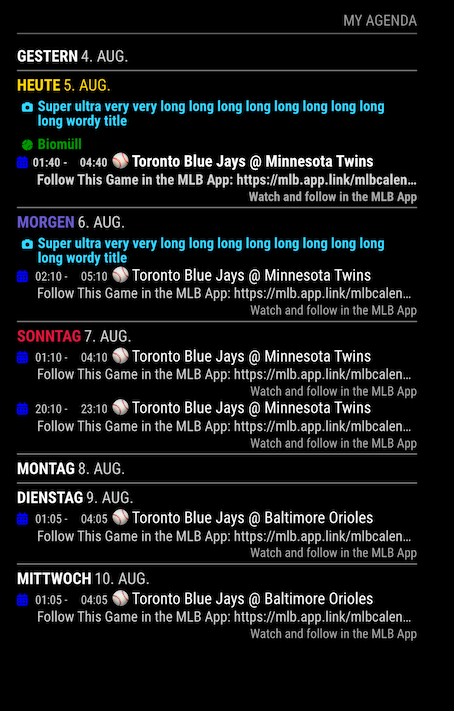
title wrapping example
-
@MMRIZE Works great, Thanks!
-
So, here’s my final config in CSS -
* CalendarExtende3 Agenda */

.CX3A .event .description {
  display: none;
}

.CX3A .event .headline .symbol.noSymbol::after {
  content: '';
}

.CX3A .cellBody .fullday {
  display: flex;
  justify-content: flex-start;
  flex-wrap: wrap;
}

.CX3A .cellBody .fullday .event {
  color: var(--calendarColor);
  background-color: gray;
  max-width: 100%;
  padding: 0px 0px;
}

.CX3A .cellBody .fullday .event .title {
  color: inherit;
  overflow: unset;
  white-space: unset;
  text-overflow: unset;
}

.CX3A .cellBody .fullday .event .headline :not(.title) {
  display: inline-block;
}

.CX3A .cellBody .fullday .event .headline .time {
  display: none;
 }

.CX3A .event .time {
  width: 55px; /* adjust for your entire CSS harmony */
  text-align: right;
}

.CX3A .event .location {
  display: none;
}

.CX3A::after {
  height: 0;
}
Results in:

-
@BKeyport said in MMM-CalendarExt3Agenda:
@MMRIZE at least you have good taste and follow the bluejays. :P
I cannot agree more with that :)
-
Updated
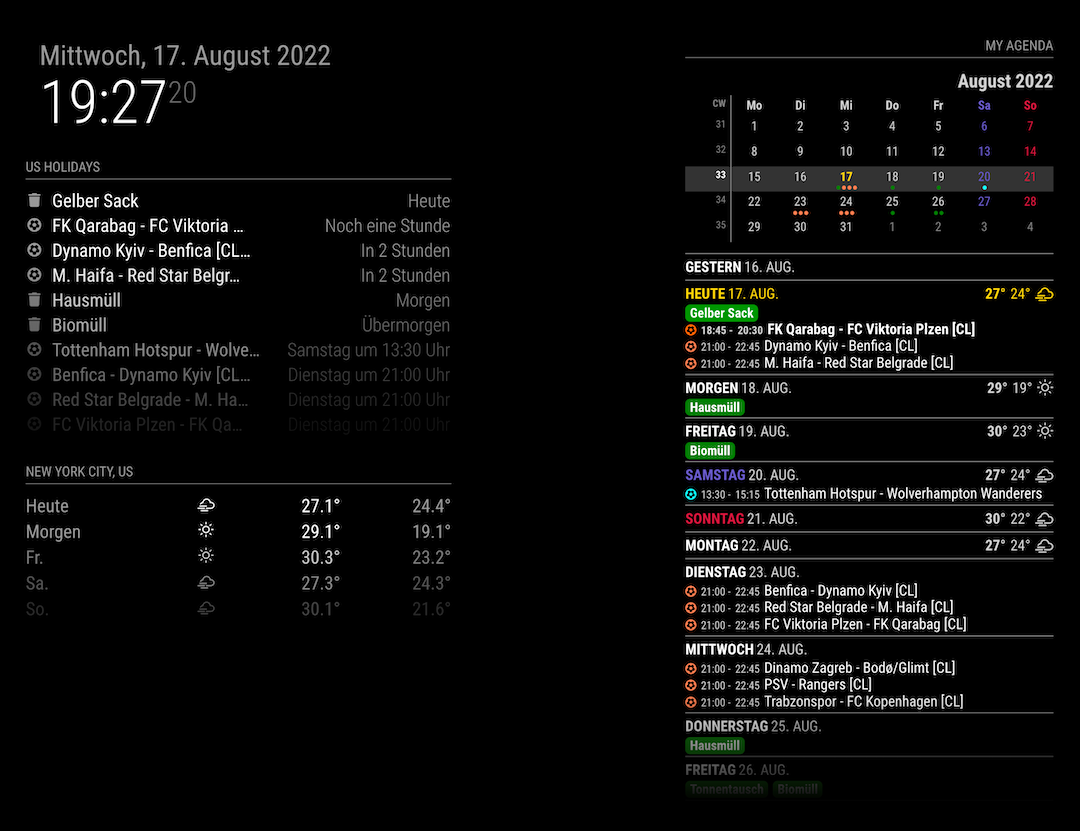
1.1.0 (2022-08-17)
- ADDED : miniMonth calendar
- FIXED : some minor bugs fixes and code refactoring
-
@MMRIZE ya know, I hate that you’re so efficient in getting stuff like this to work natively, without external code.

-
@BKeyport
:DI just want to get a similar look with
FantasticalApp on MagicMirror because I majorly am using that app in my real world. ;)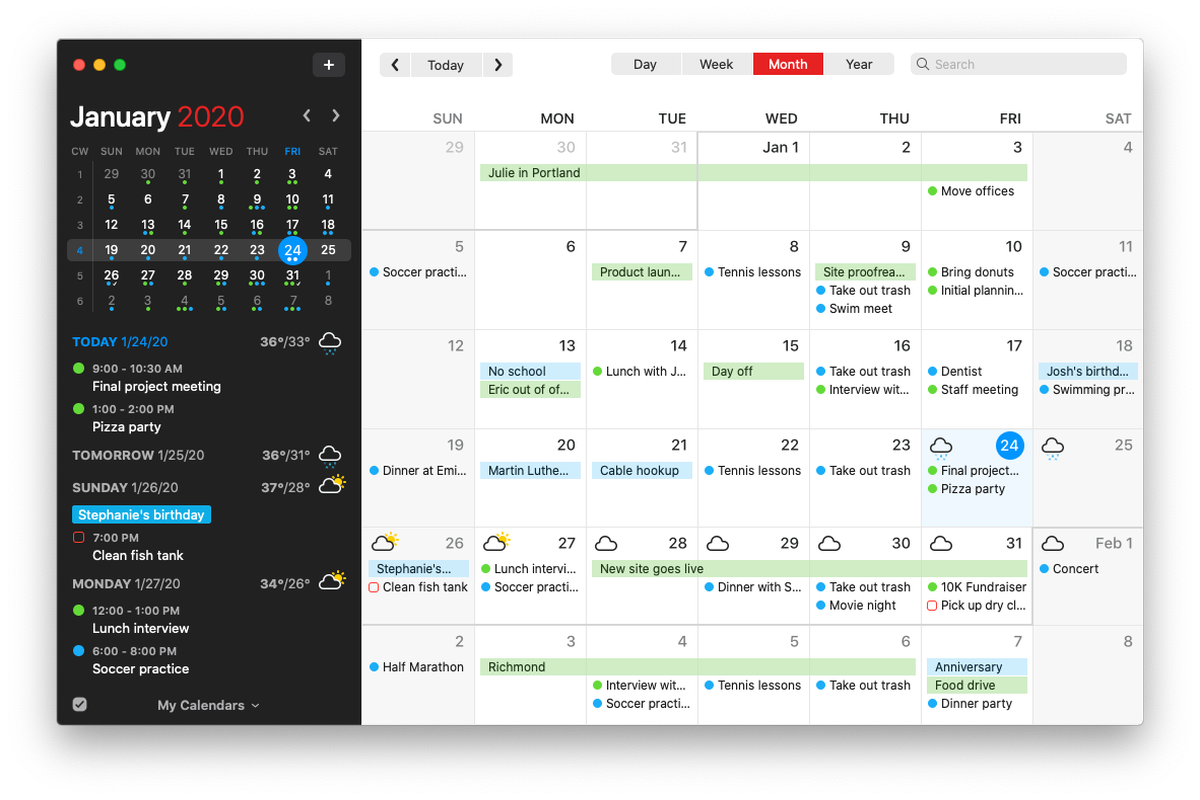
-
OK, Seriously - do you want to do two things:
- Setup your minical to show by itself, without an agenda.
- Allow it to expand to multiple months like my MMM-Minimonth
If so, I’m seriously considering dropping the module, as I’m getting very frustrated in porting away from moment.js - and frankly, I’m to the point of dropping out - I’d rather concentrate on other things.
-
@BKeyport
Not at all.
That mini cal belongs to agenda. I don’t have interesting standalone. And 3 months view? I never use that kind in real world. Basically, i will not build what I won’t use. So don’t worry. -
@MMRIZE z’arright.
-
@MMRIZE hey, Having trouble with a transform, I’ve noticed.
In redoing my CSS (reason for finding bug posted on github), I noticed my transformer isn’t quite working like I want.
this works:
eventTransformer: (ev) => {
	if (ev.title.search("⚾") > -1)
	ev.title = ev.title.replace("⚾","");
	return ev
},
However, I would also like to take out the space after the baseball, so that these events line up with the rest of the events that don’t try and get fancy and put emoji into the title.
two attempts I’ve made:
ev.title.replace("⚾ ","");andev.title.replace("⚾ ","");totally disable to the transform. Suggestions?


Hello! It looks like you're interested in this conversation, but you don't have an account yet.
Getting fed up of having to scroll through the same posts each visit? When you register for an account, you'll always come back to exactly where you were before, and choose to be notified of new replies (either via email, or push notification). You'll also be able to save bookmarks and upvote posts to show your appreciation to other community members.
With your input, this post could be even better 💗
Register Login