Read the statement by Michael Teeuw here.
MMM-PIR-Sensor restart problem
-
@MichMich Thanks a lot for your help…that was simple;o)!
Now my MagicMirror won’t start on the monitor;o(
I just get a back screen an i couldn’t do anything, my monitor is still working but just black screen and nothing else. Also I can’t quit the MagicMirror with ctrl+w. I can just get access with shh… an If I try to stop magic mirror with pm2 stop mm it stops but the screen is still black. If I use over ssh my laptop and start with npm start the MagicMirror works well. If i disconnect the PIR sensor (hardware) then everything works well.I got this error if i start pm2 logs mm…

You know what I do wrong? (Sorry for all this noob questions) -
EADDRINUSE:::8080means there is already an app running on port 8080. Probably the app itself which you already started once. If you can’t figure out how to quit it, simply restart your Pi. This should solve it. -
@MichMich Thanks for your fast replay. I restart my Pi several times, but I have always the same problem. My MagicMirror starts normal and after 2 seconds the screen goes black.
-
With the same error?
-
Yes with the same error…
-
Now i have disconnect the cables from pir sensor and restart my pi. After reboot my pi my Magicmirror start automaticlly normal and after 2 seconds they got again black. That crazy thing is, I press ctrl+w and the blackscreen goes away and the the Magicmirror works “under” the blackscreen well…
-
@trividar try changing the port in the
config.jsfrom8080to8888and reboot. -
@paviro I have now the same error just with 8888.
-
How do you start your Mirror?
-
with autostart (from wiki).
-
It somehow probably starts multiple instances. Disable the auto start and try to get it working manually first.
-
how can I do that?
-
@trividar
pm2 stop mmcheck if it’s running
pm2 listNo instances should be running at that point. then start the MM using
npm startfrom your MagicMirror folder from a terminal running on your PI (so not via SSH) -
Moved this part of the topic into a new thread since it has nothing to do with the module.
We’re all stories in the end. Just make it a good one, eh?
– The Doctor
-
If i stop with pm2 stop mm and start my MM with npm start from terminal everything works fine, but without the PIR sensor. If i connect the sensor to my pi i get the blackscreen.
-
@paviro See the replay in the other topic. It seems it has something to do with the module.
-
Strange no idea what could case that. Will check back…
-
Thank you both for your help!
How can I disable completely the MM autostart? -
and just to be 100% sure if its so right?
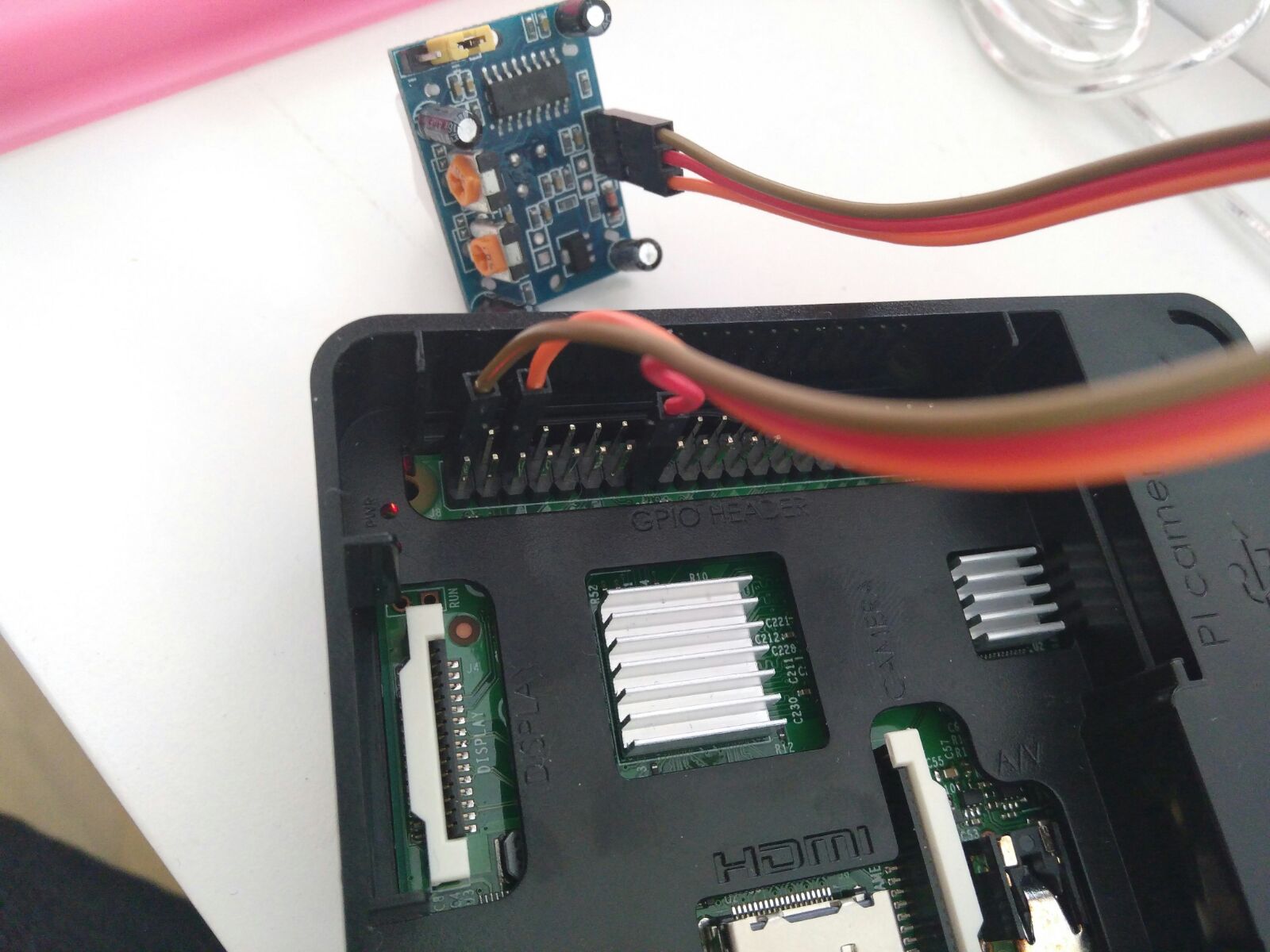
-
Looks fine. The thing that I don’t understand is how connection this could lead to a seconds start of a MM instance…

Hello! It looks like you're interested in this conversation, but you don't have an account yet.
Getting fed up of having to scroll through the same posts each visit? When you register for an account, you'll always come back to exactly where you were before, and choose to be notified of new replies (either via email, or push notification). You'll also be able to save bookmarks and upvote posts to show your appreciation to other community members.
With your input, this post could be even better 💗
Register Login