Read the statement by Michael Teeuw here.
MMM Hue Lights is not updated
-
@JoeFranz Apologies, I cannot assist with that. Have no idea how his module works.
-
@mumblebaj Ok, I installed it and am trying it out. However, I would like to exclude several groups in the line “hideGroupsWithString”. How do I enter multiple groups in the line?
-
@JoeFranz That feature does not work on my module currently. I need to make time to implement.
-
@JoeFranz I just had a quick look at the code and the way it works is that if you have the following list of lights, Room1, Room2, Kitchen, Garden, Workshop and you select the options :
 hideSpecificGroups: true,
 hideGroupsWithString: "Room"
Then it will exclude anything that contains the word “Room”. It does not cater for multiple input exclusions. I will see what I can do about that.
-
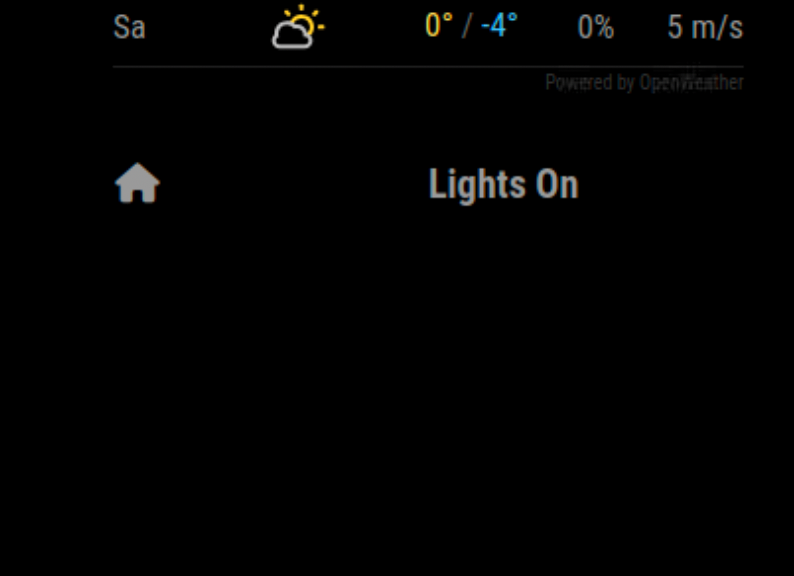
@mumblebaj This is displayed when your module is installed, no lights… :-(
IP and userid are correct.
-
@JoeFranz Show me your config please.
-
@JoeFranz I am working on a fix now to exclude multiple Groups/lights. Will deploy an update shortly.
Below is my config and it works fine. It will only display lights that are on.
                {
                    module: 'MMM-PhilipsHue',
                    disabled: false,
                    position: 'bottom_left',
                    config:{
                        bridgeip: "bridgeip",
                        userid: "userid",
                        refreshTime: 10000 * 5,
                        lightsOrGroups: "groups",
                        animationSpeed: 2 * 1000,
                        showOnlyOn: true,
                        showLabel: true,
                        colour: true,
                        hideSpecificGroups: true,
                        hideGroupsWithString: ["Kitchen", "Den"]
                        }
                },
The fix should be ready in the next hour. Just busy testing it.
-
@JoeFranz Fix has been deployed, You can now exclude multiple Groups
-
@mumblebaj said in MMM Hue Lights is not updated:
@JoeFranz Show me your config please.
{ module: 'MMM-PhilipsHue', position: 'top_right', config: { bridgeip: "192.168.178.xx", userid: "xxxxxxxx", colour: true } }, -
@JoeFranz PLEASE, ALWAYS code block around config info …
-
@JoeFranz Please match your config with mine and it should work
-
@mumblebajI
did it and it works :-)
Now let’s see how long the display takes to update.Thank you
-
@JoeFranz From my config it checks the status of the lights every 5 minutes.
You can change that at anytime in the config and restart your mirror for the change to take effect.
-
@mumblebaj
Is that correct in your config 5x10000?
On your module page it says 60x10000 -
@JoeFranz You can set it to any time interval in milliseconds you like. I.e. 60*1000 = 1 minute etc. You can workout from there how often you would like to refresh.
-
@mumblebaj Ok, the good news, the module works, the lights are updated. :-)
But I can’t change the time for the update, so no matter what value I enter, it always stays at around 10 minutes. :-(
This is part of the current config, after 10 minutes the lights will be updated.refreshTime: 60 * 1000, lightsOrGroups: "groups", animationSpeed: 2 * 1000, showOnlyOn: false, -
@JoeFranz Ah, there was an error in the spelling. I have updated and pushed a change. You can pull it again and restart. It should work properly.
-
@mumblebaj Yes, it’s working now :-) Thanks so much! :thumbs_up:
-
@JoeFranz No worries

Hello! It looks like you're interested in this conversation, but you don't have an account yet.
Getting fed up of having to scroll through the same posts each visit? When you register for an account, you'll always come back to exactly where you were before, and choose to be notified of new replies (either via email, or push notification). You'll also be able to save bookmarks and upvote posts to show your appreciation to other community members.
With your input, this post could be even better 💗
Register Login