Read the statement by Michael Teeuw here.
What Monitor did you use?
-
I think it’s quite normal for them to bleed light in darkness - the one-way-mirror needs light on the ‘outside’ in order to overpower the light from the monitor.
If you’re not seeing much when the lights are on, then you can try moving the mirror into a different position - the angle of teh light can make a difference.
Also, have you tried playing around with the backlight settings, contrast etc on the monitor?
-
you are absoluty right, the bleeding in the dark is not the thing which worries me most.
currently the position is not optimal, i´m still waiting for the hanging pads. if i go down a bit to improve the angel things get better.
has anyone ever tried both: TN and IPS Panel? I will switch over to IPS and hope that things will improve once more.
-
I have a three screen setup in front of me right now, one IPS in the middle and two TN besides it.
the TN panels are crap in comparison (yes they where cheaper ofc) the viewing angle and colors are the most obvious things that stands out.
If adjusted to extremes the contrast on the ips is much higher.And if you planning on using the screen on it’s side I would pretty much exclude tn panels, it just looks weird and the viewing angles from the side usually aren’t good enough.
-
Hey :)
i am searching for a monitor and my favorite in the moment is this one: https://www.amazon.de/HP-T3M86AA-Monitor-Reaktionszeit-schwarz/dp/B01G1M5B2C/ref=sr_1_3?s=computers&ie=UTF8&qid=1480673385&sr=1-3What do you think about this one?
-
15" Panel from an old laptop found in the trash with a separate Controller.
HDMI+DVI+VGA+Audio LCD Controller Kit for 15.6" B156XW02 V.2 LED Panel 1366x768 -
@sakuwa i would not recommend this monitor! IPS Panel is good but the brightness is just 250cd/m2 - better go for one with 300cd/m2
price sounds good but resolution is not that fine for 27", also the connections are upright what makes it hard to build a slim mirror -
I will use an old HP2448hc.
This monitor got a glossy panel.Is that a problem ?
-
@h0schi said in What Monitor did you use?:
Is that a problem ?
That’ll do. Virtually any display will work.
-
Thank you ! :)
-
Anybody gone 55"+ ?
I want to do this install in my bathroom but my OCD won’t allow the modules not to be perfectly lined up in each corner!
-
how did you do that with the display panel? I have the DELL 19 "1905FPV and would like to use it as a mirror. Do I need an extra panel for the connection …?
-
@kusselin : Hello freiend.
Like i wrote in this post here “15” Panel from an old laptop found in the trash with a separate Controller (from Amazon).
HDMI+DVI+VGA+Audio LCD Controller Kit for 15.6" B156XW02 V.2 LED Panel 1366x768"-
Disassemble your laptop.
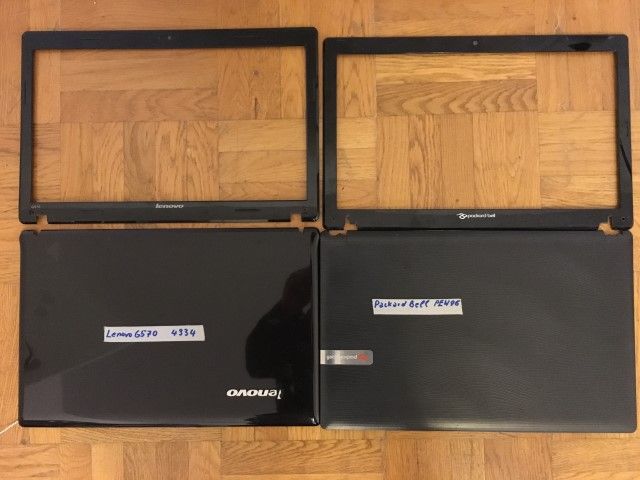
-
Search for Panel manufacturer (like this one)
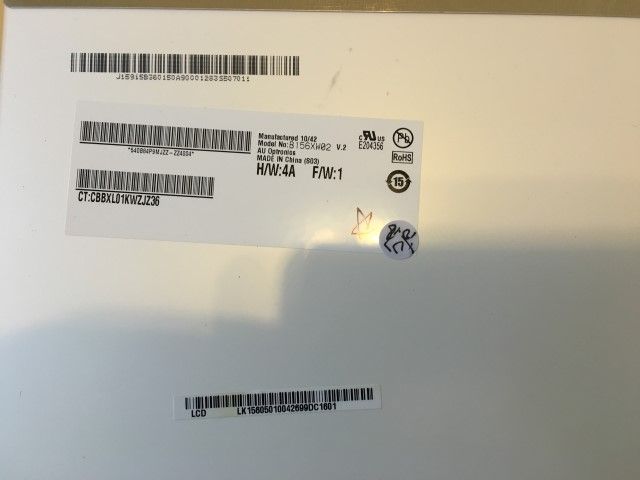
and
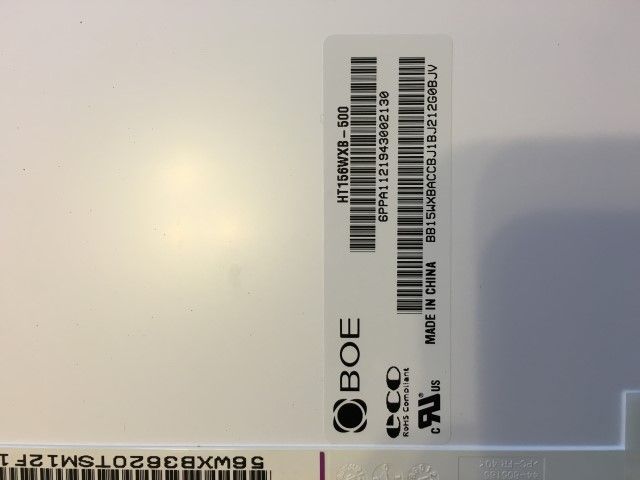
- search on ebay, amazon or other supplier for a LCD drive controller board of your panel manufacturerer. In my case i has found this for the lenovo…
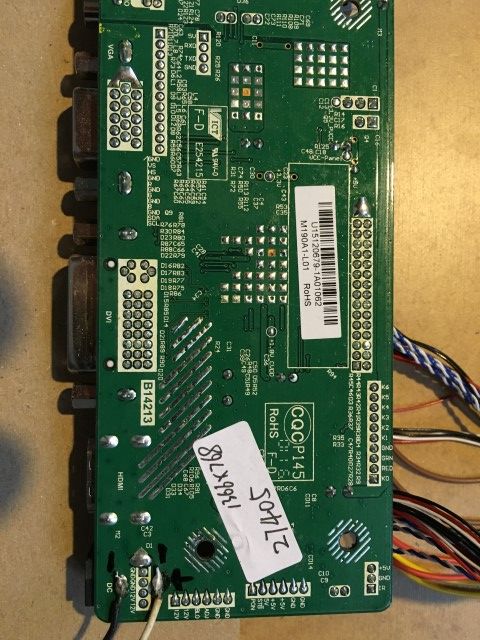
and this one for the packard bell
packard bell driver board for panel B156xw02
hope you have some helpfull informations for your search.
at least it looks like this
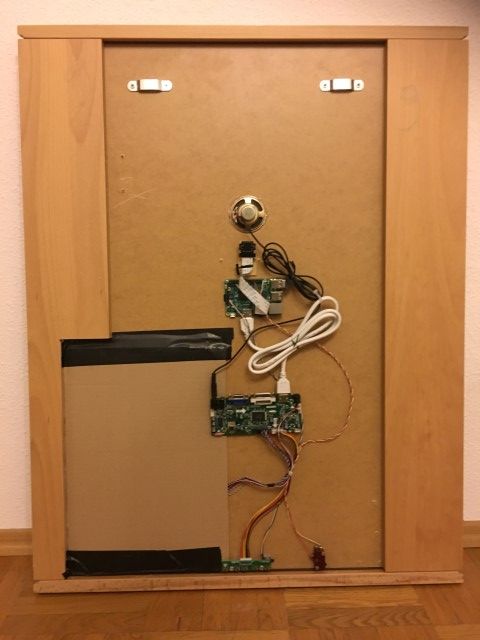
or this
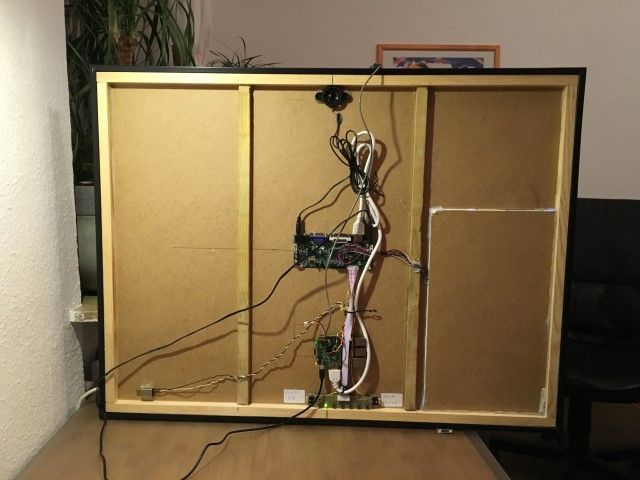
-
-
Thank You for your manual :-)
Greetings
Markus
-
I think you can consider kiperlline, which is moderate in size and cheap, which is perfect for you.
[https://jp.kiperline.com/](link url)





Hello! It looks like you're interested in this conversation, but you don't have an account yet.
Getting fed up of having to scroll through the same posts each visit? When you register for an account, you'll always come back to exactly where you were before, and choose to be notified of new replies (either via email, or push notification). You'll also be able to save bookmarks and upvote posts to show your appreciation to other community members.
With your input, this post could be even better 💗
Register Login