Read the statement by Michael Teeuw here.
MMM-Globe
-
Fantastic job on the module @Eunanibus !
-
@Eunanibus said in MMM-Globe:
Made some size adjustments now. Can you give this a try?
PERFECT! :) HUGE Thanks!
-
Great. Glad it’s working for you! Thanks for the early feedback. I’m not sure if I’ve posted this in the right place but I hope everyone sees it or gets to use it.
-
Now this is curious… It works great on my Windows 10 box (Chrome or Firefox). It works great on my Ubuntu 16.04 box at work (Chrome or Firefox). It works fantastic in Chrome or Firefox no matter the platform.
But when I run
npm startit doesn’t render anything to the screen. This is on an Ubuntu 16.04 microPC. Fascinating. -
Hello,
And my dream come true with your module thanks :Di have the same issue - the Globe doesnt show up and it’s look like my MMM profil swticher stop working :-/
if you have any idea
-
Now this is curious… It works great on my Windows 10 box (Chrome or Firefox). It works great on my Ubuntu 16.04 box at work (Chrome or Firefox). It works fantastic in Chrome or Firefox no matter the platform.
But when I run
npm startit doesn’t render anything to the screen. This is on an Ubuntu 16.04 microPC. Fascinating.You are describing the same issue I have. I run my mirror in server mode and use chrome on raspbian to access it. For some reason, the module won’t render on my raspbian chrome build but the mirror site works fine from my laptop and phone(any browser). I’ll post some screenshots over the weekend.
-
What errors are you getting?
-
Hello
i only see that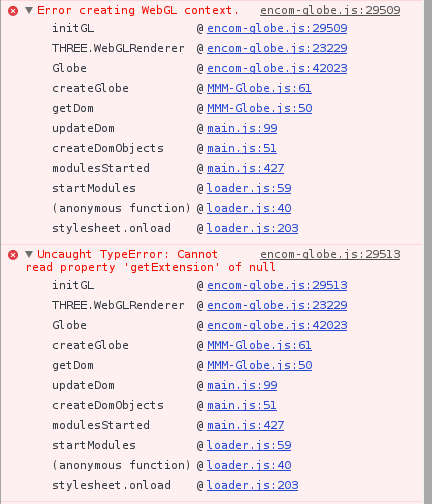
-
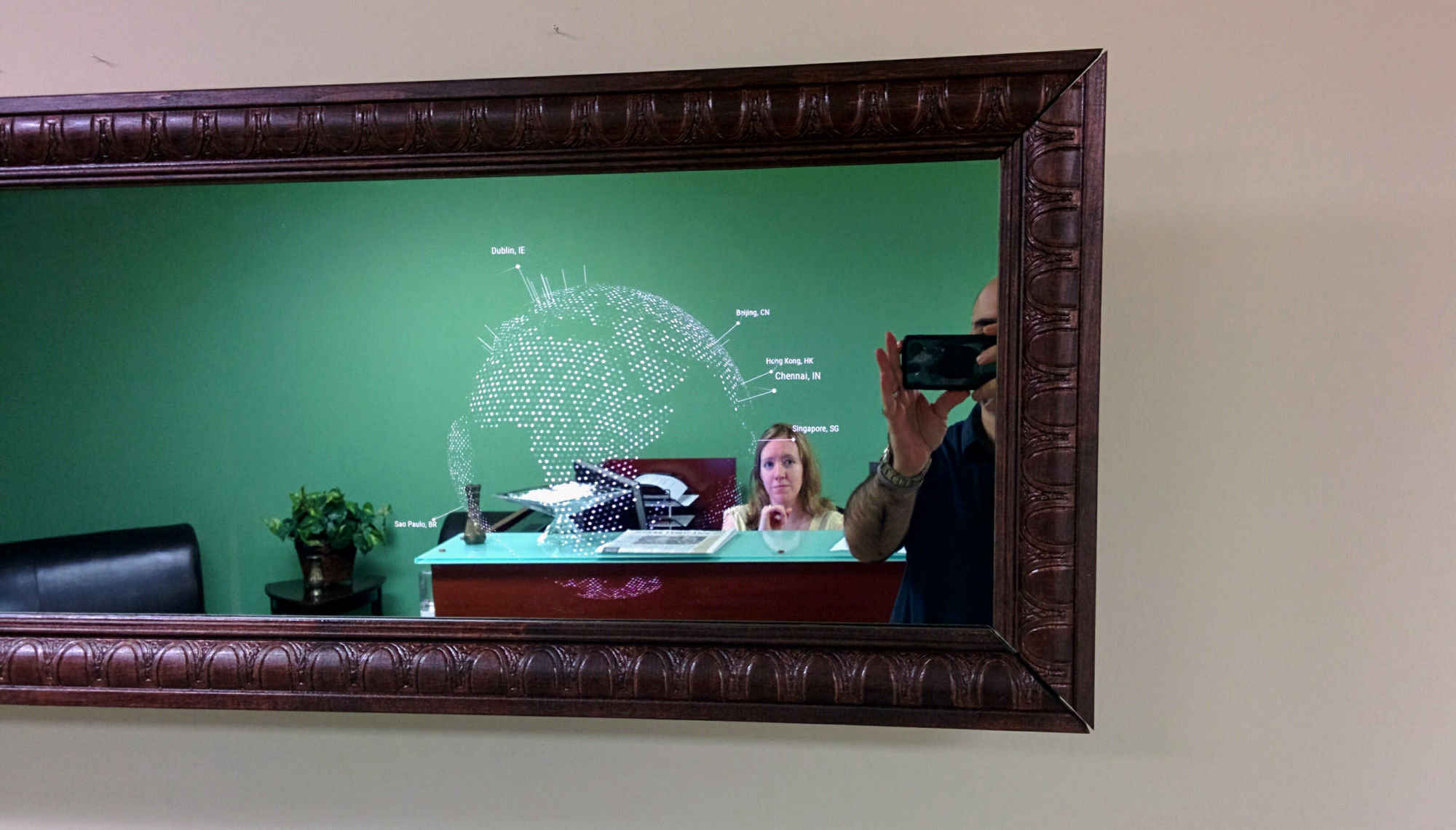
The office is very impressed with the Globe module. Thanks again for making this one.
Here’s how it looks on an actual mirror. :)
-
-
This is awesome, and your mirror looks incredible. This absolutely made my day - Thank you for this! I’m really glad your office likes it.
-
You know what? Even better:
https://youtu.be/6KSCDIaIgdA -
I didn’t realise it would look so 3 dimensional. Thank you for this! :grimacing:
-
@tidus5
You have to enable OpenGL with raspi-config… -
@Eunanibus Are you kidding? THIS is awesome!!! There’s been many waiting for this as they’ve seen it in other projects but no one would do it… We Thank you!!!
I can’t post a video of mine yet as I’m still building it… a 32" version ;)
-
@cowboysdude Really? I haven’t seen it anywhere. Glad you like it!
-
@Eunanibus Yes this was seen months ago and one guy had it working but he told me you’d need to setup a bunch of stuff to make it work. But there were many people asking
-
@moe2016 How exactly would you do that?
-
@cowboysdude I looked into it briefly. I had a prototype going using
plantary.js, but it was a complete processor hog. I was afraid to even try it on a Pi.IIRC, there were three of us looking into it, two of us had prototypes. And then @Eunanibus comes along and solves it for us all. Well done.
-
@ecirpnaes Never mind. I found it. I was looking for a file and then realized it was the command line config. DOH. If anyone else needs to enable the OpenGL driver just…
sudo raspi-config
Go to Advanced Options->GL Driver

Hello! It looks like you're interested in this conversation, but you don't have an account yet.
Getting fed up of having to scroll through the same posts each visit? When you register for an account, you'll always come back to exactly where you were before, and choose to be notified of new replies (either via email, or push notification). You'll also be able to save bookmarks and upvote posts to show your appreciation to other community members.
With your input, this post could be even better 💗
Register Login