MagicMirror Forum
    • Recent
    • Tags
    • Unsolved
    • Solved
    • MagicMirror² Repository
    • Documentation
    • 3rd-Party-Modules
    • Donate
    • Discord
    • Register
    • Login
    A New Chapter for MagicMirror: The Community Takes the Lead
    Read the statement by Michael Teeuw here.

    [MMM-RTSPStream] - Video Streaming from Live Feeds & Security Cameras

    Scheduled Pinned Locked Moved Utilities
    602 Posts 67 Posters 2.1m Views 68 Watching
    Loading More Posts
    • Oldest to Newest
    • Newest to Oldest
    • Most Votes
    Reply
    • Reply as topic
    Log in to reply
    This topic has been deleted. Only users with topic management privileges can see it.
    • evroomE Offline
      evroom @Number_5
      last edited by evroom

      @Number_5 said in [MMM-RTSPStream] - Video Streaming from Live Feeds & Security Cameras:

      If I see it correctly, then you have 2 MMM-RTSPStream modules active in your config and 2 stream1 defined, and therefore are trying to start 2 omx_stream1 processes.
      I would concentrate on 1 config with 1 stream1.
      To see if things works, try it with the BucksBunny config first.
      Then give the other one a try (with the bunny removed).
      I also would give the rtsp stream a go without MM, so standalone.
      Somewhere in this thread there should be a description on how to do this; would need to search my notes for it.

      MagicMirror version: 2.33.0
      Raspberry Pi 4 Model B Rev 1.5 (8 GB RAM)
      Raspbian GNU/Linux 12 (bookworm)

      Test environment:
      MagicMirror version: v2.33.0
      Raspberry Pi 3 Model B Plus Rev 1.3 (1 GB RAM)
      Raspbian GNU/Linux 12 (bookworm)

      N 1 Reply Last reply Reply Quote 0
      • N Offline
        Number_5
        last edited by

        update:

        Hello,
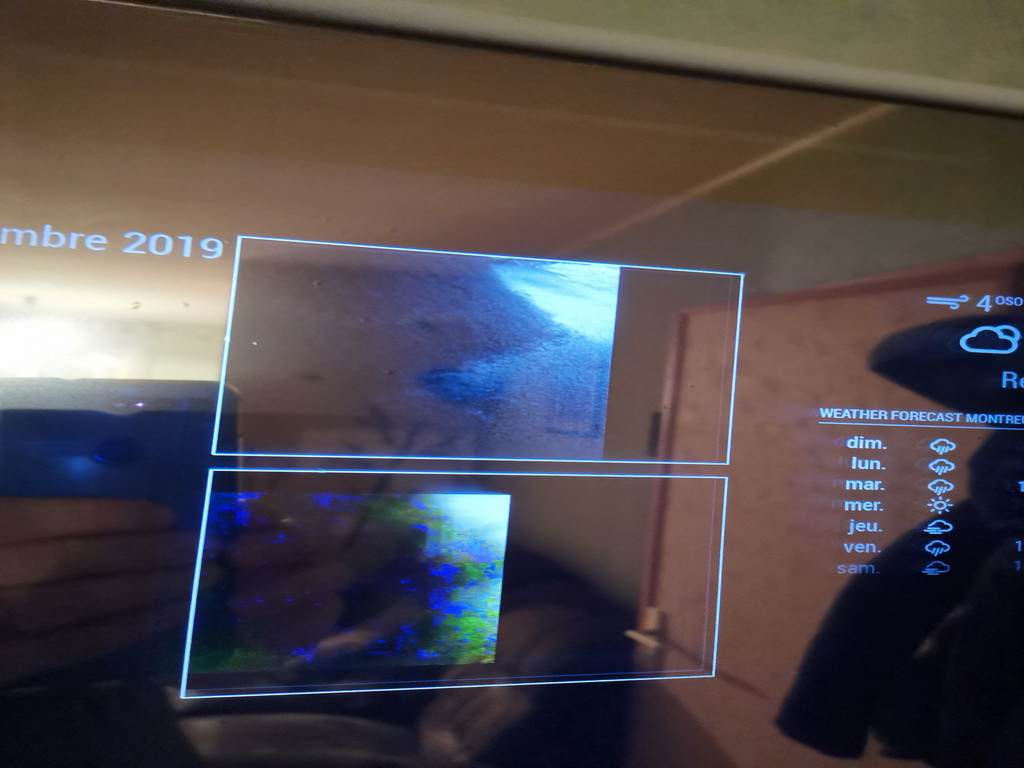
        the test video is now running, thanks. I had left the entry of the IP cam in the config, sorry. Now I see a white frame, unfortunately the camera stream cannot be seen. by clicking on the window you can see the “Play” icon.

        step 7 pm2 flush

        [PM2] Flushing /home/pi/.pm2/pm2.log
        [PM2] Flushing:
        [PM2] /home/pi/.pm2/logs/MagicMirror-out.log
        [PM2] /home/pi/.pm2/logs/MagicMirror-error.log
        [PM2] Flushing:
        [PM2] /dev/null
        [PM2] /home/pi/.pm2/logs/omx-stream1-error.log
        [PM2] Logs flushed
        pi@raspberrypi:~/MagicMirror/config $

        step 8 restart MM

        pi@raspberrypi:~/MagicMirror/config $ pm2 restart MagicMirror
        Use --update-env to update environment variables
        [PM2] Applying action restartProcessId on app [MagicMirror](ids: 0)
        [PM2] MagicMirror ✓
        ┌─────┬────────────────┬─────────────┬─────────┬─────────┬──────────┬────────┬──────┬───────────┬──────────┬──────────┬──────────┬──────────┐
        │ id │ name │ namespace │ version │ mode │ pid │ uptime │ ↺ │ status │ cpu │ mem │ user │ watching │
        ├─────┼────────────────┼─────────────┼─────────┼─────────┼──────────┼────────┼──────┼───────────┼──────────┼──────────┼──────────┼──────────┤
        │ 0 │ MagicMirror │ default │ 2.10.0 │ fork │ 4841 │ 0s │ 2 │ online │ 0% │ 2.5mb │ pi │ disabled │
        │ 1 │ omx_stream1 │ default │ N/A │ fork │ 4814 │ 3s │ 90 │ online │ 0% │ 2.5mb │ pi │ disabled │
        └─────┴────────────────┴─────────────┴─────────┴─────────┴──────────┴────────┴──────┴───────────┴──────────┴──────────┴──────────┴──────────┘
        pi@raspberrypi:~/MagicMirror/config $

        step 9) check the logs

        pi@raspberrypi:~/MagicMirror/config $ pm2 logs --lines 200
        [TAILING] Tailing last 200 lines for [all] processes (change the value with --lines option)
        /home/pi/.pm2/pm2.log last 200 lines:
        PM2 | 2020-02-02T19:33:48: PM2 log: App [omx_stream1:1] exited with code [1] via signal [SIGINT]
        PM2 | 2020-02-02T19:33:48: PM2 log: App [omx_stream1:1] starting in -fork mode-
        PM2 | 2020-02-02T19:33:48: PM2 log: App [omx_stream1:1] online
        PM2 | 2020-02-02T19:33:54: PM2 log: App [omx_stream1:1] exited with code [1] via signal [SIGINT]
        PM2 | 2020-02-02T19:33:54: PM2 log: App [omx_stream1:1] starting in -fork mode-
        PM2 | 2020-02-02T19:33:54: PM2 log: App [omx_stream1:1] online
        PM2 | 2020-02-02T19:33:59: PM2 log: App [omx_stream1:1] exited with code [1] via signal [SIGINT]
        PM2 | 2020-02-02T19:33:59: PM2 log: App [omx_stream1:1] starting in -fork mode-
        PM2 | 2020-02-02T19:33:59: PM2 log: App [omx_stream1:1] online
        PM2 | 2020-02-02T19:34:05: PM2 log: App [omx_stream1:1] exited with code [1] via signal [SIGINT]
        PM2 | 2020-02-02T19:34:05: PM2 log: App [omx_stream1:1] starting in -fork mode-
        PM2 | 2020-02-02T19:34:05: PM2 log: App [omx_stream1:1] online
        PM2 | 2020-02-02T19:34:11: PM2 log: App [omx_stream1:1] exited with code [1] via signal [SIGINT]
        PM2 | 2020-02-02T19:34:11: PM2 log: App [omx_stream1:1] starting in -fork mode-
        PM2 | 2020-02-02T19:34:11: PM2 log: App [omx_stream1:1] online
        PM2 | 2020-02-02T19:34:16: PM2 log: App [omx_stream1:1] exited with code [1] via signal [SIGINT]
        PM2 | 2020-02-02T19:34:16: PM2 log: App [omx_stream1:1] starting in -fork mode-
        PM2 | 2020-02-02T19:34:16: PM2 log: App [omx_stream1:1] online
        PM2 | 2020-02-02T19:34:22: PM2 log: App [omx_stream1:1] exited with code [1] via signal [SIGINT]
        PM2 | 2020-02-02T19:34:22: PM2 log: App [omx_stream1:1] starting in -fork mode-
        PM2 | 2020-02-02T19:34:22: PM2 log: App [omx_stream1:1] online
        PM2 | 2020-02-02T19:34:27: PM2 log: App [omx_stream1:1] exited with code [1] via signal [SIGINT]
        PM2 | 2020-02-02T19:34:27: PM2 log: App [omx_stream1:1] starting in -fork mode-
        PM2 | 2020-02-02T19:34:27: PM2 log: App [omx_stream1:1] online
        PM2 | 2020-02-02T19:34:33: PM2 log: App [omx_stream1:1] exited with code [1] via signal [SIGINT]
        PM2 | 2020-02-02T19:34:33: PM2 log: App [omx_stream1:1] starting in -fork mode-
        PM2 | 2020-02-02T19:34:33: PM2 log: App [omx_stream1:1] online
        PM2 | 2020-02-02T19:34:38: PM2 log: App [omx_stream1:1] exited with code [1] via signal [SIGINT]
        PM2 | 2020-02-02T19:34:38: PM2 log: App [omx_stream1:1] starting in -fork mode-
        PM2 | 2020-02-02T19:34:38: PM2 log: App [omx_stream1:1] online
        PM2 | 2020-02-02T19:34:44: PM2 log: App [omx_stream1:1] exited with code [1] via signal [SIGINT]
        PM2 | 2020-02-02T19:34:44: PM2 log: App [omx_stream1:1] starting in -fork mode-
        PM2 | 2020-02-02T19:34:44: PM2 log: App [omx_stream1:1] online
        PM2 | 2020-02-02T19:34:49: PM2 log: App [omx_stream1:1] exited with code [1] via signal [SIGINT]
        PM2 | 2020-02-02T19:34:49: PM2 log: App [omx_stream1:1] starting in -fork mode-
        PM2 | 2020-02-02T19:34:49: PM2 log: App [omx_stream1:1] online
        PM2 | 2020-02-02T19:34:55: PM2 log: App [omx_stream1:1] exited with code [1] via signal [SIGINT]
        PM2 | 2020-02-02T19:34:55: PM2 log: App [omx_stream1:1] starting in -fork mode-
        PM2 | 2020-02-02T19:34:55: PM2 log: App [omx_stream1:1] online
        PM2 | 2020-02-02T19:35:01: PM2 log: App [omx_stream1:1] exited with code [1] via signal [SIGINT]
        PM2 | 2020-02-02T19:35:01: PM2 log: App [omx_stream1:1] starting in -fork mode-
        PM2 | 2020-02-02T19:35:01: PM2 log: App [omx_stream1:1] online
        PM2 | 2020-02-02T19:35:06: PM2 log: App [omx_stream1:1] exited with code [1] via signal [SIGINT]
        PM2 | 2020-02-02T19:35:06: PM2 log: App [omx_stream1:1] starting in -fork mode-
        PM2 | 2020-02-02T19:35:06: PM2 log: App [omx_stream1:1] online
        PM2 | 2020-02-02T19:35:12: PM2 log: App [omx_stream1:1] exited with code [1] via signal [SIGINT]
        PM2 | 2020-02-02T19:35:12: PM2 log: App [omx_stream1:1] starting in -fork mode-
        PM2 | 2020-02-02T19:35:12: PM2 log: App [omx_stream1:1] online
        PM2 | 2020-02-02T19:35:17: PM2 log: App [omx_stream1:1] exited with code [1] via signal [SIGINT]
        PM2 | 2020-02-02T19:35:17: PM2 log: App [omx_stream1:1] starting in -fork mode-
        PM2 | 2020-02-02T19:35:17: PM2 log: App [omx_stream1:1] online
        PM2 | 2020-02-02T19:35:20: PM2 log: Stopping app:MagicMirror id:0
        PM2 | 2020-02-02T19:35:21: PM2 log: App [MagicMirror:0] exited with code [0] via signal [SIGINT]
        PM2 | 2020-02-02T19:35:21: PM2 log: pid=2360 msg=process killed
        PM2 | 2020-02-02T19:35:21: PM2 log: App [MagicMirror:0] starting in -fork mode-
        PM2 | 2020-02-02T19:35:21: PM2 log: App [MagicMirror:0] online
        PM2 | 2020-02-02T19:35:24: PM2 log: App [omx_stream1:1] exited with code [1] via signal [SIGINT]
        PM2 | 2020-02-02T19:35:24: PM2 log: App [omx_stream1:1] starting in -fork mode-
        PM2 | 2020-02-02T19:35:24: PM2 log: App [omx_stream1:1] online
        PM2 | 2020-02-02T19:35:29: PM2 log: Stopping app:omx_stream1 id:1
        PM2 | 2020-02-02T19:35:29: PM2 log: App [omx_stream1:1] exited with code [0] via signal [SIGINT]
        PM2 | 2020-02-02T19:35:29: PM2 log: pid=4878 msg=process killed
        PM2 | 2020-02-02T19:35:33: PM2 log: App [omx_stream1:1] starting in -fork mode-
        PM2 | 2020-02-02T19:35:33: PM2 log: App [omx_stream1:1] online
        PM2 | 2020-02-02T19:35:39: PM2 log: App [omx_stream1:1] exited with code [1] via signal [SIGINT]
        PM2 | 2020-02-02T19:35:39: PM2 log: App [omx_stream1:1] starting in -fork mode-
        PM2 | 2020-02-02T19:35:39: PM2 log: App [omx_stream1:1] online
        PM2 | 2020-02-02T19:35:45: PM2 log: App [omx_stream1:1] exited with code [1] via signal [SIGINT]
        PM2 | 2020-02-02T19:35:45: PM2 log: App [omx_stream1:1] starting in -fork mode-
        PM2 | 2020-02-02T19:35:45: PM2 log: App [omx_stream1:1] online
        PM2 | 2020-02-02T19:35:50: PM2 log: App [omx_stream1:1] exited with code [1] via signal [SIGINT]
        PM2 | 2020-02-02T19:35:50: PM2 log: App [omx_stream1:1] starting in -fork mode-
        PM2 | 2020-02-02T19:35:50: PM2 log: App [omx_stream1:1] online
        PM2 | 2020-02-02T19:35:56: PM2 log: App [omx_stream1:1] exited with code [1] via signal [SIGINT]
        PM2 | 2020-02-02T19:35:56: PM2 log: App [omx_stream1:1] starting in -fork mode-
        PM2 | 2020-02-02T19:35:56: PM2 log: App [omx_stream1:1] online
        PM2 | 2020-02-02T19:36:01: PM2 log: App [omx_stream1:1] exited with code [1] via signal [SIGINT]
        PM2 | 2020-02-02T19:36:01: PM2 log: App [omx_stream1:1] starting in -fork mode-
        PM2 | 2020-02-02T19:36:01: PM2 log: App [omx_stream1:1] online
        PM2 | 2020-02-02T19:36:07: PM2 log: App [omx_stream1:1] exited with code [1] via signal [SIGINT]
        PM2 | 2020-02-02T19:36:07: PM2 log: App [omx_stream1:1] starting in -fork mode-
        PM2 | 2020-02-02T19:36:07: PM2 log: App [omx_stream1:1] online
        PM2 | 2020-02-02T19:36:12: PM2 log: App [omx_stream1:1] exited with code [1] via signal [SIGINT]
        PM2 | 2020-02-02T19:36:12: PM2 log: App [omx_stream1:1] starting in -fork mode-
        PM2 | 2020-02-02T19:36:12: PM2 log: App [omx_stream1:1] online
        PM2 | 2020-02-02T19:36:18: PM2 log: App [omx_stream1:1] exited with code [1] via signal [SIGINT]
        PM2 | 2020-02-02T19:36:18: PM2 log: App [omx_stream1:1] starting in -fork mode-
        PM2 | 2020-02-02T19:36:18: PM2 log: App [omx_stream1:1] online
        PM2 | 2020-02-02T19:36:24: PM2 log: App [omx_stream1:1] exited with code [1] via signal [SIGINT]
        PM2 | 2020-02-02T19:36:24: PM2 log: App [omx_stream1:1] starting in -fork mode-
        PM2 | 2020-02-02T19:36:24: PM2 log: App [omx_stream1:1] online
        PM2 | 2020-02-02T19:36:29: PM2 log: App [omx_stream1:1] exited with code [1] via signal [SIGINT]
        PM2 | 2020-02-02T19:36:29: PM2 log: App [omx_stream1:1] starting in -fork mode-
        PM2 | 2020-02-02T19:36:29: PM2 log: App [omx_stream1:1] online
        PM2 | 2020-02-02T19:36:35: PM2 log: App [omx_stream1:1] exited with code [1] via signal [SIGINT]
        PM2 | 2020-02-02T19:36:35: PM2 log: App [omx_stream1:1] starting in -fork mode-
        PM2 | 2020-02-02T19:36:35: PM2 log: App [omx_stream1:1] online

        /home/pi/.pm2/logs/MagicMirror-error.log last 200 lines:
        /home/pi/.pm2/logs/omx-stream1-error.log last 200 lines:
        /home/pi/.pm2/logs/MagicMirror-out.log last 200 lines:
        0|MagicMir |
        0|MagicMir | > magicmirror@2.10.0 start /home/pi/MagicMirror
        0|MagicMir | > ./run-start.sh
        0|MagicMir |
        0|MagicMir | [19:35:27.493] [LOG] Starting MagicMirror: v2.10.0
        0|MagicMir | [19:35:27.503] [LOG] Loading config …
        0|MagicMir | [19:35:27.509] [LOG] Loading module helpers …
        0|MagicMir | [19:35:27.511] [LOG] No helper found for module: alert.
        0|MagicMir | [19:35:27.575] [LOG] Initializing new module helper …
        0|MagicMir | [19:35:27.576] [LOG] Module helper loaded: updatenotification
        0|MagicMir | [19:35:28.715] [LOG] Initializing new module helper …
        0|MagicMir | [19:35:28.716] [LOG] Module helper loaded: MMM-RTSPStream
        0|MagicMir | [19:35:29.021] [LOG] Initializing new module helper …
        0|MagicMir | [19:35:29.022] [LOG] Module helper loaded: MMM-PublicTransportHafas
        0|MagicMir | [19:35:29.023] [LOG] No helper found for module: currentweather.
        0|MagicMir | [19:35:29.023] [LOG] No helper found for module: weatherforecast.
        0|MagicMir | [19:35:29.096] [LOG] Initializing new module helper …
        0|MagicMir | [19:35:29.097] [LOG] Module helper loaded: calendar
        0|MagicMir | [19:35:29.132] [LOG] Initializing new module helper …
        0|MagicMir | [19:35:29.132] [LOG] Module helper loaded: newsfeed
        0|MagicMir | [19:35:29.133] [LOG] All module helpers loaded.
        0|MagicMir | [19:35:29.134] [LOG] Starting server on port 8080 …
        0|MagicMir | [19:35:29.143] [INFO] You’re using a full whitelist configuration to allow for all IPs
        0|MagicMir | [19:35:29.152] [LOG] Server started …
        0|MagicMir | [19:35:29.153] [LOG] Connecting socket for: updatenotification
        0|MagicMir | [19:35:29.155] [LOG] Connecting socket for: MMM-RTSPStream
        0|MagicMir | [19:35:29.156] [LOG] PM2: Stopping all OMXPlayer Streams…
        0|MagicMir | [19:35:29.159] [LOG] Connecting socket for: MMM-PublicTransportHafas
        0|MagicMir | [19:35:29.160] [LOG] Connecting socket for: calendar
        0|MagicMir | [19:35:29.161] [LOG] Starting node helper for: calendar
        0|MagicMir | [19:35:29.162] [LOG] Connecting socket for: newsfeed
        0|MagicMir | [19:35:29.163] [LOG] Starting module: newsfeed
        0|MagicMir | [19:35:29.164] [LOG] Sockets connected & modules started …
        0|MagicMir | [19:35:29.353] [LOG] Launching application.
        0|MagicMir | [19:35:29.596] [LOG] PM2: Checking if omx_stream1 is running…
        0|MagicMir | [19:35:29.597] [LOG] PM2: Stopping omx_stream1…
        0|MagicMir | [19:35:31.438] [LOG] Transportation fetcher for station with id ‘xxx’ created.
        0|MagicMir | [19:35:31.613] [LOG] Transportation fetcher for station with id ‘xxx’ created.
        0|MagicMir | [19:35:31.618] [LOG] Create new calendar fetcher for url: https://calendar.google.com/calendar/ical/xxgroup.calendar.google.com/private-xxx/basic.ics - Interval: 300000
        0|MagicMir | [19:35:31.639] [LOG] Create new news fetcher for url: https://www.swr.de/~rss/swraktuell/swraktuell-bw-100.xml - Interval: 300000
        0|MagicMir | [19:35:33.506] [LOG] Starting stream stream1 using: omxplayer --avdict rtsp_transport:tcp --win 786,424,1138,666 --live --video_queue 4 --fps 30 --no-osd rtsp://admin:roland!?1971@192.168.2.108:80/cam/realmonitor?channel=2&subtype=0
        0|MagicMir | [19:35:33.531] [LOG] Starting PM2 for omx_stream1
        0|MagicMir | [19:35:33.676] [LOG] PM2 started for omx_stream1

        1|omx_stream1 | have a nice day ;)
        PM2 | App [omx_stream1:1] exited with code [1] via signal [SIGINT]
        PM2 | App [omx_stream1:1] starting in -fork mode-
        PM2 | App [omx_stream1:1] online
        1|omx_stream1 | have a nice day ;)

        Is there still an idea?

        S 1 Reply Last reply Reply Quote 0
        • N Offline
          Number_5 @evroom
          last edited by

          Hello evroom,
          our contribution has overlapped. The stream with BucksBunny works, I deleted it now from the config.
          I would like to follow your suggestion and will look for the description next.

          1 Reply Last reply Reply Quote 0
          • S Offline
            sdetweil @Number_5
            last edited by

            @Number_5

            Does this work by itself.

            omxplayer --avdict rtsp_transport:tcp --win 786,424,1138,666 --live --video_queue 4 --fps 30 --no-osd rtsp://admin:roland!?1971@192.168.2.108:80/cam/realmonitor?channel=2&subtype=0
            

            Sam

            How to add modules

            learning how to use browser developers window for css changes

            1 Reply Last reply Reply Quote 0
            • N Offline
              Number_5
              last edited by

              Hello sdetweil,

              sorry i am new here. Should i copy this line direkt in config.js ? where exactly?

              evroomE S 2 Replies Last reply Reply Quote 0
              • evroomE Offline
                evroom @Number_5
                last edited by

                @Number_5
                Command-line.
                Better deactivate the module before (this in the config.js):

                module: "MMM-RTSPStream",
                disabled: true,
                etc
                

                MagicMirror version: 2.33.0
                Raspberry Pi 4 Model B Rev 1.5 (8 GB RAM)
                Raspbian GNU/Linux 12 (bookworm)

                Test environment:
                MagicMirror version: v2.33.0
                Raspberry Pi 3 Model B Plus Rev 1.3 (1 GB RAM)
                Raspbian GNU/Linux 12 (bookworm)

                1 Reply Last reply Reply Quote 0
                • S Offline
                  sdetweil @Number_5
                  last edited by

                  @Number_5 that’s the command the module is trying to execute ( from the log)

                  Open a command prompt, cut/paste that and see if it works

                  Sam

                  How to add modules

                  learning how to use browser developers window for css changes

                  1 Reply Last reply Reply Quote 0
                  • N Offline
                    Number_5
                    last edited by

                    Hello ,
                    first I deactivated the config module.

                    pi@raspberrypi:~/MagicMirror/config $ omxplayer --avdict rtsp_transport:tcp --win 786,424,1138,666 --live --video_queue 4 --fps 30 --no-osd rtsp://admin:roland!?1971@192.168.2.108:80/cam/realmonitor?channel=2&subtype=0
                    -bash: !?1971@192.168.2.108:80/cam/realmonitor?: event not found
                    pi@raspberrypi:~/MagicMirror/config $ pm2 start MagicMirror
                    [PM2] Applying action restartProcessId on app [MagicMirror](ids: 0)
                    [PM2] MagicMirror ✓
                    [PM2] Process successfully started
                    ┌─────┬────────────────┬─────────────┬─────────┬─────────┬──────────┬────────┬──────┬───────────┬──────────┬──────────┬──────────┬──────────┐
                    │ id │ name │ namespace │ version │ mode │ pid │ uptime │ ↺ │ status │ cpu │ mem │ user │ watching │
                    ├─────┼────────────────┼─────────────┼─────────┼─────────┼──────────┼────────┼──────┼───────────┼──────────┼──────────┼──────────┼──────────┤
                    │ 0 │ MagicMirror │ default │ 2.10.0 │ fork │ 30912 │ 0s │ 2 │ online │ 0% │ 2.5mb │ pi │ disabled │
                    │ 1 │ omx_stream1 │ default │ N/A │ fork │ 30880 │ 4s │ 741 │ online │ 0% │ 2.6mb │ pi │ disabled │
                    └─────┴────────────────┴─────────────┴─────────┴─────────┴──────────┴────────┴──────┴───────────┴──────────┴──────────┴──────────┴──────────┘
                    pi@raspberrypi:~/MagicMirror/config $ omxplayer --avdict rtsp_transport:tcp --win 786,424,1138,666 --live --video_queue 4 --fps 30 --no-osd rtsp://admin:roland!?1971@192.168.2.108:80/cam/realmonitor?channel=2&subtype=0
                    -bash: !?1971@192.168.2.108:80/cam/realmonitor?: event not found
                    pi@raspberrypi:~/MagicMirror/config $

                    It does not work, :-(

                    evroomE 1 Reply Last reply Reply Quote 0
                    • evroomE Offline
                      evroom @Number_5
                      last edited by evroom

                      @Number_5

                      Can you try with quotes (single, double) ?

                      omxplayer --avdict rtsp_transport:tcp --win 786,424,1138,666 --live --video_queue 4 --fps 30 --no-osd "rtsp://admin:roland!?1971@192.168.2.108:80/cam/realmonitor?channel=2&subtype=0"
                      
                      omxplayer --avdict rtsp_transport:tcp --win 786,424,1138,666 --live --video_queue 4 --fps 30 --no-osd 'rtsp://admin:roland!?1971@192.168.2.108:80/cam/realmonitor?channel=2&subtype=0'
                      

                      when the command works, but still no video, then add --genlog

                      omxplayer --genlog --avdict rtsp_transport:tcp --win 786,424,1138,666 --live --video_queue 4 --fps 30 --no-osd 'rtsp://admin:roland!?1971@192.168.2.108:80/cam/realmonitor?channel=2&subtype=0'
                      

                      This will creat a log file called omxplayer.log under the directory where you started omxplayer.

                      MagicMirror version: 2.33.0
                      Raspberry Pi 4 Model B Rev 1.5 (8 GB RAM)
                      Raspbian GNU/Linux 12 (bookworm)

                      Test environment:
                      MagicMirror version: v2.33.0
                      Raspberry Pi 3 Model B Plus Rev 1.3 (1 GB RAM)
                      Raspbian GNU/Linux 12 (bookworm)

                      1 Reply Last reply Reply Quote 0
                      • N Offline
                        Number_5
                        last edited by

                        Hello,

                        1. First 1 start magic mirror.
                        2. with 2 qoutes
                        3. with 1 qoute

                        pi@raspberrypi:~/MagicMirror/config $ pm2 start MagicMirror
                        [PM2] Applying action restartProcessId on app [MagicMirror](ids: 0)
                        [PM2] MagicMirror ✓
                        [PM2] Process successfully started
                        ┌─────┬────────────────┬─────────────┬─────────┬─────────┬──────────┬────────┬──────┬───────────┬──────────┬──────────┬──────────┬──────────┐
                        │ id │ name │ namespace │ version │ mode │ pid │ uptime │ ↺ │ status │ cpu │ mem │ user │ watching │
                        ├─────┼────────────────┼─────────────┼─────────┼─────────┼──────────┼────────┼──────┼───────────┼──────────┼──────────┼──────────┼──────────┤
                        │ 0 │ MagicMirror │ default │ 2.10.0 │ fork │ 8843 │ 0s │ 2 │ online │ 0% │ 2.5mb │ pi │ disabled │
                        │ 1 │ omx_stream1 │ default │ N/A │ fork │ 8825 │ 2s │ 1000 │ online │ 0% │ 2.5mb │ pi │ disabled │
                        └─────┴────────────────┴─────────────┴─────────┴─────────┴──────────┴────────┴──────┴───────────┴──────────┴──────────┴──────────┴──────────┘

                        [1]+ Angehalten omxplayer --avdict rtsp_transport:tcp --win 786,424,1138,666 --live --video_queue 4 --fps 30 --no-osd "rtsp://admin:rolandomxplayer --avdict rtsp_transport:tcp --win 786,424,1138,666 --live --video_queue 4 --fps 30 --no-osd 'rtsp://admin:rolandomxplayer --avdict rtsp_transport:tcp --win 786,424,1138,666 --live --video_queue 4 --fps 30 --no-osd "rtsp://admin:rolandomxplayer --avdict rtsp_transport:tcp --win 786,424,1138,666 --live --video_queue 4 --fps 30 --no-osd 'rtsp://admin:roland!?1971@192.168.2.108:80/cam/realmonitor?channel=2&subtype=0’channel=2
                        pi@raspberrypi:~/MagicMirror/config $ omxplayer --avdict rtsp_transport:tcp --win 786,424,1138,666 --live --video_queue 4 --fps 30 --no-osd “rtsp://admin:roland!?1971@192.168.2.108:80/cam/realmonitor?channel=2&subtype=0”
                        omxplayer --avdict rtsp_transport:tcp --win 786,424,1138,666 --live --video_queue 4 --fps 30 --no-osd "rtsp://admin:rolandomxplayer --avdict rtsp_transport:tcp --win 786,424,1138,666 --live --video_queue 4 --fps 30 --no-osd "rtsp://admin:rolandomxplayer --avdict rtsp_transport:tcp --win 786,424,1138,666 --live --video_queue 4 --fps 30 --no-osd 'rtsp://admin:rolandomxplayer --avdict rtsp_transport:tcp --win 786,424,1138,666 --live --video_queue 4 --fps 30 --no-osd “rtsp://admin:rolandomxplayer --avdict rtsp_transport:tcp --win 786,424,1138,666 --live --video_queue 4 --fps 30 --no-osd 'rtsp://admin:roland!?1971@192.168.2.108:80/cam/realmonitor?channel=2&subtype=0’channel=2&subtype=0"channel=2&subtype=0’channel=2&subtype=0"channel=2&subtype=0”
                        [2] 9584
                        [3] 9585
                        pi@raspberrypi:~/MagicMirror/config $ omxplayer --avdict rtsp_transport:tcp --win 786,424,1138,666 --live --video_queue 4 --fps 30 --no-osd ‘rtsp://admin:roland!?1971@192.168.2.108:80/cam/realmonitor?channel=2&subtype=0’
                        have a nice day ;)

                        [2]+ Angehalten omxplayer --avdict rtsp_transport:tcp --win 786,424,1138,666 --live --video_queue 4 --fps 30 --no-osd "rtsp://admin:rolandomxplayer --avdict rtsp_transport:tcp --win 786,424,1138,666 --live --video_queue 4 --fps 30 --no-osd "rtsp://admin:rolandomxplayer --avdict rtsp_transport:tcp --win 786,424,1138,666 --live --video_queue 4 --fps 30 --no-osd 'rtsp://admin:rolandomxplayer --avdict rtsp_transport:tcp --win 786,424,1138,666 --live --video_queue 4 --fps 30 --no-osd "rtsp://admin:rolandomxplayer --avdict rtsp_transport:tcp --win 786,424,1138,666 --live --video_queue 4 --fps 30 --no-osd 'rtsp://admin:roland!?1971@192.168.2.108:80/cam/realmonitor?channel=2
                        [3] Fertig subtype=0’channel=2&subtype=0"channel=2&subtype=0’channel=2
                        pi@raspberrypi:~/MagicMirror/config $

                        S evroomE 2 Replies Last reply Reply Quote 0
                        • S Offline
                          sdetweil @Number_5
                          last edited by

                          @Number_5 pm2 stop 0, pm2 stop 1

                          just from the commandline…(ctrl-alt-t) . does a video window open on any of these?

                          Sam

                          How to add modules

                          learning how to use browser developers window for css changes

                          1 Reply Last reply Reply Quote 0
                          • evroomE Offline
                            evroom @Number_5
                            last edited by evroom

                            @Number_5

                            Better to stop MM temporarily or disable the module with disabled: true, and a restart of MM.
                            Also make sure omx_stream1 process is not running.

                            pm2 status
                            pm2 stop omx_stream1
                            pm2 delete omx_stream1
                            pm2 status
                            

                            Then do the single quoted command, with logging enabled.

                            omxplayer --genlog --avdict rtsp_transport:tcp --win 786,424,1138,666 --live --video_queue 4 --fps 30 --no-osd 'rtsp://admin:roland!?1971@192.168.2.108:80/cam/realmonitor?channel=2&subtype=0'
                            

                            MagicMirror version: 2.33.0
                            Raspberry Pi 4 Model B Rev 1.5 (8 GB RAM)
                            Raspbian GNU/Linux 12 (bookworm)

                            Test environment:
                            MagicMirror version: v2.33.0
                            Raspberry Pi 3 Model B Plus Rev 1.3 (1 GB RAM)
                            Raspbian GNU/Linux 12 (bookworm)

                            1 Reply Last reply Reply Quote 0
                            • N Offline
                              Number_5
                              last edited by

                              Hello ,

                              1. I started it from the command line

                              but no windows opens. or I’m doing something wrong.

                              pi@raspberrypi:~/MagicMirror/config $ --genlog
                              -bash: --genlog: Kommando nicht gefunden.
                              pi@raspberrypi:~/MagicMirror/config $ pm2 status
                              ┌─────┬────────────────┬─────────────┬─────────┬─────────┬──────────┬────────┬──────┬───────────┬──────────┬──────────┬──────────┬──────────┐
                              │ id │ name │ namespace │ version │ mode │ pid │ uptime │ ↺ │ status │ cpu │ mem │ user │ watching │
                              ├─────┼────────────────┼─────────────┼─────────┼─────────┼──────────┼────────┼──────┼───────────┼──────────┼──────────┼──────────┼──────────┤
                              │ 0 │ MagicMirror │ default │ 2.10.0 │ fork │ 8843 │ 13m │ 2 │ online │ 0% │ 2.5mb │ pi │ disabled │
                              │ 1 │ omx_stream1 │ default │ N/A │ fork │ 14967 │ 0s │ 1152 │ online │ 0% │ 2.6mb │ pi │ disabled │
                              └─────┴────────────────┴─────────────┴─────────┴─────────┴──────────┴────────┴──────┴───────────┴──────────┴──────────┴──────────┴──────────┘
                              pi@raspberrypi:~/MagicMirror/config $ pm2 stop omx_stream1
                              [PM2] Applying action stopProcessId on app [omx_stream1](ids: 1)
                              [PM2] omx_stream1 ✓
                              ┌─────┬────────────────┬─────────────┬─────────┬─────────┬──────────┬────────┬──────┬───────────┬──────────┬──────────┬──────────┬──────────┐
                              │ id │ name │ namespace │ version │ mode │ pid │ uptime │ ↺ │ status │ cpu │ mem │ user │ watching │
                              ├─────┼────────────────┼─────────────┼─────────┼─────────┼──────────┼────────┼──────┼───────────┼──────────┼──────────┼──────────┼──────────┤
                              │ 0 │ MagicMirror │ default │ 2.10.0 │ fork │ 8843 │ 14m │ 2 │ online │ 0% │ 2.5mb │ pi │ disabled │
                              │ 1 │ omx_stream1 │ default │ N/A │ fork │ 0 │ 0 │ 1156 │ stopped │ 0% │ 0b │ pi │ disabled │
                              └─────┴────────────────┴─────────────┴─────────┴─────────┴──────────┴────────┴──────┴───────────┴──────────┴──────────┴──────────┴──────────┘
                              pi@raspberrypi:~/MagicMirror/config $ pm2 delete omx_stream1
                              [PM2] Applying action deleteProcessId on app [omx_stream1](ids: 1)
                              [PM2] omx_stream1 ✓
                              ┌─────┬────────────────┬─────────────┬─────────┬─────────┬──────────┬────────┬──────┬───────────┬──────────┬──────────┬──────────┬──────────┐
                              │ id │ name │ namespace │ version │ mode │ pid │ uptime │ ↺ │ status │ cpu │ mem │ user │ watching │
                              ├─────┼────────────────┼─────────────┼─────────┼─────────┼──────────┼────────┼──────┼───────────┼──────────┼──────────┼──────────┼──────────┤
                              │ 0 │ MagicMirror │ default │ 2.10.0 │ fork │ 8843 │ 14m │ 2 │ online │ 0% │ 2.5mb │ pi │ disabled │
                              └─────┴────────────────┴─────────────┴─────────┴─────────┴──────────┴────────┴──────┴───────────┴──────────┴──────────┴──────────┴──────────┘
                              [PM2][WARN] Current process list running is not in sync with saved list. omx_stream1 differs. Type ‘pm2 save’ to synchronize.
                              pi@raspberrypi:~/MagicMirror/config $ pm2 status
                              ┌─────┬────────────────┬─────────────┬─────────┬─────────┬──────────┬────────┬──────┬───────────┬──────────┬──────────┬──────────┬──────────┐
                              │ id │ name │ namespace │ version │ mode │ pid │ uptime │ ↺ │ status │ cpu │ mem │ user │ watching │
                              ├─────┼────────────────┼─────────────┼─────────┼─────────┼──────────┼────────┼──────┼───────────┼──────────┼──────────┼──────────┼──────────┤
                              │ 0 │ MagicMirror │ default │ 2.10.0 │ fork │ 8843 │ 14m │ 2 │ online │ 0% │ 2.5mb │ pi │ disabled │
                              └─────┴────────────────┴─────────────┴─────────┴─────────┴──────────┴────────┴──────┴───────────┴──────────┴──────────┴──────────┴──────────┘
                              [PM2][WARN] Current process list running is not in sync with saved list. omx_stream1 differs. Type ‘pm2 save’ to synchronize.
                              pi@raspberrypi:~/MagicMirror/config $ omxplayer --genlog --avdict rtsp_transport:tcp --win 786,424,1138,666 --live --video_queue 4 --fps 30 --no-osd ‘rtsp://admin:roland!?1971@192.168.2.108:80/cam/realmonitor?channel=2&subtype=0’
                              have a nice day ;)
                              pi@raspberrypi:~/MagicMirror/config $

                              evroomE 1 Reply Last reply Reply Quote 0
                              • evroomE Offline
                                evroom @Number_5
                                last edited by evroom

                                @Number_5

                                Could you please post commands and output using the </> tag ?
                                So, select the command or output and click on the </> symbol.

                                Does the log say anything useful ?

                                more omxplayer.log
                                

                                Pleas do not post the complete log, unless small.
                                30 lines tops.

                                head -30 omxplayer.log
                                

                                MagicMirror version: 2.33.0
                                Raspberry Pi 4 Model B Rev 1.5 (8 GB RAM)
                                Raspbian GNU/Linux 12 (bookworm)

                                Test environment:
                                MagicMirror version: v2.33.0
                                Raspberry Pi 3 Model B Plus Rev 1.3 (1 GB RAM)
                                Raspbian GNU/Linux 12 (bookworm)

                                1 Reply Last reply Reply Quote 0
                                • N Offline
                                  Number_5
                                  last edited by

                                  ok sorry,
                                  in future output and commands in </>

                                  thats the logfile

                                  pi@raspberrypi:~/MagicMirror/config $ more omxplayer.log
                                  20:14:18 T:1939277143   DEBUG: DllBcm: Using omx system library
                                  20:14:18 T:1939278613   DEBUG: DllOMX: Using omx system library
                                  20:14:18 T:1939279243   DEBUG: DllAvFormat: Using libavformat system library
                                  20:14:18 T:1939280418 WARNING: Failed to acquire D-Bus name 'org.mpris.MediaPlayer2.omxplayer'
                                  20:14:18 T:1939280521 WARNING: DBus connection failed, trying alternate
                                  20:14:18 T:1939281594   DEBUG: DBus connection succeeded
                                  20:14:18 T:1939282354   DEBUG: Keyboard: DBus connection succeeded
                                  20:14:18 T:1939282502   DEBUG: OMXThread::Create - Thread with id -1387290944 started
                                  20:14:18 T:1939282604   DEBUG: DllAvUtilBase: Using libavutil system library
                                  20:14:18 T:1939282636   DEBUG: DllAvCodec: Using libavcodec system library
                                  20:14:18 T:1939282654   DEBUG: DllAvFormat: Using libavformat system library
                                  20:14:18 T:1939282994   DEBUG: COMXPlayer::OpenFile - avformat_open_input rtsp://admin:roland!?1971@192.168.2.108:80/cam/realmonitor?channel=2&subtype=0
                                  20:14:18 T:1939283372   ERROR: COMXPlayer::OpenFile - avformat_open_input rtsp://admin:roland!?1971@192.168.2.108:80/cam/realmonitor?channel=2&subtype=0
                                  20:14:18 T:1939283465   DEBUG: OMXThread::Run - Exited thread with  id -1387290944
                                  20:14:18 T:1939283726   DEBUG: OMXThread::StopThread - Thread stopped
                                  pi@raspberrypi:~/MagicMirror/config $
                                  
                                  evroomE 3 Replies Last reply Reply Quote 0
                                  • evroomE Offline
                                    evroom @Number_5
                                    last edited by

                                    @Number_5 said in [MMM-RTSPStream] - Video Streaming from Live Feeds & Security Cameras:

                                    ok sorry,

                                    Nothing to be sorry for; you are learning as you go :-)

                                    MagicMirror version: 2.33.0
                                    Raspberry Pi 4 Model B Rev 1.5 (8 GB RAM)
                                    Raspbian GNU/Linux 12 (bookworm)

                                    Test environment:
                                    MagicMirror version: v2.33.0
                                    Raspberry Pi 3 Model B Plus Rev 1.3 (1 GB RAM)
                                    Raspbian GNU/Linux 12 (bookworm)

                                    1 Reply Last reply Reply Quote 0
                                    • evroomE Offline
                                      evroom @Number_5
                                      last edited by evroom

                                      @Number_5 said in [MMM-RTSPStream] - Video Streaming from Live Feeds & Security Cameras:

                                      ERROR: COMXPlayer::OpenFile - avformat_open_input

                                      Okay, without getting rid of this error, omxplayer and therefore MMM-RTSPStream using omxplayer will not work for you.
                                      I have an Axis cam and there it did not work because to the resolution I used, had to use one of the resolutions that is supported by the cam.

                                      Where you able to open
                                      http://your-mirror-ip:8080/MMM-RTSPStream/config.html
                                      and see the cam there ?

                                      Could try ffmpeg, but there I have to pass.

                                      What camera are we talking about ?

                                      MagicMirror version: 2.33.0
                                      Raspberry Pi 4 Model B Rev 1.5 (8 GB RAM)
                                      Raspbian GNU/Linux 12 (bookworm)

                                      Test environment:
                                      MagicMirror version: v2.33.0
                                      Raspberry Pi 3 Model B Plus Rev 1.3 (1 GB RAM)
                                      Raspbian GNU/Linux 12 (bookworm)

                                      1 Reply Last reply Reply Quote 0
                                      • evroomE Offline
                                        evroom @Number_5
                                        last edited by

                                        @Number_5

                                        Can you try with another port number (554 iso 80) ?

                                        omxplayer --genlog --avdict rtsp_transport:tcp --win 786,424,1138,666 --live --video_queue 4 --fps 30 --no-osd 'rtsp://admin:roland!?1971@192.168.2.108:554/cam/realmonitor?channel=2&subtype=0'
                                        

                                        MagicMirror version: 2.33.0
                                        Raspberry Pi 4 Model B Rev 1.5 (8 GB RAM)
                                        Raspbian GNU/Linux 12 (bookworm)

                                        Test environment:
                                        MagicMirror version: v2.33.0
                                        Raspberry Pi 3 Model B Plus Rev 1.3 (1 GB RAM)
                                        Raspbian GNU/Linux 12 (bookworm)

                                        N 1 Reply Last reply Reply Quote 0
                                        • N Offline
                                          Number_5
                                          last edited by

                                          Hello
                                          it is a,

                                          DAHUA mini-dome Kamera hd-cvi 2 megapixels für indoor/outdoor g ip7. 30 m nightview fixe objektiv 2,8 mm. - AC/DC-Adapter : AC/DC-Adapter 12V 600mA (port 80)

                                          also i have a Luna Hd
                                          L-KA-2601 1 160,00 160,00
                                          IR Bullet-Kamera (HD-CVI), Full HD,

                                          if i open
                                          http://XXX.xxx,x.xxx:8080/MMM-RTSPStream/config.html
                                          I am denied access

                                          S evroomE 2 Replies Last reply Reply Quote 0
                                          • S Offline
                                            sdetweil @Number_5
                                            last edited by

                                            @Number_5 said in [MMM-RTSPStream] - Video Streaming from Live Feeds & Security Cameras:

                                            I am denied access

                                            probably have to use the url syntax for userid and password

                                            http://admin:roland!?1971@example.com

                                            http://XXX.xxx,x.xxx:8080/MMM-RTSPStream/config.htm

                                            that is going to the magic mirror port
                                            so, in the config.js do you have
                                            address: “0.0.0.0”,
                                            and
                                            ipWHiltelist:[],

                                            Sam

                                            How to add modules

                                            learning how to use browser developers window for css changes

                                            1 Reply Last reply Reply Quote 0

                                            Hello! It looks like you're interested in this conversation, but you don't have an account yet.

                                            Getting fed up of having to scroll through the same posts each visit? When you register for an account, you'll always come back to exactly where you were before, and choose to be notified of new replies (either via email, or push notification). You'll also be able to save bookmarks and upvote posts to show your appreciation to other community members.

                                            With your input, this post could be even better 💗

                                            Register Login

                                            • 1
                                            • 2
                                            • 17
                                            • 18
                                            • 19
                                            • 20
                                            • 21
                                            • 30
                                            • 31
                                            • 19 / 31
                                            • First post
                                              Last post
                                            Enjoying MagicMirror? Please consider a donation!
                                            MagicMirror created by Michael Teeuw.
                                            Forum managed by Sam, technical setup by Karsten.
                                            This forum is using NodeBB as its core | Contributors
                                            Contact | Privacy Policy