Read the statement by Michael Teeuw here.
MMM-Lunartic
-
@qu1que said in MMM-Lunartic:
MMM-SunRiseSet module doesn’t work too. Maybe is the same problem?
Yes, same API, same problem. I’m hoping they fix the API soon. Otherwise, a work-around might be necessary.
-
Temporary fix has been issued
https://forum.magicmirror.builders/topic/9193/mmm-lunartic-fixed-temporarily
-
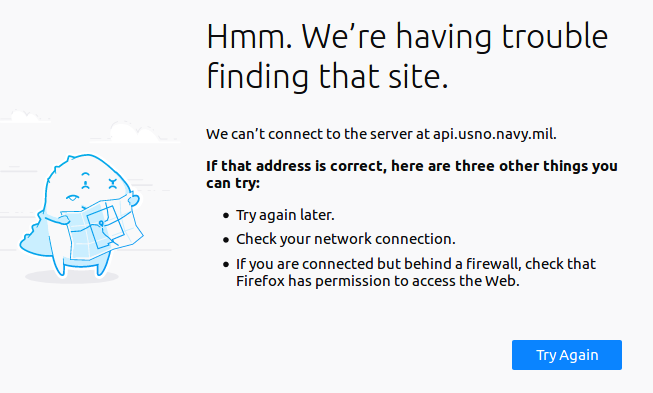
I just checked https://api.usno.navy.mil/imagery/moon.png for status. The error has changed (the site is down) which I’ll take as evidence that they are working on the problem. :-)
-
I just wrote an email to the API for Lunartic and SunRiseSet. I got this email address from the contact page for the US Naval Observatory. Would anyone like to help me by sending an email and asking them when the API’s issues will be corrected? I would really appreciate that.
USNO_PAO@navy.mil
-
Small fix
Module was not showing the New Moon image.
git pullor install as per the readme -
Hello Myke, I would help you delighted, but I do not know the technical words to specify in that email. Maybe you could write an email with all those details and I (and other users, maybe) could send the same email to that agency to make pressure. I do not know if you understand what I mean.
-
I also do not know the technical terms to express to them. Maybe someone else here can visit the site and describe what the problem is.
I wrote this email to them
Hello,
I am a 60 year old computer hobbyist. I have been using your API to get images and data about the moon and sun. (https://api.usno.navy.mil). Just recently I am receiving an error message when trying to access the API.
This is the error message reported by my browser.
“The owner of api.usno.navy.mil http://api.usno.navy.mil has configured their website improperly. To protect your information from being stolen, Firefox has not connected to this website.”
Yesterday, the site couldn’t even be reached at all. I’m hoping that you’re doing some maintenance and that this will be resolved soon.
Please advise, and thank you for this wonderful site.
And this was their response
All of the USNO’s web sites have recently been upgraded to https:// protocol,
i.e. https://www.usno.navy.mil. While the transition was not smooth, all of
the links should be working again. Depending on your browser, you may get some
warnings about our certificates. If so, you will need to accept them as valid
manually. You may also wish to install the most recent U.S. Government
Certificate Authorities. Here’s a link to a website that can guide you
through the process:https://knowledge.digicert.com/solution/SO5198.html.
If you continue to have trouble, please let us know.
Thank you for your interest in our data services.
Regards,
Geoff Chester
Public Affairs Officer
U.S. Naval Observatory
3450 Massachusetts Avenue, NW
Washington, DC 20392
geoff.chester@navy.mil -
Well, the main problem is that the authority which issued and signed the certificate is untrusted. Therefore browsers block access to this site showing a warning
-
Thank you for that info. Please allow me to ask 2 more questions.
-
Is that something that the owners of the API have to correct?
-
If they can’t, or won’t, is there a way to have electron accept the untrusted certificate or disregard the warning?
-
-
@mykle1 they should have used a proper certificate authority.
there is no way to do it ‘automatically’.As their note suggests, you will have to do it manually…
what a pain in the rear!.. -
Ahh, what terrible news. I’m going to write back to them.
-
@sdetweil said in MMM-Lunartic:
they should have used a proper certificate authority.
there is no way to do it ‘automatically’.I found this in a readme of another module here on the forum. I tried to add it to my config.js (in a few places) without success. It would error the config, or not work, depending. I was hoping something like this might work for me for even though you stated there is no way to do it ‘automatically’.
Readme quote:
This module requires an extra step to work:
“If you don’t already have one, add a electronOptions object with the following options in your MagicMirror config.js file.”
and
electronOptions: {
    webPreferences: {
        webSecurity: false
    }
}
I also found this online regarding electronOptions.
allowDisplayingInsecureContent: true,Is there any hope?
EDIT
Ok, never mind. This didn’t work
-
I have written to the US Naval Observatory again, pointing out that their use of an improper certificate authority has sidelined my Lunartic and SunRiseSet modules. I don’t hold out much hope of action on their part.
-
I’ll see what I can do with this
Event: ‘certificate-error’
Returns:event Event
webContents WebContents
url String
error String - The error code
certificate Certificate
callback FunctionisTrusted Boolean - Whether to consider the certificate as trusted
Emitted when failed to verify the certificate for url, to trust the certificate you should prevent the default behavior with event.preventDefault() and call callback(true).const {app} = require('electron') app.on('certificate-error', (event, webContents, url, error, certificate, callback) => { if (url === 'https://github.com') { // Verification logic. event.preventDefault() callback(true) } else { callback(false) } }) -
Well, the closest I could get with the above event handler is an error stating that I could only use the callback once and some foreboding warnings in the dev console about exposing the user to security risks. BLEH!
-
@mykle1 said in MMM-Lunartic:
I have written to the US Naval Observatory again, pointing out that their use of an improper certificate authority has sidelined my Lunartic and SunRiseSet modules. I don’t hold out much hope of action on their part.
Their reply to my 2nd email:
**Mr. Lange:
I’m afraid this is a problem that goes well beyond the USNO. Over the course of the past few month ALL DoD websites have been reconfigured to “https”, resulting in certificate errors to non-DoD users. I came across this site today which has another way to correct the issue, as well as an explanation of why the problem is occurring. Evidently it’s the browser providers that seem to be on the hook to update their certificate stores.
https://mrmc.amedd.army.mil/index.cfm?pageid=ssl
Interestingly I had to manually accept the site certificate for this page, despite the fact that I’m coming in from a .mil domain!
https://mrmc.amedd.army.mil/index.cfm?pageid=ssl
Regards,
Geoff Chester
Public Affairs Officer
U.S. Naval Observatory
3450 Massachusetts Avenue, NW
Washington, DC 20392
geoff.chester@navy.mil
** -
Maybe this can help you.
Before using the MMM-Lunartic module, I used the module MMM-moonphases https://github.com/spectroman/mmm-moon-phases until one day a few months ago it also stopped working (the images of the moon did not come out ). At that time I decided to install the Lunartic, until they also stopped seeing the images of the moon a few weeks ago.
Then, yesterday it occurred to me to try again with the MMM-moonphases, and now the images come out. I do not know if I could give you any idea or if it can help you in something.
-
@qu1que said in MMM-Lunartic:
Maybe this can help you.
Thank you. I will look into that right now.
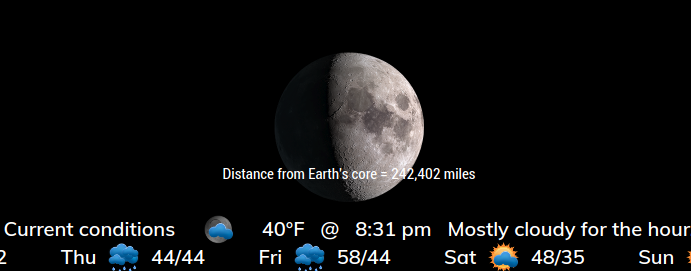
FYI, there is a temporary fixed uploaded to MMM-Lunartic
EDIT
The site used by moon-phases suffers from the same security issue. I don’t know how your MM allows you in unless you’ve done something to circumvent the electron error. In which case, I’d like to know how you did it.
-
@mykle1 Sorry for answering you so late. Apparently the moon-phases module worked correctly, or that was what I believed because the image of the moon was visible. The problem is that with time I realized that it was not updated, always showed half moon.
-
No worries, mate. The temporary fix I uploaded is working. Hopefully, the certificate store will update and I can go back to using the US Naval Observatory API again. In the meantime, the current version of Lunartic works


Hello! It looks like you're interested in this conversation, but you don't have an account yet.
Getting fed up of having to scroll through the same posts each visit? When you register for an account, you'll always come back to exactly where you were before, and choose to be notified of new replies (either via email, or push notification). You'll also be able to save bookmarks and upvote posts to show your appreciation to other community members.
With your input, this post could be even better 💗
Register Login