Read the statement by Michael Teeuw here.
Electron CPU usage
-
This post is deleted! -
@loctruong96 said in Electron CPU usage:
I have also indicated a note in the install guide to have people aware of it.
Very good! Thanks!
-
Hello, here are some details on my configuration and the steps I’ve made to downgrade from 2.1.1 to MM 2.1.0 & electron 1.4.15. First, I use the following PI and OS
-
Pi 3 Model B, 1024MB RAM
-
Raspbian Stretch
pi@Infoboard:~ $ uname -a
Linux Infoboard 4.9.41-v7+ #1023 SMP Tue Aug 8 16:00:15 BST 2017 armv7l GNU/Linux
Downgrade MagicMirror from 2.1.1 to 2.1.0:
-rename of my MagicMirror folder to MagicMirrorSAVE
-download and unzip MM 2.1.0
-rename dir MagicMirror-2.1.0 to MagicMirror
-cd to MagicMirror
-npm install electron@1.4.15 # I didn’t install electron as a global package
-nano package.json
–> change electron version under dependencies to electron 1.4.15{ "name": "magicmirror", "version": "2.1.0", "description": "A modular interface for smart mirrors.", "main": "js/electron.js", "scripts": { "start": "electron js/electron.js" }, "repository": { "type": "git", ... "dependencies": { "electron": "1.4.15", "express": "^4.14.0", "express-ipfilter": "latest", "feedme": "latest", ....now, install MagicMirror
-npm install
-copy your own modules from the MagicMirrorSAVE to the respective MM2.1.0 directory
-install necessary node modules for your own modules
done
Check the installed version of electronpi@Infoboard:~ $ more MagicMirror/node_modules/electron/dist/version v1.4.15run MM with ‘npm start’ and monitor the CPU usage with ‘top’
and the magic is there: 2 to 3 % CPU usage in case you are not running newsfeed or other modules with a lot of rendering stuff. If I include the newfeed modul CPU usage will increase up to 30%. So, I go without newsfeed!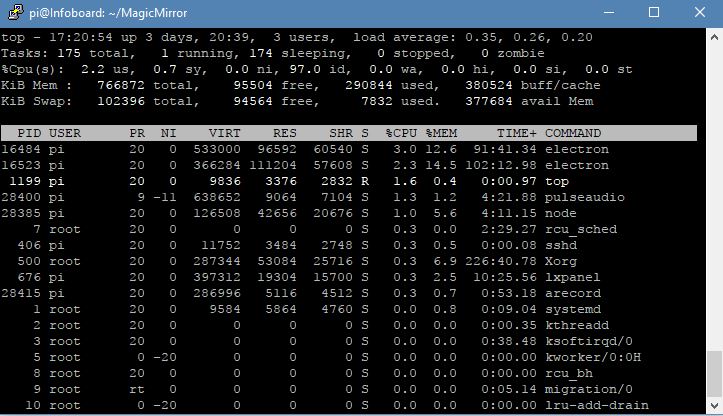
I hope that help some or the other.
-
-
@Mr.Sponti said in Electron CPU usage:
I hope that help some or the other.
Thank you for adding your results to this topic, and the steps you took to downgrade MM and Electron. I’m sure your post will help someone, as this topic has helped quite a few people.
Did you downgrade because you were having the CPU usage issue? Can you tell me what your usage was before you downgraded? Thanks
-
@Mykle1 Yes, I downgraded due to high CPU usage with MM2.1.1 & electron1.4.17. Top showed a usage between 100 and 200% and my own written moduls had a really bad performance.
-
@Mr.Sponti said in Electron CPU usage:
Yes, I downgraded due to high CPU usage with MM2.1.1 & electron1.4.17. Top showed a usage between 100 and 200% and my own written moduls had a really bad performance.
Ok, thank you. I’m glad that you’re seeing the benefit of this workaround. Let’s hope that it gets addressed and corrected sometime in the future.
-
I tried your precise instructions but my system still installed electron 1.7.9
i started with a fresh jessy install on my raspberry pi 3. i then installed the latest version of node.js and copied the MM 2.10 folder to my pi. I then modified the dependancy for electron to 1.4.15 in the package.json and run the installation. However i still ended up with electron 1.7.9 which runns really bad…
it would be great if someone could help me
-
@Kugelfang said in Electron CPU usage:
it would be great if someone could help me
npm install electron@1.4.15
-
@Kugelfang said in Electron CPU usage:
I tried your precise instructions but my system still installed electron 1.7.9
cd $HOME/MagicMirror npm uninstall -g electron npm uninstall electron npm install electron@1.4.15 -
@Mykle1: that seems to have worked. I just entered the MagicMirror folder and ran the command! thanks a lot! the animations are a lot better now!
However, now i have another problem: it seems that the weather forecast module does not work. All other modules work as expected but the forecast does not show up. I double checked all the settings in the config.js and they seem ok.
@Mr-Sponti: thanks for the input but it seems that simply installing 1.4.15 over the 1.7.9 seems to have already working
Could it be that the weatherforecast plugin comming with MM 2.10 is the problem?
-
@Kugelfang said in Electron CPU usage:
Could it be that the weatherforecast plugin comming with MM 2.10 is the problem?
I don’t think so. It’s more of an API key issue. The newer API keys are being rejected by the API source. You can search this forum. I don’t know if there is a fix. Or, try another weather module in the meantime
-
That is odd, my current config.js was working with my API keys for both actual weather and weather forecast modules brilliantly with the most recent mm version (the slow one)
With 2.10/1.4.15 the actual weather module still works but the weather forecast modules simply does not show up on the screen although it’s fully setup in the config file including the proper API key
-
This is just one result of searching the forum for “Weather Not Showing”
https://forum.magicmirror.builders/topic/4822/no-weather-showing
-
ok, thanks a lot, this was quite helpfull!
-
Hi
This is with an clean install from scratch:Version: raspbian stretch and current updates
Linux mmbs 4.9.61-v7+ #1049 SMP Fri Nov 10 15:32:51 GMT 2017 armv7l GNU/LinuxMagicMirror/node_modules/electron/dist/version
v1.7.9and MM default config.js
-> Issue stille hereIncreased default GPU Memory 64mb to 128mb
-> Issue stille here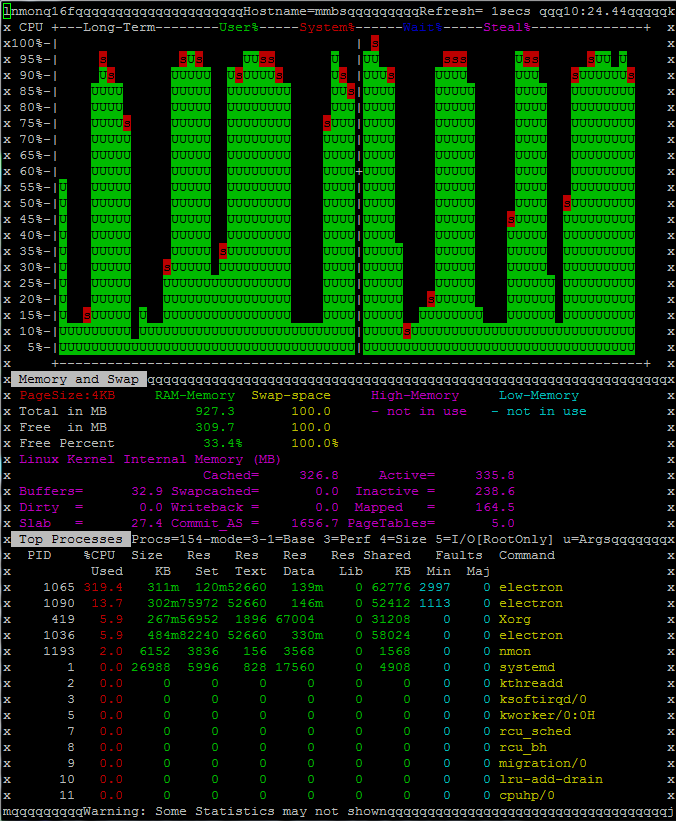
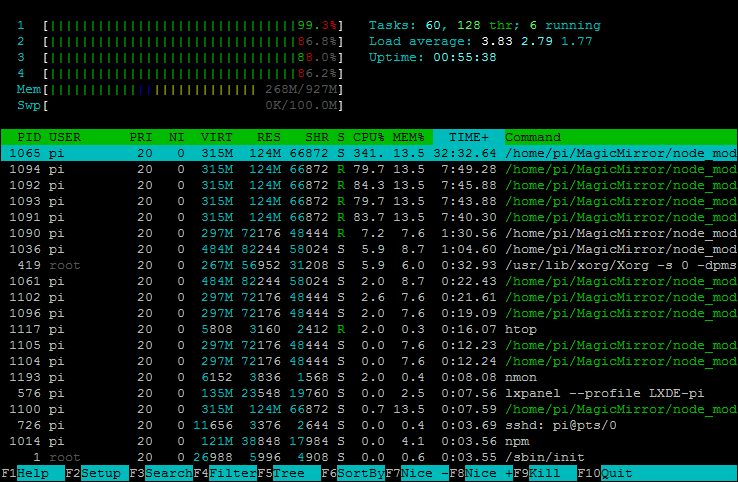
No cpu problem with
Linux mmbs 4.9.57-v7+ #1045 SMP Fri Oct 20 11:44:49 BST 2017 armv7l GNU/Linux
and electron v1.6.2 -
i am running magicmirror only as client (via webbrowser) on a raspberry pi zero. have only a few modules installed (newsfeed, calendar, currentwheather, 2 wheather forecasts, bergfex, mmm-syslog), and don’t have any performance issues while displaying (resolution 1080x1920).
can’t tell you the main difference in cpu load between electron and midori (which i am using), but i guess there must be something else causing this trouble. -
It’s all pretty much discussed in this topic
-
Yes, I know. Just wanted to clarify that the topic is still current with:
stretch img. with update to 4.9.61-v7+ #1049 and electron v1.7.9and no issue with:
jessie img. with update to 4.9.57-v7+ #1045 and electron v1.6.2-> There are some combination of OS / MM / electron which cause a high CPU load.
-
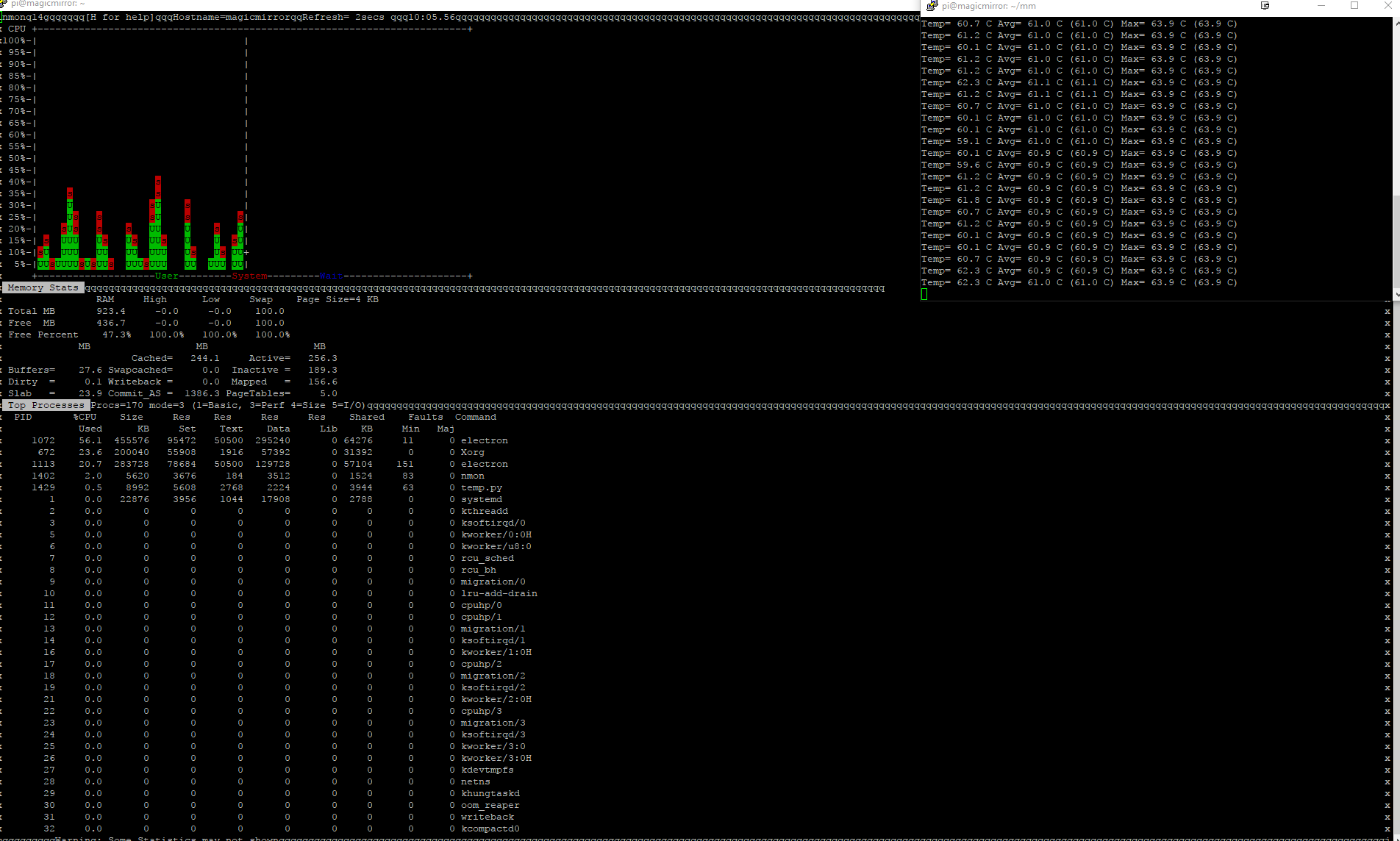
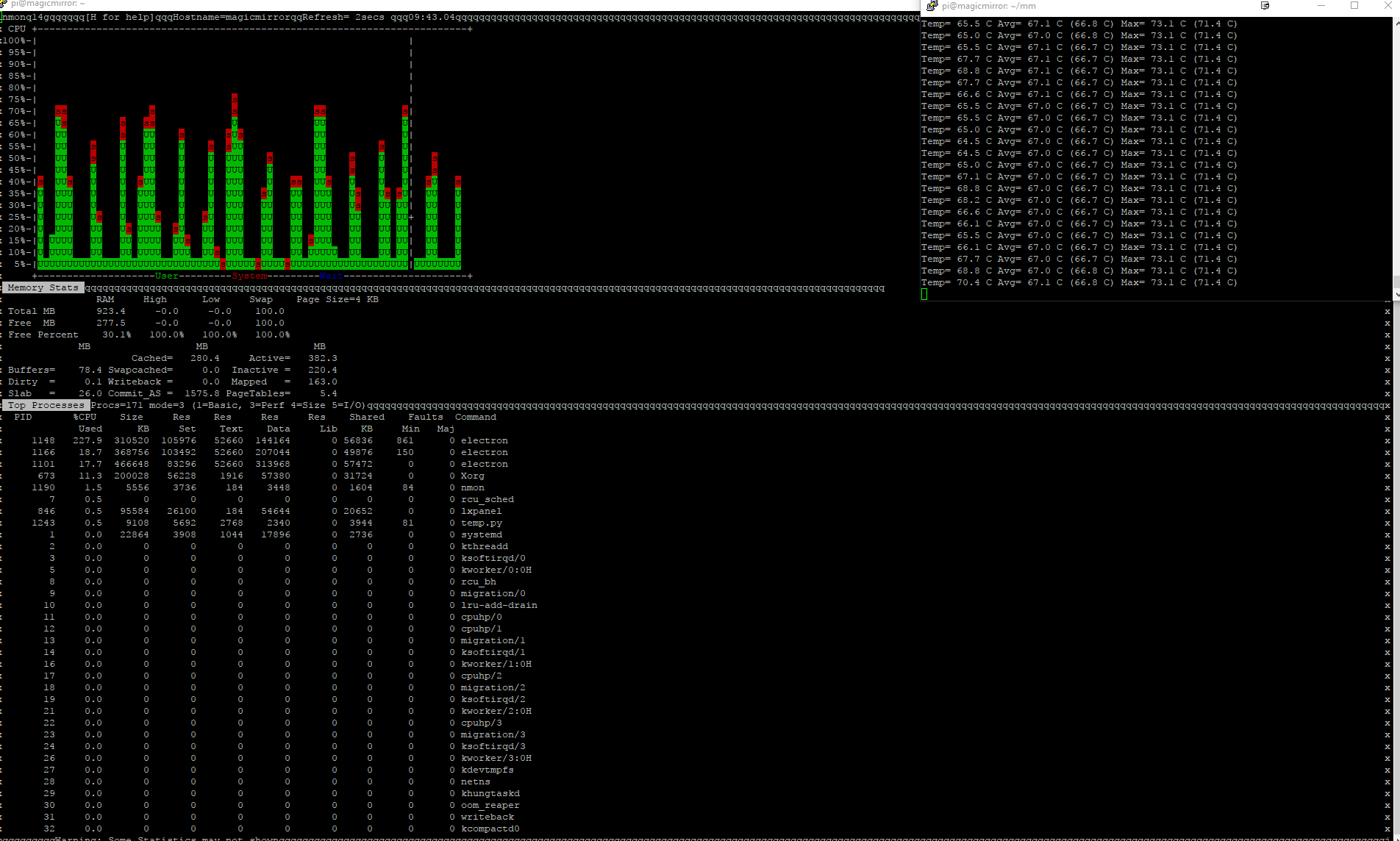
I have been doing a lot of testing on this. I started using the latest Pixel and MM and had temperature and lockup issues. I then noticed that CPU usage was very high. I started doing lots of tests. I finally found that the best CPU usage and temperature was when using Electron 1.6.15. You can see the results in the screenshots.
If you need/want to use Pixel do not use Electron greater than 1.6.15. I tried many combinations along with matching the version of node the electron recommends. Nothing 1.7.x worked that well. As you can see in CGabo’s image on Pixel Electron 1.7.9 uses 100% cpu at time. In my screenshot on Jessie it used 70-80% only. Not sure why this is.
My recommendation would be to have Magic Mirror pin the Electron version to 1.6.15 at this time.
-
@austin said in Electron CPU usage:
My recommendation would be to have Magic Mirror pin the Electron version to 1.6.15 at this time.
Perhaps, but without a doubt, and confirmed months ago by numerous users (including myself) the combination that works best, and with the least amount of CPU load on a Pi, is Raspian Jessie, MM v2.1.0 and Electron v1.4.15. All the results are in the topic above which started 3 months ago. It was a hell of a ride! :-)


Hello! It looks like you're interested in this conversation, but you don't have an account yet.
Getting fed up of having to scroll through the same posts each visit? When you register for an account, you'll always come back to exactly where you were before, and choose to be notified of new replies (either via email, or push notification). You'll also be able to save bookmarks and upvote posts to show your appreciation to other community members.
With your input, this post could be even better 💗
Register Login