Read the statement by Michael Teeuw here.
MMM-Openhab
-
@tbbear when i add that line my code throws errors back at me? The code worked before regardless of what the name is…
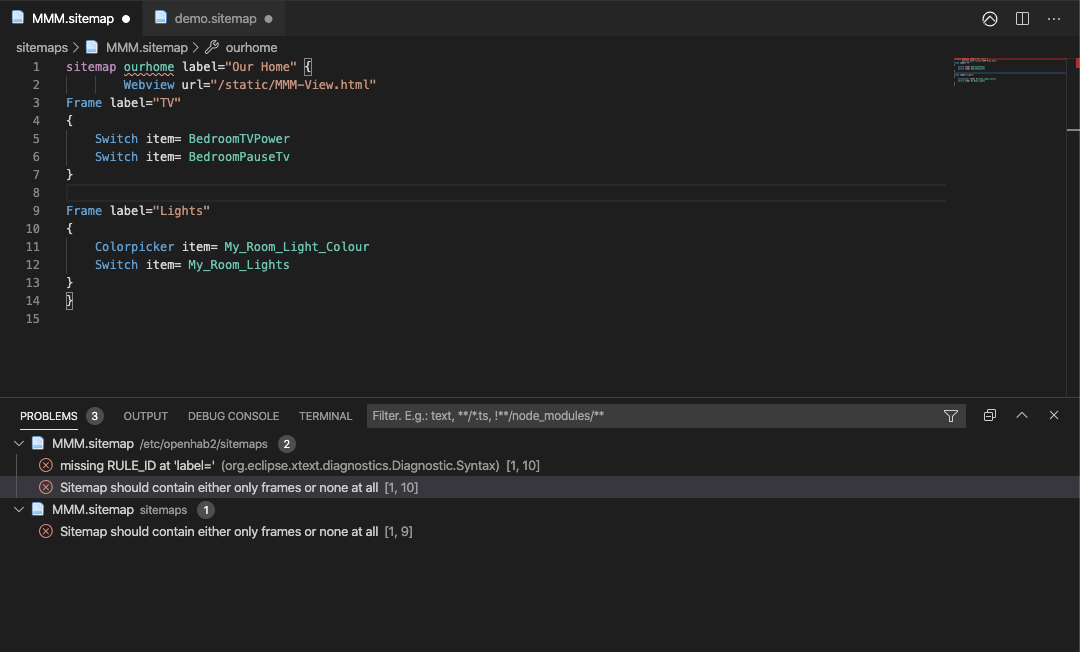
Any suggestions thanks
-
@georgeashton02 As u can see the error is already marked… The name of your sitemap is MMM.sitemap so name it as MMM not ourhome
-
@tbbear No I understand this, as i said the name even when changed doesnt make a difference for some reason
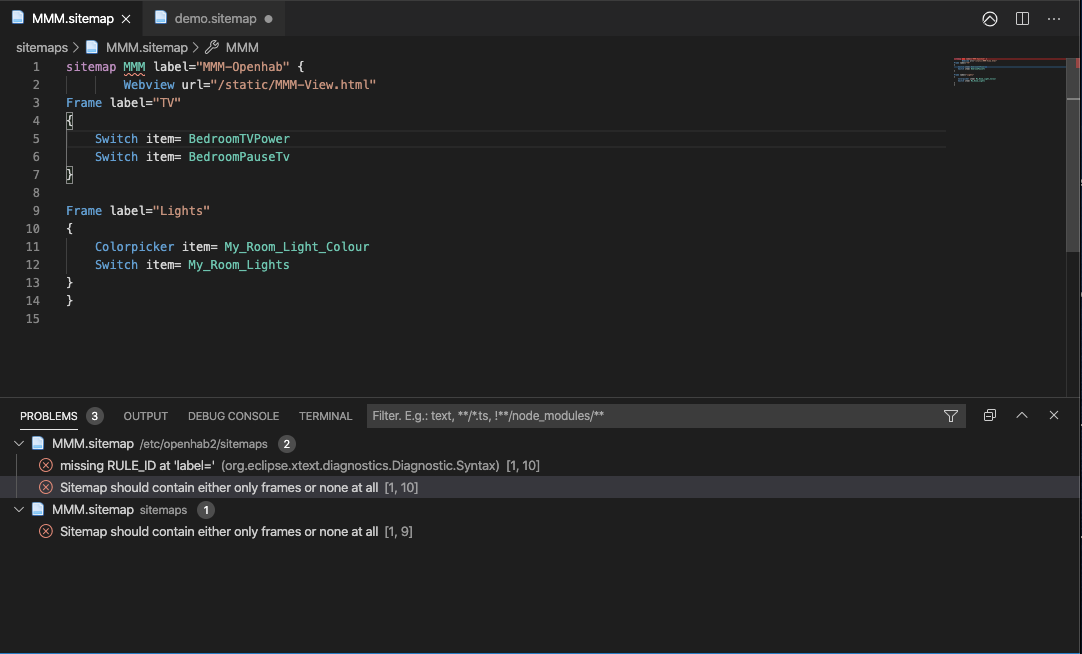
-
@georgeashton02 I dont know why your check tthows an error cause i typed your sitemap and i could run it without any problems in openhab2.5
-
@tbbear That is very odd… what would you suggest i do?
-
@georgeashton02 use it!
-
@tbbear I used this sitemap, put the url for my sitemap in the config script and put that config script into the magic mirror config file. What other steps do i need to complete. Im sorry very confused my bad… Thanks
-
@tbbear Please tell me if I can use notifications to update my sitemaps in this module?
-
@Mrtrol2013 No, the update is done by Openhab
-
Hi, This is great and works as described. But could you help me changing the html/css to make the module smaller and to remove the white square and the red Home icon? I Would like to have only the 3 lines with onformations.
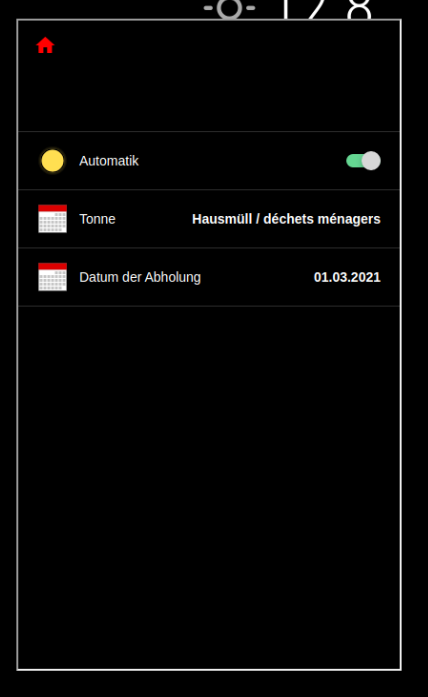
Thank you
-
Great plugin! Is there a way to get rid of the frame around the container?
-
@t-moe Why yes there is you can do 1 of 2 ways:
First way:
Add this to your custom.css.MMM-Openhab .ifr { border: 0; }OR
In the modules directory where this module is open the css file and where you see this….MMM-Openhab .ifr { width: 400px; height: 680px; }Change it to this:
.MMM-Openhab .ifr {
 	width: 400px;
	height: 680px;
	border: 0;
}
Should do it.
-
Hi all,
thanks for the module, it’s really a great addon for my MMs.
Since OH4.2 the theming is to be configured via the sitemap itself. Since I cannot use the mouse in electron, how could I change the settings to black and small arrangement?
Thanks in advance… -
Hi
Does anyone know how to change the font size in MMM-Openhab?
I have tried modifying every CSS and HTML style file and nothing seems to make a difference.
Thank you
-
@clakkentt no, but see the link in my signature below for how to use the developers window to see and adjust css
-
@sdetweil Thank you for the guide. The properties of the elements I want to change seem to come from a material design style sheet .scss from the website hosting the webpage that is displayed in MagicMirror . Way above my level.
I’ll have to live with the current font sizeThanks again
-
@clakkentt yeh, if the page is presented in an iframe, you can’t fiddle with its styles anyhow…
-
said in MMM-Openhab:
Hi all,
thanks for the module, it’s really a great addon for my MMs.
Since OH4.2 the theming is to be configured via the sitemap itself. Since I cannot use the mouse in electron, how could I change the settings to black and small arrangement?
Thanks in advance…
I figured out that you indeed can use the mouse. Just add the code in custom.css, restart and apply with connected mouse, remove the code, restart, done :)html { cursor: unset; }


Hello! It looks like you're interested in this conversation, but you don't have an account yet.
Getting fed up of having to scroll through the same posts each visit? When you register for an account, you'll always come back to exactly where you were before, and choose to be notified of new replies (either via email, or push notification). You'll also be able to save bookmarks and upvote posts to show your appreciation to other community members.
With your input, this post could be even better 💗
Register Login