Read the statement by Michael Teeuw here.
MMM-PublicTransportBerlin - Public transport for Berlin and Brandenburg (departures)
-
Hey guys, I have good news for you:
Commit 8c5e69f in the GitHub repo implements the one direction feature feature via the
directionStationIdvariable. You just enter the next station on your line for the direction you want the departures to be shown.Some words about that:
After some tests, the data delivery of this feature seems not to be as reliable as the normal version. Also, please make sure you actually have the right stationId for the direction station.
Additionally, more request results take more time for the request. So please make sure to keep yourmaxUnreachableDeparturesandmaxReachabledepartureslow when using this feature.If you encounter any issues with that, please open an issue on GitHub.
I also mentioned this in the readme. Thanks again to @derhuerst for implementing the feature in his service!
/cc @M1dn8 @gekberlin @ROMSY
-
Hi,
this is a very nice module! One thing though: Is there a way to make the text stop scrolling from right to left, if it’s a realy long station name? -
@Kleriker Yes, you can set the
marqueeLongDirectionsoption to false`.It’s described in the “Configuration” section here: https://github.com/deg0nz/MMM-PublicTransportBerlin
-
@Beh OH how did I fail to see that… Thank you!
-
this is an awesome module. Thank you for that!
Unfortunately, HVV does not support the API Key anymore.Does anyone of you guys know a different way of getting the API key?
Thanks in advance :)
-
@rudibarani @olexs Did you solve the problem with the delay-calculation?
-
Attention:
Due to changes in the API, the
stationIdmust be a string now. If you experience errors, please check the updated readme and change your configuration to use a string for the ID.This is also true for the
directionStationIdis you use this feature. -
Hello,
I get the following error using this module for about 2 days:
“Fehler bei Daten abrufen; {ifHafasError”:true,“message”:“Gateaway Time-out”,“statusCode”:504}
Das könnte heißen, dass VBB-Daten gerade nicht verfügbar sind.I already updated the stationID and it was working correctly after the change. But now, I get this error.
Can anybody help?
Thanks a lot.
-
@nem1
This actually means what it says. VBB Data is currently not available. The API is down for some days now… The error has been reported.You can check the status at https://status.transport.rest
-
Hello,
It is my first installation of this module and I also have the same error message.
Is the VBB data still out of order or did I wrongly configure my module ?Thank you in advance,
-
@agp42 said in MMM-PublicTransportBerlin - Public transport for Berlin and Brandenburg (departures):
Hello,
It is my first installation of this module and I also have the same error message.
Is the VBB data still out of order or did I wrongly configure my module ?Thank you in advance,
The API is live again. So I think you did something wrong. Can you post the part of your config?
-
@nem1 said in MMM-PublicTransportBerlin - Public transport for Berlin and Brandenburg (departures):
The API is live again. So I think you did something wrong. Can you post the part of your config?
Thank you for your answer and your help, in fact I initially copy-paste the official example of config, just to try the module before doing more configuration :
{
    module: "MMM-PublicTransportBerlin",
    position: "top_right",
    config: {
        name: "Alexanderplatz",
        stationId: "90000010000",
        hidden: false,
        ignoredStations: [900000100003,2342,1337],
        ignoredLines: ["U5", "U8", "S75" "Bus 100"],
        excludedTransportationTypes: "bus,suburban,subway",
        travelTimeToStation: 10,
        interval: 120000,
        departureMinutes: 10,
        maxDepartures: 15,
        marqueeLongDirections: true,
        showColoredLineSymbols: true,
        useColorForRealtimeInfo: true,
        showTableHeaders: true,
        showTableHeadersAsSymbols: true,
        maxUnreachableDepartures: 3,
        maxReachableDepartures: 7,
        fadeUnreachableDepartures: true,
        fadeReachableDepartures: true,
        fadePointForReachableDepartures: 0.25,
        excludeDelayFromTimeLabel: true
    }
},
but it didn’t work at all, the MagicMirror display the error that the config file is not valid :“Please create a config file”.
So to debug that I remove all the non-required parameters, and keep only :{ module: "MMM-PublicTransportBerlin", position: "top_right", config: { name: "Alexanderplatz", stationId: "90000010000" } },Then the Mirror is starting again but this module display this error :
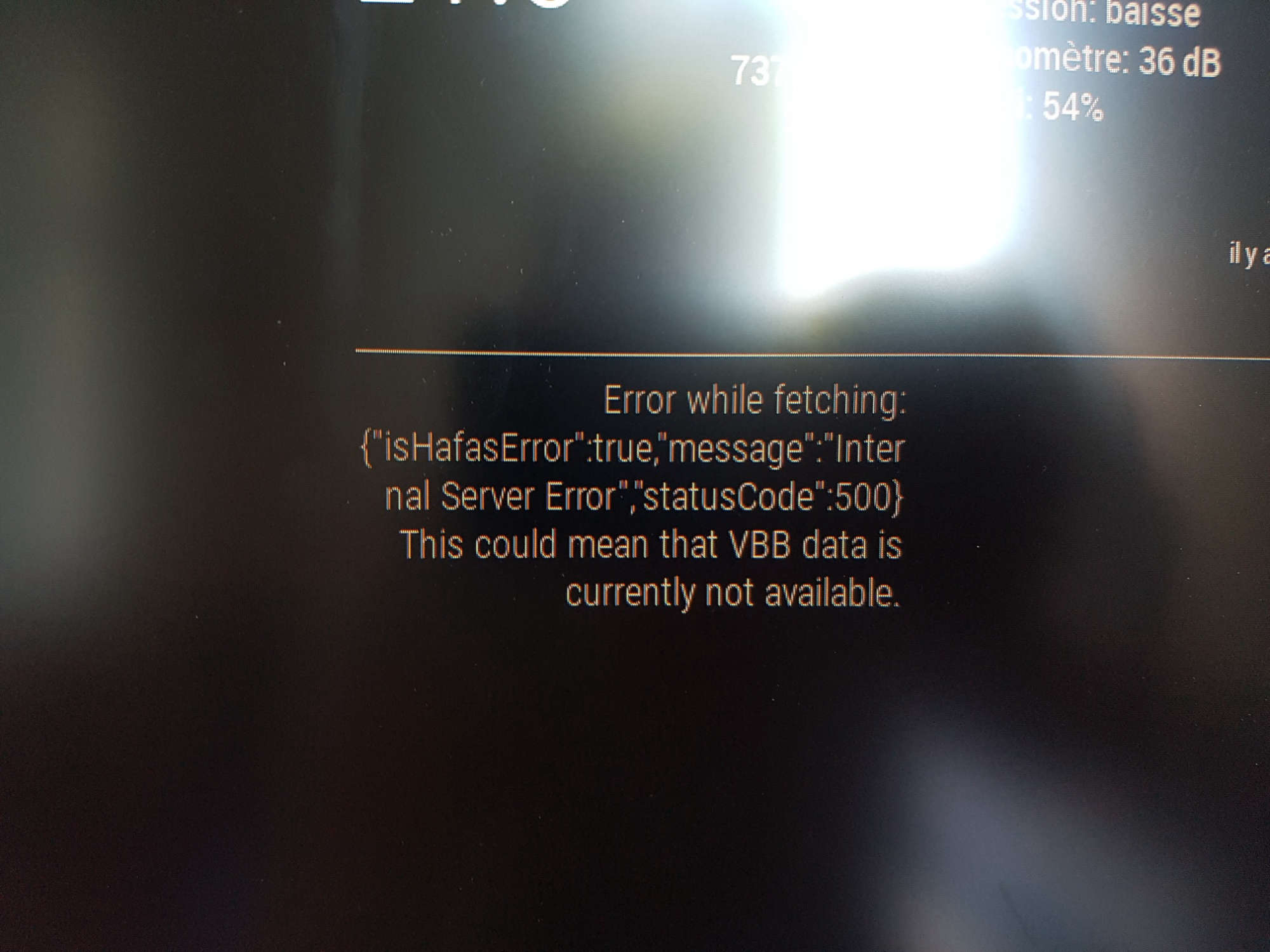
Any idea of the origin of the problem ?
Can you maybe send me a valid config to try it ?(My Mirror was in 2.4.0 and now updated in 2.4.1, but same issue, the Module is updated at its last version)
Thanks in advance,
AgP42 -
by me the same here =/ . since 2 days
-
@dicous said in MMM-PublicTransportBerlin - Public transport for Berlin and Brandenburg (departures):
by me the same here =/ . since 2 days
Hello,
I personnaly never succeded to make that module work, but I use this one instead that is really cool and powerfull :
MMM-PublicTransportHafas -
The API is live again. Let’s see how long the new method is working… I have antoher solution on my roadmap to make this more reliable (hopefully :D)
@AgP42 The Problem was not your configuration, but the data source the module is getting it’s data from. When you get the shown error, the module was configured right.
For future readers: Please look into the GitHub issues of the module when problems occur!
You can find them here: https://github.com/deg0nz/MMM-PublicTransportBerlin/issues/
Additionally, you can check the avialability of the data source here: https://status.transport.rest -
I changed the module to use
vbb-hafasdirectly instead of using the unavailabe endpoint2.vbb.transport.rest. If you update your module, you should be able to see departures again (let’s see how long this will work…).@AgP42: Note, that
MMM-PublictransportBerlinparses VBB/Berlin-specific changes in the HAFAS-API, as @derhuerst described them here: https://github.com/public-transport/hafas-client/blob/master/p/vbb/readme.md.
If they don’t matter to you, you can leave it as it is and continue usingMMM-PublicTransportHafas:) -
After navigation to the folder MMM-PublicTransportBerlin, I used the commands:
sudo git pull
sudo npm installto update the module, because of this API problem.
After rebooting my mirror, the browser automatically starts (as it should), but it shows nothing. Nothing is displayed and I don´t get any SSH connection? Any ideas what happend? (Just before I start to take the mirror of the wall and put the SD-Card into my Laptop.)
-
@nem1 Try to make the
git pullandnpm installwithout sudo.
You can also try to completely remove the module folder and clone it again. Sometimes this solves such problems. -
@Beh
Hi Beh, I have some troubles with this module.I installed it correctly with the given commands and I can also see the Folder.
Then I copied the example (alexander Platz) into the Magic mirror config where all the other modules are.
When I start MM nothing happens, all other modules load smoothly, but not the transportation module, not even an error message. It’s just like the code of this module isn’t there but I double checked everything.
Did I something wrong?thank already for the replys!
-
It works like a charm! Thank you very much for establishing. I have only one question. I there a way to adjust the colors for the transportation Bus? It is always in pink. For Tram and S-Bahn the color changed based on line. But Bus doesn’t change at all.
Again, thank you for this nice module.



Hello! It looks like you're interested in this conversation, but you don't have an account yet.
Getting fed up of having to scroll through the same posts each visit? When you register for an account, you'll always come back to exactly where you were before, and choose to be notified of new replies (either via email, or push notification). You'll also be able to save bookmarks and upvote posts to show your appreciation to other community members.
With your input, this post could be even better 💗
Register Login