Thank you! This worked.
B
Offline
A New Chapter for MagicMirror: The Community Takes the Lead
Read the statement by Michael Teeuw here.
Read the statement by Michael Teeuw here.
Posts
-
Error when updating MagicMirror
Trying to update my mirror. After running git pull && npm run install-mm, I get the following error below. Now my MM wont even boot. Not sure what I messed up. Anything I can do to reset this?
npm ERR! code EBADENGINE
npm ERR! engine Unsupported engine
npm ERR! engine Not compatible with your version of node/npm: magicmirror@2.31.0
npm ERR! notsup Not compatible with your version of node/npm: magicmirror@2.31.0
npm ERR! notsup Required: {“node”:“>=22.14.0”}
npm ERR! notsup Actual: {“npm”:“10.1.0”,“node”:“v20.8.0”} -
RE: How to learn more about coding
Just an update. I have been doing the https://www.theodinproject.com/dashboard “classes” and they have been fantastic. Its a great Introduction to how to use Git and Github along with using a terminal. I do all the learning in a virtual machine that runs Linux. It had a great intros to HTML and CSS. I even have my own Github account (https://github.com/inventiveillustrtions) now with my first “project”.
-
RE: Think I messed up one of my moduless
@sdetweil said in Think I messed up one of my moduless:
git checkout package-lock.json
Solved! Thank you so much. I hope you have a great Holiday break!
-
Think I messed up one of my moduless
Hi all,
I think I messed something up with my CalendarExt3 modules. When I do the git pull to update I receive this error: error: Your local changes to the following files would be overwritten by merge:
package-lock.json
Please commit your changes or stash them before you merge.Could I have messed something up with the modules config? It’s very possible I did. How would I revert these changes?
Thank you!
-
My Family Display Board
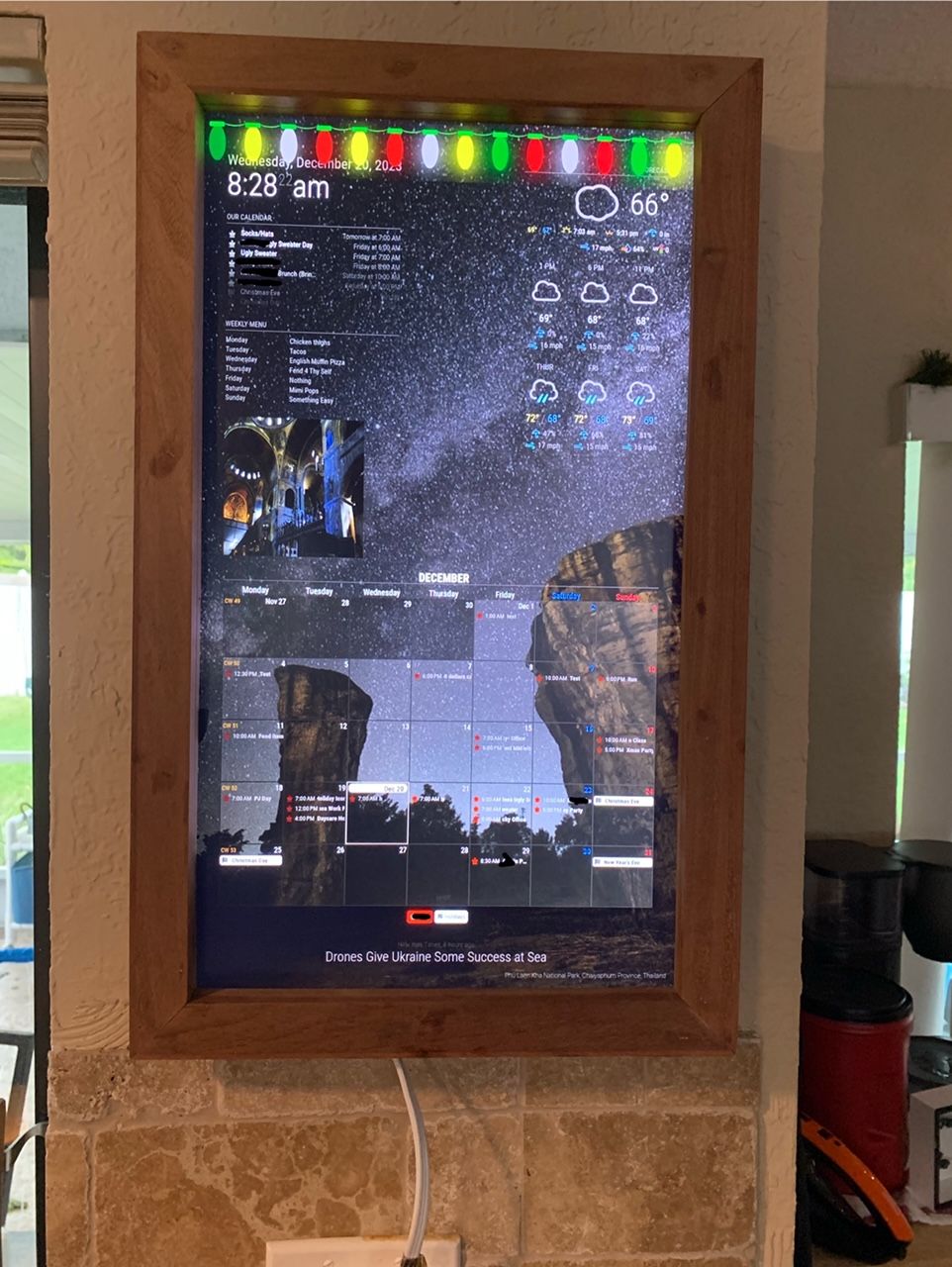
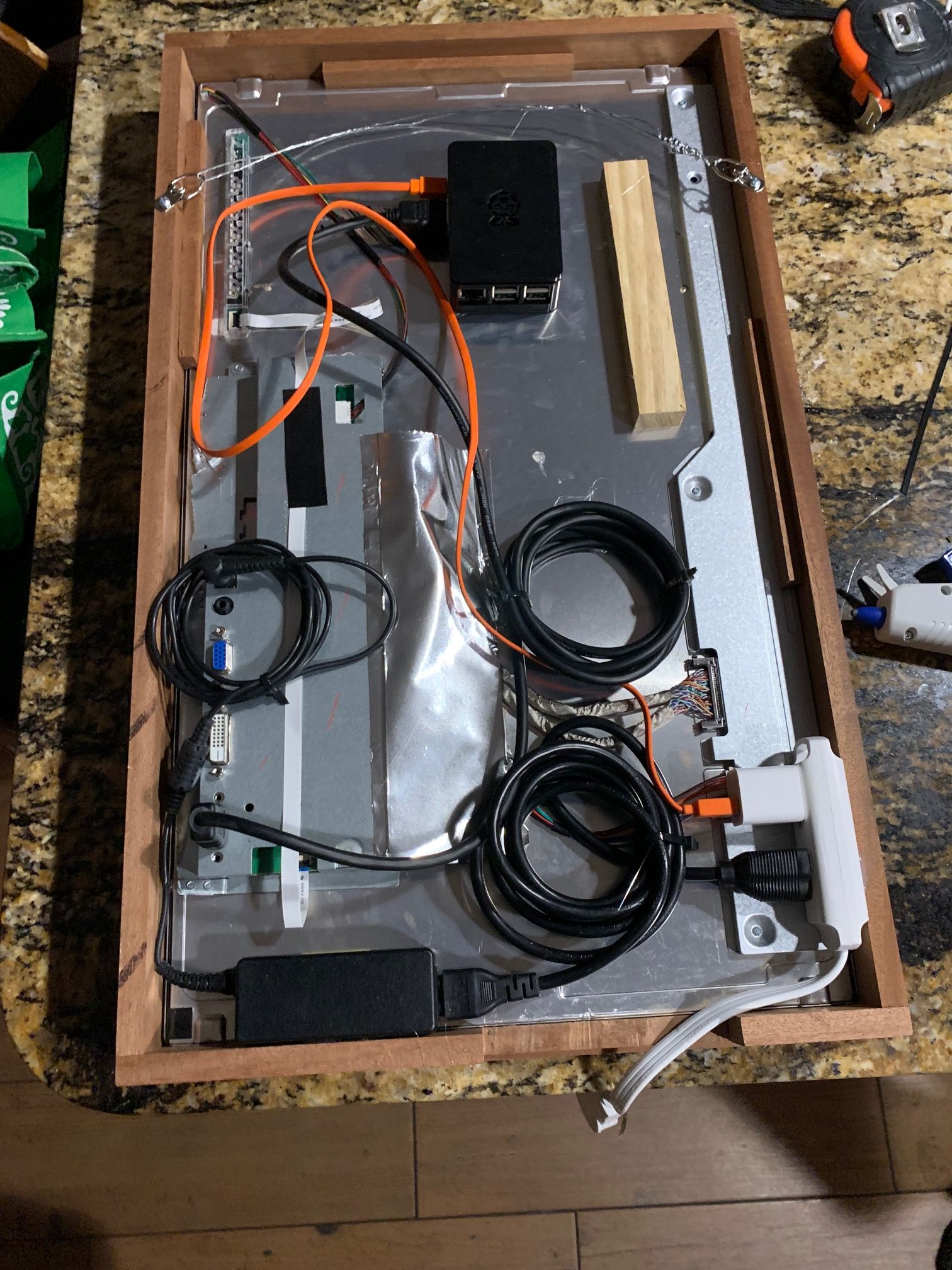
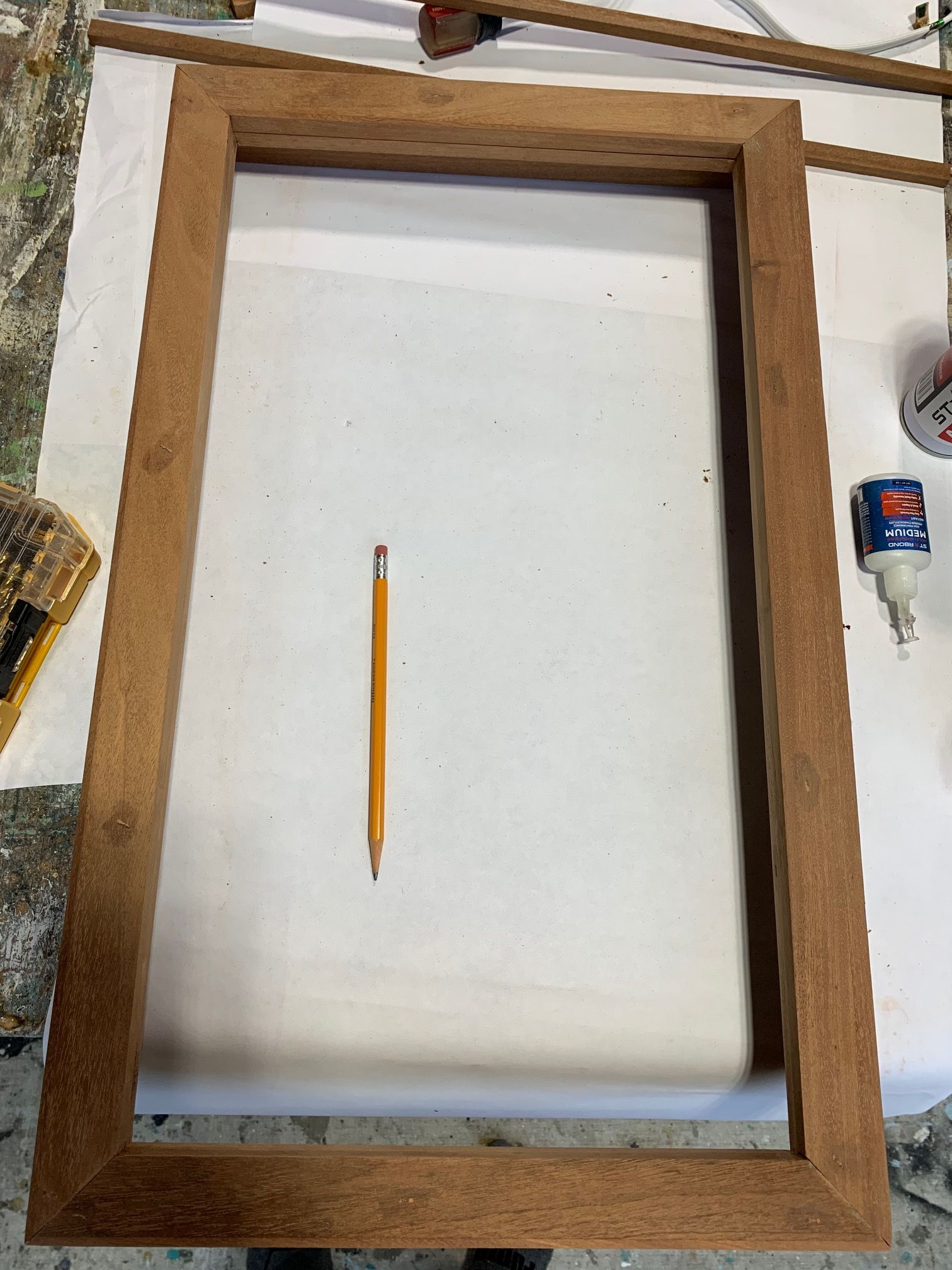
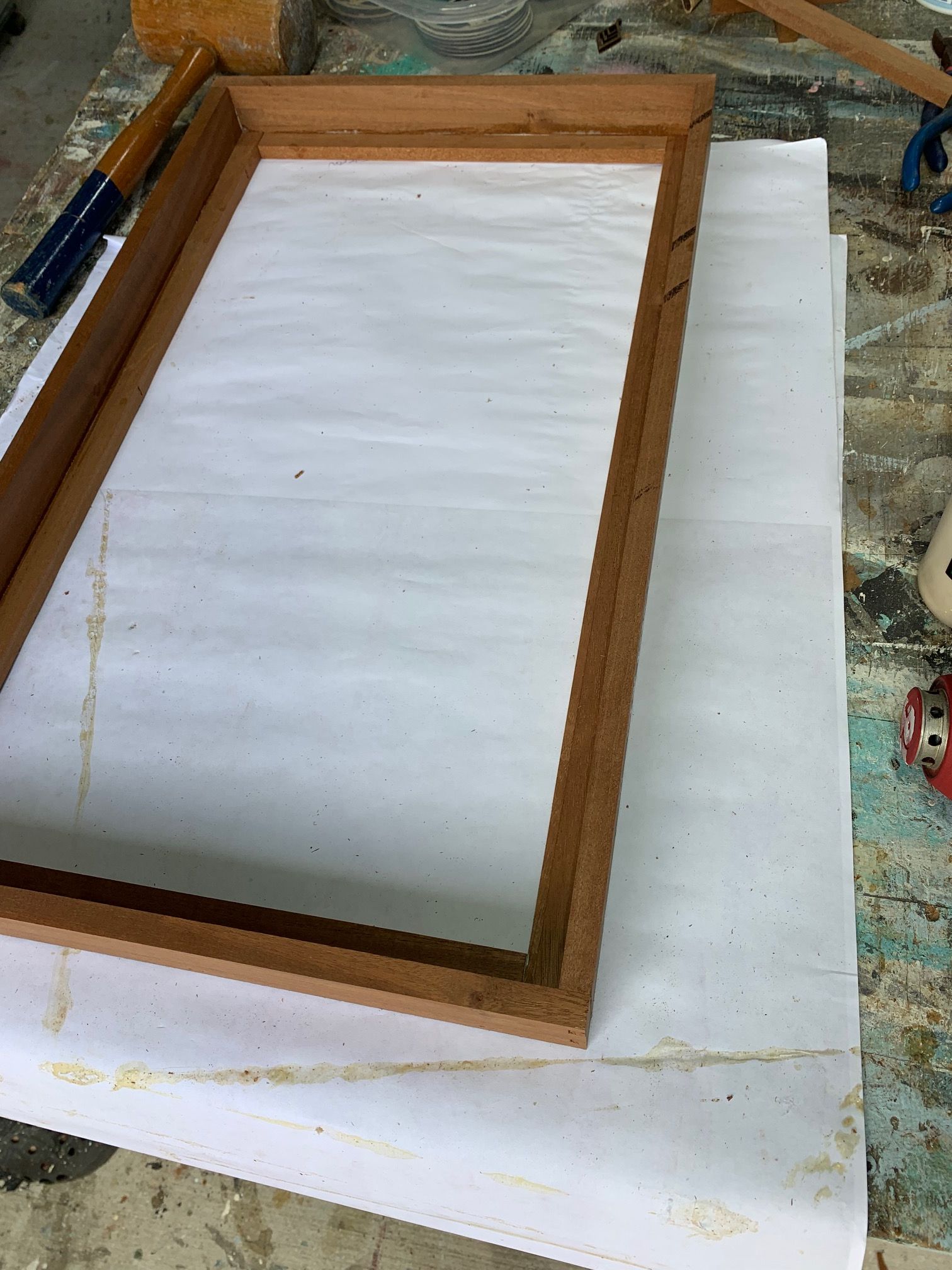
I wanted to share my MagicMirror without the mirror family display board. It was my first time ever taking on a project like this and I had a great time. I pretty much have everything how I’d like it but I’m tweaking some of the CSS. I heavily used the Magic Mirror fourms and google for help but I learned a lot.
Modules Used
MMM-Googlesheets for the Menu
MMM-HolidayLights
MMM-CalendarExt3
MMM-OpenWeatherForecast
MMM-ImageSlideshow
MMM-Wallpaper
-
RE: MMM-PaprikaMenu: Displays your weekly meal menu from the Paprika Recipe Manager app
It would be great if we could also show what’s on the grocery list onto the MM. Would this be possible?
-
RE: How to learn more about coding
@BKeyport Thank you for the heads up! I guess I should probably focus on trying to get the modules I have installed now to work before I start trying to make a new one.
-
RE: How to learn more about coding
@sdetweil @BKeyport Thank you both so much. These are great ideas to get started. From what both of you are saying, it sounds like I need to try and come up with an idea for a module and learn from there. Pretty much from the ground up. I really wish I learned more about this growing up. But at least now I have Chat GPT to assist.
Also, thank you providing the links to those helpful modules. These will be great learning resources.
-
How to learn more about coding
I’ve recently gotten very interested in creating a Magic Mirror. Ive started with zero knowledge of coding and I’m still having to Google just about everything. Doing this project has motivated me to learn more about coding but specifically how I can use this raspberry pi. I would love to learn more about how to tweak and modify my Magic Mirror using css but I have no idea where to start. Is there a pecking order I should learn different languages. I know this isnt something I’m going to learn in say a month or two but I love finding something new to learn about and I feel like learning some programing would be a great experience. Can anyone point me in the right direction on what I should learn?
-
RE: My SmartDisplay
@sdetweil Thank you Sam for the assitance once again! You are correct there was an error. I tried to copy the sample config and replaced my API Key from Openweather and entered in my lat and long.
{
  module: "MMM-OpenWeatherMapForecast",
  header: "Weather",
  position: "top_right",
  classes: "default everyone",
  disabled: false,
  config: {
    apikey: "SUPER SECRET!!!",
    latitude: "51.506130",
    longitude: "-0.090270",
    iconset: "4c",
    concise: false,
    forecastLayout: "table"
  }
},
The error Im getting is saying Verify styleshhet URLs, Affected Resource Localhost/:0
The weird thing I can use the API key for the default weather map no problem. Maybe I’m entering it in in the wrong format. Your help is much appreciated!
-
RE: My SmartDisplay
@Chazzer Did you ever find out why OpenWeather wasnt working? I have a very similar issue.
-
RE: Weekly calendar view
@angeliKITTYx How was this project been going. Im doing something similar.
-
RE: MMM-ImagesPhotos Help Resizing photos
@sdetweil That was it! Thank you so much. This project has really gotten me interested in learning coding! Looking forward to posting my mirror once it’s finished.
-
RE: MMM-ImagesPhotos Help Resizing photos
@sdetweil For example;
Ive used the same example in your Readme however just adding on the width and height.
{
	module: "MMM-ImagesPhotos",
	position: "middle_center",
	config: {
		opacity: 0.9,
		animationSpeed: 500,
		updateInterval: 5000,
		backgroundColor: 'grey',
		fill: false,
		blur: 10,
		sequential: false
                maxWidth: 500,
                 maxHeight: 500,
	}
},
If I remove the width and height, it works no problem. Thank you very much for helping me out!
-
MMM-ImagesPhotos Help Resizing photos
I’m very new to this and I’m running into trouble trying to resize my photos using the referenced module. I keep getting a syntax error when trying to enter in the maxWidth and maxHeight. What is the correct format I need to use if I’m trying to have my photos be 500px X 500px. Thank you!