@LaeHarr going a solid number of weeks outside a month is kinda rough. What I would do is use something like MMM-Multimonth and enable 2 months.
 B
Offline
B
Offline
A New Chapter for MagicMirror: The Community Takes the Lead
Read the statement by Michael Teeuw here.
Read the statement by Michael Teeuw here.
Posts
-
RE: More weeks using MMM-MonthlyCalendar?
-
RE: Calendar events broadcasting, nothing showing...
@sdetweil oh, cool that you built that in the scripts - I use that.
-
RE: Calendar events broadcasting, nothing showing...
@sdetweil When we get to the quarterly update, I’ll need to know how to update back to the main. LOL
-
RE: Calendar events broadcasting, nothing showing...
@sdetweil That fixed it here.
-
RE: Calendar events broadcasting, nothing showing...
@sdetweil does not seem to affect anything.
if (notification === "CALENDAR_EVENTS") { // have we received events for this url if (!this.calendarData[payload.url]) { // no, setup the structure to hold the info this.calendarData[payload.url] = { events: null, checksum: null }; } // save the event list this.calendarData[payload.url].events = payload.events; this.error = null; this.loaded = true; if (this.config.broadcastEvents) { this.broadcastEvents(); } // if the checksum is the same /* if (this.calendarData[payload.url].checksum === payload.checksum) { // then don't update the UI return; } */ // haven't seen or the checksum is different this.calendarData[payload.url].checksum = payload.checksum; -
RE: Calendar events broadcasting, nothing showing...
@sdetweil Sorry, I’ve been away due to work issues. It is multiple systems to one server, and still unsolved. Worked fine before “upgrade” to current MM version.
-
Calendar events broadcasting, nothing showing...
0|run8080  | [2026-05-27 08:48:46.741] [DEBUG] [calendar] title: Winlink Wednesday Zoom class
0|run8080  | [2026-05-27 08:48:46.741] [DEBUG] [calendar] Event: Winlink Wednesday Zoom class | start: Wed Sep 16 2020 20:30:00 GMT-0700 (Pacific Daylight Time) | end: Wed Sep 16 2020 21:30:00 GMT-0700 (Pacific Daylight Time) | recurring: true
0|run8080  | [2026-05-27 08:48:46.743] [INFO]  [calendar] Broadcasting 165 events from https://calendar.google.com/calendar/ical/b7jirihj85d3klbcvja8im40fk%40group.calendar.google.com/public/basic.ics.
Running newest Magic Mirror, installed April 27, using Sam’s scripts.
I’m getting broadcasts as you can see, but default calendar and all modules that depend on it show nothing.
any clue what’s going on?
-
RE: MMM-CalendarExt3Agenda - Event Transforming not working - Mirror 2.35.0
@KristjanESPERANTO Finally got time to fix things up and move forward (Complete reinstall, honestly)
Everything is working as I desire now.
-
RE: MMM-CalendarExt3Agenda - Event Transforming not working - Mirror 2.35.0
@KristjanESPERANTO I’m downgraded to previous MM until after the end of tax season at least.
-
RE: Reverting to previous MM Release
@sdetweil gotcha.
I’ll likely re-work my entire system(s) after tax season is over, but this will hold until then. Once I have time, I’m mulling a few changes that’ll break everything anyway.
-
RE: Reverting to previous MM Release
@sdetweil interesting that the old release is in test branch.
-
Reverting to previous MM Release
I need to back down to the previous release. I believe the 4/1 release of MM is a step too far in compatibility breaks.
Is there a guide on how to do this?
-
RE: MMM-CalendarExt3Agenda - Event Transforming not working - Mirror 2.35.0
@sdetweil As I said, I cannot find any errors in any logs I know how to access. (Other than the usual updating DOM without display, etc).
As for the re-writes, I don’t know enough about it, and in the middle of tax season, so I don’t have time to learn.
-
MMM-CalendarExt3Agenda - Event Transforming not working - Mirror 2.35.0
I’m having a problem with event transforming not working anymore in Mirror 2.35.0
the client title (Client’s name) is shown instead of the ev.title I want (Client)
Nothing is in the logs - help!
Here’s the code:
	{
	  		module: "MMM-CalendarExt3Agenda",
  			position: "bottom_center",
  			classes: "page1",
  			config: {
  				eventTransformer: (ev) => {
					if (ev.title.search("🏠 Personal Commitment") > -1) {
						ev.title = ev.title.replace("🏠 Personal Commitment","Personal Commitment")
					}
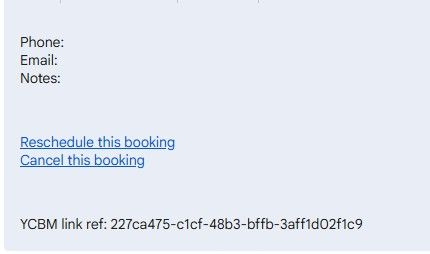
					if(ev.description && ev.description.search("YCBM") > -1) {
       					 	ev.title = "Client"
 					}
					return ev
				},
				showMiniMonthCalendar: false,
				//onlyEventDays: 1,
				waitFetch: 5000,
				refreshInterval: 10000,
				animationSpeed: 0,
				calendarSet: ["Main", "Lemay", "Holidays"],
			}
		},
-
RE: Upcoming Release April 1, 2026 , breaking changes, some operational changes
@sdetweil For clarification does that remove moment.js system wide, or is it just that module? Will other modules need to add it to their package.json files?
-
RE: Upcoming Release April 1, 2026 , breaking changes, some operational changes
OK - so currently my CSS folder is:
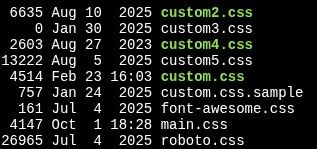
What gets moved?
(FWIW, I don’t know what the CSS files are other than custom and main)I’m currently setting the CSS file with
customCss: "css/custom3.css",in the config,I’ll change that to
customCss: "config/custom3.css",?as far as the launching of the server, it’s bash script is:
cd /home/bkey1970/MagicMirror
export MM_CONFIG_FILE=config/config3.js
export MM_PORT=8082
export ELECTRON_DISABLE_GPU=1
DISPLAY=:0 npm run server
nothing changes, right?
-
RE: Upcoming Release April 1, 2026 , breaking changes, some operational changes
@sdetweil what will happen with those of us using multiple configs/css?
-
RE: MMM-Embed URL centered on fullscreen_above?
@wishmaster270 Doh! Was using the wrong css item.
<internally screaming at CSS> -
RE: MMM-Embed URL centered on fullscreen_above?
@sdetweil Indeed, I can see it in develop mode, but everything I’ve tried has failed, which is why I’m here.
-
RE: MMM-Embed URL centered on fullscreen_above?
Config stub:
               {
                        module: "MMM-EmbedURL",
                        position: "fullscreen_above",
                        classes: "camera1",
                        config: {
                                updateInterval: 0,
                                animationSpeed: 0,
                                appendTimestamp: false,
                                attibutes: [],
                                embed: [
                                        "http://192.168.0.7/picture/1/frame/"
                                ],
                        },
                },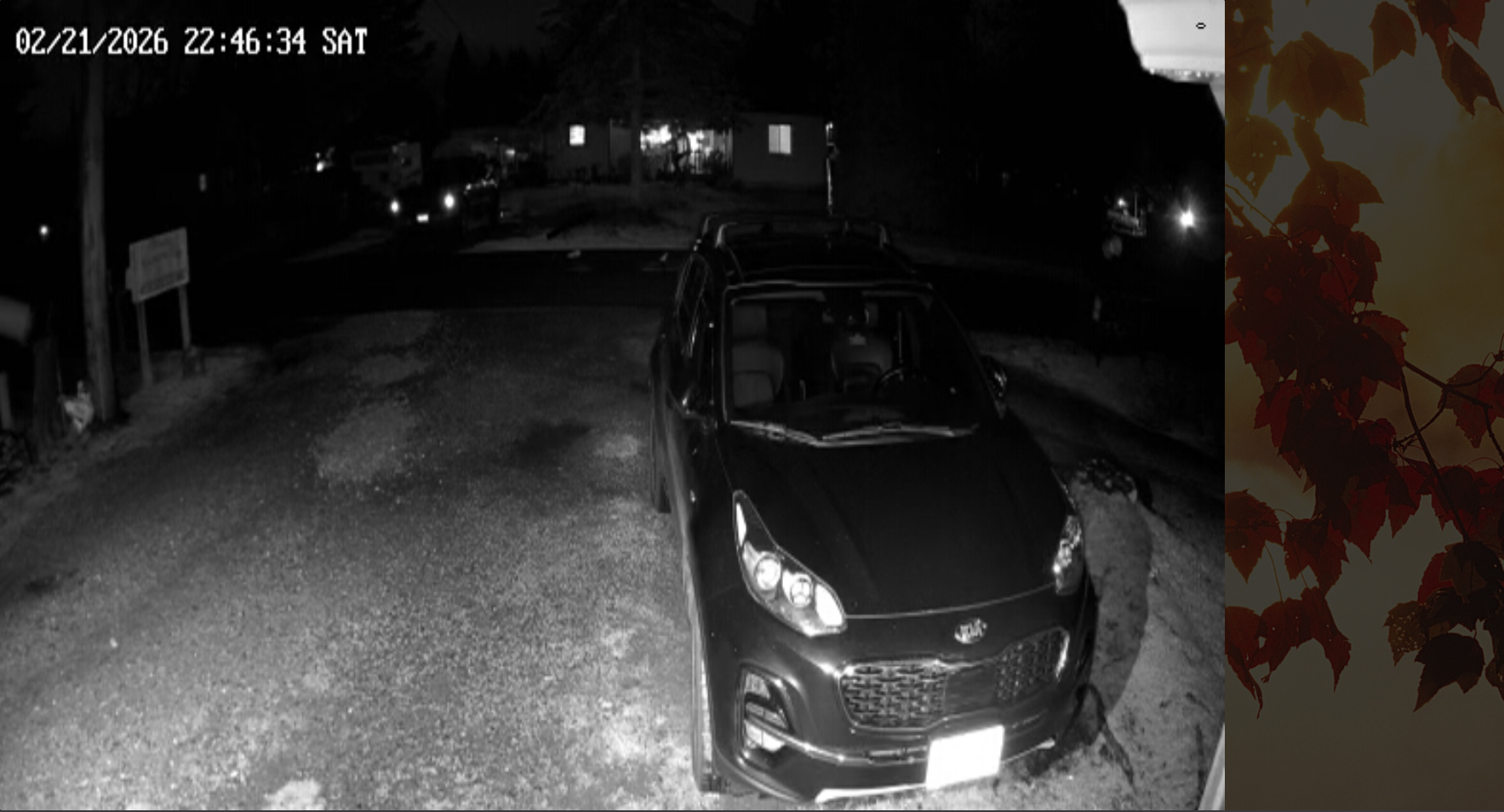
The camera stream should be centered left/right. The camera feed is 4x3. (scaled from 640x480 due to how I have to get the feed at this time) and will always stretch the vertical to 100%
(note: screenshot isn’t actual screen resolution)