@ajocham This is interesting, but I think the repo would profit a lot from having some screenshots of the module running
B
Offline
A New Chapter for MagicMirror: The Community Takes the Lead
Read the statement by Michael Teeuw here.
Read the statement by Michael Teeuw here.
Posts
-
RE: WeatherBackground using AI generated images
-
RE: MMM-StreamerStatus
Formated configuration:
{ module: "MMM-StreamerStatus", position: "top_right", header: "Live Now", config: { twitchClientId: "your_client_id", twitchClientSecret: "your_client_secret", kickClientId: "your_client_id", kickClientSecret: "your_client_secret", youtubeApiKey: "your_api_key", displayStyle: "list", // or "card" showOffline: false, streamers: [ { name: "your_streamer", platform: "twitch" }, { name: "your_streamer", platform: "kick" }, { name: "Channel Name", platform: "youtube", channelId: "UCxxxxxxx" }, ], }, }, -
MMM-Nest-Camera-WebRTC
Hey everyone! I’ve been working on a module to display a live Google Nest camera feed on MagicMirror² using WebRTC, and wanted to share it with the community.
MMM-Nest-Camera-WebRTC
https://github.com/brandaorafael/MMM-Nest-Camera-WebRTC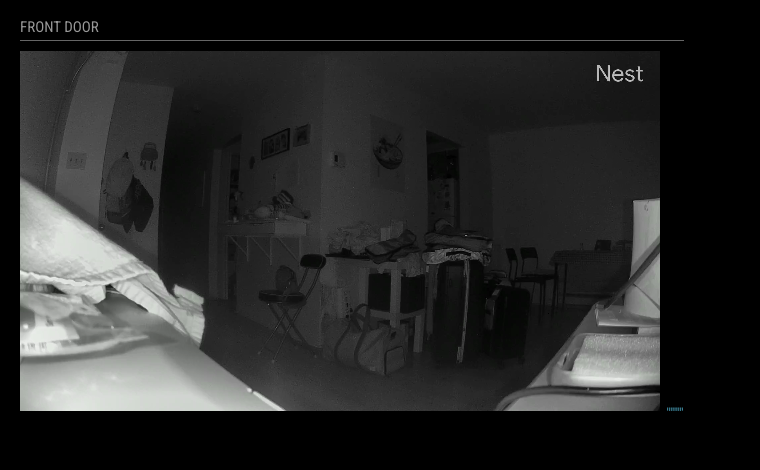
What it does:
- Streams live video from a Google Nest camera directly on your mirror via WebRTC
- Automatically refreshes OAuth tokens — no manual intervention needed after initial setup
- Keeps the stream alive beyond Nest’s 5-minute session limit via periodic extension
- Includes an audio frequency visualizer — a bar equalizer that reacts to the camera’s audio track (without playing any sound through the mirror)
- Auto-reconnects on connection failure with configurable delay
- Integrates with
USER_PRESENCE(e.g. MMM-PIR-Sensor) to suspend/resume the stream when you leave/return - Supports
hiddenOnStartupto defer the WebRTC connection until the module is shown
Requirements:
- A Google Cloud project with the Smart Device Management API enabled
- A Device Access Console project (~$5 one-time fee to Google)
- OAuth 2.0 credentials (Client ID + Secret)
The README has step-by-step instructions for getting all credentials and completing the initial OAuth setup with the included
exchange-nest-code.jsCLI tool.
This is a fork originally based on work by @shbatm — I rewrote the streaming and token logic, added the audio visualizer, and hardened the reconnection/session extension flow. Feedback and issues welcome!
-
MMM-StreamerStatus
[Module] MMM-StreamerStatus — See who’s live on Twitch, Kick & YouTube
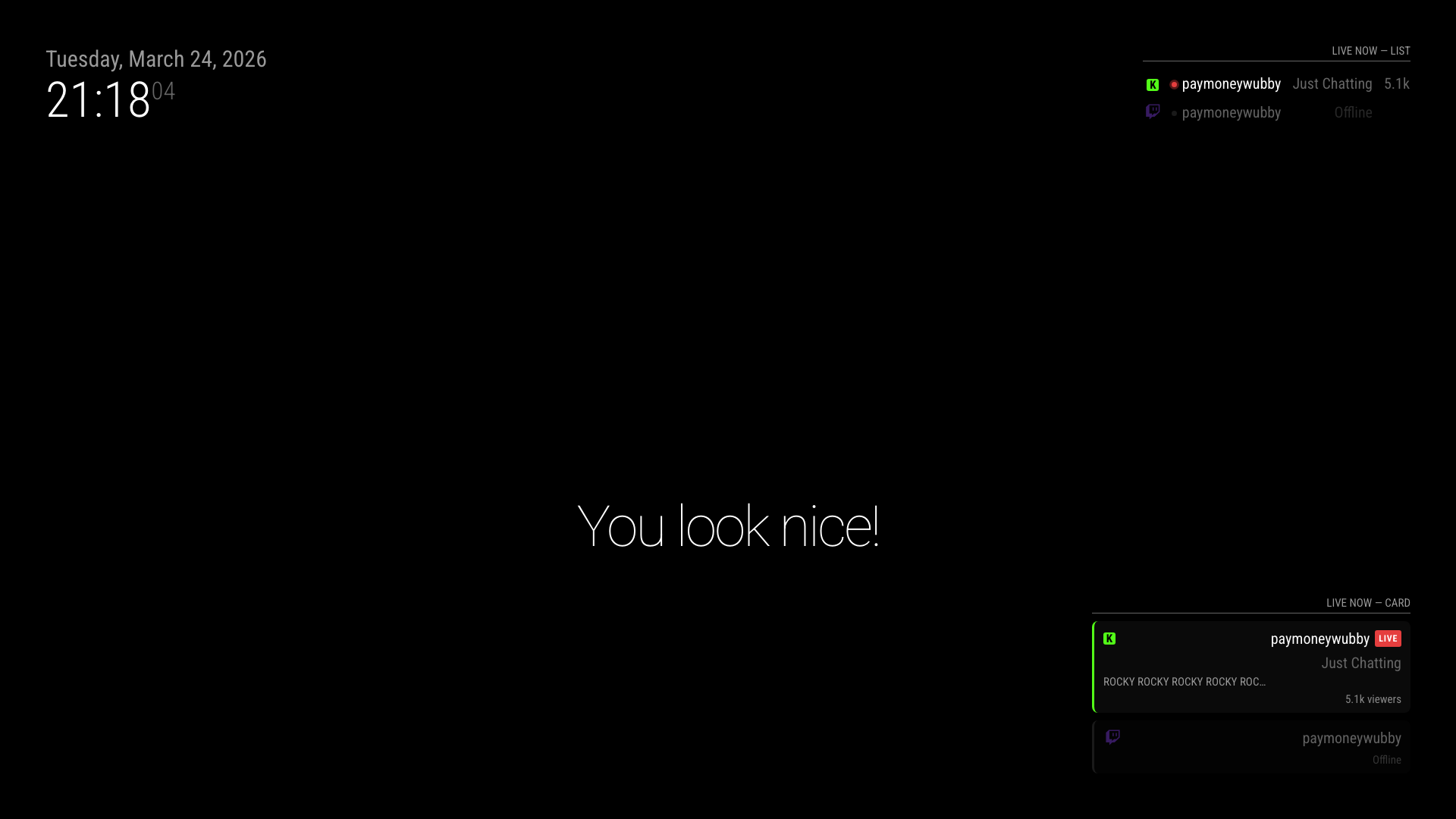
Hey everyone! I’d like to share a new module I built: MMM-StreamerStatus.
It monitors a list of streamers across Twitch, Kick, and YouTube and shows you who’s currently live — with their game/category and
viewer count — right on your mirror.
Features
- Supports Twitch, Kick, and YouTube
- Two display styles: compact list or card grid (your choice)
- Shows platform icon, live indicator, current game/category, and viewer count
- Offline streamers can be shown dimmed or hidden entirely
- Smart polling: Twitch + Kick every 2 min, YouTube on a separate interval to stay within the free API quota
- OAuth token caching with automatic refresh for all platforms
Screenshot
Installation
cd ~/MagicMirror/modules
git clone https://github.com/brandaorafael/MMM-StreamerStatusNo npm install needed.
Configuration
{
module: “MMM-StreamerStatus”,
position: “top_right”,
header: “Live Now”,
config: {
twitchClientId: “your_client_id”,
twitchClientSecret: “your_client_secret”,
kickClientId: “your_client_id”,
kickClientSecret: “your_client_secret”,
youtubeApiKey: “your_api_key”,
displayStyle: “list”, // or “card”
showOffline: false,
streamers: [
{ name: “your_streamer”, platform: “twitch” },
{ name: “your_streamer”, platform: “kick” },
{ name: “Channel Name”, platform: “youtube”, channelId: “UCxxxxxxx” },
],
},
},Full setup guide (including how to get API credentials for each platform) is in the README:
https://github.com/brandaorafael/MMM-StreamerStatusFeedback and contributions welcome!