MagicMirror Forum
    • Recent
    • Tags
    • Unsolved
    • Solved
    • MagicMirror² Repository
    • Documentation
    • 3rd-Party-Modules
    • Donate
    • Discord
    • Register
    • Login
    1. Home
    2. Foxy25
    3. Posts
    A New Chapter for MagicMirror: The Community Takes the Lead
    Read the statement by Michael Teeuw here.
    F
    Offline
    • Profile
    • Following 0
    • Followers 0
    • Topics 6
    • Posts 34
    • Groups 0

    Posts

    Recent Best Controversial
    • Integration of Cupra/Seat Telemetry Data in my MM

      Hi,

      i have finish my development to integrate Cupra / Seat Telemetry Data in my MagicMirror.

      I don’t have writen a Module for MM, but i have integratet a Python Script to read via Node-Red the Data from the Car, and send it over MQTT to the MM.

      All the Work do Node-Red.

      Im not sure, if Im right here, but maybe it helps some other Users.

      It is writen in german, so if you need an other language use a translator.

      1. Installation of pycupra to read the data:

      https://github.com/SteitzTo/pycupra_manual_de.git

      1. Installation of an Node-Red Workflow to send the Data to the MM:

      https://github.com/SteitzTo/pycupra_to_MagicMirror.git

      I hope it helps other Users to Display some Data from there cars.

      Greetings Torsten

      posted in Development
      F
      Foxy25
    • RE: Alexa Shopping List in MM

      @Foxy25

      Hi

      i transfer the complete project to Github:

      https://github.com/SteitzTo/AlexaShopping-to-MMM

      Greetings Torsten

      posted in Tutorials
      F
      Foxy25
    • RE: Alexa Shopping List in MM

      @Foxy25

      OK everybody Update 1.1

      There were a few disagreements in programming:

      1. If the list completely empty, an error message came
      2. If there were fewer than 10 things on the list
      3. If things were ticked off or not
      4. Formatting can now be set easier (left or right)
      5. No limit for displayed items

      Have now re -programmed all of this and hope to have eliminated the mistakes.

      LG Torsten

      [
          {
              "id": "5b659ecf053ddcb5",
              "type": "tab",
              "label": "Alexa Shoppinglist",
              "disabled": false,
              "info": "",
              "env": []
          },
          {
              "id": "cad49a51d4b6511a",
              "type": "alexa-remote-list",
              "z": "5b659ecf053ddcb5",
              "name": "",
              "account": "b3eb788434b61b34",
              "config": {
                  "option": "getListItems",
                  "value": {
                      "list": {
                          "type": "str",
                          "value": "YW16bjEuYWNjb3VudC5BRVJLR1NETVE2VFpUQ1lBWVFTV0g3TE9HNU1BLVNIT1BQSU5HX0lURU0="
                      }
                  }
              },
              "x": 320,
              "y": 140,
              "wires": [
                  [
                      "0d8e5f6764bf12a8"
                  ]
              ]
          },
          {
              "id": "8cb45371b536085f",
              "type": "inject",
              "z": "5b659ecf053ddcb5",
              "name": "",
              "props": [
                  {
                      "p": "payload"
                  }
              ],
              "repeat": "60",
              "crontab": "",
              "once": false,
              "onceDelay": 0.1,
              "topic": "",
              "payload": "",
              "payloadType": "date",
              "x": 130,
              "y": 140,
              "wires": [
                  [
                      "cad49a51d4b6511a"
                  ]
              ]
          },
          {
              "id": "1d408e6875212897",
              "type": "mqtt out",
              "z": "5b659ecf053ddcb5",
              "name": "",
              "topic": "Alexa/Torsten/Einkaufsliste",
              "qos": "0",
              "retain": "",
              "respTopic": "",
              "contentType": "",
              "userProps": "",
              "correl": "",
              "expiry": "",
              "broker": "a4a3cc56ed9dd522",
              "x": 1200,
              "y": 160,
              "wires": []
          },
          {
              "id": "0d8e5f6764bf12a8",
              "type": "function",
              "z": "5b659ecf053ddcb5",
              "name": "Array für Einkaufslisten Items",
              "func": "let AlexaArray = msg.payload; // Array of the payload\nconst valuesArray = [];       //Array for filter\n\n// filter if Element = hooked on in list\nconst Filter1Array = AlexaArray.filter(element => {\n  return element.completed === false;\n  });\n  for (const element of Filter1Array) {\n\n}\n// extract content of Element  value in Array\nfor (let i = 0; i < Filter1Array.length; i++) {\n  if (typeof Filter1Array[i] === 'object' && Filter1Array[i].hasOwnProperty('value')) {\n     valuesArray.push(Filter1Array[i].value + (\"<br>\")); \n  }\n}\n// capitalized the first Letter\nconst capitalizedArray = valuesArray.map(word => {\n  return word.charAt(0).toUpperCase() + word.slice(1);\n});\n//format array to string\ncapitalizedArrayfertig = capitalizedArray.join(\"\");\n\nmsg.payload = capitalizedArrayfertig;\nreturn msg;",
              "outputs": 1,
              "timeout": 0,
              "noerr": 4,
              "initialize": "",
              "finalize": "",
              "libs": [],
              "x": 580,
              "y": 140,
              "wires": [
                  [
                      "f284bfb1e9e97264"
                  ]
              ]
          },
          {
              "id": "0f51029043106f91",
              "type": "template",
              "z": "5b659ecf053ddcb5",
              "name": "If list empty",
              "field": "payload",
              "fieldType": "msg",
              "format": "handlebars",
              "syntax": "mustache",
              "template": "\n<p>\n    Die Liste ist leer<br>\n</p>",
              "output": "str",
              "x": 950,
              "y": 100,
              "wires": [
                  [
                      "1d408e6875212897"
                  ]
              ]
          },
          {
              "id": "f284bfb1e9e97264",
              "type": "switch",
              "z": "5b659ecf053ddcb5",
              "name": "",
              "property": "payload",
              "propertyType": "msg",
              "rules": [
                  {
                      "t": "empty"
                  },
                  {
                      "t": "else"
                  }
              ],
              "checkall": "true",
              "repair": false,
              "outputs": 2,
              "x": 790,
              "y": 140,
              "wires": [
                  [
                      "0f51029043106f91"
                  ],
                  [
                      "01c9de7ebba6c1ac"
                  ]
              ]
          },
          {
              "id": "01c9de7ebba6c1ac",
              "type": "function",
              "z": "5b659ecf053ddcb5",
              "name": "html: order: left",
              "func": "msg.payload = \"<p align=left>\" + msg.payload ;\nreturn msg;",
              "outputs": 1,
              "timeout": 0,
              "noerr": 0,
              "initialize": "",
              "finalize": "",
              "libs": [],
              "x": 960,
              "y": 160,
              "wires": [
                  [
                      "1d408e6875212897"
                  ]
              ]
          },
          {
              "id": "b3eb788434b61b34",
              "type": "alexa-remote-account",
              "name": "Alexa Torsten",
              "authMethod": "proxy",
              "proxyOwnIp": "192.168.2.240",
              "proxyPort": "3456",
              "cookieFile": "/home/pi/alex-cookie-torsten.txt",
              "refreshInterval": "3",
              "alexaServiceHost": "layla.amazon.de",
              "pushDispatchHost": "",
              "amazonPage": "amazon.de",
              "acceptLanguage": "de-DE",
              "onKeywordInLanguage": "an",
              "userAgent": "",
              "usePushConnection": "on",
              "autoInit": "on",
              "autoQueryActivityOnTrigger": "off"
          },
          {
              "id": "a4a3cc56ed9dd522",
              "type": "mqtt-broker",
              "name": "MQTT-Server",
              "broker": "192.168.2.2",
              "port": "1883",
              "clientid": "",
              "autoConnect": true,
              "usetls": false,
              "protocolVersion": "4",
              "keepalive": "60",
              "cleansession": true,
              "autoUnsubscribe": true,
              "birthTopic": "",
              "birthQos": "0",
              "birthRetain": "false",
              "birthPayload": "",
              "birthMsg": {},
              "closeTopic": "",
              "closeQos": "0",
              "closeRetain": "false",
              "closePayload": "",
              "closeMsg": {},
              "willTopic": "",
              "willQos": "0",
              "willRetain": "false",
              "willPayload": "",
              "willMsg": {},
              "userProps": "",
              "sessionExpiry": ""
          }
      ]
      
      posted in Tutorials
      F
      Foxy25
    • Alexa Shopping List in MM

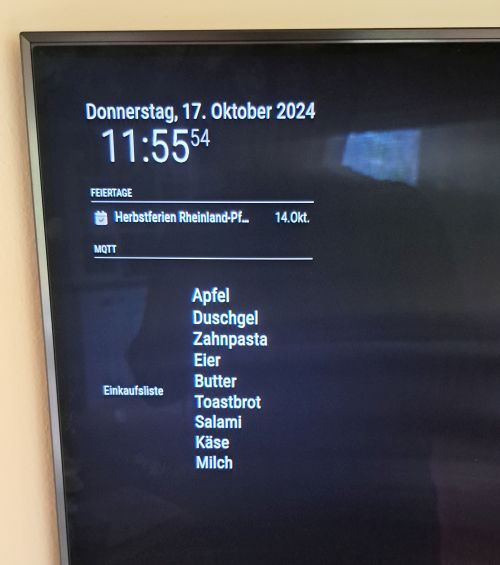
      After I had installed a MagicMirror into my kitchen cabinet as an infotainment display about 4 years ago, the desire to present my Alexa shopping list there grew.

      There was no corresponding module for MM, it remained with this request.

      Since I have been working a lot lately with homeautomation/NodeRed/MQTT, and have integrated various things at home, I decided to do this entirely via NodeRed/MQTT and the MMM-MQTT module:

      Dependencies / assumption:

      NodeRed
      Mosquitto as a MQTT-Broker
      Amazon account
      Alexa

      The following pallete in NodeRed:

      Node-Red Contrib-Alexa-Remote2-Applestrudel

      MQTT Node

      For the MagicMirror:

      The MMM-MQTT Module

      NodeRed Flow:

      Version 1.0


      NodeRed Flow:

      [
          {
              "id": "5b659ecf053ddcb5",
              "type": "tab",
              "label": "Alexa Shoppinglist",
              "disabled": false,
              "info": "",
              "env": []
          },
          {
              "id": "cad49a51d4b6511a",
              "type": "alexa-remote-list",
              "z": "5b659ecf053ddcb5",
              "name": "",
              "account": "xxxxxxxxxxxx",
              "config": {
                  "option": "getListItems",
                  "value": {
                      "list": {
                          "type": "str",
                          "value": "YW16bjEuYWNjb3VudC5BRVJLR1NETVE2VFpUQ1lBWVFTV0g3TE9HNU1BLVNIT1BQSU5HX0lURU0="
                      }
                  }
              },
              "x": 320,
              "y": 140,
              "wires": [
                  [
                      "b25d557111e8e60f"
                  ]
              ]
          },
          {
              "id": "8cb45371b536085f",
              "type": "inject",
              "z": "5b659ecf053ddcb5",
              "name": "",
              "props": [
                  {
                      "p": "payload"
                  }
              ],
              "repeat": "60",
              "crontab": "",
              "once": false,
              "onceDelay": 0.1,
              "topic": "",
              "payload": "",
              "payloadType": "date",
              "x": 130,
              "y": 140,
              "wires": [
                  [
                      "cad49a51d4b6511a"
                  ]
              ]
          },
          {
              "id": "1d408e6875212897",
              "type": "mqtt out",
              "z": "5b659ecf053ddcb5",
              "name": "",
              "topic": "Alexa/Torsten/Einkaufsliste",
              "qos": "0",
              "retain": "",
              "respTopic": "",
              "contentType": "",
              "userProps": "",
              "correl": "",
              "expiry": "",
              "broker": "a4a3cc56ed9dd522",
              "x": 1160,
              "y": 140,
              "wires": []
          },
          {
              "id": "b25d557111e8e60f",
              "type": "function",
              "z": "5b659ecf053ddcb5",
              "name": "Array für Einkaufslisten Items",
              "func": "// Create new empty array\nvar ItemArray = []\n\n// Read the first 10 Elements of the Shoppinglist and fill the Array\nif (msg.payload[0].completed === false) {\n    ItemArray.push(msg.payload[0].value)   \n}\nif (msg.payload[1].completed === false) {\n    ItemArray.push(msg.payload[1].value)\n}\nif (msg.payload[2].completed === false) {\n    ItemArray.push(msg.payload[2].value)\n}\nif (msg.payload[3].completed === false) {\n    ItemArray.push(msg.payload[3].value)\n}\nif (msg.payload[4].completed === false) {\n    ItemArray.push(msg.payload[4].value)\n}\nif (msg.payload[5].completed === false) {\n    ItemArray.push(msg.payload[5].value)\n}\nif (msg.payload[6].completed === false) {\n    ItemArray.push(msg.payload[6].value)\n}\nif (msg.payload[7].completed === false) {\n    ItemArray.push(msg.payload[7].value)\n}\nif (msg.payload[8].completed === false) {\n    ItemArray.push(msg.payload[8].value)\n}\nif (msg.payload[9].completed === false) {\n    ItemArray.push(msg.payload[9].value)\n}\n// capitalized the first Letter\nconst capitalizedArray = ItemArray.map(word => {\n    return word.charAt(0).toUpperCase() + word.slice(1);\n})\n\nmsg.payload = capitalizedArray\nreturn msg;",
              "outputs": 1,
              "timeout": 0,
              "noerr": 0,
              "initialize": "",
              "finalize": "",
              "libs": [],
              "x": 580,
              "y": 140,
              "wires": [
                  [
                      "a32bd922c84f7f9d"
                  ]
              ]
          },
          {
              "id": "a32bd922c84f7f9d",
              "type": "template",
              "z": "5b659ecf053ddcb5",
              "name": "",
              "field": "payload",
              "fieldType": "msg",
              "format": "handlebars",
              "syntax": "mustache",
              "template": "\n<p align=\"left\">\n   {{payload.0}}<br>\n    {{payload.1}}<br>\n    {{payload.2}}<br>\n    {{payload.3}}<br>\n    {{payload.4}}<br>\n    {{payload.5}}<br>\n    {{payload.6}}<br>\n    {{payload.7}}<br>\n    {{payload.8}}<br>\n    {{payload.9}}<br>\n   </P>\n\n\n",
              "output": "str",
              "x": 840,
              "y": 140,
              "wires": [
                  [
                      "1d408e6875212897",
                      "59efa1a703a3da3d"
                  ]
              ]
          },
          {
              "id": "59efa1a703a3da3d",
              "type": "debug",
              "z": "5b659ecf053ddcb5",
              "name": "debug 13",
              "active": true,
              "tosidebar": true,
              "console": false,
              "tostatus": false,
              "complete": "false",
              "statusVal": "",
              "statusType": "auto",
              "x": 620,
              "y": 240,
              "wires": []
          },
          {
              "id": "b3eb788434b61b34",
              "type": "alexa-remote-account",
              "name": "Alexa Torsten",
              "authMethod": "proxy",
              "proxyOwnIp": "192.168.2.240",
              "proxyPort": "3456",
              "cookieFile": "/home/pi/alex-cookie-torsten.txt",
              "refreshInterval": "3",
              "alexaServiceHost": "layla.amazon.de",
              "pushDispatchHost": "",
              "amazonPage": "amazon.de",
              "acceptLanguage": "de-DE",
              "onKeywordInLanguage": "an",
              "userAgent": "",
              "usePushConnection": "on",
              "autoInit": "on",
              "autoQueryActivityOnTrigger": "off"
          },
          {
              "id": "a4a3cc56ed9dd522",
              "type": "mqtt-broker",
              "name": "MQTT-Server",
              "broker": "192.168.2.2",
              "port": "1883",
              "clientid": "",
              "autoConnect": true,
              "usetls": false,
              "protocolVersion": "4",
              "keepalive": "60",
              "cleansession": true,
              "autoUnsubscribe": true,
              "birthTopic": "",
              "birthQos": "0",
              "birthRetain": "false",
              "birthPayload": "",
              "birthMsg": {},
              "closeTopic": "",
              "closeQos": "0",
              "closeRetain": "false",
              "closePayload": "",
              "closeMsg": {},
              "willTopic": "",
              "willQos": "0",
              "willRetain": "false",
              "willPayload": "",
              "willMsg": {},
              "userProps": "",
              "sessionExpiry": ""
          }
      ]
      

      node-red-contrib-alexa-remote2-applestrudel:

      The establishment of the Amazon account is a bit tricky, so here a small instructions as I have successfully made:

      Install the node-red-contrib-alexa-remote2-applestrudel module from the Repository in NodeRed

      Select the node Alexa List:

      Create a new Alexa connection:

      At the back of the plus symbol:

      Name: e.g. Alexa1

      Auth method: proxy

      This IP: Address of the machine on the NodeRed runs e.g. localhost or 192.168.x.x

      Port: 3456
      If you want to integrate several Alexa instances, please different ports per instance, since all instances have to be authenticated independently and have to run on different ports.

      Filepath: Path and file name of the cookies:

      e.g. /home/pi/alexa_cookie1.txt

      With several instances, a different cookie path can be created
      e.g. /home/pi/alexa_cookie2.txt

      The file must be specified, it is created automatically and filled with content.

      Set the settings for Amazon as from the list here. I took over the rest of the settings.

      Then add on the top and click on Deploy in NodeRed.

      Now open the browser on the machine where NodeRed is running and enter the browser line:

      http://localhost:3456

      Important: The call must take place on the machine from NodeRed and not via the network on another computer, otherwise the Auth Cookie cannot be written.

      With several Alexa instances, it should be done exactly like this, since each instance requires its own auth cookie. Think of the changed port numbers at several authorities.

      Now you should get to an Amazon side to authenticate yourself.
      I did this with my cell phone number, you get an SMS with a security code that you enter.

      Now the message should appear in the browser window:

      Amazon Alexa Cookie Successfully Retrieved. You can close the browser. "

      If a file with the name was created under the path for the cookie, it should have worked.

      In the Node Alexa List you should now
      select your Alexa account and under Select: “Get-List-Items” and then select the shopping list underneath.

      Magic Mirror Config for MMM-MQTT:

      clone Git repository in the module directory and install

      Config.js:

      {
      module: 'MMM-MQTT',
        position: 'top_left',
        header: 'MQTT',
        config: {
                  logging: false,
                  useWildcards: true,
                  bigMode: false, // Set to true to display big numbers with label above
                  mqttServers: [
                                 {
                                    address: '192.168.2.2',  // Server address or IP address of the MQTT Broker
                                    port: '1883',          // Port number if other than default
                                    user: '*******',          // Leave out for no user
                                    password: '******',      // Leave out for no password
                                    subscriptions: [											
      													{
                                                          topic: 'Alexa/Torsten/Einkaufsliste', // Topic to look for											
                                                          label: 'Einkaufsliste', // Displayed in front of value                                                   
                                                          sortOrder: 10,        // Can be used to sort entries in the same table                                                   
                                                          },
      													
      													
                                                    ],
                                  },
                              ],
                 },
      },
      

      It takes a while for the entries to appear, depending on the interval as it is set in NodeRed. For testing I set 5sek, 1min in normal operation.

      The first 10 entries of the shopping list, which are not yet ticked off, are shown.

      If you need more than 10 items, the functional node and the template Node must be expanded.

      Consider: When displaying on the MM, the space for the number of objects in design is already taken into account, even if the list is not completely filled.

      Hope i can help anybody who have the same wish…

      Greetings Torsten
      20241017_115553.jpg

      posted in Tutorials
      F
      Foxy25
    • RE: Which display to buy?

      @dcazman

      https://www.waveshare.com/product/displays/lcd-oled/lcd-oled-1.htm

      i dont know if you need a touchscreen?

      i have this on installed:

      https://www.waveshare.com/product/displays/lcd-oled/lcd-oled-1/15.6hp-capqled.htm

      posted in Hardware
      F
      Foxy25
    • MMM-FRITZ-Box-Callmonitor-py3 DeviceFilter

      Hi,
      First: everything works well, on my installation about MMM-FRITZ-Box-Callmonitor-py3 on my Raspi 4 with Bullseye.

      But i have some question about the devicefilter:

      What do I have to register exactly there?

      The Telephonnumber? The name of the “device”? The “intern number” The IPEI?

      I know that this works like:
      the “devicefilter entry” filters, the incoming calls for this phonenumber, out?

      In my case we have 3 DECT-Phones and i want display only one from this devices on the MM-Screen when the call comes in.

      Thank you all for your Support.

      Greetings from Germany
      Foxy25

      posted in Troubleshooting
      F
      Foxy25
    • RE: What is this? Is it important?

      Hi,
      here same Error on my installation.
      Any solutions?

      Greetings Torsten

      posted in Troubleshooting
      F
      Foxy25
    • RE: MMM-Globe

      HI

      here is my working config:

      Greetings Torsten

      {
      		module: 'MMM-Globe',
      		position: 'fullscreen_below',	// This can be any of the regions. Best results in lower_third
      		config: {
                      size:"medium", // Globe size. See configuration options below for more options
                      dayLength: 43, // (Optional) Rotation speed. See configuration options below
                      viewAngle: 15, // (Optional) Globe tilt. See configuration options below.
                      locations: [
                          // Fill with location Objects if desired
                          // e.g.
                          // {lat:37.77493,lng:-122.41942, label: "San Francisco"},
                          // {lat:-23.5475,lng:-46.63611, label: "Sao Paulo"}
                          // Individual values must be seperated by a comma. 
                          // You can look up the latitude and longitude for a specific location on Google Maps.
      
                          {lat:49.6294791,lng:7.8252699, label: "Rockenhausen" },
                          {lat:40.7223507,lng:-73.9901943, label: "New York" },
                          {lat:36.1047739,lng:-115.1421297, label: "Las Vegas" },
                          {lat:13.7544142,lng:100.5020575, label: "Bangkok" },
      
                      ],
      		},
      	},
      
      posted in Entertainment
      F
      Foxy25
    • RE: MMM-Carousel Hide Mousecursor

      Hi @arus,

      no, i dont have the mmm-pages and page-indicator folder in /MagicMirror/modules removed.

      I only comment the modules it in the config.js out.

      ok, when i have a littel more time this weekend i test it out.

      Thank you for your hints.

      I get in touch here, wen im finish with the test.

      Greetings Torsten

      posted in Troubleshooting
      F
      Foxy25
    • RE: MMM-Carousel Hide Mousecursor

      HI

      im running a Raspi 4B 8GB with Raspian Buster.

      Maybe there is an other Issue with the modul: sometimes the screensaver comes up and lock the screen with a password prompt?

      Greetings Torsten

      posted in Troubleshooting
      F
      Foxy25
    • RE: MMM Pages turn Pages manually

      HI

      MMM-Carousel and MMM-page-indicator works on a touchscreen.

      Grettings Torsten

      posted in Troubleshooting
      F
      Foxy25
    • RE: My Kitchencabinet Mirror

      Hi OberfragGer

      Yes i know, but now it is set and good ;-)

      In a couple of month i renovate my apartment including the kitchen, entrance hall and living room,
      so i want to hide the wire. Maybe i set a new powerwallplug behind or above the cabinet.

      But for me it is ok. Thank you for your hints.

      Greetings Torsten

      posted in Show your Mirror
      F
      Foxy25
    • RE: MMM Pages turn Pages manually

      Hi
      i have installing MMM-Pages to, and i do the changing with MMM-page-indicator.

      MMM-Carousel is also a good choice to change the pages manual.

      Greetings Torsten

      posted in Troubleshooting
      F
      Foxy25
    • RE: My Kitchencabinet Mirror

      Hi,

      Ok today we finish the woodwork and assemple all things together.

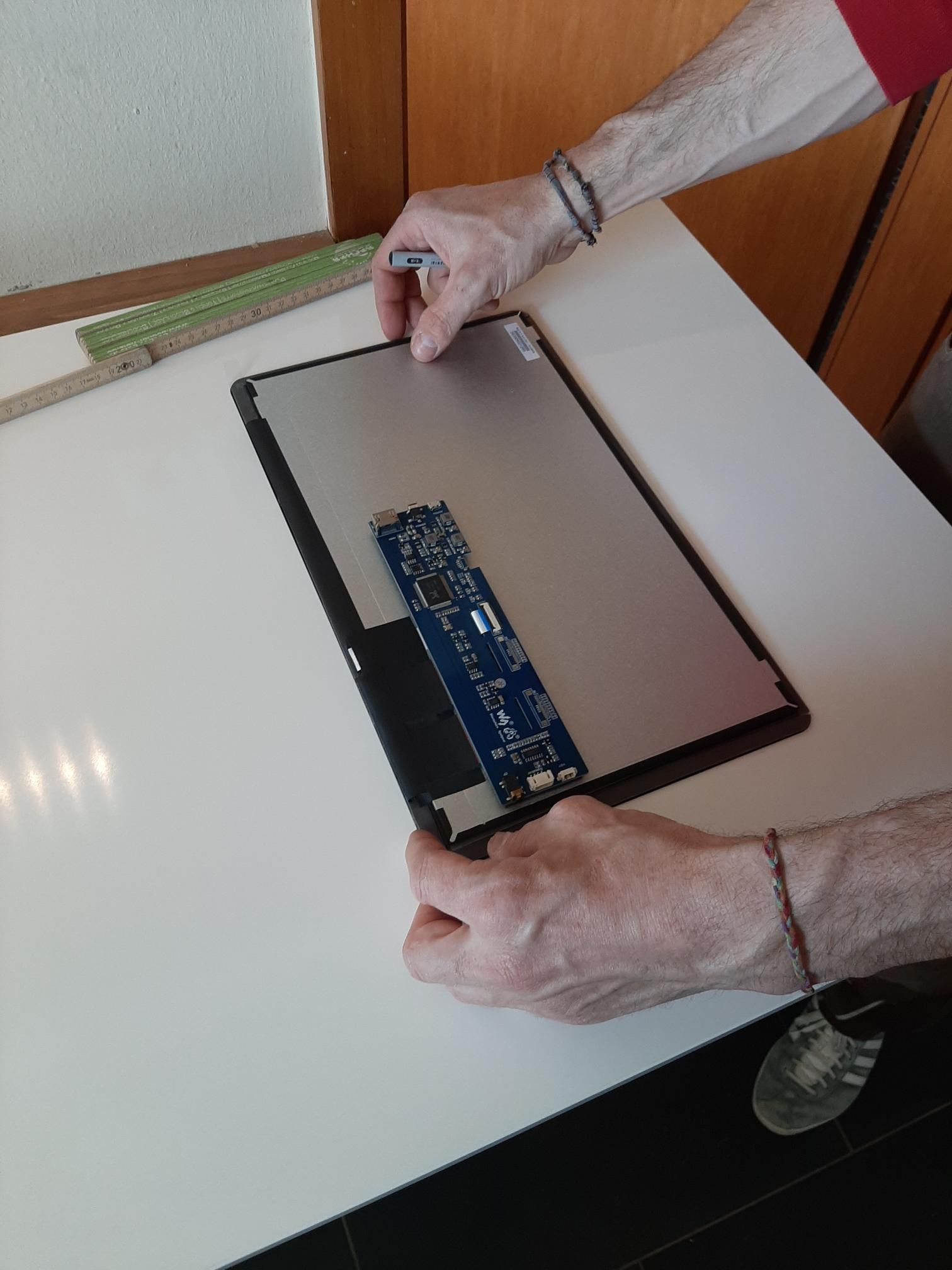
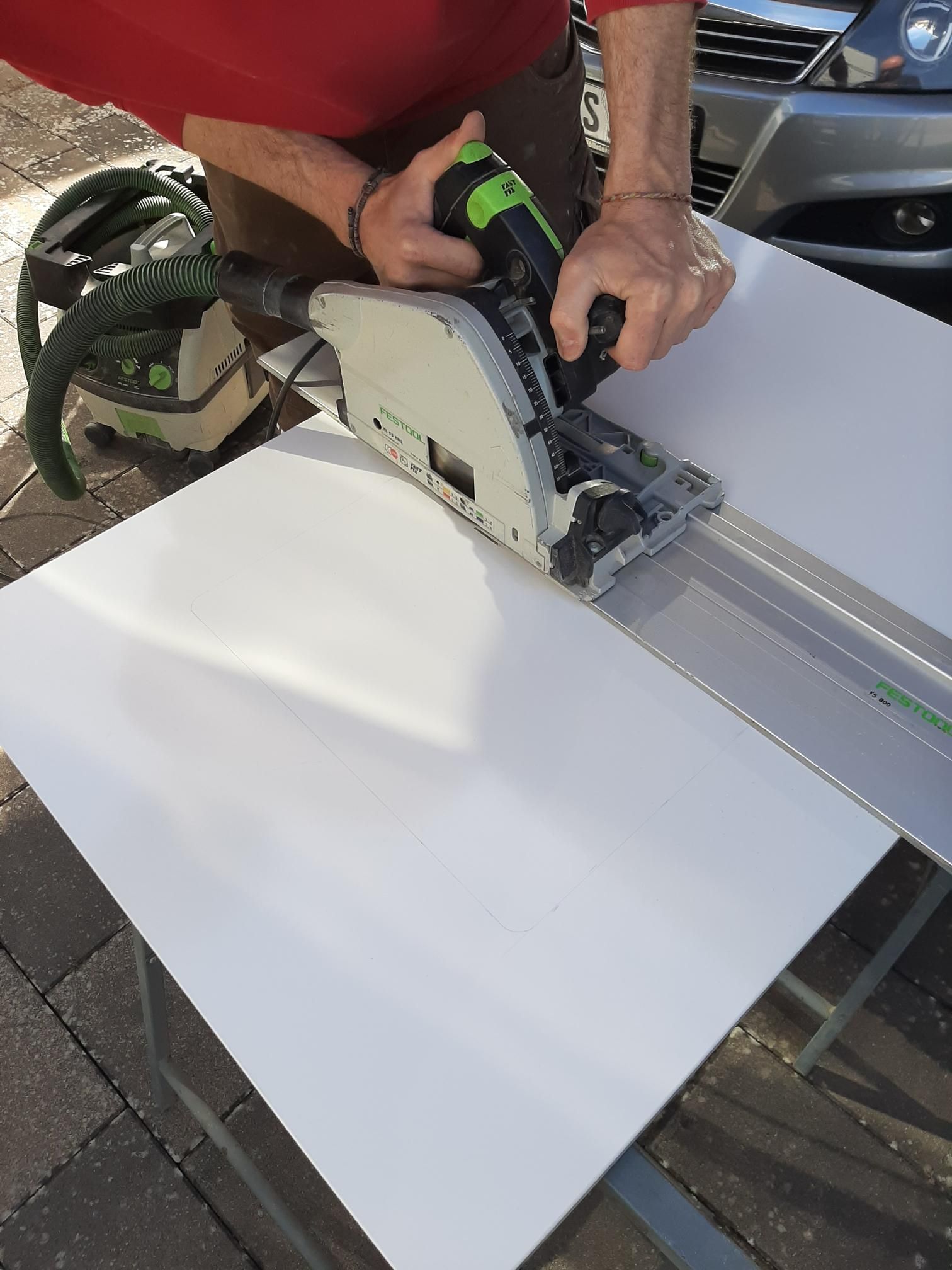
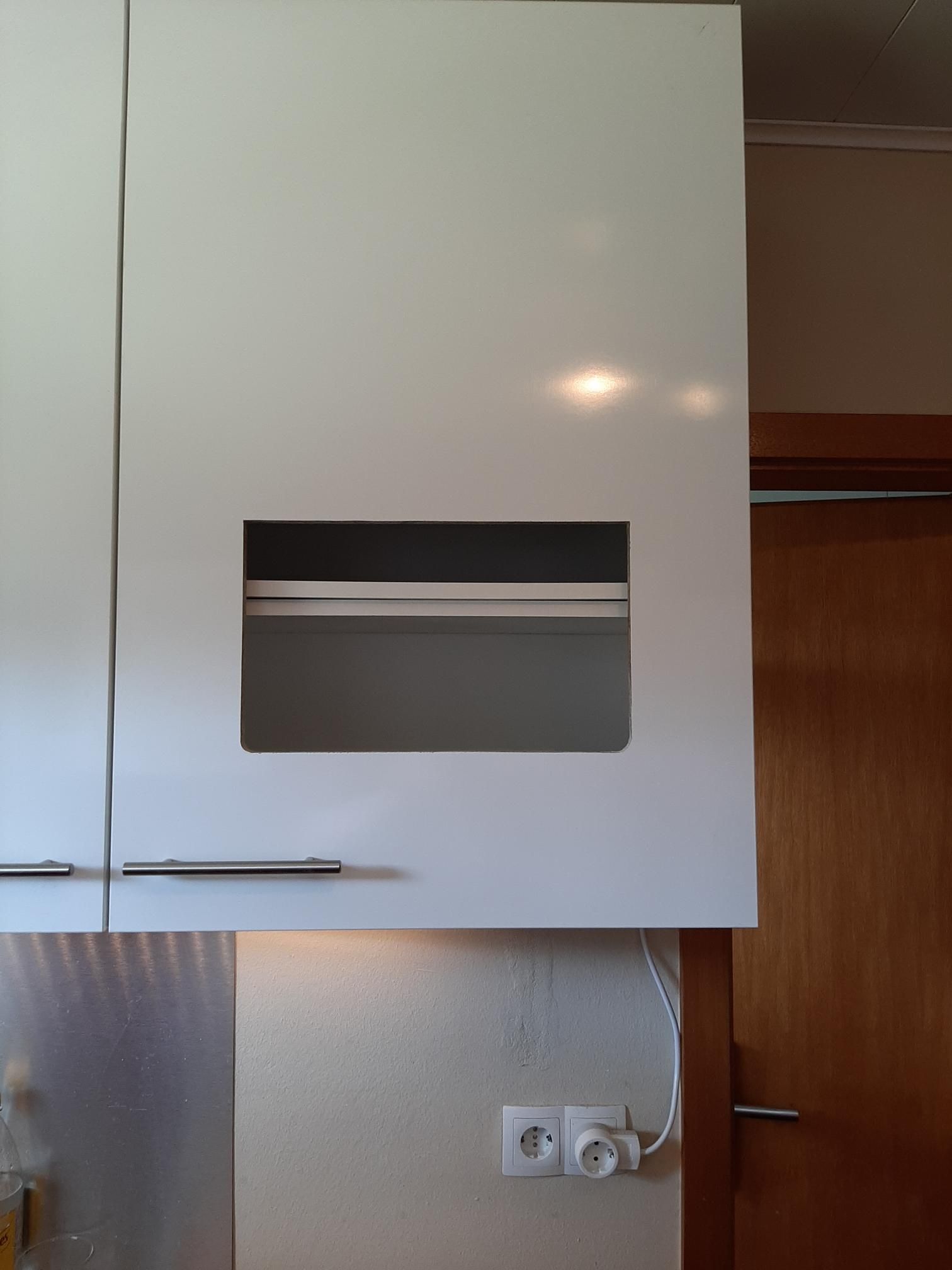
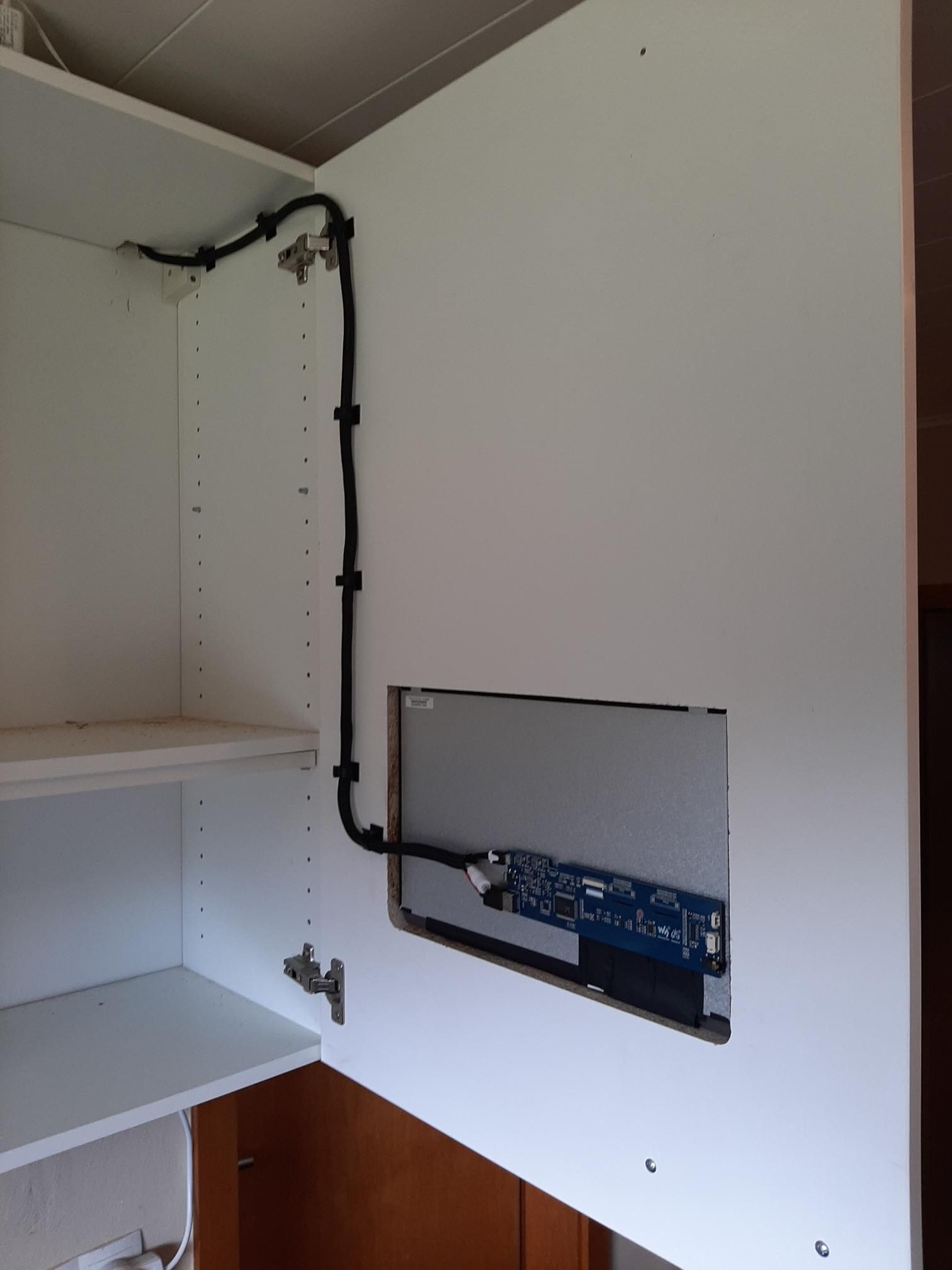
      20210422_153252_a.jpg

      20210422_155108a.jpg

      20210422_163616a.jpg

      20210422_164538a.jpg

      20210422_183817a.jpg

      Everything work great!

      Greetings Torsten

      posted in Show your Mirror
      F
      Foxy25
    • RE: My Kitchencabinet Mirror

      Hi,

      uhhh yes… sorry, how stupid from me…

      I switch the display an and off with the WIFI-Powerplug.

      There a many ways to fullfill somebodys needs. For me the Wifi-Plug and the small script was ein easy way to deploy that. The goal was to switch the Display complete powerless to save energie.
      Not only switch the display to dark or switch of the HDMI-Port.
      It works very good and im happy with that solution.

      Greetings Torsten

      posted in Show your Mirror
      F
      Foxy25
    • MMM-Carousel Hide Mousecursor

      Hi,

      it is possible to hide the Mousecursor when the MMM-Carousel is installed?

      i changed from MMM-Pages + Page Indicator to MMM-Carousel because its faster and works a little bit better for me. But after the change there is a littel hand as a mousecursor? I want to hide oder remove this. The courser is only displayed when i use the Pageinationbuttons or the Slidebuttons from the MMM-Carousel modul?

      Greetings Torsten

      posted in Troubleshooting
      F
      Foxy25
    • Bottom_bar three-piece....

      Hi

      is it possible to make the bottom_bar three-piece ?

      I need 3 regions instead of one. Each region can have the width of33%, and must be adress like:

      bottom_bar_left
      bottom_bar_center
      bottom_bar_right

      in the config.js, so i can assign modules to this position.

      Which files i have to change? Can someone give me a hint or a How_to to do this?

      Greetings Torsten

      posted in Custom CSS
      F
      Foxy25
    • RE: My Kitchencabinet Mirror

      Hi
      Today my WIFI-Powerplugs are arrive.

      https://www.ebay.de/itm/BlitzWolf-SHP6-TASMOTA-9-3-1-wie-Gosund-SP111-3450W-WLAN-Steckdose-Strommessung/274600948644?hash=item3fef7df3a4:g:DaMAAOSwvWNgR1NQ

      I used Tasmota because it don’t send things “Home” and you need no cloud and the Plugs switch very fast.

      The Script i wrote to Switch the when im not in the WiFi Powerplugs:

      steckdose.sh

      #!/bin/bash
      
      ping -c1 IP_OF_THE_MOBILE > /dev/null
      
      if [ $? -eq 0 ]
      
      then
      
      wget -O /dev/null http://IP_OF_THE_POWERLPLUG/cm?cmnd=Power1%20On
      
      exit 0
      
      else
      
      wget -O /dev/null http://IP_OF_THE_POWERLPLUG/cm?cmnd=Power1%20Off
      
      fi
      

      i installed a cronjob for every minute that execute the script, and it works very well.

      Greetings Torsten

      posted in Show your Mirror
      F
      Foxy25
    • RE: My Kitchencabinet Mirror

      Hi,

      hmm yes, maybe there are some litte problems with the MMM-Globe module.

      In my case I have the Pi4 4GB Model, runs stable, but somehow with the time the swap-space going more full and fuller and when its reached the limit (in my case 512mb) the Pi will go very slow.
      After a reboot everything goes allright and workes well…
      With the rest of the memory, i have no trouble:

      Free Ram = 25-30%, without the module round 44%

      Maybe it is better to run in production the 8Gb Model?

      My temperature is around 50-54° C with the fanless case.

      Without the globe modul around 48°C

      I change the name from “Network” to “WLAN- Gastzugang”.

      Greetings Torsten

      posted in Show your Mirror
      F
      Foxy25
    • RE: New use for MagicMirror

      Hi,

      looks cool!

      Do you use a beamer for that or a Display?

      Greetings Torsten

      posted in Show your Mirror
      F
      Foxy25
    • 1 / 1