A New Chapter for MagicMirror: The Community Takes the Lead
Read the statement by Michael Teeuw here.
Read the statement by Michael Teeuw here.
H
Offline
Posts
-
RE: How to turn off Raspberry Pi LEDs
here are the amendments to boot/config.txt file. For BULLSEYE, you have to use different parameters to make them work
these work for pi3 and pi 4
Pre BULLSEYE
-
Disable the PWR LED
dtparam=pwr_led_trigger=none
dtparam=pwr_led_activelow=off -
Disable the Activity LED
dtparam=act_led_trigger=none
dtparam=act_led_activelow=off -
Disable ethernet port LEDs
dtparam=eth_led0=4
dtparam=eth_led1=4
BULLSEYE ONLY
-
Disable the PWR LED
dtparam=pwr_led_trigger=default-on
dtparam=pwr_led_activelow=off -
Disable the Activity LED
dtparam=act_led_trigger=none
dtparam=act_led_activelow=off -
Disable Ethernet port LEDs
dtparam=eth_led0=4
dtparam=eth_led1=4
-
-
RE: Little magic mirror (but not a mirror)
very cool use of broken gadgets. less for landfill and looks awesome
-
RE: MMM-SpeedTest
@digied seems speedtest module no longer works since ookla changed their software. i tried the module github and nothing,
-
RE: 7" and 5" displays
@robin-garner It took longer to print the cases than it did to do the software. Its all relatively straightforward modules. Just follow the instructions and you wont have any problems.
Although, for some reason Speedtest module no longer works since Ookla made some changes to their software. This would be the only bug I have fown and that was only recently (since August I think)
-
RE: 7" and 5" displays
@osfersa In the Main.Css file
body {
margin: 10px;
position: absolute;
height: calc(100% - 20px); ##Change this to 100% - xx
width: calc(100% - 20px); -
RE: Bedside Display
@cowboysdude Sweet, i looked at what everyone had done to get ideas and see whats possible
-
RE: Bedside Display
@ankonaskiff17 I have a bedside dispaly using a 4.3 inch display that works perfectly
https://forum.magicmirror.builders/topic/15038/expensive-bedside-clock?page=1
I am also working on a smaller one with a 3.5 screen that has just the clock and temperature on it to fit in an enclosure in my shed
-
RE: Expensive Bedside Clock
@cowboysdude said in Expensive Bedside Clock:
Sorry for the late replyAll the files are now available on Thingiverse
-
RE: Expensive Bedside Clock
@cowboysdude I will be. I’m currently doing a Tutorial on Instructables for it with all background code for dimming and LED control, and important dimensions to fit in the case. I will link to the three files used in it.
When it’s done, I will post a link on this thread
-
RE: Expensive Bedside Clock
@mykle1 Well, Based on Australian Dollars>
Raspberry Pi 4 4gb - $105
4.3" DSI Screen - $ 80
Noctua Fan - $ 27
3D Print (Material) $ 8TOTAL $220
Enjoyment building $priceless LOL
-
RE: Expensive Bedside Clock
@thgmirror Just the fan. I put a hole in the top for a set of headphones so I don’t disturb my partner, although it rarely gets used for anything other than a clock and phone charger.
-
RE: Expensive Bedside Clock
@thgmirror HAHAHA Your not the first to see that. Shoulda put three slots in the top LOL :beaming_face_with_smiling_eyes:
-
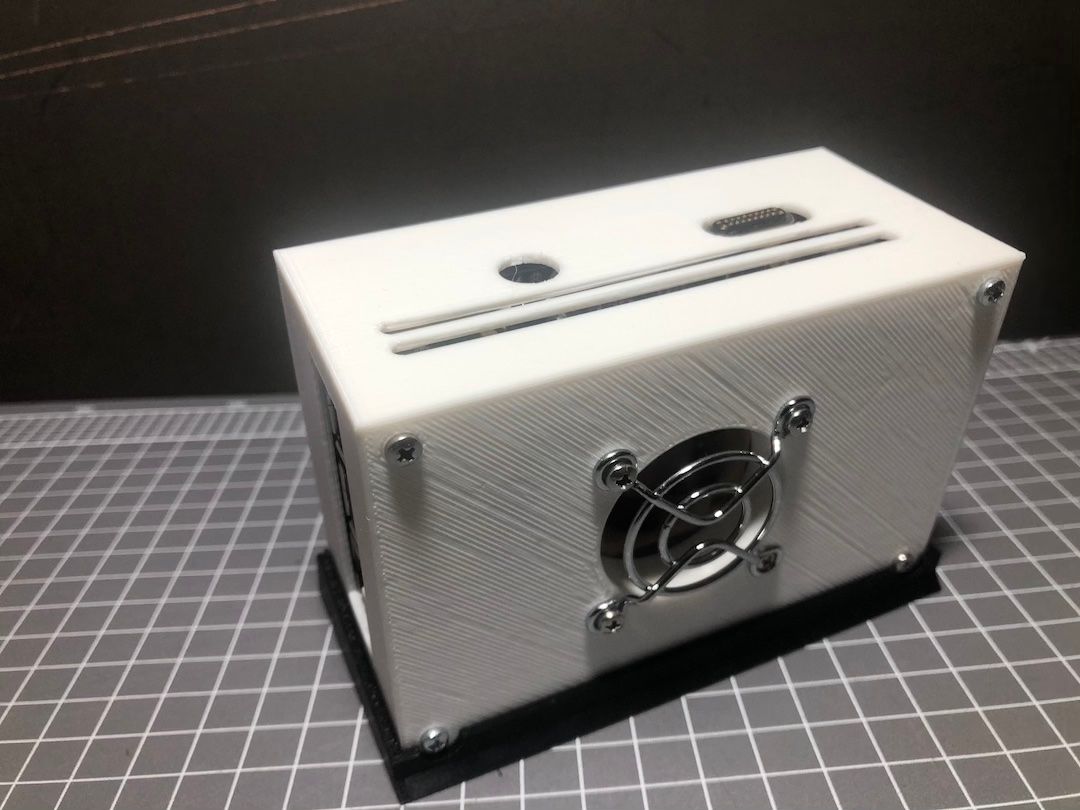
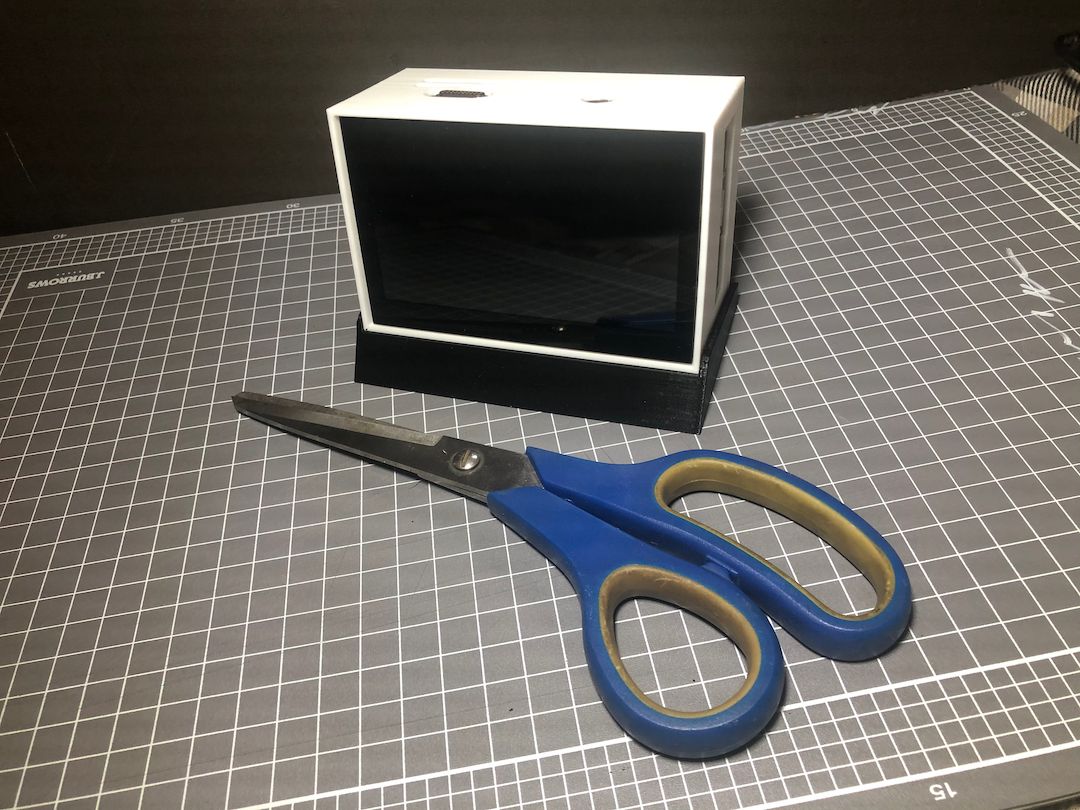
Expensive Bedside Clock
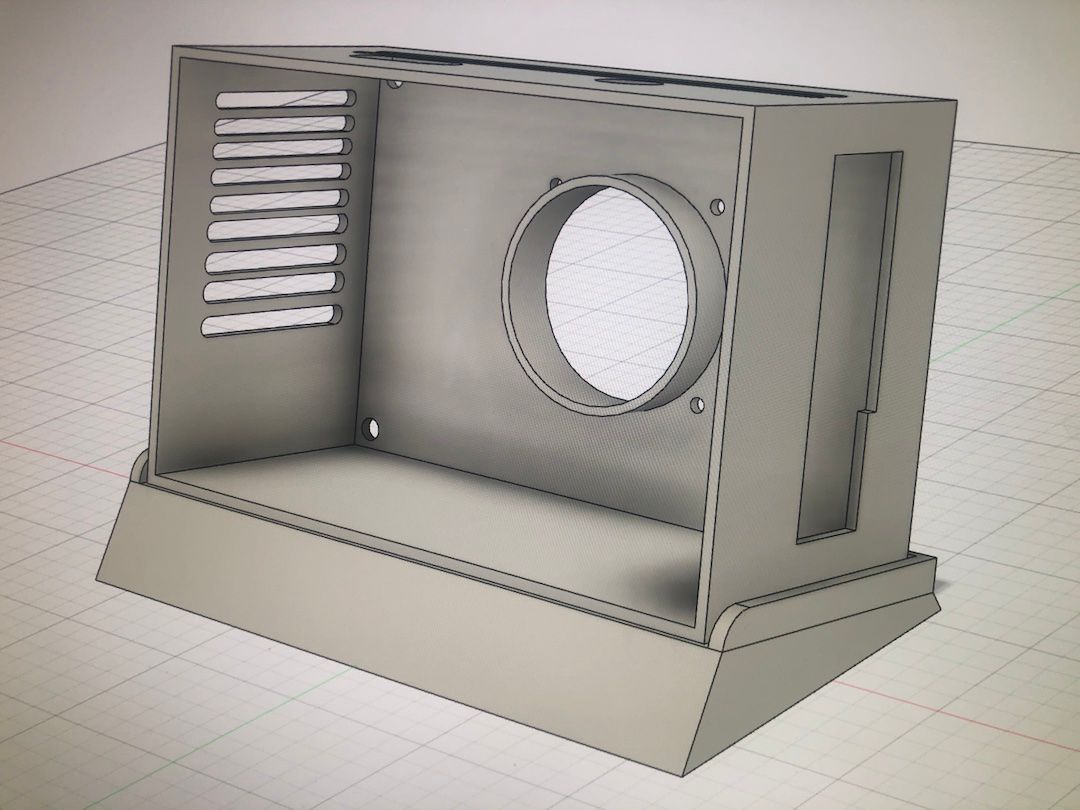
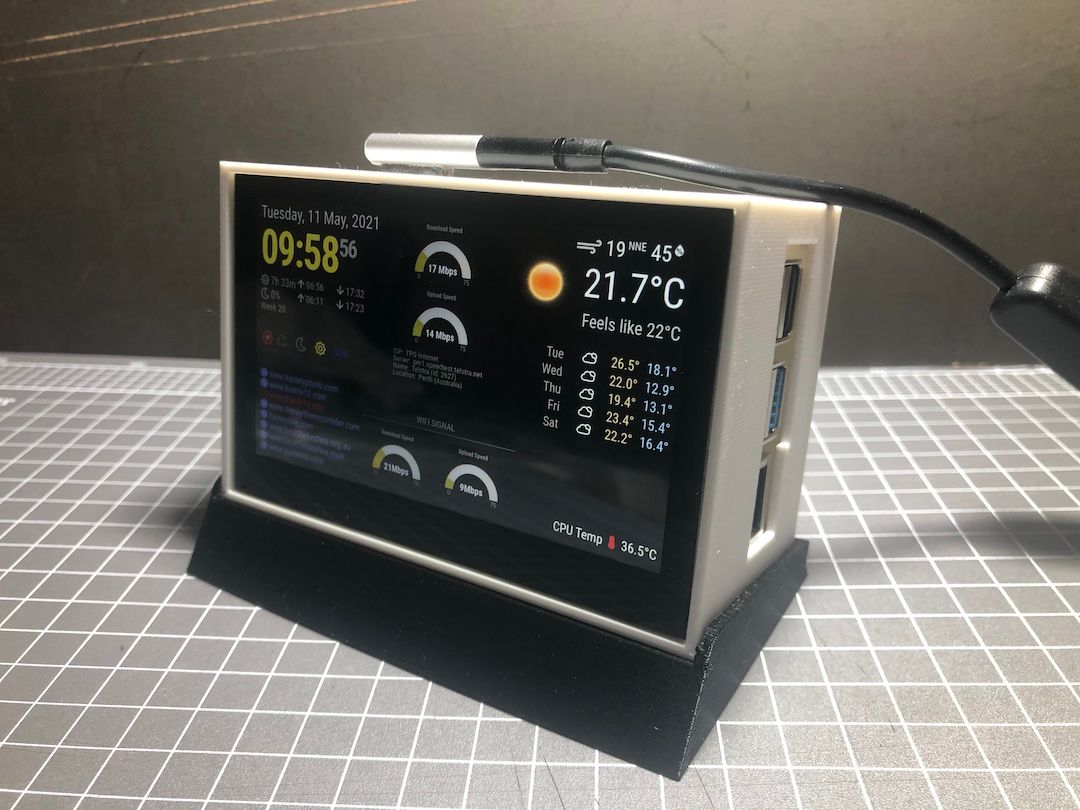
Built this during lockdown. PI 4 and 4.3" touch screen with auto dimming, and various other button features. The case was printed on the Guider 2s and I use a Magsafe connector instead of a puchin connector which is unsightly. I have also disabled the internal LED’s so they don’t glow through the white case
Files and details available https://www.thingiverse.com/thing:4859163
-
RE: MMM-MyWeather not working with Southern Hemisphere co-ordinates
@sdetweil said in MMM-MyWeather not working with Southern Hemisphere co-ordinates:
nodejs xml to json
Thanks Sam, I will see what i can do
"John
-
RE: MMM-MyWeather not working with Southern Hemisphere co-ordinates
@saabman yep. I have found the xml to be a problem and out of my range of knowledge. OpenWeather is close to accurate for my location for current conditions,. the particular site location uses excellent monitoring equipment, just a few degrees out, but for forecasting its not that accurate.
-
RE: MMM-MyWeather not working with Southern Hemisphere co-ordinates
@jolt02 All these weather sites use data from private weather enthusiasts that have varying equipment so the accuracy will never be 100% spot on. Im using data from a Bassendean site which is in the proximity of my place. It is “close” but as there is no official BOM reading for the area, who is to say its wrong. BOM get there Temps for ‘Perth’ from their site at the airport and in the city,
I find a lot of the “Pro” sites like weather channel, Google etc are using data from sites in the northern Hemisphere. This can make it very hard to know what is the correct temp. I have an API from BOM but haven’t figured out the coding as they don;t use Json.
I would like to get data from Windy.com for cloud and wave data but that is expensive
-
RE: MMM-MyWeather not working with Southern Hemisphere co-ordinates
try taking out the Lon And Lat and use a PWS like for me would be… Perth (IPERTH921). This usually happens when the site can’t match a co-ordinate to a location.
I have tried various modules that require Lon and Lat or area and found this happens a lot ‘down under’ as there seems to be less active locations than in the northern hemisphere.
for my mirror I used default weatherforecast and MMM-OpenmapWeather . Both of these use Open Weather map that has locations rather than co-ordinates.
MMM-MyWeather also uses locations (PWS)