@cyberphox They have been selling for so cheap recently around the LI/NYC area, it was a no brainer. So nice to not have to decide between which glass to buy and how to put it together in a frame. It’s all basically done for you.
I
Offline
A New Chapter for MagicMirror: The Community Takes the Lead
Read the statement by Michael Teeuw here.
Read the statement by Michael Teeuw here.
Posts
-
RE: New Lululemon / Peloton Mirror
-
New Lululemon / Peloton Mirror
Pulled this from the Reddit group. Working on updating my MM² modules from an old project. Starting with a fresh updated copy on a new Pi 5.
Hey guys, long time first time.
I’ve been on this journey since the dog days of Covid. I originally started coding a MagicMirror and then had a daughter and job change. Unable to keep up with updates and the knowledge it took me to code, I scrapped that for the ease of a dakboard.
I currently run a screen in my kitchen with date/time, weather, calendar and some other fun stuff. I pay the $5 monthly so figured I might as well get use out of a second screen.
Fast-forward to a cheap buy on FB marketplace for a Peloton/ Lululemon mirror for $100. Cheaper than any monitor/mirror combo I could have ever dreamed. I followed a GitHub repository and put the below together.
Just throwing this out quickly and can update with specifics as questions come in.
The face on view is very clear, just didn’t want to show my ugly mug.
Future Plans
Want to add RSTP to show a live feed of my Wyze doorbell cam when the doorbell is pressed.
Want to figure out json coding so I could possibly add some MagicMirror modules. That has more scalability in my opinion. No clue how to get started on that.
See attached post until I upload pictures.
-
RE: Starting My Magic Mirror Project
@sdetweil said in Starting My Magic Mirror Project:
@imchrisrein the point of the QR code is so you don’t have to display it on screen too…
u can at least turn off the password display
Yeah I just figured if someone comes in with a laptop, how will they scan the QR code? Before I did this module I couldn’t remember my guest wifi password and would just let them sign on the main one because it was easier.
-
RE: Starting My Magic Mirror Project
@thgmirror said in Starting My Magic Mirror Project:
Your WIFI-password begins with your favorite sport and contains the year you are born:-)
Haha thanks for the heads up, guess the QR code still has the relevant info? Changed my guest network password.
-
Starting My Magic Mirror Project
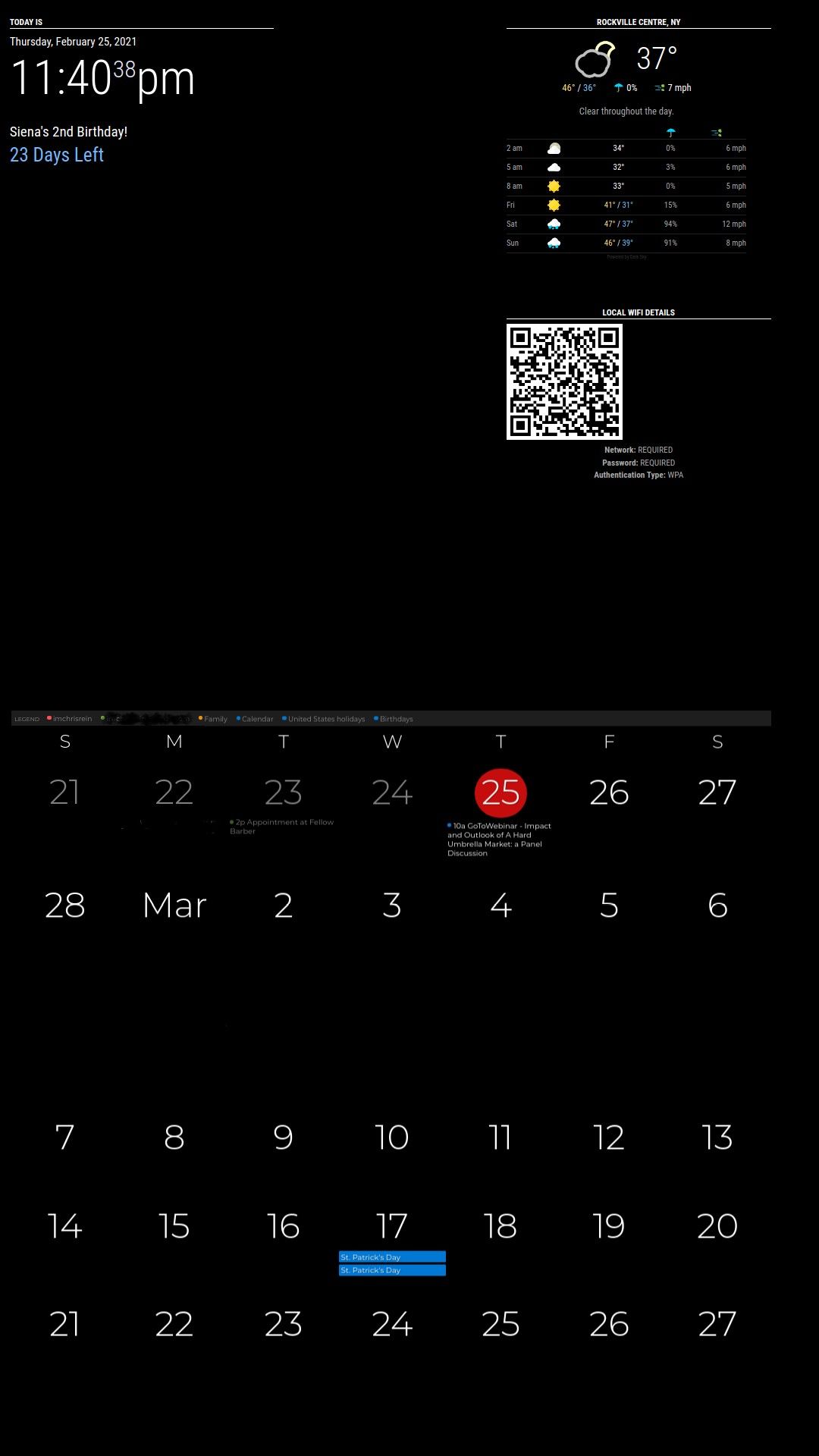
Been lurking on here for the better part of 2 years, maybe more. I had started my project prior to having my daughter and she will be two on Sunday. When I turned on my pi the doomsDay said today we bring Siena home lol. I basically started from scratch about two weeks ago with a new Pi 4 with 4GB ram.
This will be my kitchen family board with no mirror (I have three other pi’s laying around and a couple of monitors for future mirror projects). The monitor is a 32" LG IPS LCD monitor bought off of Ebay. This is my starting point, def need to do some css clean up with the module spacing. I guess stay tuned as I work on adding voice control and hardwire this into my receiver and ceiling speakers.
Here are the modules I am using:
MMM-pages
MMM- clock
MMM-OpenWeatherForecast
MMM-MLB Standings
MMM-doomsDay
MMM-WifiPassword
MMM-Bring
MMM-PGA
MMM-SimpleLogo
MMM-MyWastePickup
MMM-MyStandings
MMM-SpeedTest
MMM-WebView
MMM-GoogleFit
MMM-SystemStats
MMM-CommuteIdea is the following:
Page 1 - Main Information Page
Time, Doomsday Date( will hide when nothing is planned), Weather
Bring Shopping List
WebView of my Dakboard calendar - This was the only way to tie in to my private work calendar without having to get IT to provide my .ics file. There is the monthly view and then right above there is a scrolling view of the week.
Common commute to in-laws
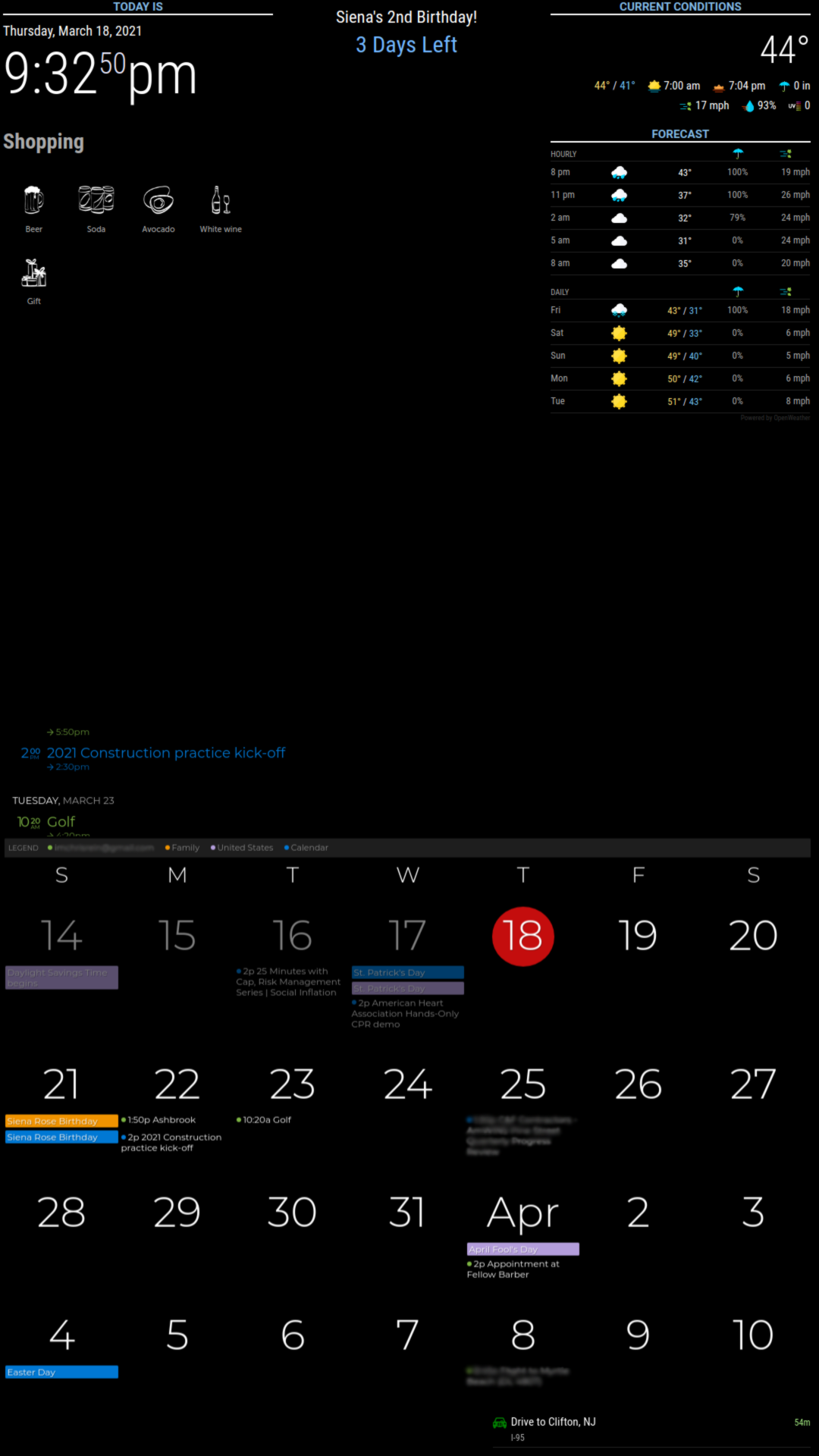
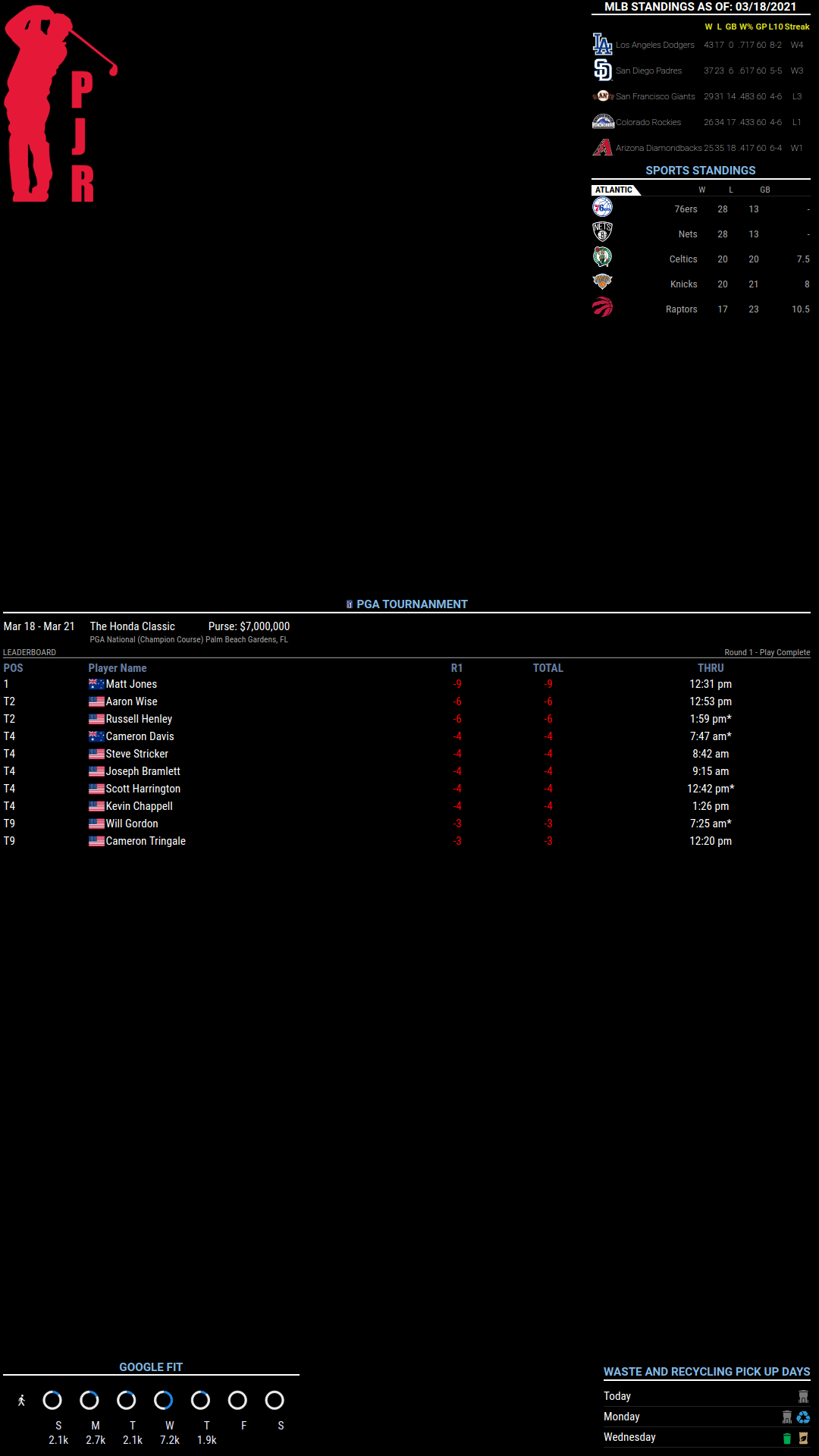
Page 2 - Check up on Sports
Logo (not sure if I will keep that shown yet), Sports scores
Golf ( bc I am obsessed)
Google Fit, Waste Pickup (may change this to the main page)
Page 3 - Systems Information Page
Internet Speed, System Stats, Wifi Password/QR Code

-
RE: MMM-SmartWebDisplay : Regions / Resizing
@sdetweil
I don’t think this is something that I will be able to change in .css.I am a noob at this but making changes have gone nowhere so far :crying_face:
edit**
I used Webview and think I am satisfied
Just need to center my qr code for my wifi now
-
RE: MMM-SmartWebDisplay : Regions / Resizing
@sdetweil
I have tried a bunch of different regions, but right now I have lower_third -
RE: MMM-SmartWebDisplay : Regions / Resizing
I am in the same boat. Added a webpage but only a small sliver is showing. The first picture is the style that I am going for and the second picture is my current setup.
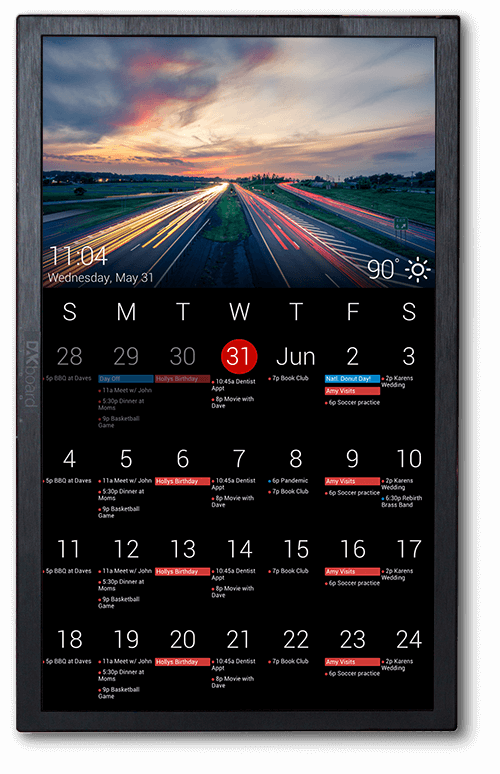
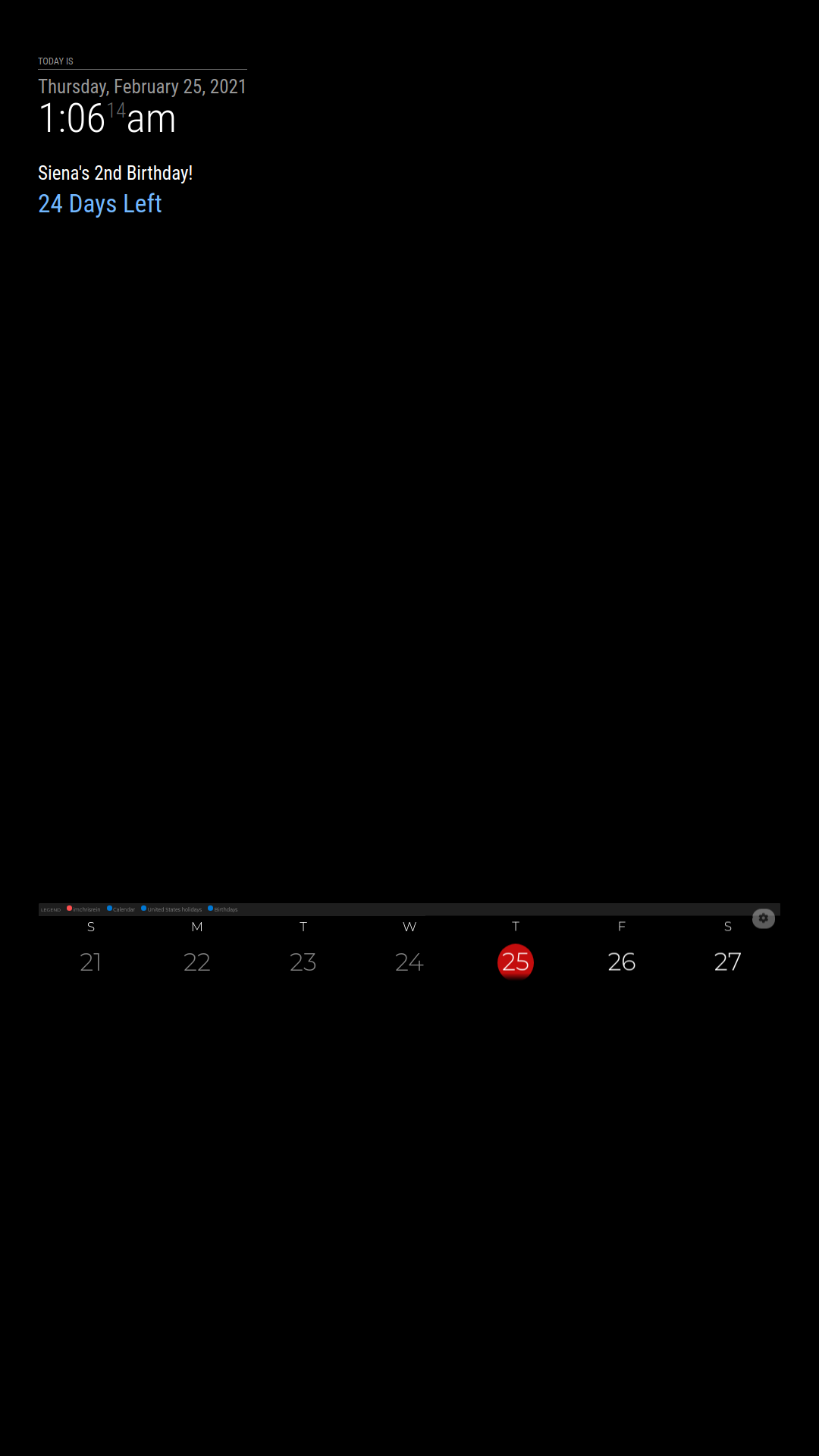
Any idea how to get the whole web page to show? Is it in my custom css or something within the module that needs to change?
-
RE: Honeywell Thermostat - T-Series Module
Just installed a Honeywell T6 Pro with my new carrier HVAC system. Would love some functionality on my MM.
-
RE: Where do you find LCD's that are larger than 7"?
@rudysmama said in Where do you find LCD's that are larger than 7"?:
I just gutted a laptop and pulled a 15.6 monitor out. I ordered an HDMI LCD Controller for $26ish from Amazon and it work wonderfully. It’s light, bright and the controller came with buttons to control the screen.
There are some that are cheaper. I just didn’t want to chance that it wouldn’t work with my laptop lcd model. I searched and bought based on the part model.
I literally just did the same thing. Took apart an old laptop and ordered a controller board on Ebay. I see people giving away old monitors all the time on Craigslist as well, just keep your eyes peeled.
-
RE: MMM-Wunderlist-Enhanced
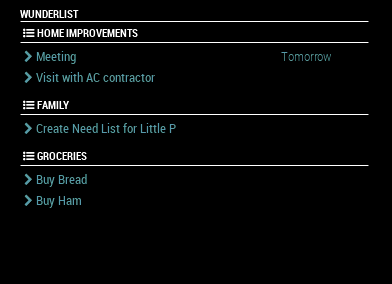
I was finally able to get this working on my MM, but having trouble centering the header. This module is in my center portion and all other modules have centered headers. When I first got it working everything was centered and I aligned the text below it left. I jumped into the css and the .js but was unable to figure it out.
-
RE: NYC MTA Subway Times
@ooom416354 I just gave this a try and it works great. Any clue how to get the corresponding lines to show their colors? I see a call to the public folder mta-view which has the code and color for each line, but mine are greyed out.
-
RE: NYC MTA Subway Times
@ooom416354 You da man.
I am using an MTA module but not this one. Love it, gonna try when I get home tonight.
-
RE: MMM-MyWastePickup (Toronto waste collection schedule)
Thanks for writing this one, it will be a big help for my girlfriend who just moved in. It took quite some time trying to figure out the code and then tailor it to my local schedule but it works and looks great. Toronto published their 2019 schedule online but the titles had spaces and the year format was wrong for some days.
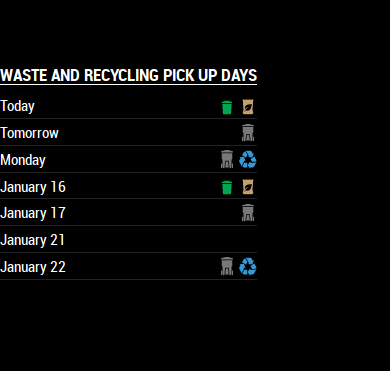
Wednesday = Paper recycling and big household pickup
Thursday = Garbage pickup
Monday = Garbage and glass/plastic recyclingSuch a neat module - thanks again.
-
RE: NYC MTA Subway Times
@ooom416354
I too would love something like the MTA has in some of the stations now (see pic below). I plan to make a magic mirror for our office and determine everyone’s subway line so that when they are leaving or planning to leave they can see when the next 2 trains are in either direction
.
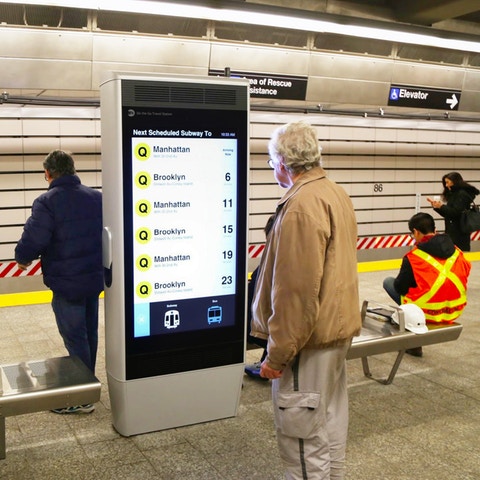
Even just the basic service status for the subways would be helpful too if the data can’t be pulled off above.
I also finally got the MMM-MTA to work for me last night. Couldn’t figure out why nothing would show and then all of a sudden alert popped up that the Babylon eastbound train to Penn was running two minutes late. That will be going on my home mirror and work mirror.
-
Habit Tracker on Magic Mirror
Loving this site and starting my build.
I have a couple of different applications to use this mirror, how it started was the need for a home mirror.
Another will be a simple alarm clock next to my bed with no mirror in the Pi-Top Ceed case with 14" screen.
Another will be a desktop Pi-Top Ceed with no mirror again displaying things that I would use for work. Train schedules, weather, calendar (both weekly and monthly) and To Do’s. I also keep a monthly habit tracker on paper now and was wondering if anyone has made a sort of habit tracker. There is an app I have seen around called “Way of Life” which would look cool on the mirror etc.
Thanks everyone for the help - wish I could code this, but right now I am just a copy and paste guy for my project.