MagicMirror Forum
    • Recent
    • Tags
    • Unsolved
    • Solved
    • MagicMirror² Repository
    • Documentation
    • 3rd-Party-Modules
    • Donate
    • Discord
    • Register
    • Login
    1. Home
    2. jimb
    3. Posts
    A New Chapter for MagicMirror: The Community Takes the Lead
    Read the statement by Michael Teeuw here.
    J
    Offline
    • Profile
    • Following 0
    • Followers 0
    • Topics 2
    • Posts 45
    • Groups 0

    Posts

    Recent Best Controversial
    • RE: On Screen Update Prompts Don't Go Away

      Sam, I hate to start another endless series of these updates. I feel utterly beyond my depth when I try to complete your suggestions.

      Is it possible for you to use crayons and draw me a picture? :-) Or is there a Magic Mirror for Dummies out there somewhere.
      I hate wasting someones time when I don’t know which room to find a clue. Jimb

      posted in General Discussion
      J
      jimb
    • On Screen Update Prompts Don't Go Away

      Re: Magic Mirror Update process
      Minor housekeeping issue: I have received update messages in the past, completed the update process without errors and the on screen message went away,

      When I perform the update process now, it seens to complete without errors, but the message is still there.

      Does this indicate there is another update pending or is its failure to clear a problem?

      Jimb

      posted in General Discussion
      J
      jimb
    • RE: Modifying the Config File

      Sam, moving on as I want to build the actual frame for the Magic Mirror and not spend this amount of time on the code which is difficult to understand. Not your fault, but mine. :-)

      posted in Troubleshooting
      J
      jimb
    • RE: Modifying the Config File

      Sam, you can stick a fork in this one as I don’t need any more help at this point. Thanks for all the assistance!

      posted in Troubleshooting
      J
      jimb
    • RE: Modifying the Config File

      Sam, all is working OK again. Thanks! FYI, my capitalizations were for emphasis only, not copied or used.

      Now, real dumb question "How is “MMM-Config” invoked?

      posted in Troubleshooting
      J
      jimb
    • RE: Modifying the Config File

      Sam, I was able to grab the text from the terminal running on my computer- this was after starting MM

      /home/rutspi/MagicMirror$ npm start

      magicmirror@2.25.0 start
      DISPLAY=“${DISPLAY:=:0}” ./node_modules/.bin/electron js/electron.js

      [11.12.2023 19:08.13.289] [LOG] Starting MagicMirror: v2.25.0
      [11.12.2023 19:08.13.298] [LOG] Loading config …
      [11.12.2023 19:08.13.303] [DEBUG] config template file not exists, no envsubst
      [11.12.2023 19:08.13.308] [LOG] Loading module helpers …
      [11.12.2023 19:08.13.311] [LOG] No helper found for module: alert.
      [11.12.2023 19:08.13.338] [LOG] Initializing new module helper …
      [11.12.2023 19:08.13.339] [LOG] Module helper loaded: updatenotification
      [11.12.2023 19:08.13.352] [ERROR] (node:1623) UnhandledPromiseRejectionWarning: Error: Cannot find module ‘deep-object-diff’
      Require stack:

      • /home/rutspi/MagicMirror/modules/MMM-Config/node_helper.js
      • /home/rutspi/MagicMirror/js/app.js
      • /home/rutspi/MagicMirror/js/electron.js
      • /home/rutspi/MagicMirror/node_modules/electron/dist/resources/default_app.asar/main.js
      • at node:internal/modules/cjs/loader:1084:15
        at Function. (node:electron/js2c/browser_init:2:117576)
        at Module._resolveFilename (/home/rutspi/MagicMirror/node_modules/module-alias/index.js:49:29)
        at node:internal/modules/cjs/loader:929:27
        at Function._load (node:electron/js2c/asar_bundle:2:13327)
        at Module.require (node:internal/modules/cjs/loader:1150:19)
        at require (node:internal/modules/cjs/helpers:110:18)
        at Object. (/home/rutspi/MagicMirror/modules/MMM-Config/node_helper.js:10:14)
        at Module._compile (node:internal/modules/cjs/loader:1271:14)
        at Object…js (node:internal/modules/cjs/loader:1326:10)
        at Module.load (node:internal/modules/cjs/loader:1126:32)
        at node:internal/modules/cjs/loader:967:12
        at Function._load (node:electron/js2c/asar_bundle:2:13327)
        at Module.require (node:internal/modules/cjs/loader:1150:19)
        at require (node:internal/modules/cjs/helpers:110:18)
        at loadModule (/home/rutspi/MagicMirror/js/app.js:180:19)
        (Use electron --trace-warnings ... to show where the warning was created)
        [11.12.2023 19:08.13.353] [ERROR] (node:1623) UnhandledPromiseRejectionWarning: Unhandled promise rejection. This error originated either by throwing inside of an async function without a catch block, or by rejecting a promise which was not handled with .catch(). To terminate the node process on unhandled promise rejection, use the CLI flag --unhandled-rejections=strict (see https://nodejs.org/api/cli.html#cli_unhandled_rejections_mode). (rejection id: 1)
      [1623:1211/190814.008170:ERROR:object_proxy.cc(590)] Failed to call
      ``` method: org.freedesktop.portal.Settings.Read: object_path= /org/freedesktop/portal/desktop: org.freedesktop.DBus.Error.ServiceUnknown: The name org.freedesktop.portal.Desktop was not provided by any .service files
      MESA-LOADER: failed to retrieve device information
      MESA-LOADER: failed to retrieve device information
      MESA-LOADER: failed to retrieve device information
      MESA-LOADER: failed to open kms_swrast: /usr/lib/dri/kms_swrast_dri.so: cannot open shared object file: Permission denied (search paths /usr/lib/aarch64-linux-gnu/dri:\$${ORIGIN}/dri:/usr/lib/dri)
      failed to load driver: kms_swrast
      MESA-LOADER: failed to open swrast: /usr/lib/dri/swrast_dri.so: cannot open shared object file: Permission denied (search paths /usr/lib/aarch64-linux-gnu/dri:\$${ORIGIN}/dri:/usr/lib/dri)
      failed to load swrast driver
      posted in Troubleshooting
      J
      jimb
    • RE: Modifying the Config File

      Sam, Guess who? I got the Config.js straightened out and MM was starting fine. This was with the MMM-Config text added to the file.

      The I attempted to follow the steps to add the module code to the module sub-folder.

      1. Clicked on the green button in your instructions and pasted the link into the terminal prefaced by ‘git clone’. It ‘cloned’ into the modules directory without errors.
      2. I ran ‘MPM install’ and it executed without errors
      3. From the terminal I started MM, by executing NPM Start.
      4. It started loading, but had errors then stopped.
      5. I was unable to copy text of the loading (w/errors) because the terminal times out.
      posted in Troubleshooting
      J
      jimb
    • RE: Modifying the Config File

      Sam, I read your comments, thanks! I have git-cloned the files into the modules sub-directory. I modified the config.js to include the lines of code you listed. Somehow I’ve blown up the file. Running in dev mode it says “unexpected (:)” is in line 58. I’ve gone over the code and don’t see the issue. Here is my config file-

      /*
      * MagicMirror² Config Sample
       *
       * By Michael Teeuw https://michaelteeuw.nl
       * MIT Licensed.
       *
       * For more information on how you can configure this file
       * see https://docs.magicmirror.builders/configuration/introduction.html
       * and https://docs.magicmirror.builders/modules/configuration.html
       *
       * You can use environment variables using a `config.js.template` file instead of `config.js`
       * which will be converted to `config.js` while starting. For more information
       * see https://docs.magicmirror.builders/configuration/introduction.html#enviromnent-variables
       */
      let config = {
      	address: "localhost",	// Address to listen on, can be:
      							// - "localhost", "127.0.0.1", "::1" to listen on loopback interface
      							// - another specific IPv4/6 to listen on a specific interface
      							// - "0.0.0.0", "::" to listen on any interface
      							// Default, when address config is left out or empty, is "localhost"
      	port: 8080,
      	basePath: "/",			// The URL path where MagicMirror² is hosted. If you are using a Reverse proxy
      					  		// you must set the sub path here. basePath must end with a /
      	ipWhitelist: ["127.0.0.1", "::ffff:127.0.0.1", "::1"],	// Set [] to allow all IP addresses
      							// or add a specific IPv4 of 192.168.1.5 :
      							// ["127.0.0.1", "::ffff:127.0.0.1", "::1", "::ffff:192.168.1.5"],
      							// or IPv4 range of 192.168.3.0 --> 192.168.3.15 use CIDR format :
      							// ["127.0.0.1", "::ffff:127.0.0.1", "::1", "::ffff:192.168.3.0/28"],
      
      	useHttps: false, 	// Support HTTPS or not, default "false" will use HTTP
      	httpsPrivateKey: "", 	// HTTPS private key path, only require when useHttps is true
      	httpsCertificate: "", 	// HTTPS Certificate path, only require when useHttps is true
      
      	language: "en",
      	locale: "en-US",
      	logLevel: ["INFO", "LOG", "WARN", "ERROR"], // Add "DEBUG" for even more logging
      	timeFormat: 12,
      	units: "imperial",
      
      	modules: [
      		{
      			module: "alert",
      		},
      		{
      			module: "updatenotification",
      			position: "top_bar"
      		},
      		{
      			module: "MMM-Config",
      			position: "top_right",		//the QR code (if requested) will appear here
      			config:{
      		},
      			module: "clock",
      			timezone: "America/Chicago",
      			showPeriodUpper: "true",
      			showDate: "true",
      			position: "top_left",
      		},
      			module: "calendar",
      			header: "US Holidays",
      			position: "top_left",
      			config: {
      				calendars: [
      					{
      						fetchInterval: 7 * 24 * 60 * 60 * 1000,
      						symbol: "calendar-check",
      						url: "https://ics.calendarlabs.com/76/mm3137/US_Holidays.ics"
      					}
      				]
      			}
      		},
      		{
      			module: "compliments",
      			position: "lower_third"
      		},
      		{			
      			module: "weather",
      			units: "imperial",
      			windUnits: "imperial",
      			tempUnits: "imperial",
      			appendLocationNameToHeader: "true",
      			showPeriodUpper: "true",
      			colored: "true",
      			position: "top_right",
      			header: "Current Weather",
      			config: {
      				weatherProvider: "openweathermap",
      				lat: "29.763281",
      				lon: "-95.363274",
      				type: "current",
      				location: "Houston",
      				locationID: "4699066", //ID from http://bulk.openweathermap.org/sample/city.list.json.gz; unzip the gz file and find your city
      				apiKey: "8eca2aec0c123ce212",
      			}
      		},
      		{
      			module: "weather",
      			units: "imperial",
      			winUnits: "imperial",
      			tempUnits: "imperial",
      			appendLocationNameToHeader: "true",
      			showPeriodUpper: "true",
      			colored: "true",
      			position: "top_right",
      			header: "Weather Forecast",
      			config: {
       				weatherProvider: "openweathermap",
      				lat: "29.763281",
       				lon:"-95.363274",	
       				type: "forecast",
           				location: "Houston",
      				locationID: "4699066", //ID from http://bulk.openweathermap.org/sample/city.list.json.gz; unzip the gz file and find your city
      				apiKey: "8eca2aecb123ce212",
      			}
      		},
      		{
      			module: "newsfeed",
      			position: "bottom_bar",
      			config: {
      				feeds: [
      					{
      				title: "New York Times",
      					url: "https://rss.nytimes.com/services/xml/rss/nyt/HomePage.xml"
      					}
      				],
      				showSourceTitle: true,
      				showPublishDate: true,
      				broadcastNewsFeeds: true,
      				broadcastNewsUpdates: true
      			}
      		},
      	]
      };
      
      /*************** DO NOT EDIT THE LINE BELOW ***************/
      if (typeof module !== "undefined") {module.exports = config;}
      
      posted in Troubleshooting
      J
      jimb
    • RE: Modifying the Config File

      Sam, sorry to be so dense. You mention the ‘git clone’ command. Is that how ‘all’ your files are moved into the MagicMirror/Moddules directory? I’ll hunt around for the proper usage. It’s a little confusing using commands from the computer though. Please keep im mind this is all new to me, thanks

      posted in Troubleshooting
      J
      jimb
    • RE: Modifying the Config File

      Sam, into the weeds once again :-)

      I read the readme and comments on your MMM-Config module. I was stumped immediately by your comment: “clone this repo” into the config directory. I’m assuming this this is done via WinSCP remotely into the Pi, but have no clue. Some more Linux…

      posted in Troubleshooting
      J
      jimb
    • RE: Modifying the Config File

      Sam, why is it always the simple things :-)
      I found a simple link that allowed me to test the openweather api link:
      http://api.openweathermap.org/data/2.5/forecast?id=524901&appid={API Key}
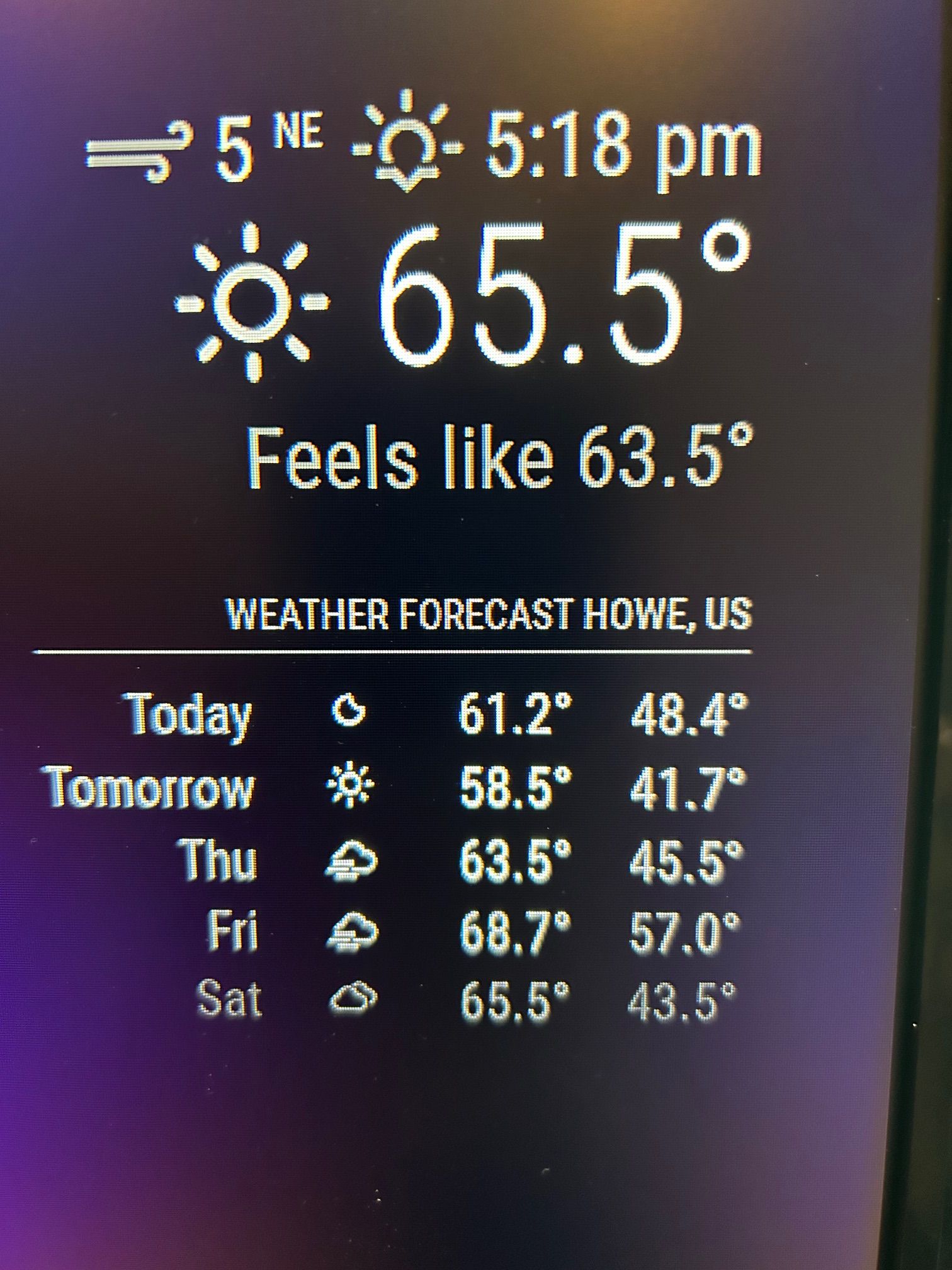
      I saw the 2.5 and changed it to 3.0 and got a 401 error. I changed it back to 2.5 and it worked. I tried commenting out the 3.0 & /onecall items in config.js and got a “config.js not found” error when running MM. I had used (/*) in the leftmost column as a ‘ignore line’ comment. So, I deleted the 4 lines from config.js and it worked fine except for a teensy error “displaying Howe instead of Houston” in the display. I have no idea where that came from. I wonder why the fourth largest city in the US isn’t listed in the pull-down menu?

      IMG_2036.jpg

      Now, I’m going to see if I can add additional modules.
      Thanks for your very patient help!!

      posted in Troubleshooting
      J
      jimb
    • RE: Modifying the Config File

      Sam, that’s helpful, thanks! The items out of alignment happened when I deleted some of my apiKey. The original is perfectly straight. Since it worked with your Key, a couple of questions.

      1. Does your Key have 28 digits?
      2. Can you answer my question concerning the Ctrl-Shift-i keys to display the browser data. Can I stop the MM app and load the browser, or…
        JimB
      posted in Troubleshooting
      J
      jimb
    • RE: Modifying the Config File

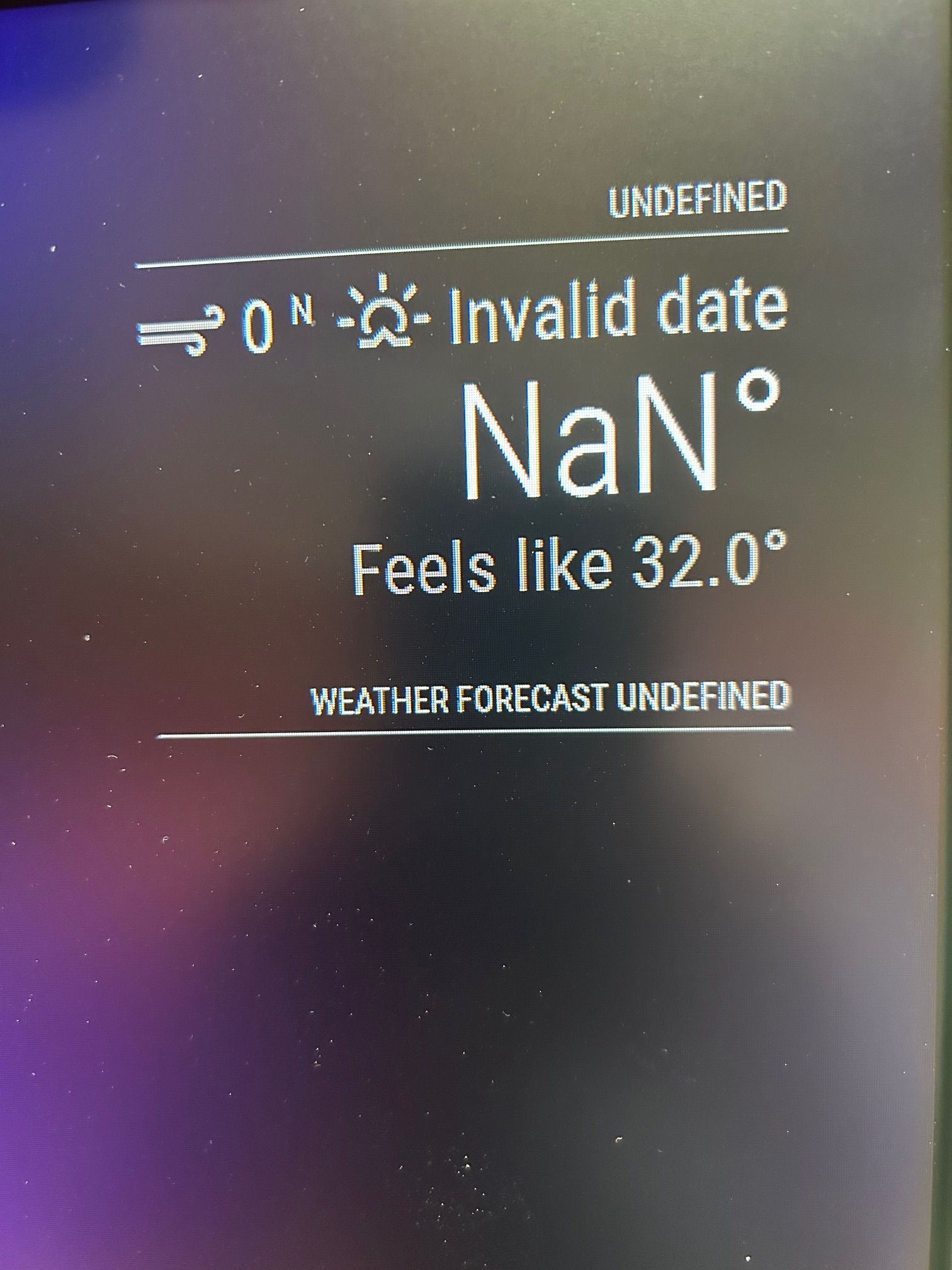
      Sam, I tried to do the Ctrl-Shift_i keypress in the browser, but nothing happened. Do I need to do this at a certain point in time or from a certain place. The reason is because I’m still getting the 401-unauthorized messages if I perform the npm start dev process during application start.

      posted in Troubleshooting
      J
      jimb
    • RE: Modifying the Config File

      Sam, here is a copy of the config.js (with the apiKey deleted)

      let config = {
      	address: "localhost",	// Address to listen on, can be:
      							// - "localhost", "127.0.0.1", "::1" to listen on loopback interface
      							// - another specific IPv4/6 to listen on a specific interface
      							// - "0.0.0.0", "::" to listen on any interface
      							// Default, when address config is left out or empty, is "localhost"
      	port: 8080,
      	basePath: "/",			// The URL path where MagicMirror² is hosted. If you are using a Reverse proxy
      					  		// you must set the sub path here. basePath must end with a /
      	ipWhitelist: ["127.0.0.1", "::ffff:127.0.0.1", "::1"],	// Set [] to allow all IP addresses
      															// or add a specific IPv4 of 192.168.1.5 :
      															// ["127.0.0.1", "::ffff:127.0.0.1", "::1", "::ffff:192.168.1.5"],
      															// or IPv4 range of 192.168.3.0 --> 192.168.3.15 use CIDR format :
      															// ["127.0.0.1", "::ffff:127.0.0.1", "::1", "::ffff:192.168.3.0/28"],
      
      	useHttps: false, 		// Support HTTPS or not, default "false" will use HTTP
      	httpsPrivateKey: "", 	// HTTPS private key path, only require when useHttps is true
      	httpsCertificate: "", 	// HTTPS Certificate path, only require when useHttps is true
      
      	language: "en",
      	locale: "en-US",
      	logLevel: ["INFO", "LOG", "WARN", "ERROR"], // Add "DEBUG" for even more logging
      	timeFormat: 12,
      	units: "imperial",
      
      	modules: [
      		{
      			module: "alert",
      		},
      		{
      			module: "updatenotification",
      			position: "top_bar"
      		},
      		{
      			module: "clock",
      			timezone: "America/Chicago",
      			showPeriodUpper: "true",
      			showDate: "true",
      			position: "top_left",
      		},
      	{
      			module: "calendar",
      			header: "US Holidays",
      			position: "top_left",
      			config: {
      				calendars: [
      					{
      						fetchInterval: 7 * 24 * 60 * 60 * 1000,
      						symbol: "calendar-check",
      						url: "https://ics.calendarlabs.com/76/mm3137/US_Holidays.ics"
      					}
      				]
      			}
      		},
      		{
      			module: "compliments",
      			position: "lower_third"
      		},
      		{			
      			module: "weather",
      			units: "imperial",
      			windUnits: "imperial",
      			tempUnits: "imperial",
      			showPeriodUpper: "true",
      			appendLocationNameToHeader: "true",
      			colored: "true",
      			position: "top_right",
      			config: {
      				apiVersion:"3.0",
      				weatherProvider: "openweathermap",
      				weatherEndpoint:"/onecall",
      				lat: "33.50872",
      				lon: "-96.612213",
      				type: "current",
      				location: "Houston",
      				locationID: "4699066", //ID from http://bulk.openweathermap.org/sample/city.list.json.gz; unzip the gz file and find your city
      				apiKey: "8acfbcab123ce212",
      			}
      		},
      		{
      			module: "weather",
      			units: "imperial",
      			winUnits: "imperial",
      			tempUnits: "imperial",
      			showPeriodUpper: "true",
      			appendLocationNaneToHeader: "true",
      			colored: "true",
      			position: "top_right",
      			header: "Weather Forecast",
      			config: {
       				apiVersion:"3.0",
       				weatherProvider: "openweathermap",
      				weatherEndpoint:"/onecall",
      				lat: "33.50872",
       				lon:"-96.612213",	
       				type: "forecast",
           				location: "Houston",
      				locationID: "4699066", //ID from http://bulk.openweathermap.org/sample/city.list.json.gz; unzip the gz file and find your city
      					apiKey: "8eca2acaacfbcab123ce212",
      			}
      		},
      		{
      			module: "newsfeed",
      			position: "bottom_bar",
      			config: {
      				feeds: [
      					{
      						title: "New York Times",
      						url: "https://rss.nytimes.com/services/xml/rss/nyt/HomePage.xml"
      					}
      				],
      				showSourceTitle: true,
      				showPublishDate: true,
      				broadcastNewsFeeds: true,
      				broadcastNewsUpdates: true
      			}
      		},
      	]
      };
      
      /*************** DO NOT EDIT THE LINE BELOW ***************/
      if (typeof module !== "undefined") {module.exports = config;}


      Screen.jpg

      posted in Troubleshooting
      J
      jimb
    • RE: Modifying the Config File

      Sam, success! I have d/l’d the SSH gui program and here is my config.js file. I have deleted my apiKey

      modules: [
      		{
      			module: "alert",
      		},
      		{
      			module: "updatenotification",
      			position: "top_bar"
      		},
      		{
      			module: "clock",
      			position: "top_left"
      		},
      		{
      			module: "calendar",
      			header: "US Holidays",
      			position: "top_left",
      			config: {
      				calendars: [
      					{
      						fetchInterval: 7 * 24 * 60 * 60 * 1000,
      						symbol: "calendar-check",
      						url: "https://ics.calendarlabs.com/76/mm3137/US_Holidays.ics"
      					}
      				]
      			}
      		},
      		{
      			module: "compliments",
      			position: "lower_third"
      		},
      		{
      			module: "weather",
      			position: "top_right",
      			config: {
      				weatherProvider: "openweathermap",
      				apiVersion: "3.0",
      				lat: 33.50872,
      				lon: -96.612213,
      				weatherEndpoint: "/onecall",
      				type: "current",
      				location: "Houston",
      				locationID: "4699066", //ID from http://bulk.openweathermap.org/sample/city.list.json.gz; unzip the gz file and find your city
      				apiKey: "8eca2aec"
      			}
      		},
      		{
      			module: "weather",
      			position: "top_right",
      			header: "Weather Forecast",
      			config: {
      				weatherProvider: "openweathermap",
      				apiVersion: "3.0",
      				lat: 33.50872,
      				lon: -96.612213,
      				weatherEndpoint: "/onecall",
      				type: "forecast",
      				location: "Houston",
      				locationID: "4699066", //ID from http://bulk.openweathermap.org/sample/city.list.json.gz; unzip the gz file and find your city
      				apiKey: "8
      "
      			}
      		},
      		{
      			module: "newsfeed",
      			position: "bottom_bar",
      			config: {
      				feeds: [
      					{
      						title: "New York Times",
      
      posted in Troubleshooting
      J
      jimb
    • RE: Modifying the Config File

      Sam,
      OK progress on the network front. I spent some time yesterday on the phone with eero tech support. At rhe end they suggested connecting my PC wirelessly and seeing if I could ping the rasberry. It works. I can ping and SSH/Putty into the pi, but have an additional snag. It accepts the login and sends a password request. BUT, I can’t enter anything- the keyboard is dead at that point.

      posted in Troubleshooting
      J
      jimb
    • RE: Modifying the Config File

      Sam, the Pi is connected via wireless. Yes, I meant autorun on my first post. I did change the Pi configuration to allow SSH. I have Eero mesh AP’s connected to my home network. I don’t know how to check if access is being blocked to the Pi. Since everything is fresh on the install it makes sense that the network is the culprit. The reason I went with a new install was to enable pasting config, etc. files here on the forum.

      posted in Troubleshooting
      J
      jimb
    • RE: Modifying the Config File

      Sam, et all: I have installed a fresh copy of the OS to a new SD card , booted up the Pi, and installed a new copy of the MM2 files, etc. from Sam’s installation script. The only mistake I made was making the MM auto-install. I attempted SSH into the Pi to modify the config on my PC. Had the same “no connnection” issue I had before. However, I now have the IP address of the Pi and I’m not able to ping it from my PC. When the Pi boots this IP address is displayed in the upper right corner for a few seconds so I know it’s correct. An IP config /all display shows-

      C:\Users\Owner>ipconfig /all

      Windows IP Configuration

      Host Name . . . . . . . . . . . . : DESKTOP-LE5LUCM
      Primary Dns Suffix . . . . . . . :
      Node Type . . . . . . . . . . . . : Hybrid
      IP Routing Enabled. . . . . . . . : No
      WINS Proxy Enabled. . . . . . . . : No
      DNS Suffix Search List. . . . . . : attlocal.net

      Ethernet adapter Ethernet:

      Connection-specific DNS Suffix . : attlocal.net
      Description . . . . . . . . . . . : Realtek PCIe GbE Family Controller
      Physical Address. . . . . . . . . : 78-E7-D1-C8-69-02
      DHCP Enabled. . . . . . . . . . . : Yes
      Autoconfiguration Enabled . . . . : Yes
      IPv6 Address. . . . . . . . . . . : 2600:1700:d10:2900::681(Preferred)
      Lease Obtained. . . . . . . . . . : Wednesday, November 29, 2023 1:44:08 AM
      Lease Expires . . . . . . . . . . : Thursday, December 28, 2023 6:10:32 PM
      IPv6 Address. . . . . . . . . . . : 2600:1700:d10:2900:17cb:6c66:31f8:87bb(Preferred)
      Temporary IPv6 Address. . . . . . : 2600:1700:d10:2900:3974:7e8b:2c4:8999(Preferred)
      Temporary IPv6 Address. . . . . . : 2600:1700:d10:2900:e81f:6b5c:4ac6:b88d(Deprecated)
      Temporary IPv6 Address. . . . . . : 2600:1700:d10:2900:f895:4134:2f63:7933(Deprecated)
      Link-local IPv6 Address . . . . . : fe80::3b70:ff2e:ecd1:4297%12(Preferred)
      IPv4 Address. . . . . . . . . . . : 192.168.1.65(Preferred)
      Subnet Mask . . . . . . . . . . . : 255.255.255.0
      Lease Obtained. . . . . . . . . . : Wednesday, November 29, 2023 1:44:03 AM
      Lease Expires . . . . . . . . . . : Saturday, December 2, 2023 1:44:06 PM
      Default Gateway . . . . . . . . . : fe80::3a3b:c8ff:fe33:13d9%12
      192.168.1.254
      DHCP Server . . . . . . . . . . . : 192.168.1.254
      DHCPv6 IAID . . . . . . . . . . . : 158918609
      DHCPv6 Client DUID. . . . . . . . : 00-01-00-01-25-B7-F6-59-78-E7-D1-C8-69-02
      DNS Servers . . . . . . . . . . . : 2600:1700:d10:2900::1
      192.168.1.254
      2600:1700:d10:2900::1
      NetBIOS over Tcpip. . . . . . . . : Enabled

      Wireless LAN adapter Wi-Fi:

      Media State . . . . . . . . . . . : Media disconnected
      Connection-specific DNS Suffix . :
      Description . . . . . . . . . . . : 802.11n Wireless LAN Card
      Physical Address. . . . . . . . . : 68-A3-C4-EA-95-83
      DHCP Enabled. . . . . . . . . . . : Yes
      Autoconfiguration Enabled . . . . : Yes

      Wireless LAN adapter Local Area Connection* 1:

      Media State . . . . . . . . . . . : Media disconnected
      Connection-specific DNS Suffix . :
      Description . . . . . . . . . . . : Microsoft Wi-Fi Direct Virtual Adapter
      Physical Address. . . . . . . . . : 68-A3-C4-EA-95-85
      DHCP Enabled. . . . . . . . . . . : Yes
      Autoconfiguration Enabled . . . . : Yes

      Wireless LAN adapter Local Area Connection* 2:

      Media State . . . . . . . . . . . : Media disconnected
      Connection-specific DNS Suffix . :
      Description . . . . . . . . . . . : Microsoft Wi-Fi Direct Virtual Adapter #2
      Physical Address. . . . . . . . . : 68-A3-C4-EA-95-86
      DHCP Enabled. . . . . . . . . . . : No
      Autoconfiguration Enabled . . . . : Yes

      Wireless LAN adapter Local Area Connection* 11:

      Media State . . . . . . . . . . . : Media disconnected
      Connection-specific DNS Suffix . :
      Description . . . . . . . . . . . : Microsoft Hosted Network Virtual Adapter
      Physical Address. . . . . . . . . : 68-A3-C4-EA-95-84
      DHCP Enabled. . . . . . . . . . . : Yes
      Autoconfiguration Enabled . . . . : Yes

      C:\Users\Owner>

      Does anyone see anything weird?

      posted in Troubleshooting
      J
      jimb
    • RE: Modifying the Config File

      Gents, my goal was not to build a watch, only to tell the time. I have bit the bullet and will be building a new image of the OS and setting it up to run from my PC. That way I’ll be able to copy configs for all to peruse, trying to get Magic Mirror up and running. Thanks for your continued support!

      posted in Troubleshooting
      J
      jimb
    • RE: Modifying the Config File

      Sam, from the Pi I can use the browser to get to the Internet so it has an IP address. I can ping Google from it, too. At this point I think the best thing would be for me to start over with a fresh installation. I don’t want to be a PITA here!

      posted in Troubleshooting
      J
      jimb
    • 1 / 1