I realized yesterday as I was chatting with @Eunanibus, that the way I write code and debug it is probably rather unique, compared to how others might be doing it. Then today at the office I was tasked with having to create a full network map of the building, after all, being the IT Director, I’m the one that put it all in place, so why not.
Then I thought, why not use my home setup, specific to how I do my coding for MagicMirror, and create a layout in the hopes that when I say ‘load up MagicMirror in a regular browser on a different machine’, it would actually make some sense.
Preface
This is a rather small portion of my home network, centered around two physical devices. There are about a dozen other devices on the network. This specific setup consists of a Windows 10 work station (dual monitors) where I do everything on, and the Raspberry Pi and its monitor sitting on my desk (and if you’re counting, that’s 3 out of 5 monitors that are on my desk.) The rpi has it’s own monitor hooked on to it and displays MagicMirror on that. The layout below starts at my connection to the Internet all the way down to the Windows 10 and Raspberry Pi, then it breaks into the specific processes that are used on either platform to get the job done.
I will write notes after the image, so make sure to scroll down. With that said:
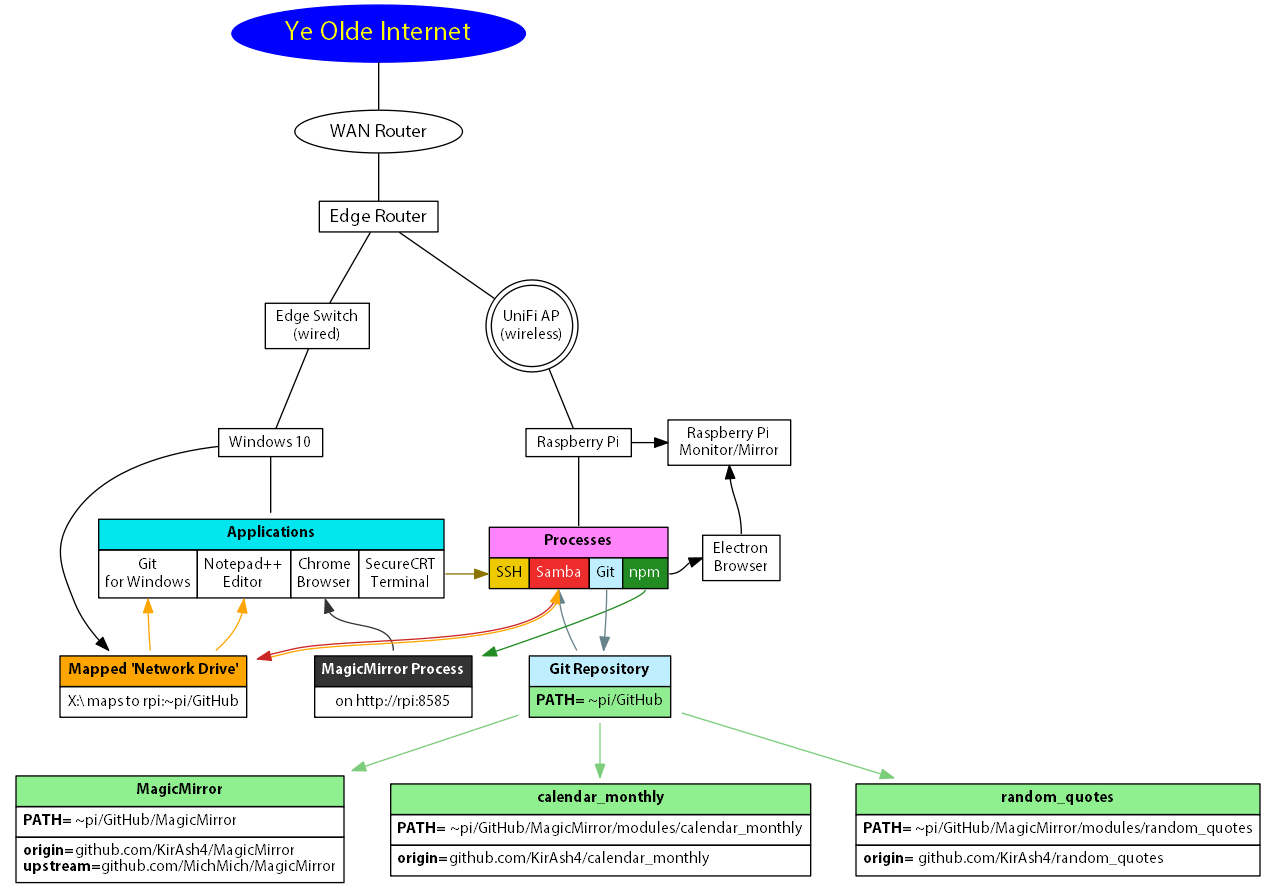
As you can probably see, the Windows 10 machine is hard wired into the network switch, while the Raspberry Pi is connected via wireless to an AP (access point).
On the rpi, I have a dedicated folder called 'GitHub' in the user 'pi' home folder where I keep all my repositories. I clone that stuff with 'Git', then 'npm' launches the MagicMirror application onto the rpi’s monitor. Also on the rpi, I run 'samba' which provides an SMB/CIFS protocol for the Windows machine (and anything else wanting NETBIOS connections to it.) It exports the '~pi/GitHub' folder to the network, specifically only to the Windows 10 machine.
On the Windows side, I will map that NETBIOS export onto a drive, in this layout it’s drive letter 'X:\'. Now I have access to all of the repositories that are on the rpi. I can use 'Git for Windows' to manage them (or, more often than not, I will use 'git' on the rpi itself since I’m generally also logged in via SSH.) Now that I have access to the repositories, I can use my editor to open and edit the files like I normally would any other file.
At the same time, I also have a Chrome browser open, pointed at the rpi’s address and port, which will load up the MagicMirror application, completely independent of what’s showing on the rpi’s monitor. That means, I can edit files, change or write new code, save, and hit refresh on the browser and get an instant feedback, without messing up what’s running on the rpi’s monitor! This is great for comparing things.
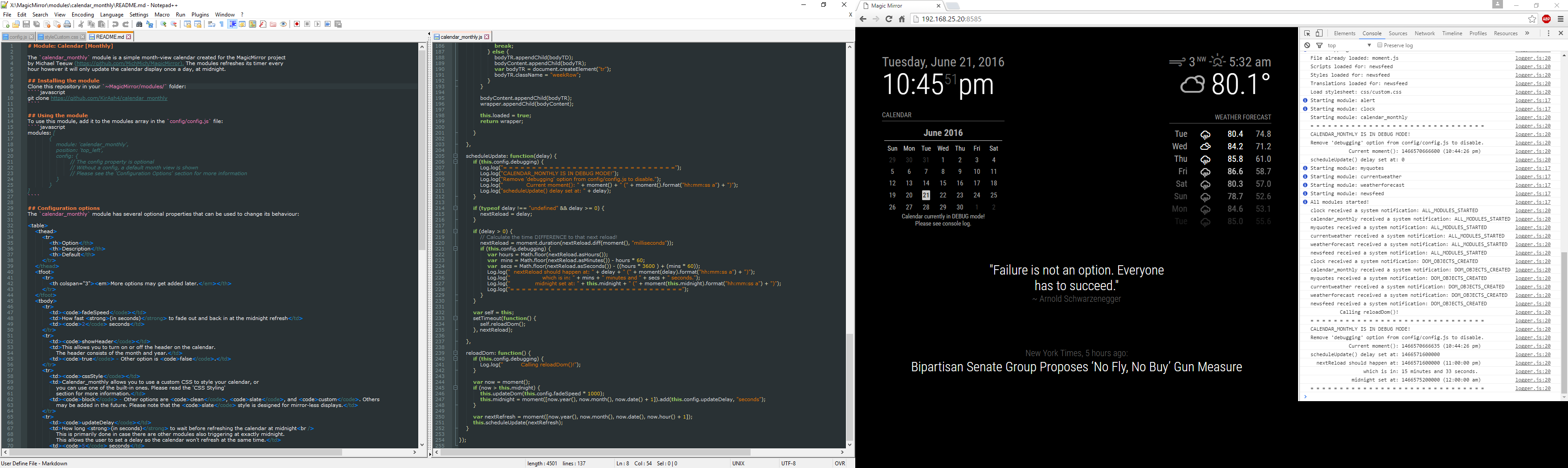
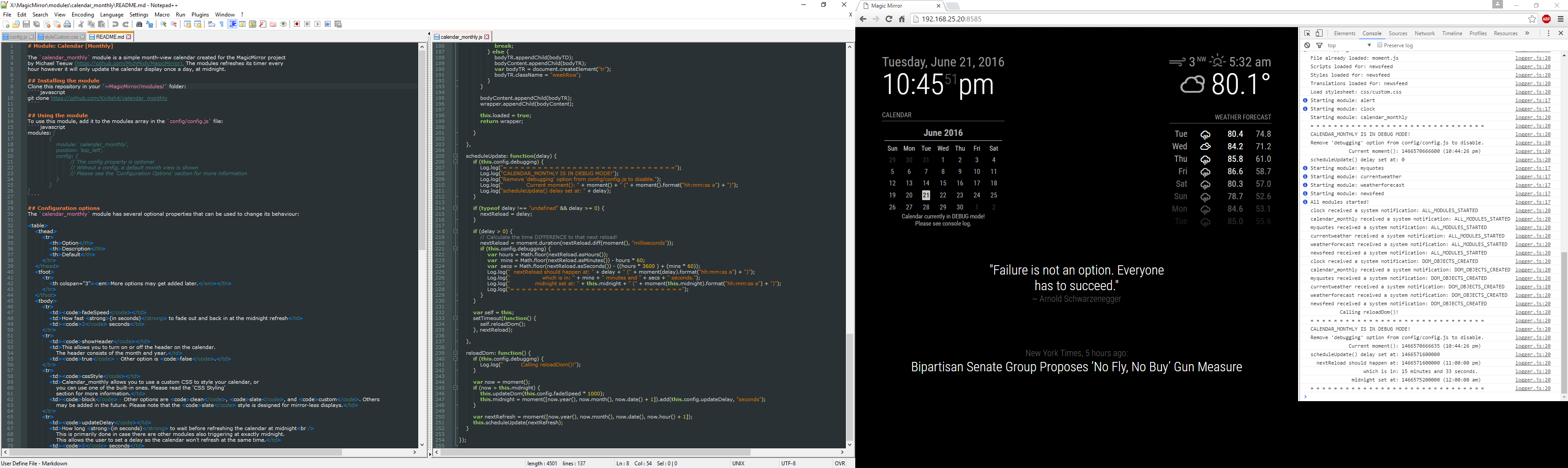
As I showed @Eunanibus yesterday, I use the Chrome browser’s console panel to debug code, whether it’s HTML code, or the console log messages as can be seen here. Remember, dual monitors, so on the left monitor is my editor with split view so I can open multiple files side-by-side, and on the right is the Chrome browser with the console panel open.
Looks convoluted, doesn’t it? Trust me, I’ve seen worse. :)
Now go forth and code Code CODE!