Keep in mind that not all TVs or computer monitors support CEC. Try at your own risk (or do some research to see if yours does.)
A New Chapter for MagicMirror: The Community Takes the Lead
Read the statement by Michael Teeuw here.
Read the statement by Michael Teeuw here.
K
Offline
Posts
-
RE: Different sleep function
-
RE: Calendar Request
At the moment, the limit is global, as you’ve noticed. So you’ll have to figure out how to break it up on a per-calendar basis and figure out how to manage each one, how to determine if the user wants a global, or individual, how the individual one is setup, which calendar it applies to, etc., etc. Or maybe you will come up with a whole different method … :)
I’d tackle this, however my free time has been severely limited lately …
-
RE: Calendar Request
You are more than welcome to implement this and create a pull request. I suspect others would find it helpful as well.
-
RE: Complete Setup tutorial: npm command not found / unable to install dependencies
Is ntp running? Is your firewall blocking it?
-
RE: Where are you from?
Well fine, since we’re showing pictures …
Where am I from (originally)?
It looks like this when you go to the beaches:
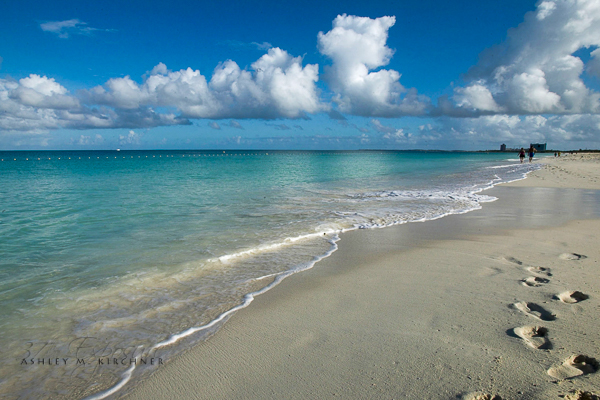
Where am I from (currently)?
It looks like this when you look west:

-
RE: npm start dev
@shavesophere said in npm start dev:
@KirAsh4 sorry - i stand corrected! but that being said when i first started getting npm ERRS i tried this and it still did not work… anyway, moving forward now!
Well yeah, that’s different. If npm is giving you errors, no matter how you attempt to start it, the errors won’t magically go away. That’s like saying, the car won’t start if I’m sitting on the left side, maybe if I sit on the right side it might, but in reality there’s no gas in it. Switching seats isn’t going to fill the gas tank. :)
-
RE: npm start dev
@shavesophere said in npm start dev:
OK i think i’ve solved it. magic mirror HAS to be started (npm start) from a terminal window in the x-window server. you cannot start it over ssh.
Not true. It can be started over SSH just fine:
DISPLAY=:0 npm start -
RE: Virtual Dressing Mirror
Not to mention a fast processor to be able to process the video and change colors on the fly like that.
-
RE: Default Calender-absolute Date
What’s the rest of the config block look like?
-
RE: MMM-PiLights - Control a LPD8806 Led Strip on a Raspberry Pi
And technically speaking, the LPD8806 chipset requires 4 wires for input: VCC, GND, DATA_IN (DI), and CLOCK_IN (CI). On a Raspberry Pi 3, the SPI port is on pins:
MOSI    P1-19  (Master Out Slave In)
MISO    P1-21  (Master In Slave Out)
SCLK    P1-23
GND     P1-25
CE0     P1-24
CE1     P1-26
For DATA_IN, you should use the
MOSI(19) pin, and for CLOCK_IN, theSCLK(23) pin. Pins 24 and 26 arechip selectpins if you happen to have several SPI slave devices and needed to select which one you’re addressing. -
RE: MMM-PiLights - Control a LPD8806 Led Strip on a Raspberry Pi
I’m referring to adding it to the repository README.md file.
-
RE: MMM-PiLights - Control a LPD8806 Led Strip on a Raspberry Pi
May I suggest you add a section on how to actually connect the LED strips to the pi, which pins, etc.? Not everyone is as technical as some of us … :)
-
RE: Touch screen over two way mirror
I have no experience with either, but I would guess the USB screen overlay is better.
-
RE: Besides your MagicMirror, what are some Maker-projects you worked/working on?
@McSorley said in Besides your MagicMirror, what are some Maker-projects you worked/working on?:
@KirAsh4 Siri! Lower the force field!
Unfortunately, unless the garage door goes down, instead of up, telling Siri to ‘lower’ it doesn’t seem right.
-
RE: Besides your MagicMirror, what are some Maker-projects you worked/working on?
@cowboysdude said in Besides your MagicMirror, what are some Maker-projects you worked/working on?:
BUT I’m going to use an RPI Zero 1.3 and run a minimal run of MM2 on it using a 7" touchscreen… you know off/snooze thing ;)
Don’t expect Electron to run on that. It’s not compiled for that platform last I checked.
-
RPI Update
Have you updated your Raspberry Pi lately?
$ sudo apt-get update
$ sudo apt-get upgrade
$ sudo rpi-update
$ sudo reboot
Note that the firmware update will cause the reboot step to take longer than normal. Just don’t think your rpi is stuck and yank the power cord. Let it sit there for a bit. Mine took a good 2 minutes before it finally rebooted. The SD card access light was flickering quite a bit, meaning it was doing a lot of writing and configuring after the update.
And don’t forget to also request the most recent git copy of MagicMirror² as well:
$ cd magicMirror $ git pull -
RE: Besides your MagicMirror, what are some Maker-projects you worked/working on?
@loribeeinca said in Besides your MagicMirror, what are some Maker-projects you worked/working on?:
I built a HomeKit garage door opener with sensor …
'Hey Siri, open the garage door"
Siri, “Sorry HAL, that is not your car. I will not open the garage door.”