Once I figure out why git(hub) is pulling in all of the erroneous stuff and fix that, I’ll create a pull request so it gets merged.
A New Chapter for MagicMirror: The Community Takes the Lead
Read the statement by Michael Teeuw here.
Read the statement by Michael Teeuw here.
 Offline
Posts
-
RE: Change default interface colors
-
RE: Change default interface colors
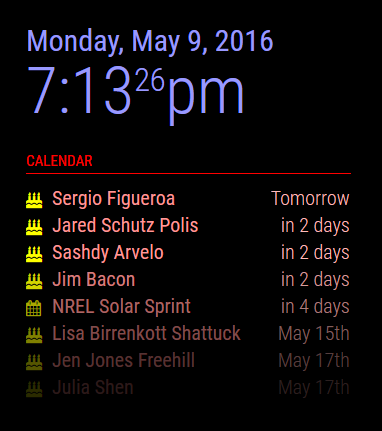
A modified one that I haven’t checked into the base code yet. :)
-
RE: Change default interface colors
For custom modules that you create, you can use the getStyles method to assign a custom CSS file so you can override the colors to whatever you want. For the current, default modules, I think those are hard coded styles. I suppose you can always edit those files should you really want to.
-
RE: Face Recognition - File can't be opened for writing
Looks like it doesn’t have permission to open your trainingFile:
model.load(json.loads(sys.argv[1])[“trainingFile”])
cv2.error: /build/opencv-ISmtkH/opencv-2.4.9.1+dfsg/modules/contrib/src/facerec.cpp:325: error: (-2) File can’t be opened for writing! in function load
Notice the
File can't be opened for writingmessage.Wherever it’s trying to create that file, the main process running MM can’t write to that location.
-
RE: Missing CSS icons?
Myah, you have slow connections somewhere. From the log you sent me, I want to say the socket isn’t responding fast enough … why, who knows. Still need investigating …
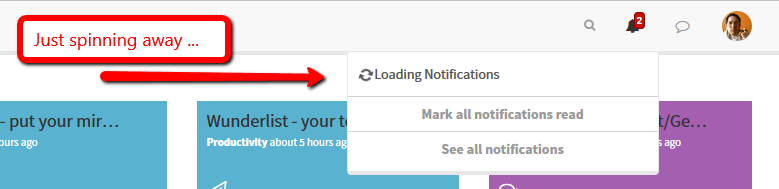
I had to force refresh the page, then let it sit there for a bit before the notification icon popped up again, as well as the ‘Unread’ notification. Definitely some delay/timeout somewhere.
-
RE: MagicMirror Stuck/Freeze
Couple of things:
- Are you using a proper power supply for the pi? You want something that can provide at least 2Amps.
- Is the rPi very hot? Do you have it in a sealed box with little air flow?
- Have you checked the file system itself on the card? One method is to issue a forced check upon a reboot with
'sudo shutdown -F -r now'- After the reboot, look the results in'/var/log/fsck/'. If for some reason that fails when you type it in, you can try adding'fsck.mode=force fsck.repair=yes'to/boot/cmdline.txtand reboot the pi. That will force a file system check upon start up and you can watch to see if there are errors. - Failing that, you can always move all of your modules onto a different computer (or in the cloud somewhere), rebuild the pi from a fresh image, and try it again, see what happens.
-
RE: Starting MagicMirror v2 beta
I can also verify this as I just setup a brand new rPi yesterday. Downloaded a fresh copy of jessie, booted up the rPi, did the setup for it, made sure all apps were up to date (with
'sudo apt-get update ; sudo apt-get upgrade'then installed MM as per the wiki’s instructions. Done. -
RE: Change default interface colors
Assuming you’re simply talking about the elements on the display, one possible way is to use a custom CSS file, where you over ride the colors of the various elements.
-
RE: Getting started tutorial
I have a default Raspbian installation on an 8Gb card, with some of the bloat removed (such as LibreOffice, wolfram-engine, and others). With MM installed, plus some other stuff that I put on, this is the current storage:
pi@magicmirror:~ $ df -h Filesystem Size Used Avail Use% Mounted on /dev/root 7.2G 3.4G 3.5G 50% / devtmpfs 459M 0 459M 0% /dev tmpfs 463M 5.6M 458M 2% /dev/shm tmpfs 463M 6.8M 457M 2% /run tmpfs 5.0M 4.0K 5.0M 1% /run/lock tmpfs 463M 0 463M 0% /sys/fs/cgroup /dev/mmcblk0p1 60M 20M 41M 34% /boot tmpfs 93M 0 93M 0% /run/user/1000 -
RE: 720p TV - Re-adjust Region Sections?
By the way, while inconvenient every time, you can issue a
'pm2 restart <MM>'(where<MM>is whatever you called your process) to refresh the display and those times would display properly again.