@yawns so what do I do to get rid of the error then?
L
Offline
A New Chapter for MagicMirror: The Community Takes the Lead
Read the statement by Michael Teeuw here.
Read the statement by Michael Teeuw here.
Posts
-
RE: v2.1.1 Update Error
-
v2.1.1 Update Error
Tried to run the update and this is what I got:
pi@raspberrypi:~ $ cd MagicMirror
pi@raspberrypi:~/MagicMirror $ git pull && npm install
Updating 8010e62..1a2b4f8
error: Your local changes to the following files would be overwritten by merge:
	modules/default/clock/clock.js
	modules/default/compliments/compliments.js
Please, commit your changes or stash them before you can merge.
Aborting
pi@raspberrypi:~/MagicMirror $
It completely aborts. Not sure what to do.
-
RE: MMM-AlexaPi
@Davepre said in MMM-AlexaPi:
Good morning guys,
a quick question for everyone who managed to get this to work. How is the performance when leaving the mirror on for a couple of hours?I havent had the time to properly test it yet, but yesterday night I was under the impression that the MMM-AlexaPi module is quite a heavy hitter performance wise. I use a raspberry pi 3 and don’t feel like I overloaded it (only default modules + mmm-alexapi, motion detection and mmm-uklivebusinfo as 3rd party ones). But the newsticker got stuck after ten minutes and I was unable to close or alt+tab out of magic mirror. Again, I havent tested it properly yet since I didnt have the time, just wondering whether you experienced similar slow-downs.
Best regards / Dave
Every once in a while the mirror sticks but not often. I’ve been running AlexaPi from the start. Usually I just CTRL+Q to restart the mirror or I reboot. I have a reboot button on the side of my mirror. see my setup here. I also have a monitor off button. I have an old LCD monitor that get very hot and overheats, turning off the HDMI, so I keep it off most of the time, however Alexa still runs in the background. I also have a temperature sensor on my MM and I have a 5V fan attached to my Pi to keep it cool. It stays belwo 45degC.
-
RE: MMM-AlexaPi
@Davepre If you lost the “hello” at the beginning, you might be able to change back to ‘vlc’ as playback_handler and see if that works. I’ve had the best results with ‘sox’, however, I’m currently running on v1.4 with vlc as my handler and it’s working great. I get my flash briefing, I get music access from TuneIn and iHeartRadio. It’s almost as good as my Dot that I have in the kitchen.
-
RE: Family Info Board
@Orca simply clone the module for the calendar and change the settings for login.
-
RE: MMM-AlexaPi
@Davepre ask for help here: https://gitter.im/alexa-pi/Lobby
These guys helped me. I recommend installing v1.4, instead of the current 1.5. Then during installation, install it as magicmirror instead of raspberrypi. After installation, open the config.yaml file and change the output handler from vlc to sox. -
RE: Not able to SSH into MM
@deadherring I get the same problem. I have to restart the pi, not just MM to get SSH to work. I have another RPi running a NAS that works great and can SSH every time. I don’t know if there’s something interfering or what.
-
RE: MMM-AlexaPi
@cyberphox jump on the gitter.im site. I’ll try to help you out.
-
RE: MMM-AlexaPi
@cyberphox are you using any other sound modules? AlexaPi does not work with MMM-Voice. Found that out the hard way. I had to wipe my SD card and start over.
-
RE: -=]!Show Your Module Setup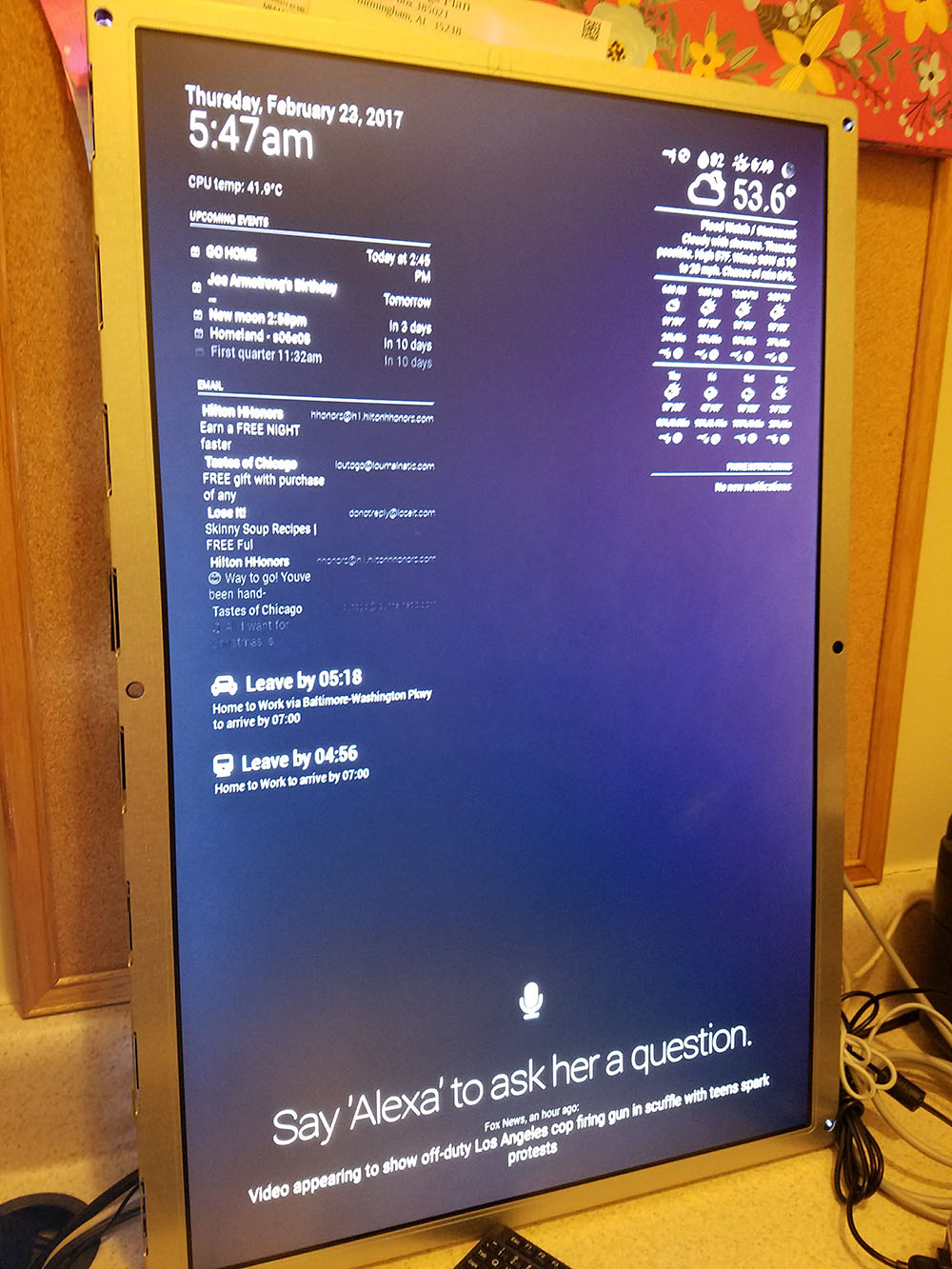
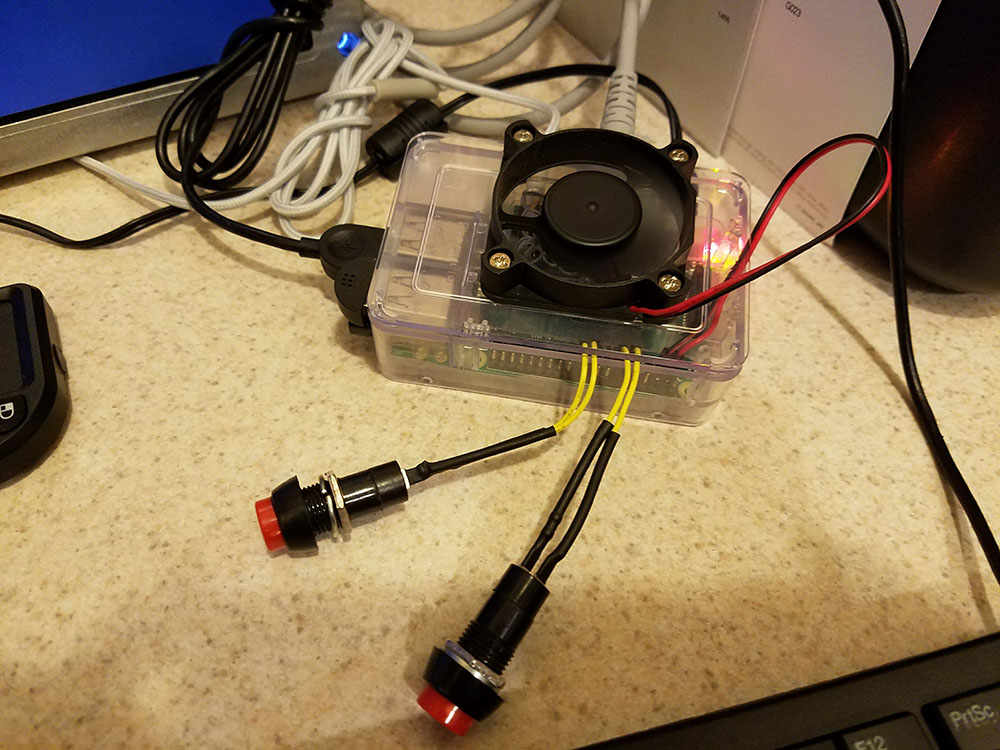
Then of course I installed all of the required MagicMirror software on my RPi 3 model B with Canakit case. I added a 5v GPIO fan because I knew it was going to generate heat behind the mirror and the monitor puts off a TON of heat. I drilled holes on the top of the case to allow more air flow and screwed it into the top. I also attached two squid buttons: both with python scripts to run reboot command and shutdown commands:
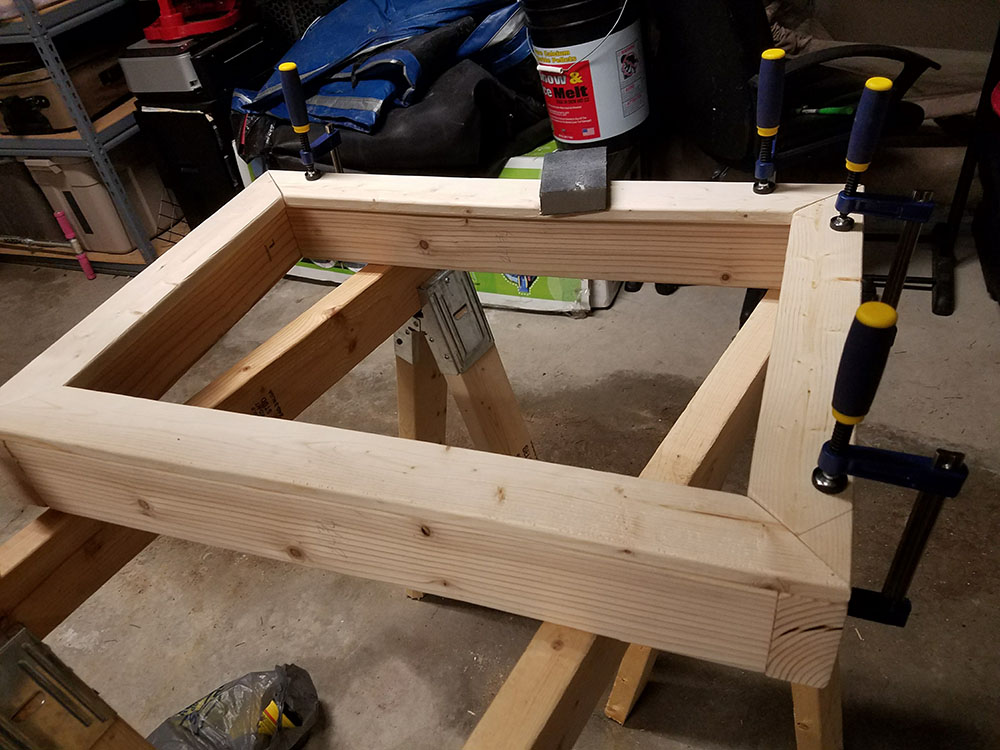
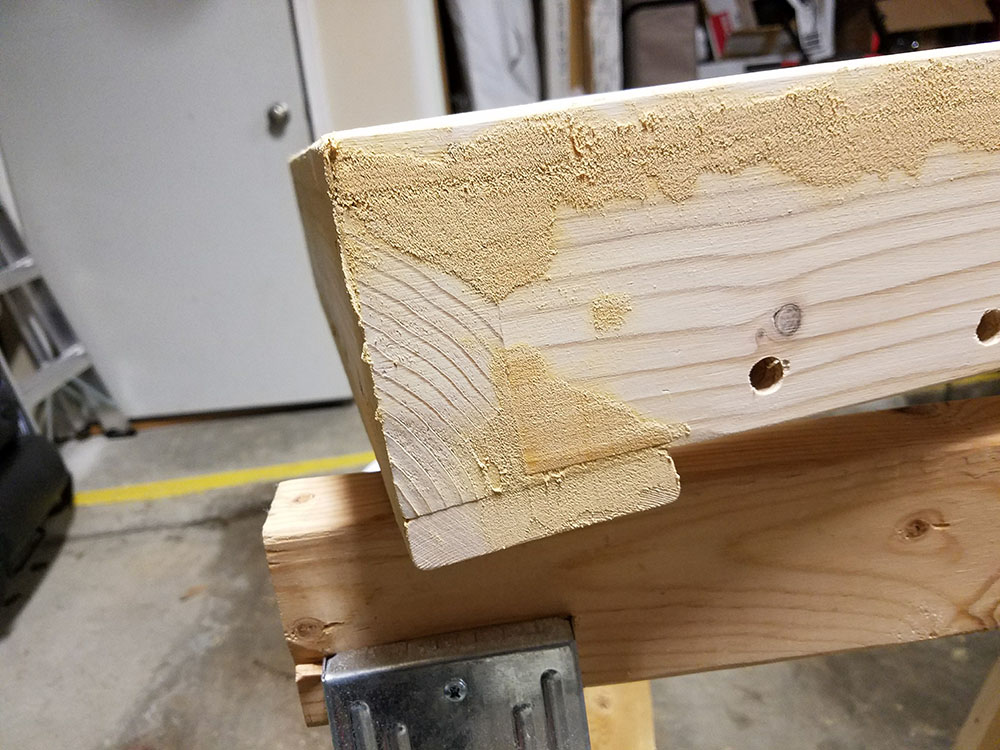
I built the frame from 2x4 birchwood with 1x3 45deg angled cuts for the border and 1x4 for the back to allow for hanging (no plan to hang as of right now). I used pre-drilled holes and Gorilla wood glue to hold in place. I also used wood putty to fill in the holes and gaps created by imperfect cuts of wood that I picked up at Lowes. Then I sanded the beJesus out of it with both a belt sander and by hand. I also drilled several venting holes for the heat to escape. Then I put about 2-too-many coats of wood stain on it. It was below freezing in my garage when it was drying so it cracked after I put the acrylic top-coat on it. I think it looks pretty cool like that anyway. It looks kind of like snake scales.
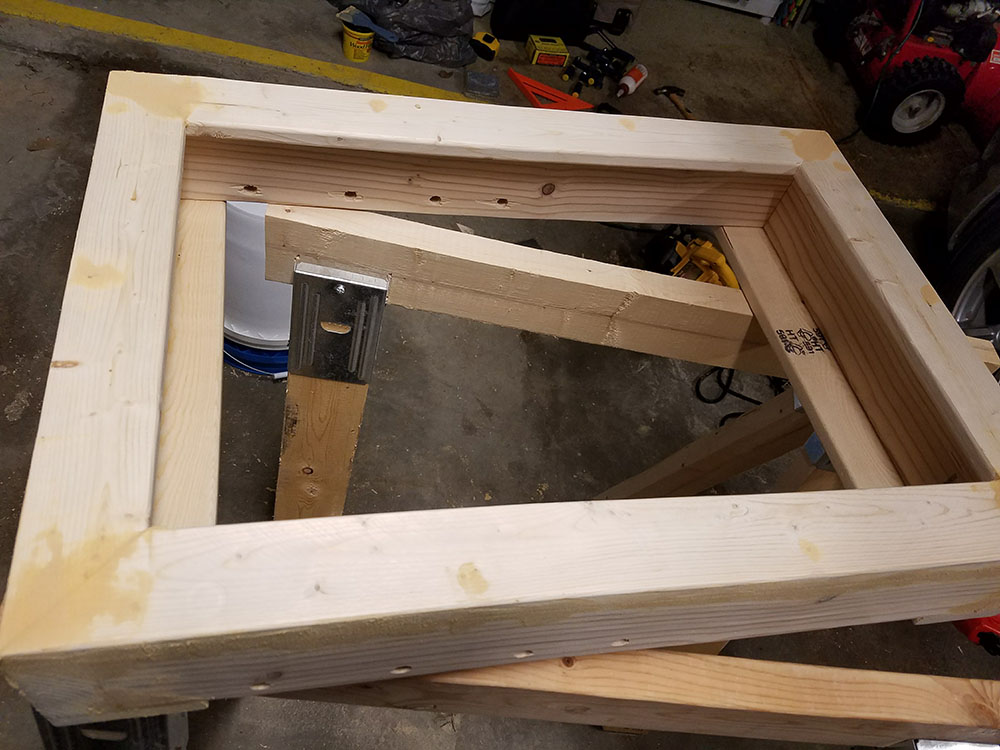
The glass I used was the 1/8" acrylic from Tap Plastics. I’ll be honest, I’m not that pleased with it. Since it’s acrylic, in certain places it looks like a fun house mirror, distorting the image–perhaps it’s not completely flat, but it works well enough. To cut ~30" piece was $67 + 16 for S&H. I wasn’t willing to spend $150+ for the glass at twowaymirrors.com. Also there are a few small imperfections with the glass where the mirror coating had chipped off when I got it. It’s hard to see unless you’re up close, so I can deal with it.
Here is the setup behind the mirror:
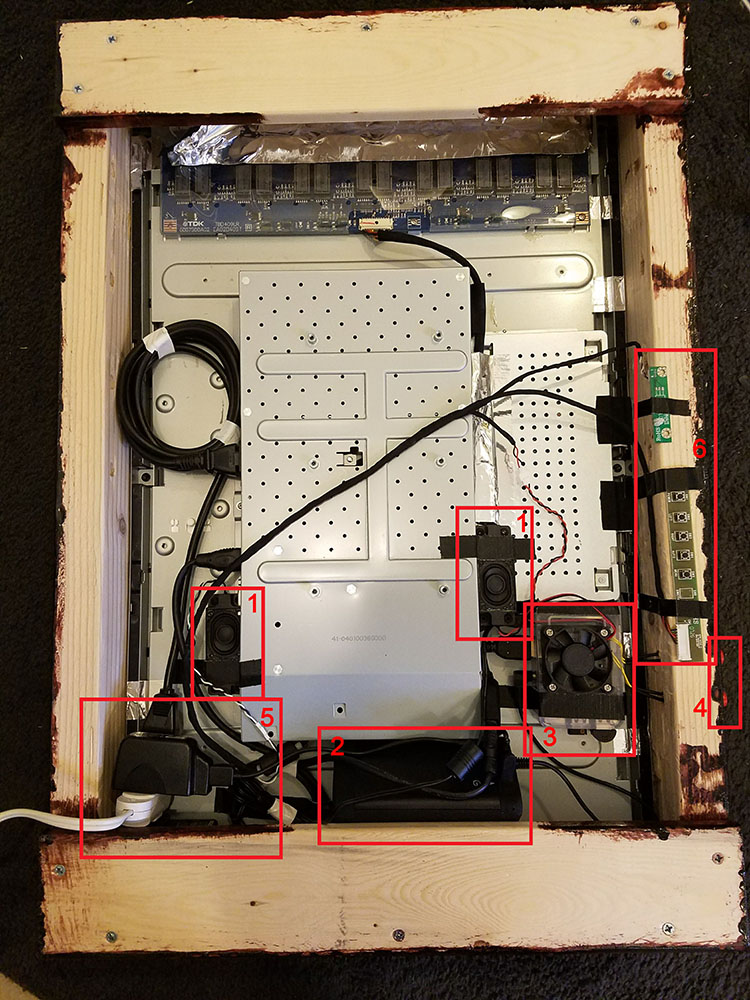
Everything fits very snugly into the frame.- stereo speakers built into the monitor that supplies HDMI audio
- Oontz angle BT speaker with better bass response for music. Currently plugged into the RPi via 3.5mm jack.
- The RPi with attached fan, x2 squid buttons, micro-USB microphone, and mini wireless USB keyboard
- pre-drilled holes for the squid buttons
- simple 3-port extension cord for power supply to speaker, monitor and RPi. I’d like to figure out something better in the future.
- monitor buttons and LED (puts off a cool blue light behind the mirror).
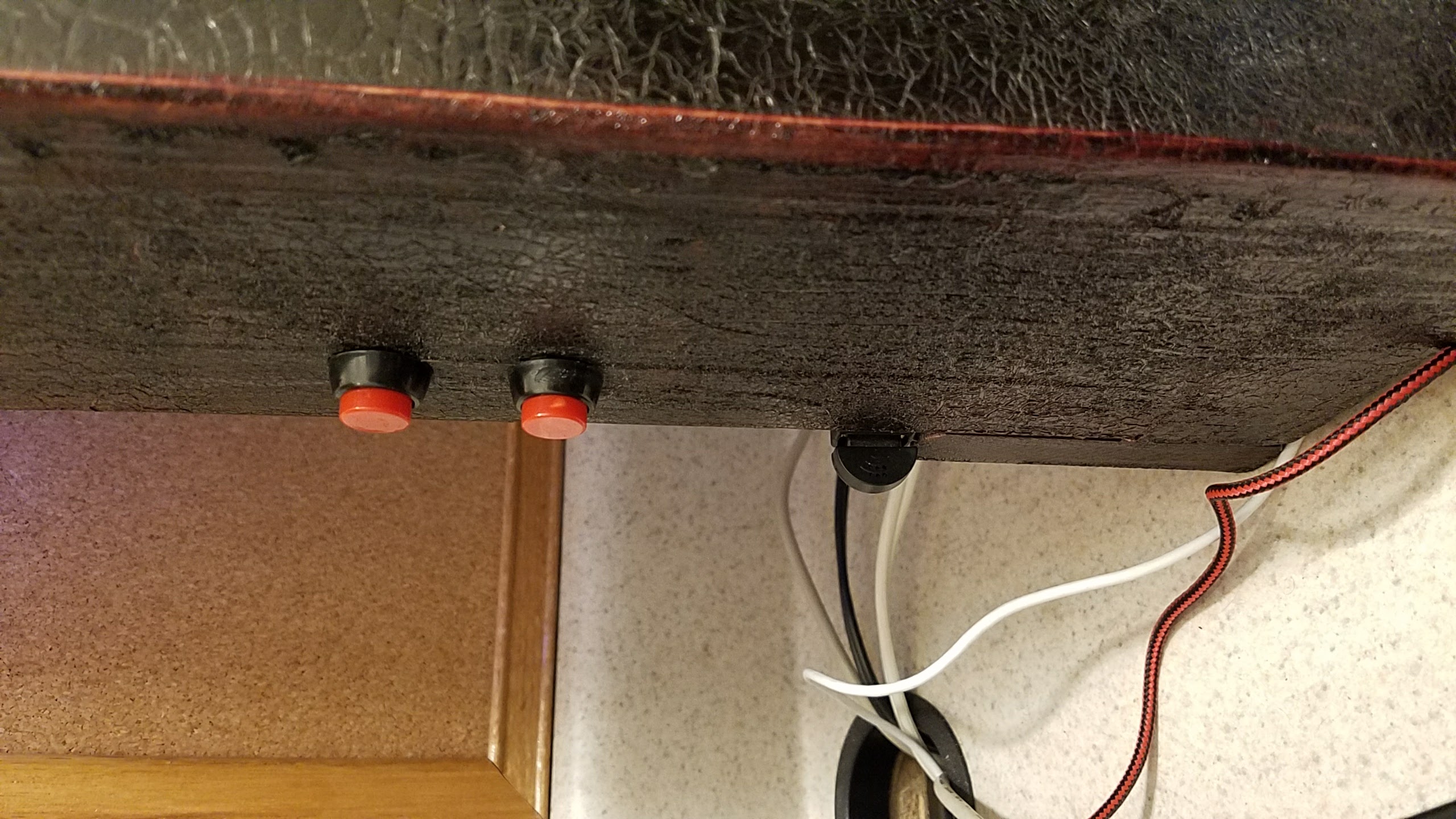
Here’s my button and mic setup. The top squid is for restart and the bottom for shutdown. I took my Kinobo mic, attached it to a USB extender and glued it to the back of the frame.And that’s pretty much it! The software has been the biggest hurdle. I’ve had the hardest time getting the AlexaPi skill to stay working correctly. It was working amazingly the first time I installed it but every subsequent install it has gotten worse and I can’t figure out why. I’ve been in contact with the devs over at gitter.im but it still works well enough.
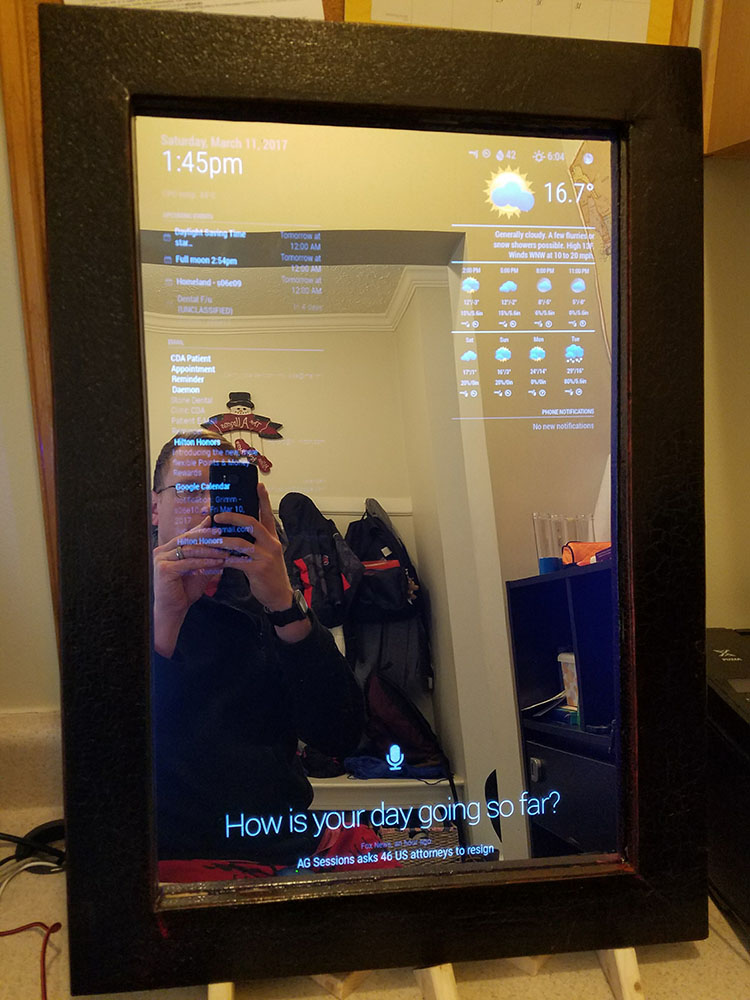
Here’s my module setup:
Top Left- Time in 12h format with date
- CPU temp
- multiple calendar events
- gmail
Top Right
- Wunderground with forcast
- phone notifications
- car and train travel times in DC area
Bottom Bar
- AlexaPi integration
- Compliments
- RSS news feed
I have other modules not showing - MMM-ModuleScheduler, MMM-RemoteControl and MMM-Instagram turned off.
Here’s the final product:
I hope you enjoy.
-
RE: MMM-voice
@strawberry-3-141 Ok, using
sudoto install dependencies, I was able to get through 5/6, but now 6/6 failed:[STEP 5/6] Installing npm dependencies dependencies.sh: line 106: cd: /root/MagicMirror/modules/MMM-voice: No such file or directory npm WARN enoent ENOENT: no such file or directory, open '/root/pocketsphinx/package.json' npm WARN pocketsphinx No description npm WARN pocketsphinx No repository field. npm WARN pocketsphinx No README data npm WARN pocketsphinx No license field. [STEP 5/6] Installing npm dependencies | Done [STEP 6/6] Manipulating dependencies dependencies.sh: line 118: cd: /root/MagicMirror/modules/MMM-voice/node_modules/pocketsphinx-continuous: No such file or directory sed: can't read index.js: No such file or directory [STEP 6/6] Manipulating dependencies | Failedthoughts?
-
RE: MMM-voice
@strawberry-3.141 sorry, i’m pretty much a NOOB, how do I do that?